where exactly can I find the file where the new macro I just saved was saved?
-
I just recorded a “BEBE” macro, but I can’t find this macro in the shortcuts.xml file, even though it appears in the notepad++ macro menu.
So, where exactly can I find the file where the new macro I just saved was saved?
Seem that the new macro I just record is not here: “c:\Program Files\Notepad++\shortcuts.xml”
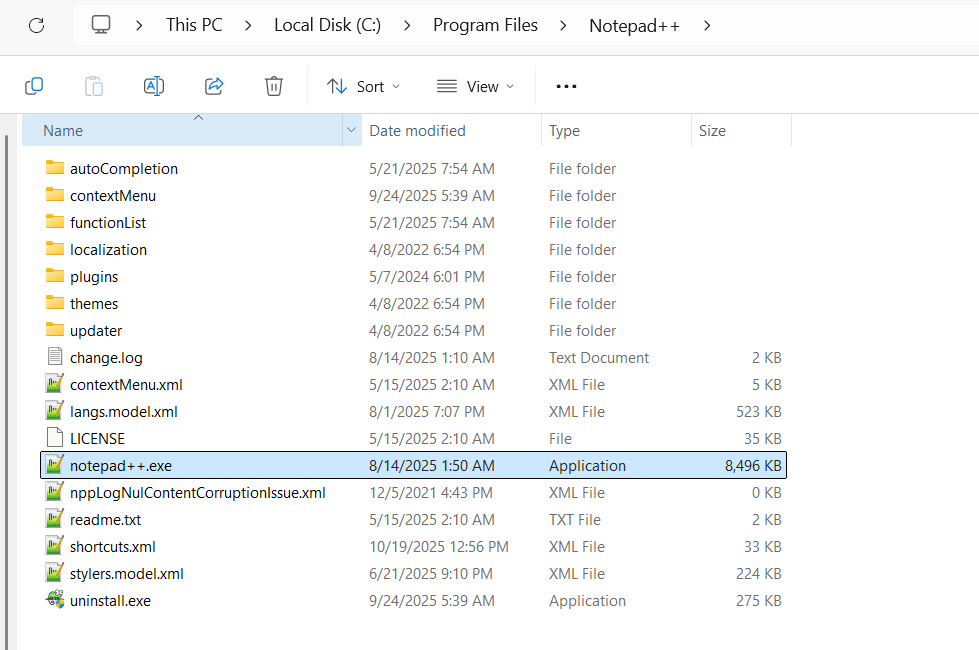
-
@Neculai-I-Fantanaru
Look for the file in “appdata”. More detail HERE.
-
@Alan-Kilborn Thanks. So, in my case:
c:\Users\necul\AppData\Roaming\Notepad++\Now, after restart notepad++, I can see the last change was made 2 minute ago,
shortcuts.xmlSo, you must restart notepad++ in order to see the change on shortcuts.xml
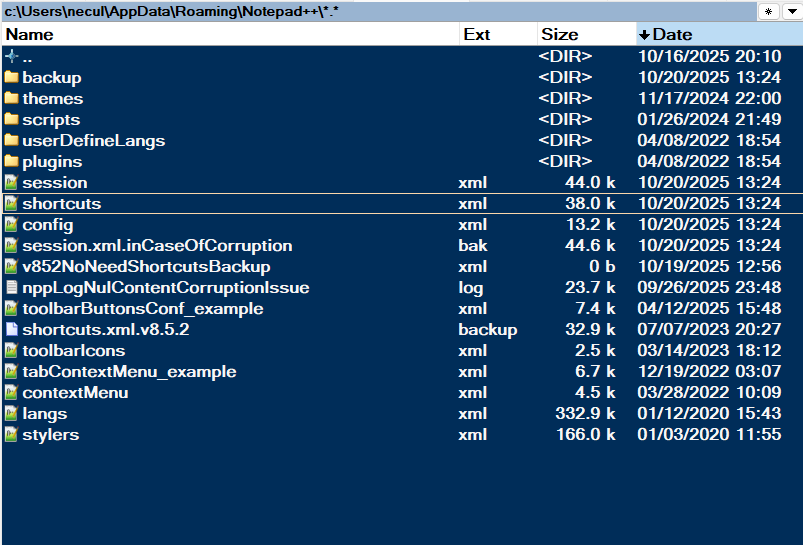
-
@Neculai-I-Fantanaru said in where exactly can I find the file where the new macro I just saved was saved?:
you must restart notepad++ in order to see the change on shortcuts.xml
Specifically, Notepad++ saves changed settings to disk when the application exits.
-
Your new macro is saved in your user folder here:
%AppData%\Notepad++\shortcuts.xml
Open that file and look under <Macros> to find it.
-
Also, go to to the search input window and type name:bbb or whatever you named the file if it’s not bbb. Windows will find it. Of course you need to search from a folder that you can reasonable expect to find the file, so that the search doesn’t take too long.
-
@john-murphy said in where exactly can I find the file where the new macro I just saved was saved?:
Also, go to to the search input window and type name:bbb or whatever you named the file if it’s not bbb. Windows will find it. Of course you need to search from a folder that you can reasonable expect to find the file, so that the search doesn’t take too long.
That has nothing to do with the question asked. You do not name the file that Notepad++ stores macros in. It’s defined internally, and the answers above already explained where to find them.
I cannot prove you are using generative AI, but it sure feels like it. That is expressly forbidden in this forum. You’ve had two posts like that. If you make a third post that has the same unhelpful pseudo-replies, you will be banned.



Hello! It looks like you're interested in this conversation, but you don't have an account yet.
Getting fed up of having to scroll through the same posts each visit? When you register for an account, you'll always come back to exactly where you were before, and choose to be notified of new replies (either via email, or push notification). You'll also be able to save bookmarks and upvote posts to show your appreciation to other community members.
With your input, this post could be even better 💗
Register Login