Idea of a new installation routine
-
I noticed in the forum discussions several comments and possible confusion when a user updates of installs Notepad++.
My idea is this: create an executable that does this:
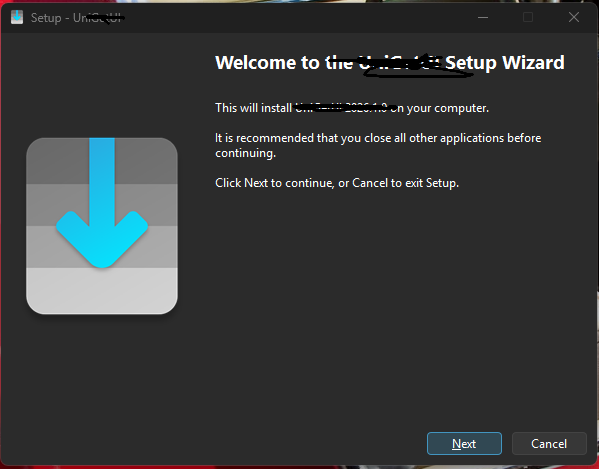
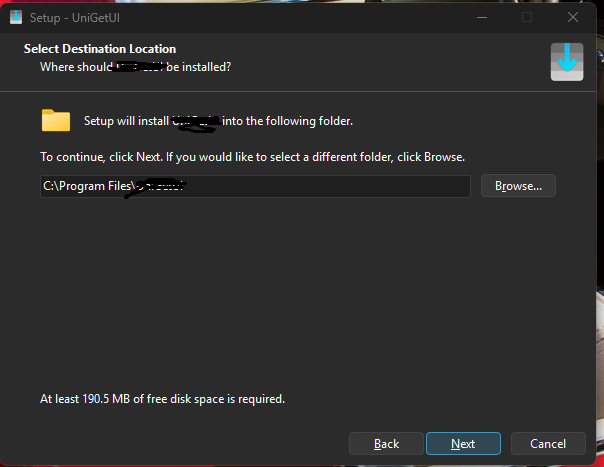
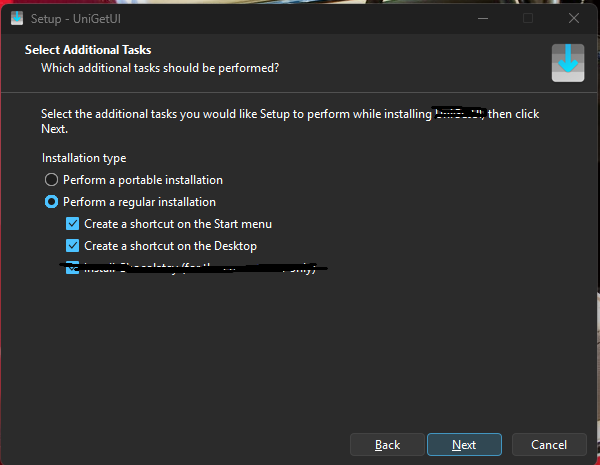
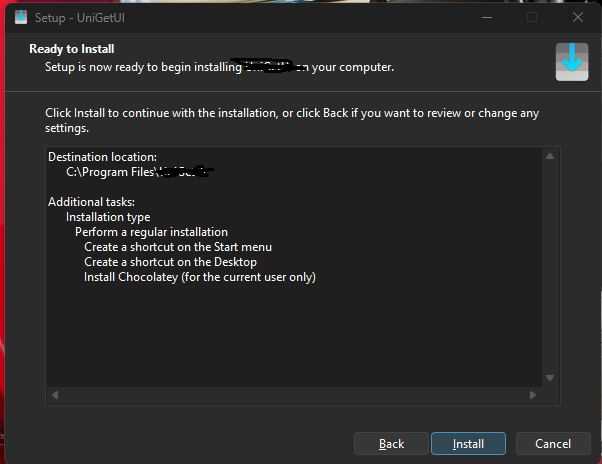
FYI: I “borrowed” some screenshots from another software product install, but if you follow the flow I think that you will get the idea.
Comments and suggestions please.
-
@Murray-Sobol-1 said in Idea of a new installation routine:
if you follow the flow I think that you will get the idea.
How is that different than the Notepad++ installer flow? It tells you it’s going to install, it asks for location, it confirms a few options, and it shows the details.
The only thing different I see is that it asks if you want portable… But even that, if you’re not installing in Program Files, is allowed in N++ installer by saying you don’t want AppData.
So again, how is it different?
Update: here’s a screen by screen comparison:
your screenshot n++ notes not shown 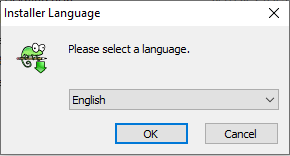
n++ extra 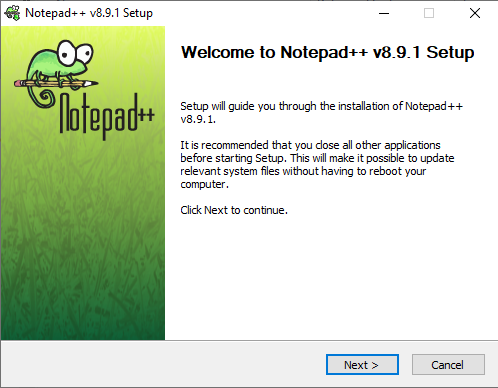
same not shown 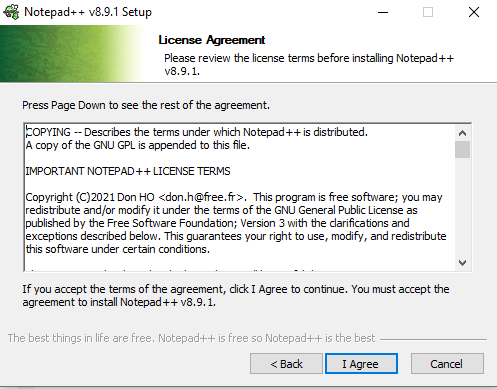
n++ extra 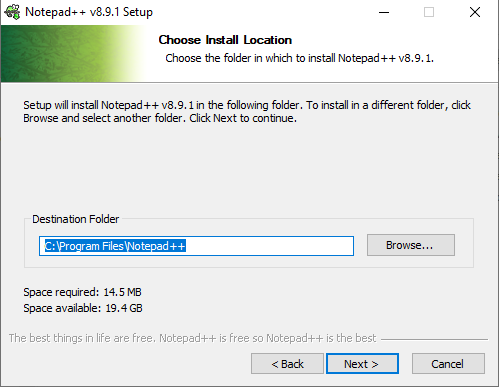
same not shown 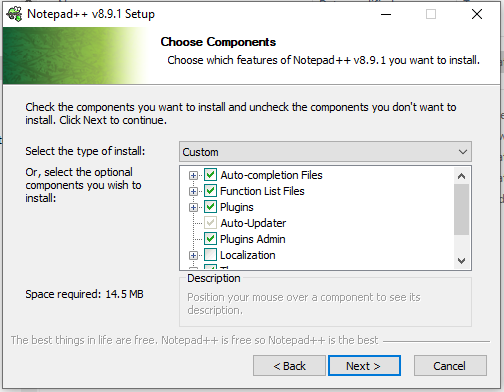
n++ extra 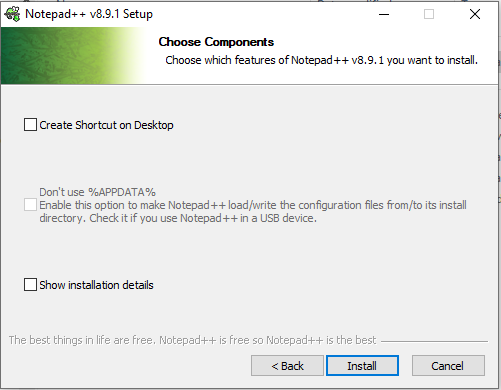
desktop shortcut option same; start menu option not present in N++; portable == “Don’t use %APPDATA%” 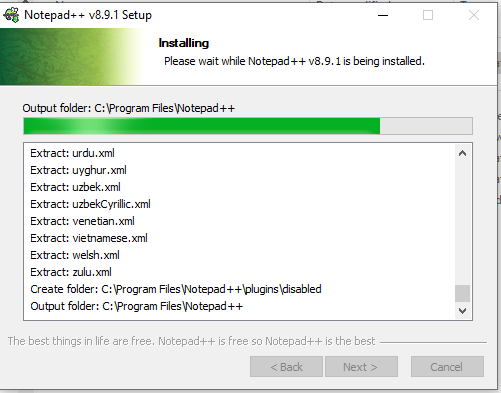
N++ can show details too Again, the flow order is the same. Notepad++ gives almost essentially the same questions, but also additional ones to make Notepad++'s installer better than what you showed. I cannot see what you are asking for, other than maybe for “create shortcut on start menu”.
-
@PeterJones It’s different in these ways:
- the user doesn’t have to decide whether to download 32 or 64 bit versions of the program.
Integrity checks such as the above are built in, i.e. a 64 bit current version wont give the possibility of a user downloading a 32 bit update - portal vs standard installation is easily understood, a source of confusion for many users.
- the current installation process asks a user to make selections, not knowing the possible implications of those choices.
- It automates the installation flow.
IMO, it’s a more modern way for software of any type to be installed, rather than trusting that users will always be able to determine which update package they should select.
Murray
- the user doesn’t have to decide whether to download 32 or 64 bit versions of the program.
-
@Murray-Sobol-1 said in Idea of a new installation routine:
@PeterJones It’s different in these ways:
- the user doesn’t have to decide whether to download 32 or 64 bit versions of the program.
Integrity checks such as the above are built in, i.e. a 64 bit current version wont give the possibility of a user downloading a 32 bit update
No one should ever download a 32bit installer for modern OS. For any app. (Modern OS don’t come in 32-bit versions anymore, so I don’t understand why apps still bother distributing the 32-bit versions)
And regarding updates: if you use the Notepad++'s ? > Update Notepad++ to do the update, there is no possibility of a user downloading the wrong bitness, because Notepad++ knows which bitness it is, and downloads that. So there is 0 confusion on bitness when using the official update process.
- portal vs standard installation is easily understood, a source of confusion for many users.
I actually hate it when apps bury their portable in an installer, because the whole point of a portable is that you just unzip it wherever you want. I think Notepad++'s preferred download-a-zipfile is the right way to do portable. Because installer implies hidden changes and things you don’t control, whereas unzip implies put-it-wherever-you-want it. N++ allows doing non-%APPDATA% to make essentially portable if you want it, but the better way is to use zipfile, not installer, for portable.
- the current installation process asks a user to make selections, not knowing the possible implications of those choices.
You don’t like choice? Then just use the defaults, which are sane for Notepad++. But asking for less choice in the installer is not going to be fulfilled.
- It automates the installation flow.
What you showed is no more automated than Notepad++'s.
IMO, it’s a more modern way for software of any type to be installed, rather than trusting that users will always be able to determine which update package they should select.
Again, I repeat. for updates, using the official Notepad++ ?>UpdateNotepad++, there is 0% chance of downloading the wrong 32/64-bit installer, because it automatically downloads the right installer.
- the user doesn’t have to decide whether to download 32 or 64 bit versions of the program.
-
@PeterJones said in Idea of a new installation routine:
No one should ever download a 32bit installer for modern OS. For any app. (Modern OS don’t come in 32-bit versions anymore, so I don’t understand why apps still bother distributing the 32-bit versions)
I agree with the above statement, however when I ask for an update by clicking Downloads I see this section:
Download 32-bit x86
Installer | GPG Signature
Portable (zip) | GPG Signature
Portable (7z) | GPG Signature
Mini-portable (7z) | GPG SignatureWhy is this even being distributed anymore??
-
@Murray-Sobol-1 said in Idea of a new installation routine:
@PeterJones said in Idea of a new installation routine:
No one should ever download a 32bit installer for modern OS. For any app. (Modern OS don’t come in 32-bit versions anymore, so I don’t understand why apps still bother distributing the 32-bit versions)
I agree with the above statement, however when I ask for an update by clicking Downloads I see this section:
Download 32-bit x86
Installer | GPG Signature
Portable (zip) | GPG Signature
Portable (7z) | GPG Signature
Mini-portable (7z) | GPG SignatureWhy is this even being distributed anymore??
Because my statement was just my opinion, and not everyone agrees with it. Because there are some people who mistakenly think they need a 32-bit even though they have a 64-bit OS. And there are some people who have some unmaintained plugin that only comes in 32-bit (*). And because the developer has never decided to cut off those poor, unfortunate souls.
(*: aside: anytime I come across someone like that, I do a bit of research to help them find an alternative, or find someone who has done an unofficial recompile of the plugin for 64-bit. there are very few public plugins that have no 64-bit version and no alternative)
But that’s why we lobbied to put the 32-bit below the 64-bit, so the 64-bit gets the prominence it deserves – and why I rejoiced when it happened. Someone downloading N++ for the first time will see the 64-bit first, and will likely download that. Someone updating N++ should use the menu or auto-update, and never have to go back to the website.


Hello! It looks like you're interested in this conversation, but you don't have an account yet.
Getting fed up of having to scroll through the same posts each visit? When you register for an account, you'll always come back to exactly where you were before, and choose to be notified of new replies (either via email, or push notification). You'll also be able to save bookmarks and upvote posts to show your appreciation to other community members.
With your input, this post could be even better 💗
Register Login