Preview value color RGB, HEX, HSL.
-
…
Interesting. My ColorizeHtmlCssColors script isn’t picking up on the ones in the style tags, but does pick up the examples like you showed. (Also, it only does #RRGGBB, not rgb(…) or #AARRGGBB)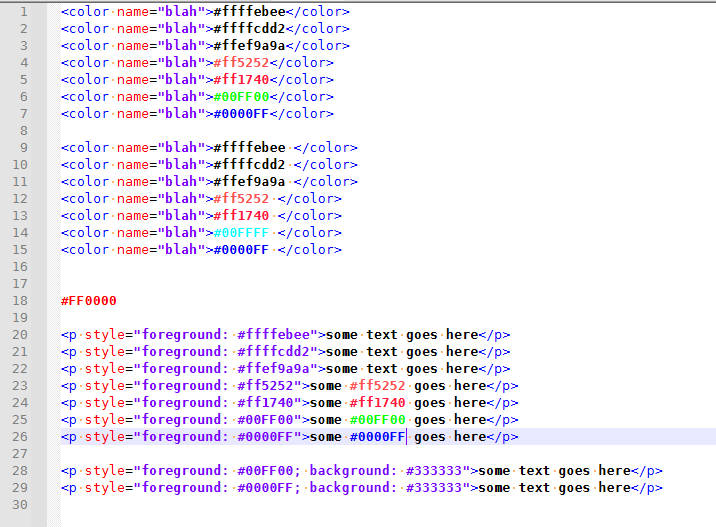
I hadn’t used my script in months (I don’t actually deal with color terms in my normal workflow), so I’d forgotten: you run it once to colorize, and another to remove the colors. But what I did remember, but probably didn’t make clear, is that if you edit a color text after running, it doesn’t update on the fly, so you then have to uncolor and recolor to get it to update.
-
@peterjones said in Preview value color RGB, HEX, HSL.:
Apparently, the QCP doesn’t recognize < as ending a color hex sequence
It does now …
Cheers.
-
@peterjones said in Preview value color RGB, HEX, HSL.:
My ColorizeHtmlCssColors script isn’t picking up on the ones in the style tags
Actually, it was, but Notepad++'s lexer coloring for being an attribute was overriding my scripts indicator. If I switch to normal text (so no lexer is active), it shows the color even inside the attribute:
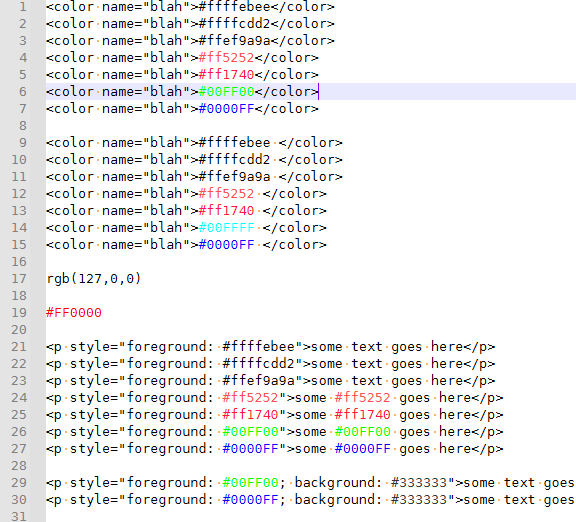
I am working on updating my script: it now allows #AARRGGBB as well. Eventually, as I find time, I might also add in the
rgb(_,_,_)syntax as well, but I’ve got a meeting in a few minutes, so not right away. -
@michael-vincent said in Preview value color RGB, HEX, HSL.:
It does now …
I did confirm:
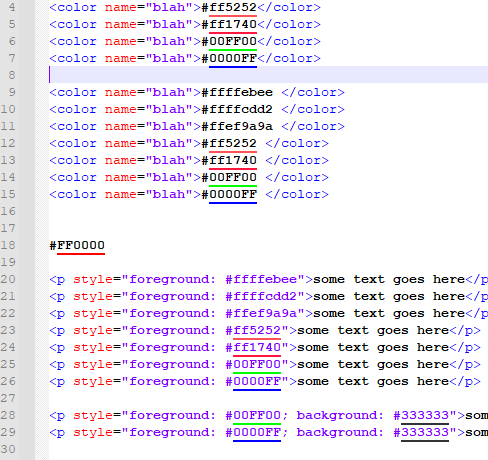
So it’s working better than my script again, since it works even with a lexer active, and accepts other endings. :-)
-
Updated the github copy of the script again…
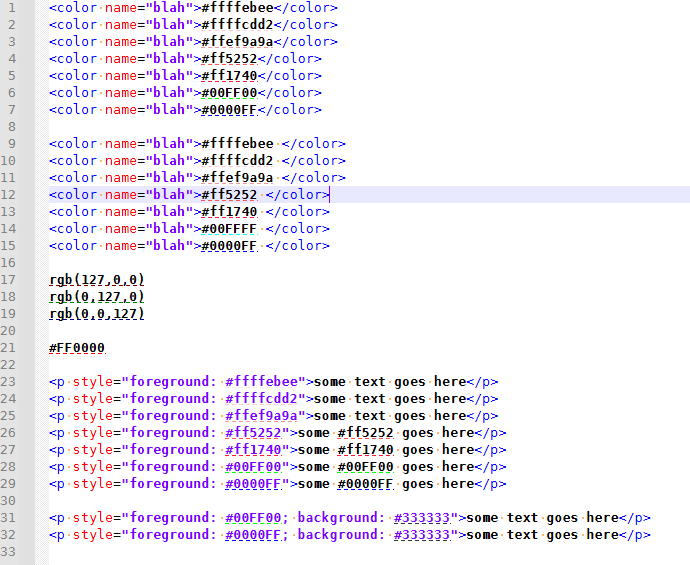
Using dash rather than foreground. allow rgb(##,##,##) to work
-
Good script!
-
 A Alan Kilborn referenced this topic on
-
 M Michael Vincent referenced this topic on
-
M Michael Vincent referenced this topic on
-
M Michael Vincent referenced this topic on
-
M Michael Vincent referenced this topic on
-
Hi guys,
Notepad++ v 8.7.5 does not show the colors on the bottom of the code i.e. the small yellow line under #FF0000 with QCP 2.1.2.1.
Is it normal? -
Try to disable the DirectWrite mode (uncheck N++ menu Settings > Preferences… > MISC. > “Use DirectWrite” checkbox).
-
@PeterJones Hi, I managed to complete your code so that all color formats work. If you want, I can send you the code.!
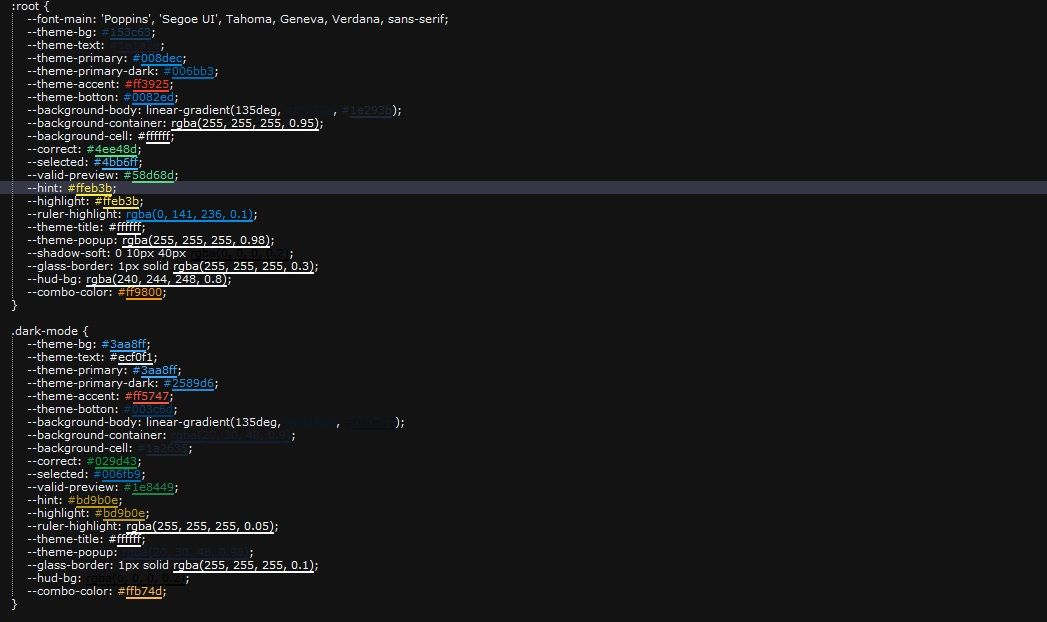
-
@AutoMV-Protection Hi! Not OP, but I would love the code if you’re still willing to share!
-
@tauniaxd said in Preview value color RGB, HEX, HSL.:
@AutoMV-Protection Hi! Not OP, but I would love the code if you’re still willing to share!
What feature are you missing from the already-existing tools:
With the QuickColorPicker plugin from @Michael-Vincent’s github, https://github.com/vinsworldcom/nppQCP/releases, if you have Settings > Preferences > MISC with rendering mode set to
GDI (most compatible)(which, in January 2025 was done with unchecking the older version of that option, ☐ Use DirectWrite, which was the syntax mentioned by @xomx above), the plugin will underline all but the#12345678eight-character #-based RGB:
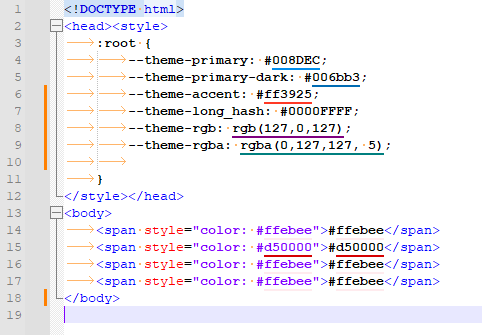
I still recommend using the plugin, not a script.
If you want a script, the on-demand version of my published script from 2022, as linked in my Jan 20, 2022 post, does the 6-digit
#123456notation and 8-digit#12345678notation and thergb(1,2,3)notation. And would take only a few lines of code difference to include the the rgba notation as well. -
I have added the ability to do
rgba(0,127,127,0.05)-type colors to the on-demand script at
https://github.com/pryrt/nppStuff/blob/main/pythonScripts/nppCommunity/21xxx/21044-ColorizeHtmlCssColors.py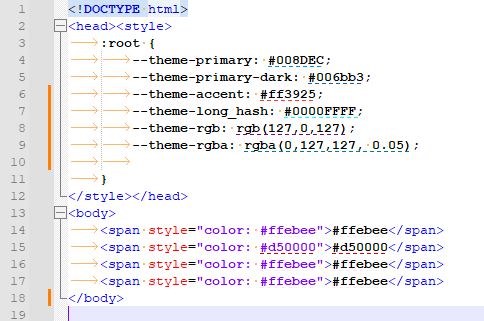
If you prefer full underline, then change lines 24 and 26 of the script to use
INDICATORSTYLE.PLAINinstead ofINDICATORSTYLE.DASH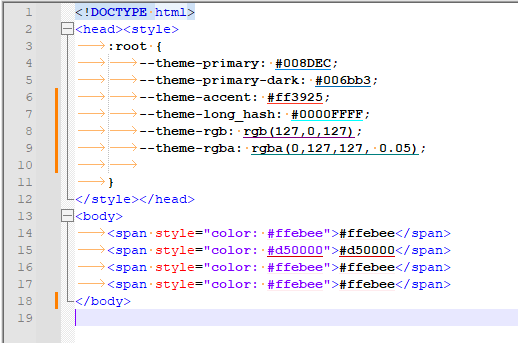



Hello! It looks like you're interested in this conversation, but you don't have an account yet.
Getting fed up of having to scroll through the same posts each visit? When you register for an account, you'll always come back to exactly where you were before, and choose to be notified of new replies (either via email, or push notification). You'll also be able to save bookmarks and upvote posts to show your appreciation to other community members.
With your input, this post could be even better 💗
Register Login