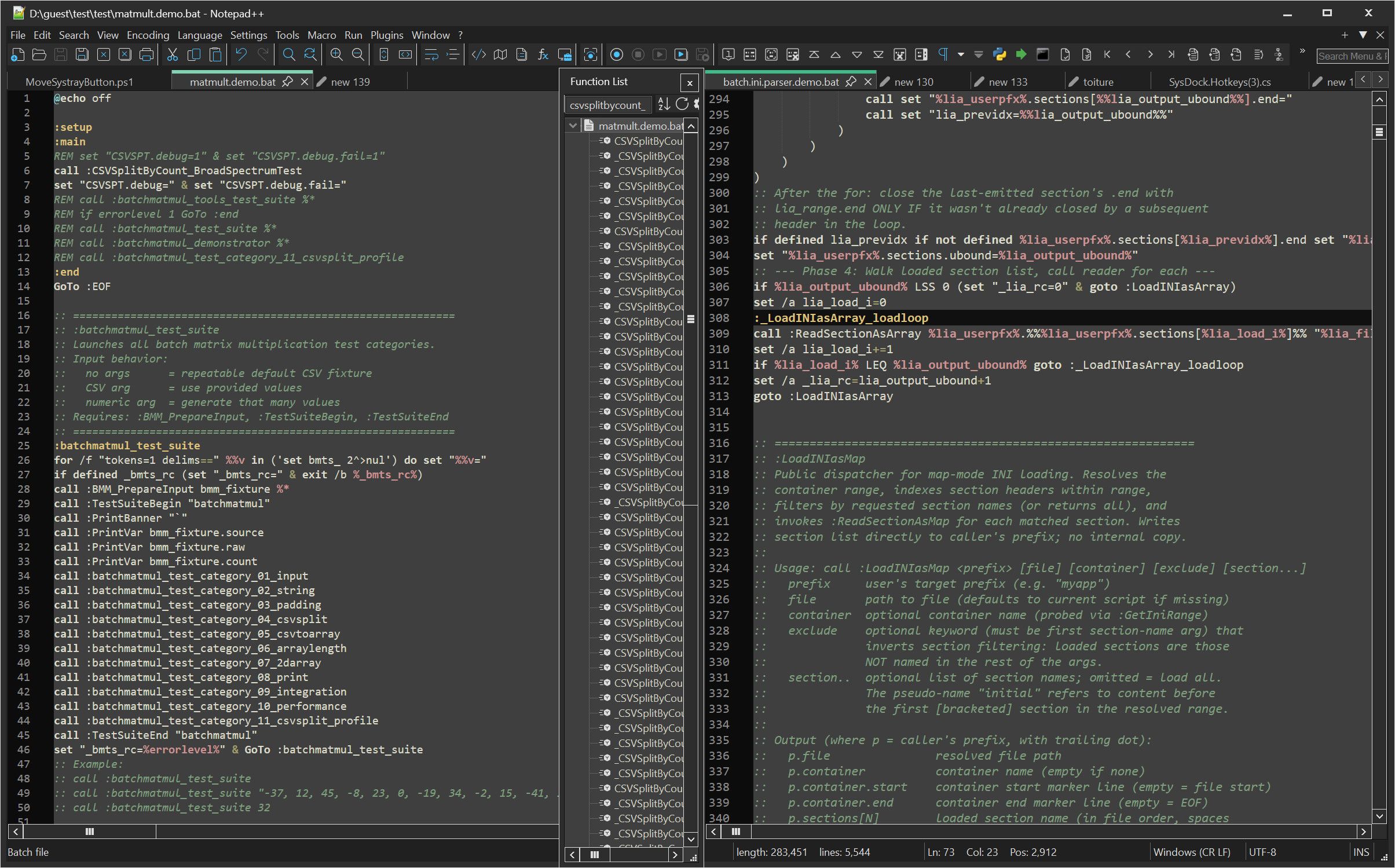
Thread about the function pane (filtering, search cancel, autowidth, and visuals)
-
Hello,
I have a few observations to make about the function pane and a few improvements to propose.
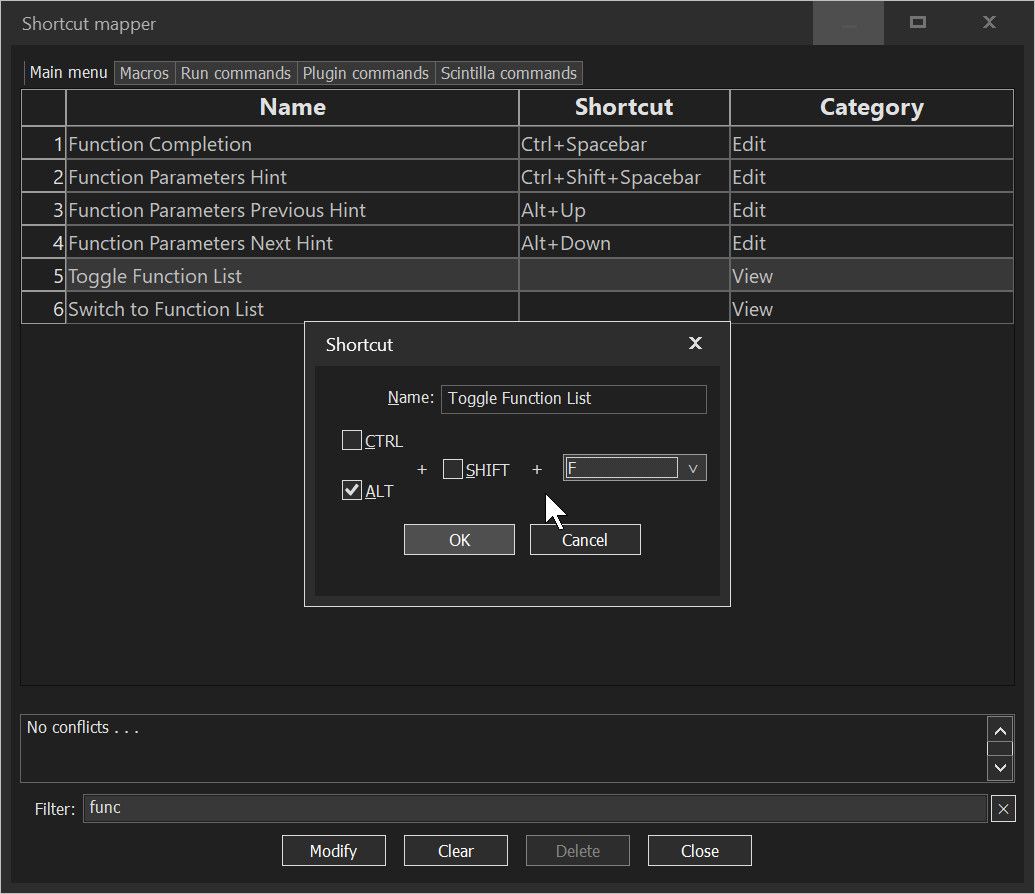
- I could not find the keybind, is there one ?
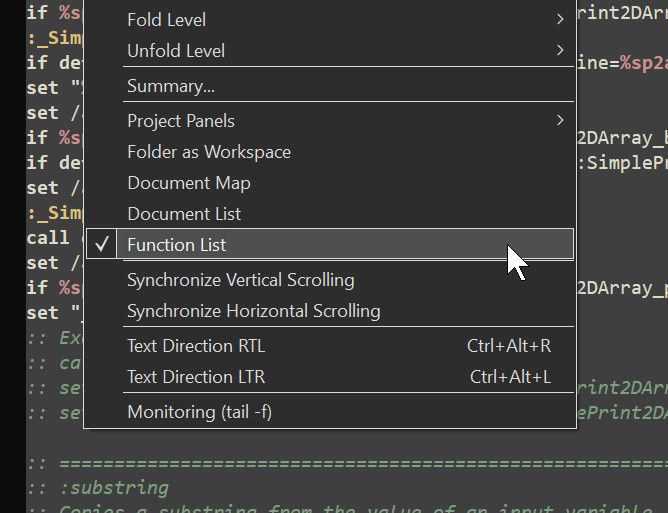
I propose LeftALT+F by default ?


Unused horizontal space
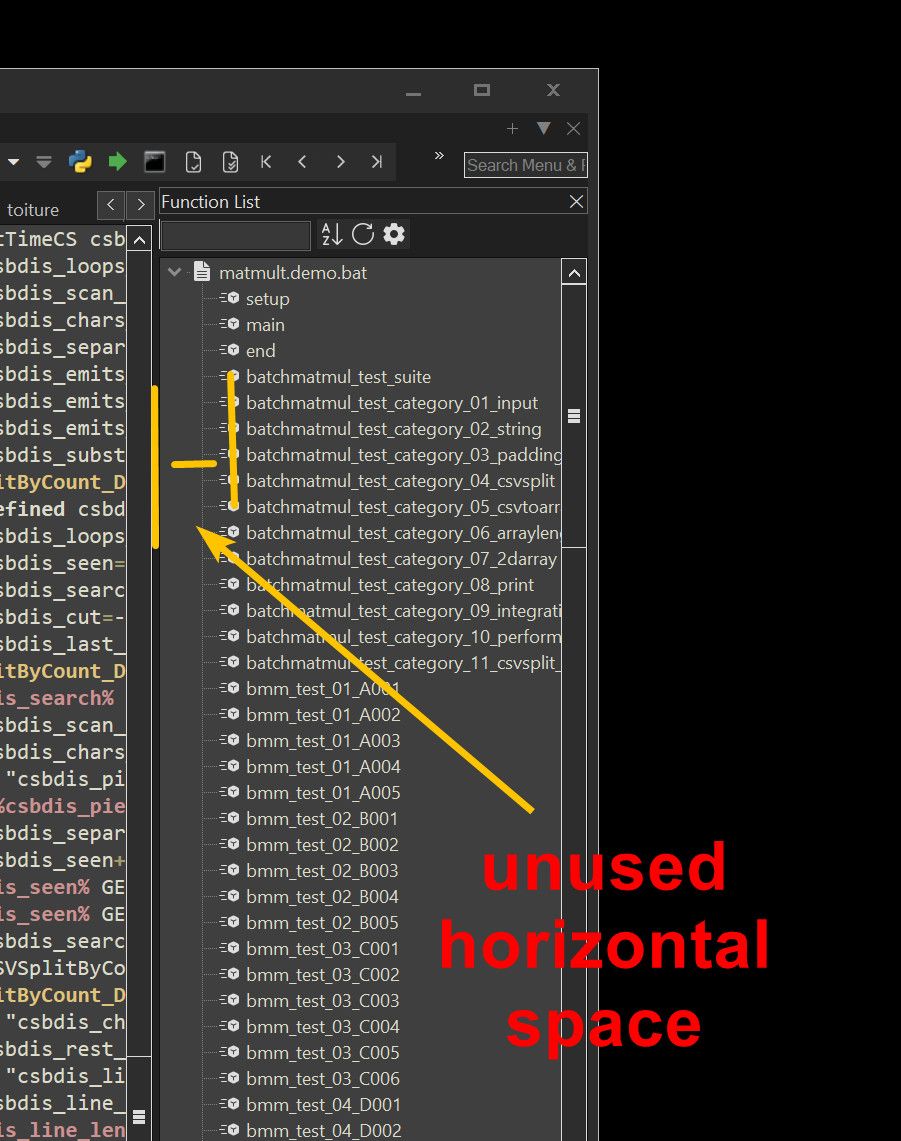
It seems there is this horizontal space, maybe it’s useful in another language, but for me, there isn’t anything useful in that space. Maybe it should be reduced somehow ?
You can use the horizontal scroll
But it seems to reset all the time, I don’t bother to manually re-adjust every time.
I would like, to make use of that space, without having to continuously micromanage this.
X. Function filtering
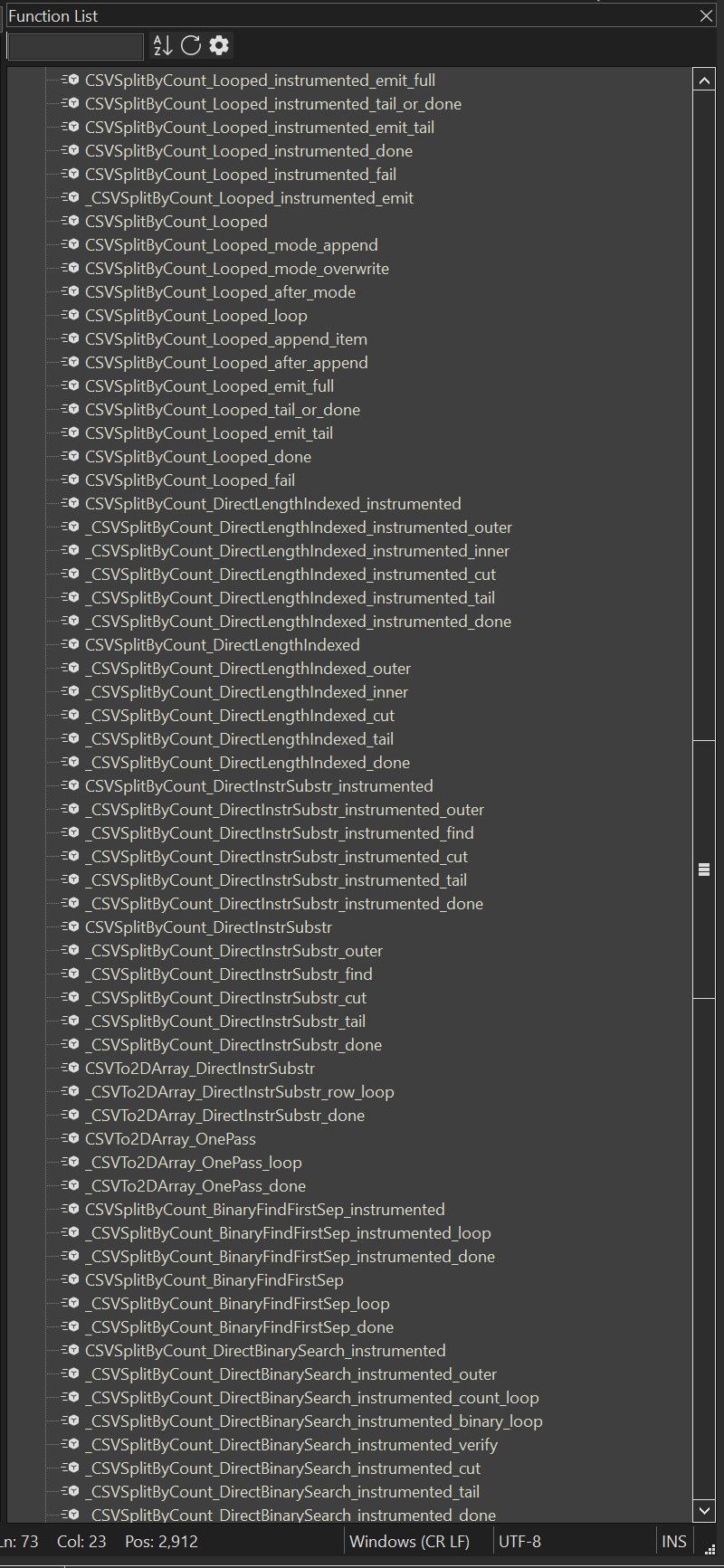
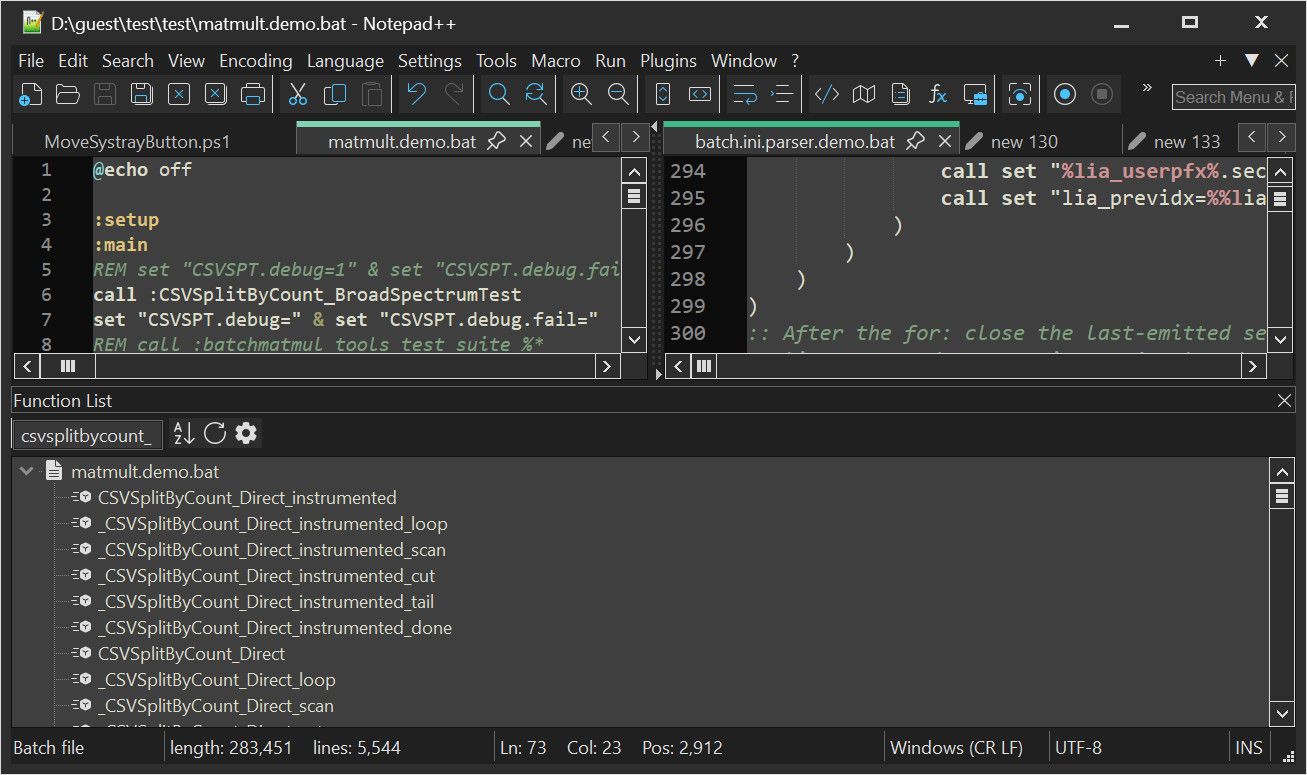
In my language, functions which begin with “_”
Are not functions, they are internal labels by convention (this is not part of the language)So I have many of these functions that repeat the same function.
Sometimes there are good navigation markers, but sometimes they just bloat the list.
It would be great to be able to hide functions that start with “_”. but have a toggle button to show them if I suddenly need them.
Example
X. Resetting the function search
You can type a search, but clearing the function search needs to select and then use the keyboard to delete the text.
Many software show a clear button in the textbox, when search text is present. This way the search text can be cleared with a single click, rather than select text then press backspace or delete or ESC.
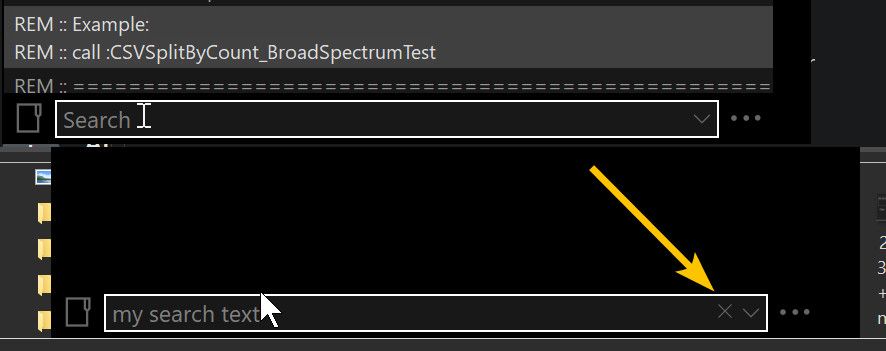
Here is how I propose to make this easier.
When there is search text, show an X on top of the text box.Example
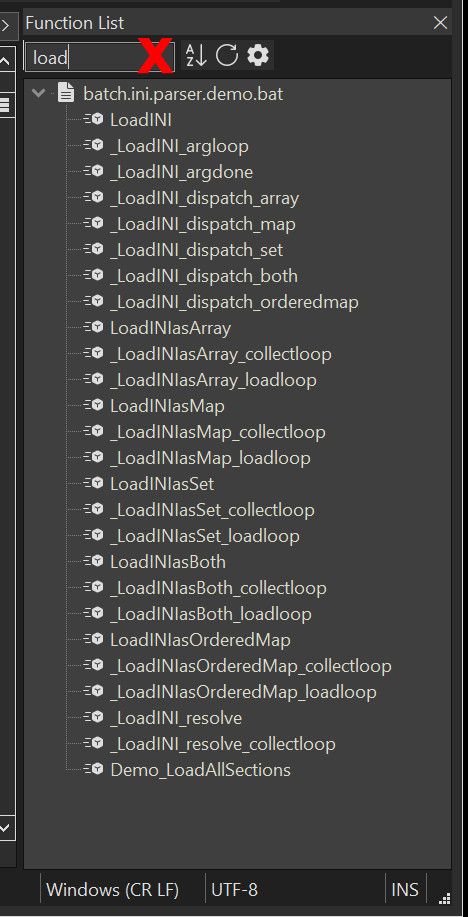
So you can just click the X to clear the search.
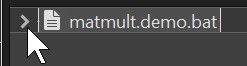
Alternatively, the “_” function that share the same basename as the function, could be [+]unfoldable.
Like this button, maybe ?
X. function search length has a maximum !
The max lenght is 16 characters
But I have many alternative function with names common to longer than that, please increase it, or even remove the limit ?
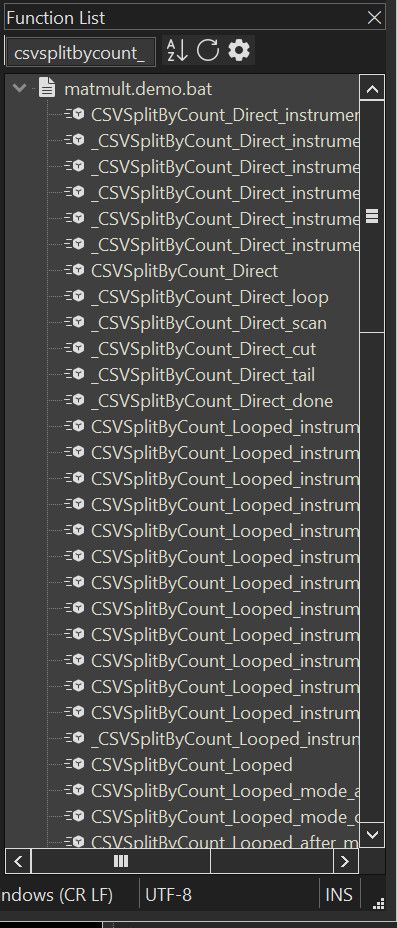
X. The function search sidebar is somehow, never the right width !
I don’t know why, but I am constantly adjusting the width of the function search sidebar.
I don’t know why I can’t just set it once and forget it. Presumably just the right width, I shouldn’t need to touch it again. But somehow, I don’t know what I do, but I do move and resize notepad++ a lot with AltSnap and I end up often having to readjust the function sidebar width.
And I struggle to hit that narrow width to drag it.
Beside what could be done to automatically have it be “the right size” automatically.
I suggest these.Make middle-click-drag allow drag-resizing of the sidebar (and maybe the move the other-view separator ?
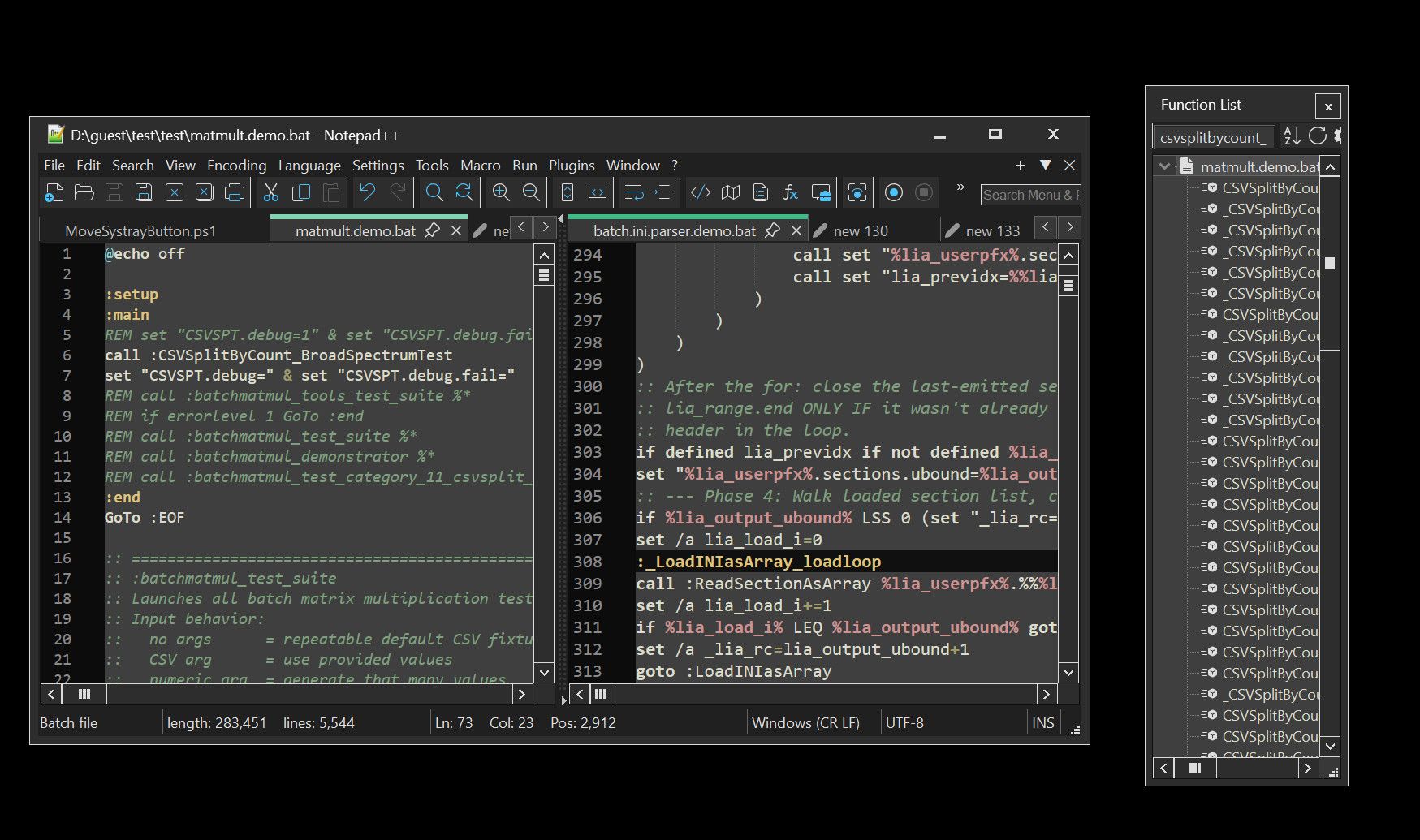
X. The function sidebar cannot be docked to the other view separator
You can snap the function search sidebar to the
right
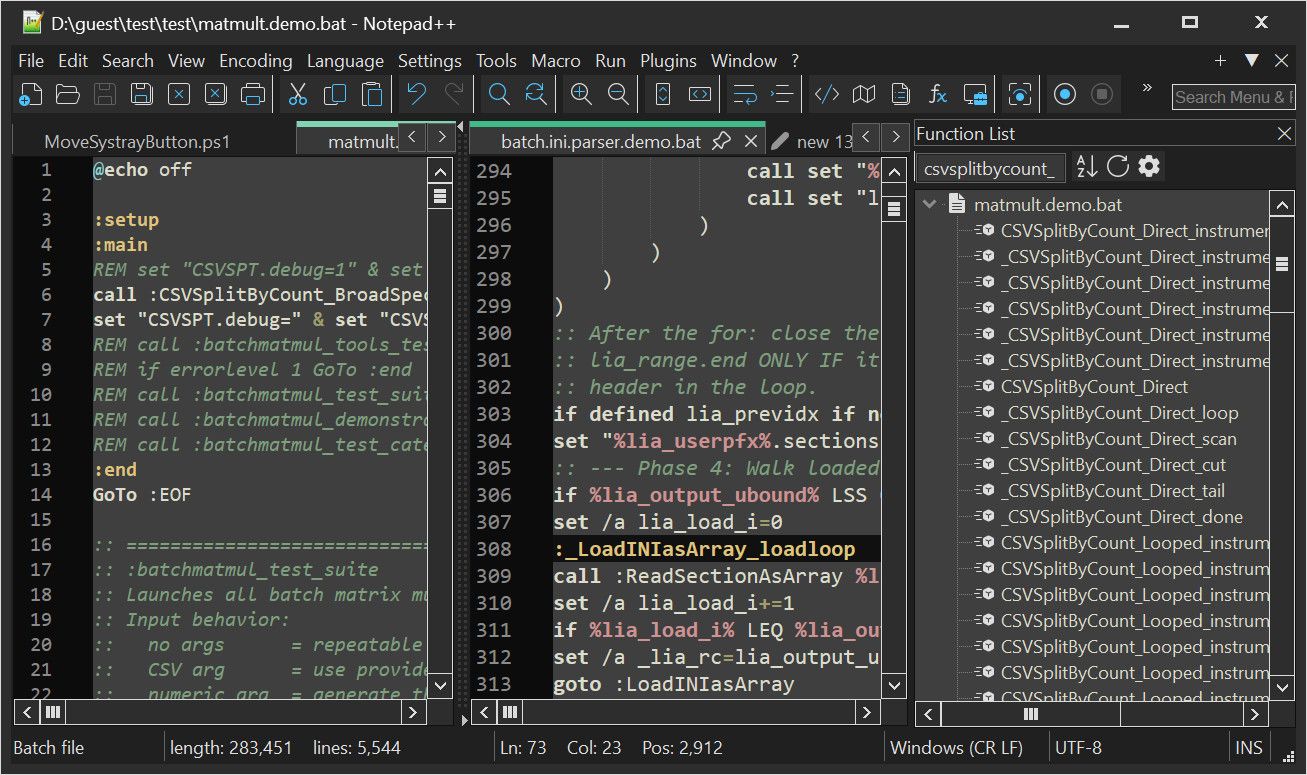
left
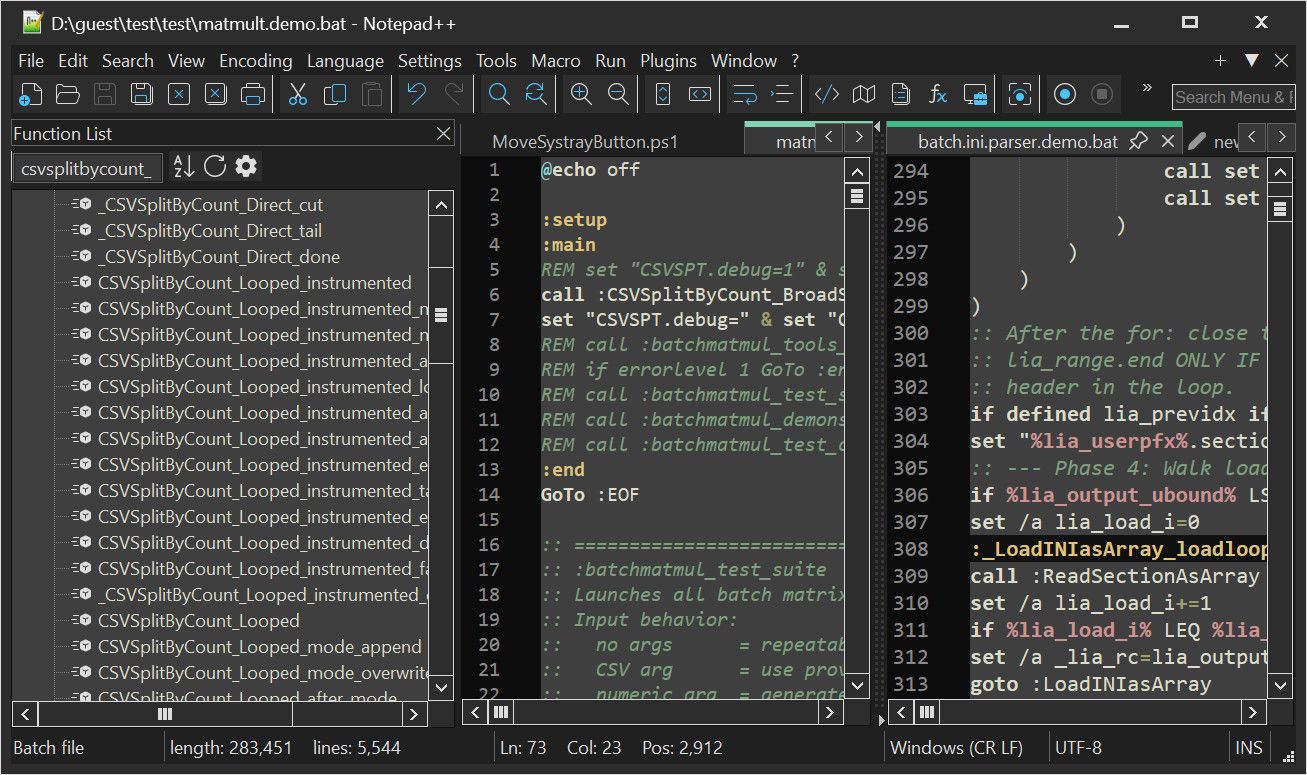
top
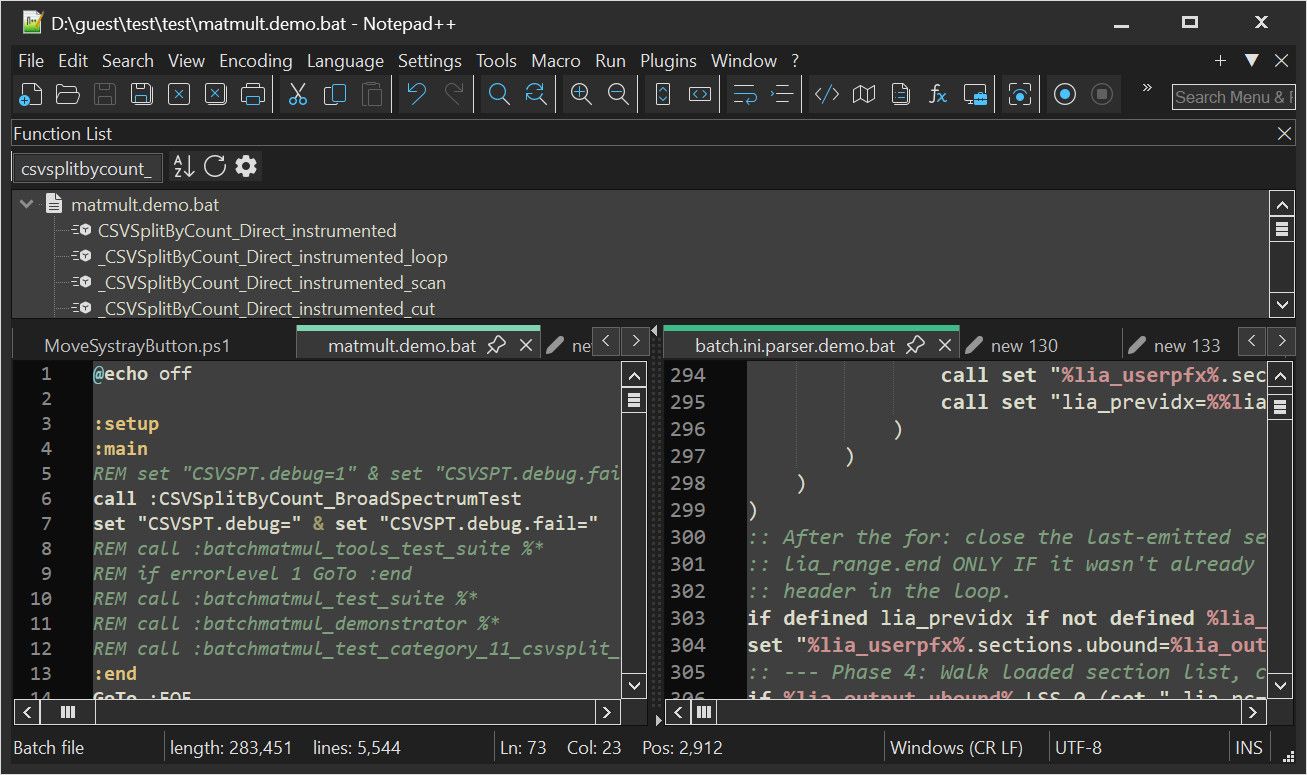
bottom
and even floating
but not in the middle
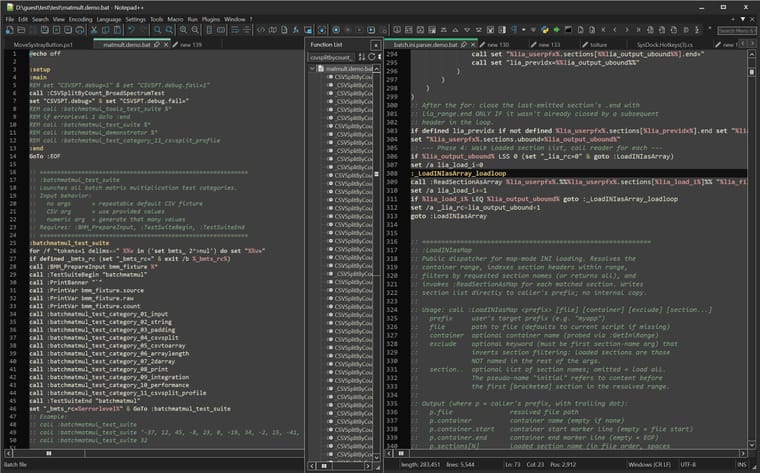
X. Visual glitching during resize
Not a big deal, but the re-paint algorithm is quite sloppy
It could be improvedOk, this is everything I had for you regarding the Function sidebar, thanks !
-
@shodanx2 said:
I have a few observations to make about the function pane and a few improvements to propose.- I could not find the keybind, is there one ?
Not by default. But like all menu commands, you can assign one with Shortcut Mapper, if you want one.
There are more menu entries in Notepad++ than there are keystrokes available, so not every menu entry gets a keystroke.
I propose LeftALT+F by default ?
As far as I have been able to tell, the way that Notepad++ internally handles shortcuts doesn’t distinguish the left and right alt keys. It’s just “Alt” as the modifier.
Unused horizontal space
It seems there is this horizontal space, maybe it’s useful in another language, but for me, there isn’t anything useful in that space. Maybe it should be reduced somehow ?
That’s the way that treeview controls generally work. I think it would take a huge amount of development effort to customize or re-create oit.
X. Function filtering
In my language, functions which begin with “"
…
It would be great to be able to hide functions that start with "”. but have a toggle button to show them if I suddenly need them.Interesting feature idea. I’m not sure how easy that would be to implement. But this would be the first thing you said that I would think would be worth putting in an official feature request. (If you think that this Community Forum is the place to make feature requests, you need to read the Feature Request FAQ)
X. Resetting the function search
X. function search length has a maximum !I haven’t used the function search feature enough to be able to comment on those. If other users agree with you on those items, they could each go in as separate feature requests.
X. The function search sidebar is somehow, never the right width !
I don’t know why, but I am constantly adjusting the width of the function search sidebar.
I don’t know why I can’t just set it once and forget it. Presumably just the right width, I shouldn’t need to touch it again. But somehow, I don’t know what I do, but I do move and resize notepad++ a lot with AltSnap and I end up often having to readjust the function sidebar width.
I don’t know that there’s anything the developer can do to fix that. If you are accidentally resizing it, he cannot prevent it. The docking panels are designed to be resizable.
And I struggle to hit that narrow width to drag it.
Hmm… Do you have a high-DPI monitor? Because on my old-fashioned 100%-scaling setup, it seems to me to be the same width as any size resize control in any windows application.
Beside what could be done to automatically have it be “the right size” automatically.
“The right size” is meaningless. Everyone disagrees on what that would be, which is why it’s user controlled. Besides, all the docking panels share the same basic control, and everything docked on the right (for example) shares the same width… so what would be “perfect” (in your opinion) for the FunctionList on the right might be too small for the DocumentList (for example) on the right.
I suggest these.
Make middle-click-drag allow drag-resizing of the sidebar
I seem to remember that was suggested elsewhere in the forum, and that someone wrote a script for the PythonScript plugin which could do that. But maybe it was just a related thing I’m remembering. search, search. Okay, this discussion is what I was thinking of (the “move the ‘other view’ separator” portion. I haven’t studied the scripts provided, but if one of them addressses the separator, my guess is that it could be modified to work on the docking-separator instead.
X. The function sidebar cannot be docked to the other view separator
The docking code for Notepad++ hasn’t been set up to allow “dock to middle” (which would be made more complicated because sometimes the views have a vertical separation when they’re side-by-side, an sometimes a horizontal separation when they are stacked top/bottom). I think there’s already an existing official feature request for dock-to-middle, so you might want to search through the existing features (make sure to remove the “open” filter, because there might be a closed/rejected request) to see if any of the requests about “dock” or similar might already ask for that. But if you cannot find one, maybe I’m mis-remembering (or maybe it was just a user in the Community, who never bothered to put in an official feature request).
X. Visual glitching during resize
Not a big deal, but the re-paint algorithm is quite sloppy
It could be improvedCan you be more specific about that? Under what circumstances? What’s your setup like (monitors, DPI, etc… ? > Debug Info is always useful for helping understand your setup)? What do you mean by “sloppy”?
Ok, this is everything I had for you regarding the Function sidebar, thanks !
As fellow users, we might be able to talk about it, or commiserate with you. But if there are real problems or real feature requests, you would have to create separate tracking issues for each request, as described in the already-linked FAQ. (Putting a bunch of requests into a single Feature Request issue means the individual sub-requests won’t be properly tracked, and one or more are likely to get lost.)
From above, I see two possible feature requests for sure (hide functions starting with _, and dock-to-middle), and another two that are likely reasonable, if someone else can confirm (the two function-list filtering points). I think the “sloppy re-paint” needs to be given more detail before suggesting that a bug report get submitted. But for any feature request or bug report in the official tracker, make sure you search through existing reports/requests (open and closed) before submitting one, to make sure it’s not a duplicate.

Hello! It looks like you're interested in this conversation, but you don't have an account yet.
Getting fed up of having to scroll through the same posts each visit? When you register for an account, you'll always come back to exactly where you were before, and choose to be notified of new replies (either via email, or push notification). You'll also be able to save bookmarks and upvote posts to show your appreciation to other community members.
With your input, this post could be even better 💗
Register Login