Entering Katakana character into find dialog not working
-
I tried to edit an html file that contains Japanese text.
I wanted to change a Katakana ’ 〜 ’ to an ASCII tilde ‘~’
But when I pasted the ’ 〜 ’ into the find dialog a ? character was displayed and when I pressed Find it didn’t work.
Sounds a bit like a bug to me :(
Cheers, David
-
It works for me:
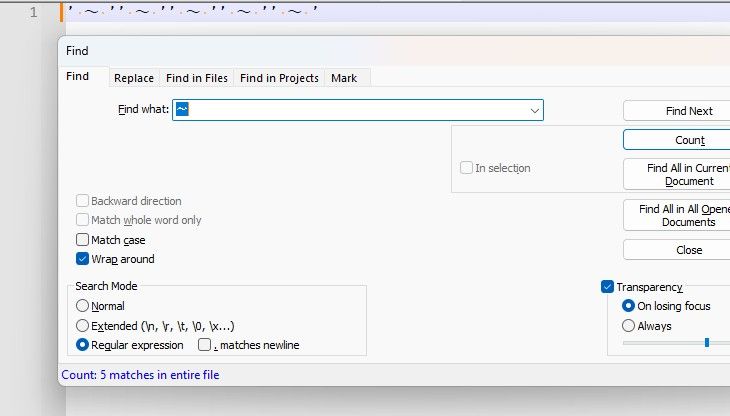
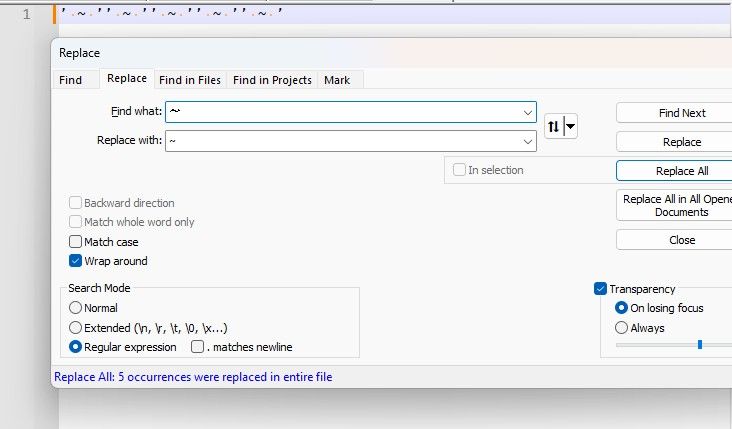
Sounds like a font issue and/or rendering-mode issue to me. What are your settings on Settings > Preferences > Searching (especially
Use Monospaced font in Find dialog) and Settings > Preferences > MISC > rendering mode dropdown?And what encoding is your file that contains Japanese text?

Hello! It looks like you're interested in this conversation, but you don't have an account yet.
Getting fed up of having to scroll through the same posts each visit? When you register for an account, you'll always come back to exactly where you were before, and choose to be notified of new replies (either via email, or push notification). You'll also be able to save bookmarks and upvote posts to show your appreciation to other community members.
With your input, this post could be even better 💗
Register Login