Improving Find in Files performance
-
-
I gave a try to your
Windows Release-x64version of N++v6.9.8from https://github.com/notepad-plus-plus/notepad-plus-plus/pull/18376That’s interesting!
Were you searching or replacing?
The replacing performance should be very close since almost the same code is executed.
The searching (find only) performance is expected to be 2-3 times faster. -
Here are my average results:
Search "text" (122307 hits in 2161 files of 4385 searched)

standard Notepad++  -  00:15.37
modified Notepad++  -  00:08.15
Search "cache" (19176 hits in 787 files of 12821 searched) standard Notepad++ - 01:00.02 modified Notepad++ - 00:33.54Search "cache" (45120 hits in 2316 files of 18920 searched) standard Notepad++ - 02:53.74 modified Notepad++ - 02:12.04The modified Notepad++ demonstrates better performance on text files rather than binary files.
That’s why my very last search, which included many binary files, is not 2 times faster.To see the full power of the modified Notepad++, apply file masks that will exclude most of binary files.
-
Here are results for the same folder for mostly text files (the Filters are:
*.* !*.exe !*.dll !*.bin !*.cab !*.msi !*.sys) :Search "cache" (17205 hits in 343 files of 11839 searched) standard Notepad++ - 00:44.52 modified Notepad++ - 00:22.15 -
Hi, @vitalii-dovgan, @coises, @thomas-knoefel and All,
@vitalii-dovgan, you said :
Were you searching or replacing?
I just did
Find in Filesactions. I didn’t intend to modify the files on my SSD. Of course, I could had run aReplace in Filesaction by searching theFistring and replace with that same string !. But I did not run this kind of test.
@thomas-knoefel, I sure that you’ll correct this bug, very soon !!
@Coises, you said :
In what sense did it not display correctly? Did it fail to load at all? Was the information corrupt, or some data missing? Was the behavior roughly the same for Notepad++/Vitalii-Notepad++ and for Search++?
I re-ran my previous search on any file of my SSD drive
C:withSearch++:-
2 m 26 safter the beginning, the scanning phase was over and the file list began to fill up -
10 m 01 slater, the waiting files number was about equal to the finished files number ! -
3 m 28 slater, the files list was completed -
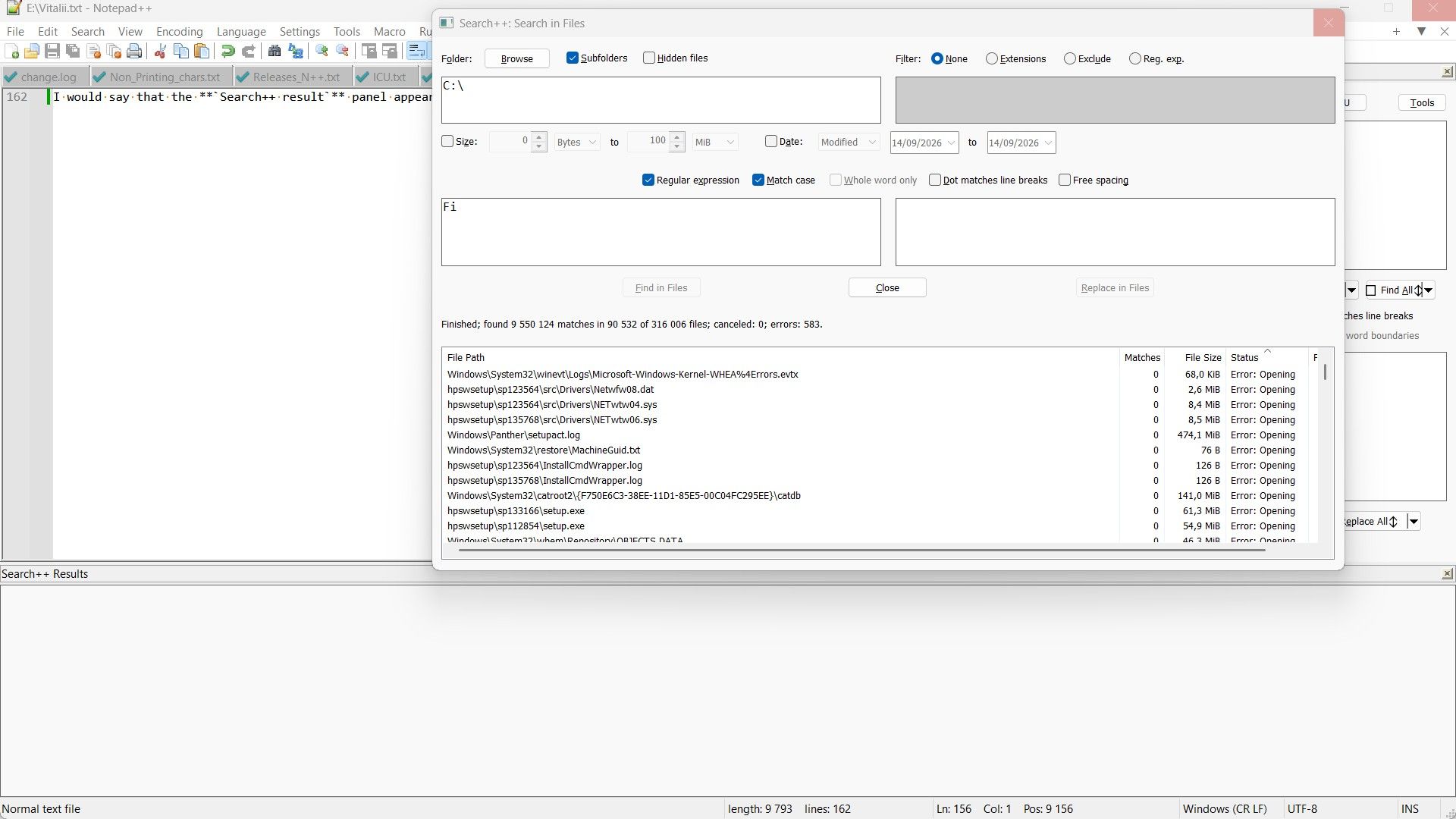
10 slater, theSearch++ Resultspanel was displayed, as shown in the snapshot below :
-
Note that, in this first snapshot, the docked
Search++dialog and theSearch in Filesdialog seem to be already inaccessible ! -
Then, I saw, in the N++ title, that the program did not respond anymore. Then, trying to stop Notepad++, I choose the answer Wait till the program responds
-
I then saw, this snapshot :
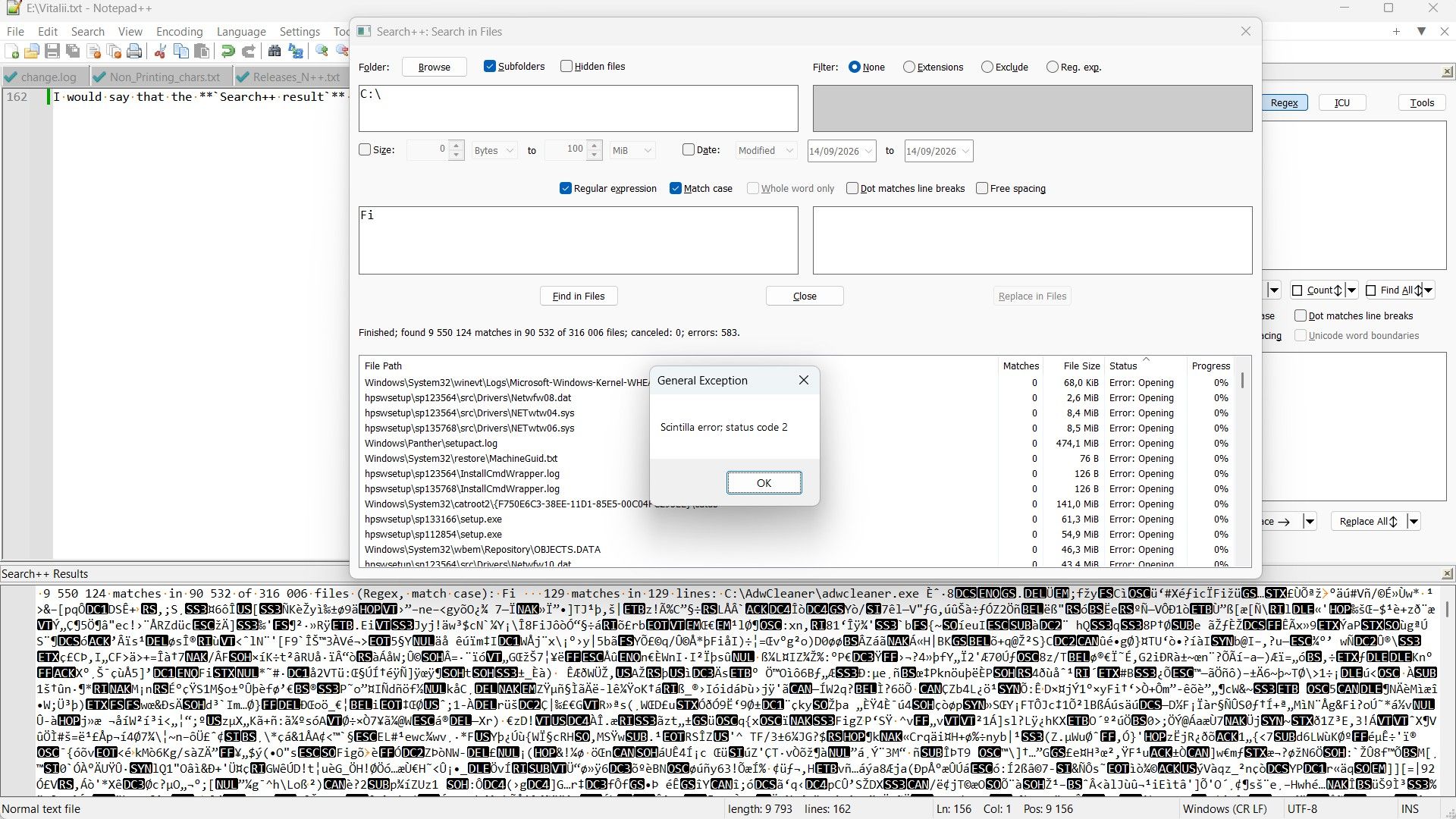
- Clicking twice, on the
OKbutton, I got, successively, these two snapshots :
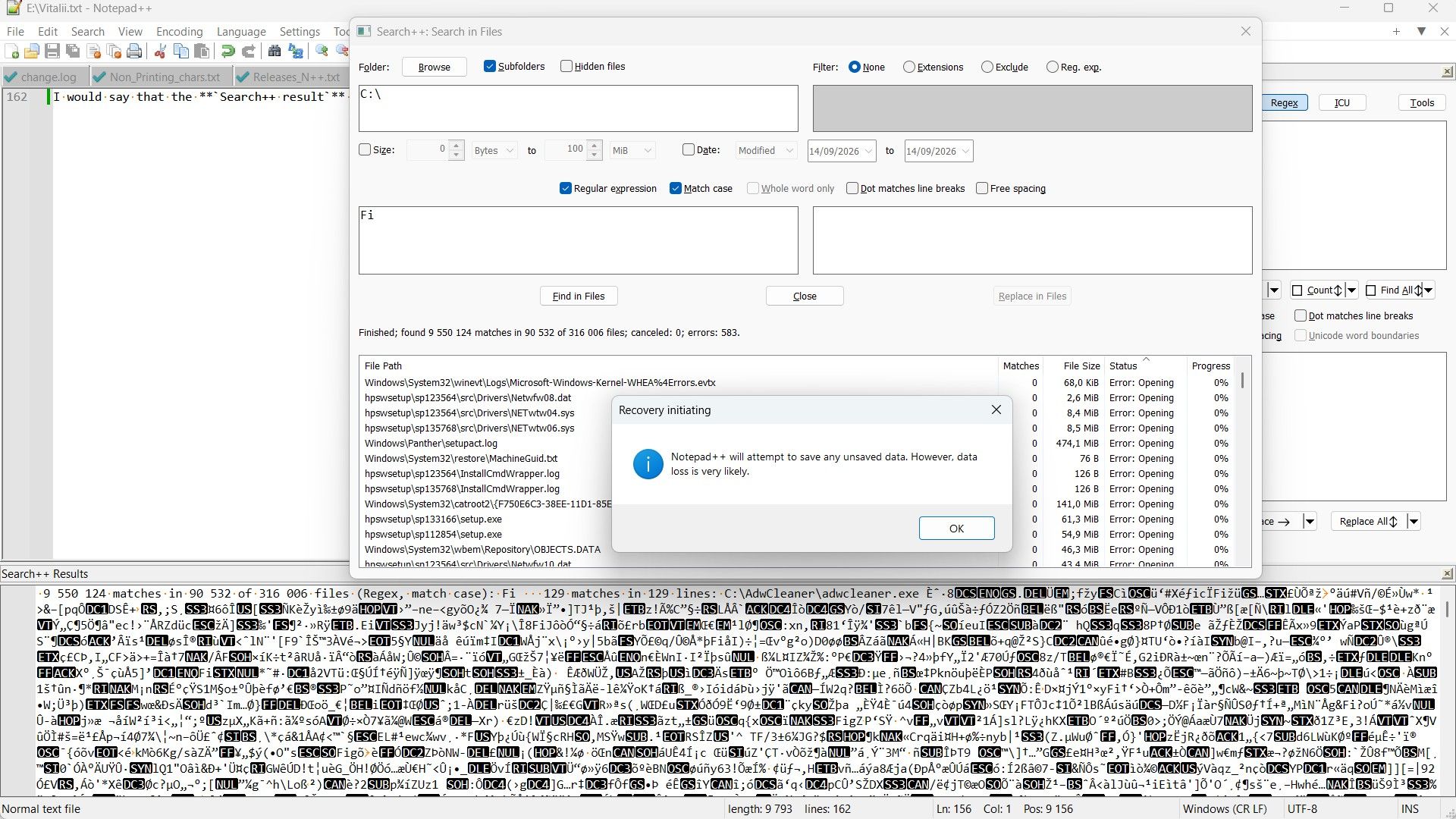
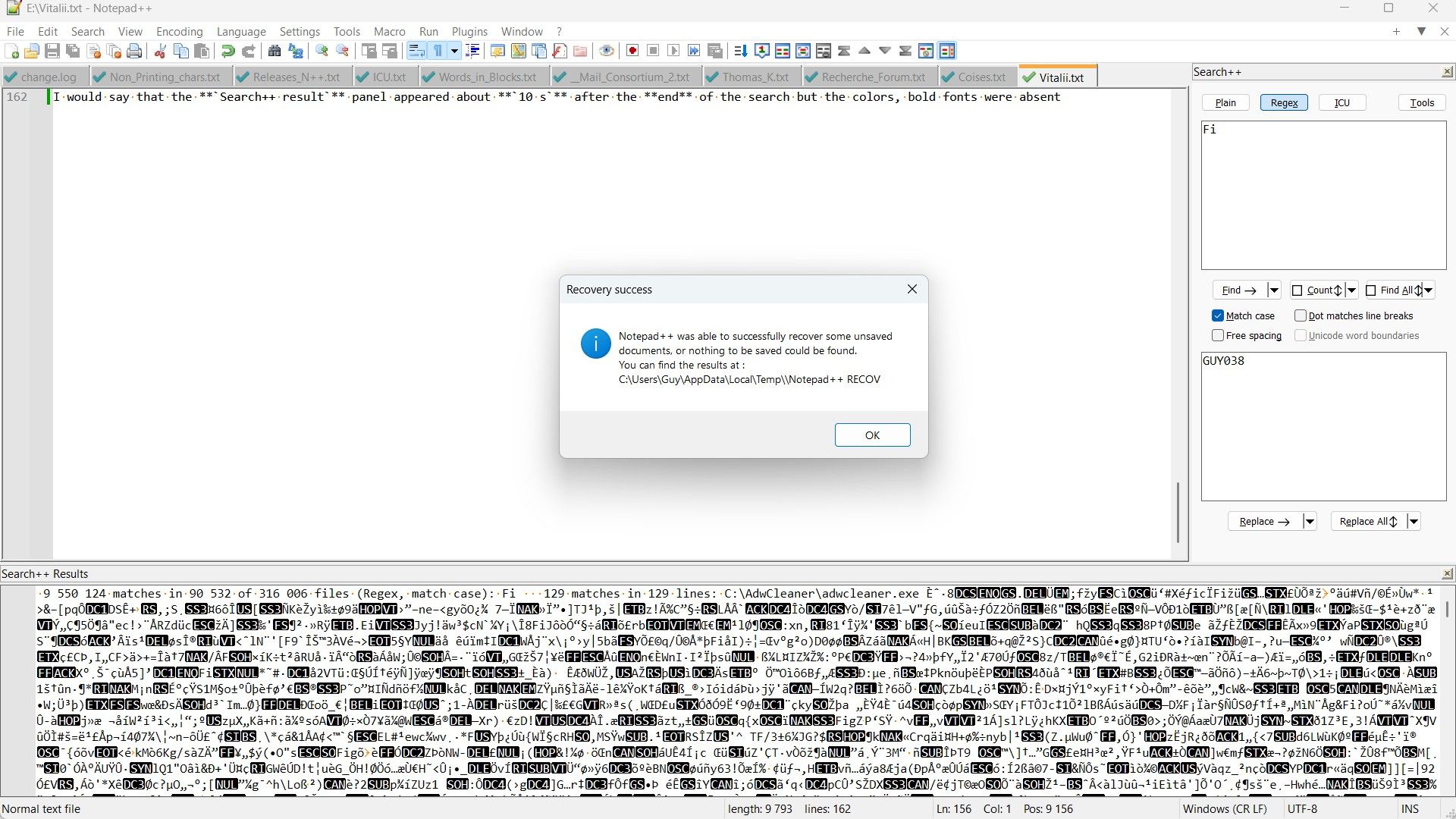
-
Finally, after clicking
OKin this last dialog box, it has disappeared. -
Unfortunately, clicking again on the
Search++ results, closed N++ completely
Best Regards,
guy038
Remainder :
In this second test of the scan of all files of
C:\, theSearch++results were :9,550,124matches in90,532of316,006files, with583errors. -
-
Scintilla error: status code 2
Thank you for the explanation and screen shots. Scintilla status code 2 means “Memory is exhausted” — so just as you suggested, the results list was simply too big for Scintilla to handle on your machine.
This is still a good point to bring up: it means I should at least experiment and see if I can catch that error before it propagates to killing Notepad++. It might not be possible, but I won’t know until I try.
-
-
@thomas-knoefel, I sure that you’ll correct this bug, very soon !!
Yeah, maybe sooner than expected! Here is the fixed version of MultiReplace. Feel free to test the “Find in Files” performance and compare it with the other searches:
Here is the fixed version -
Hello, @thomas-knoefel, @vitalii-dovgan, @coises and All,
@thomas-knoefel, I tested your last release and I’m pleased to confirm that no errors ocurred anymore during all the tests ! I followed the same protocol, that I described in my initial post.
Here are the results when scanning all the files of my SSD Drive
C:\:•----------------•----------------------------------------------------------------------------•--------------•--------------•-----------------•------------------------------------------------------------------------------• | Program | Results | Scan Phase | Search End | Results panel | Details | •----------------•----------------------------------------------------------------------------•--------------•--------------•-----------------•------------------------------------------------------------------------------• | MultiReplace | Search "Fi" (9 991 249 hits in 90 330 file(s)) [315 503 file(s) searched | 5 m 56 s | 48 m 15 s | 48 m 27 s | 1 115 skipped: 1 111 unreadable, 4 not decodable; 82 folder(s) unreadable] | •----------------•----------------------------------------------------------------------------•--------------•--------------•-----------------•------------------------------------------------------------------------------•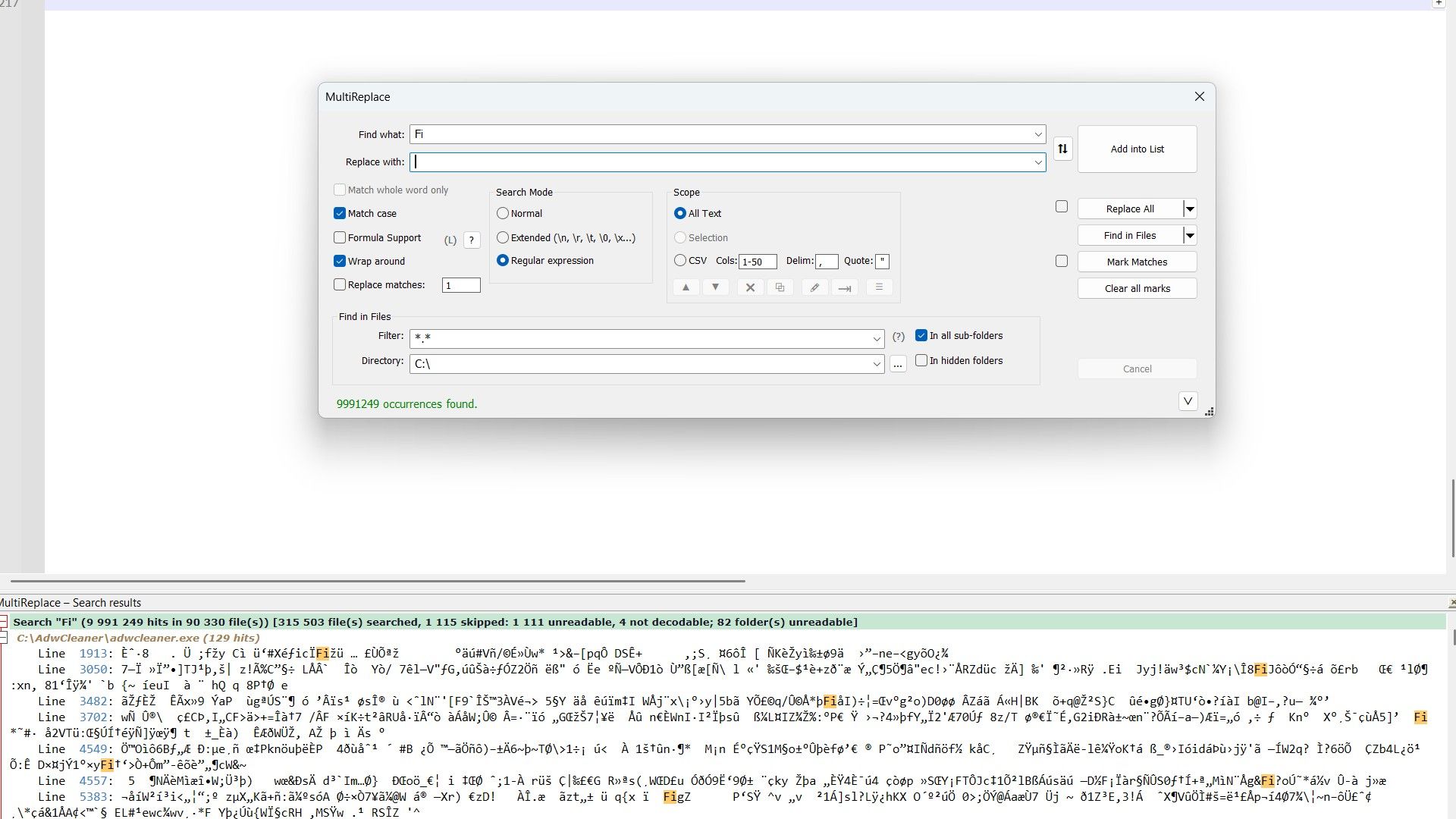
But the nice thing is that your
Search resultspanel was correctly displayed and functional :Starting with the default
Unfoll Alloption, I got these successive results :•------------------------•----------• | Action | Time | •------------------------•----------• | Collapse to File List | 32 s | | | | | Fold All | 24 s | | | | | Unfold All | 0,8 s | | | | | Fold All | 32,5 s | •------------------------•----------•
On the other hand, I went to the last file of the list, opened it and double_clicked on the first occurrence, in line
690. At once, the corresponding file was displayed in N++ with the caret on this first occurrence, in line690!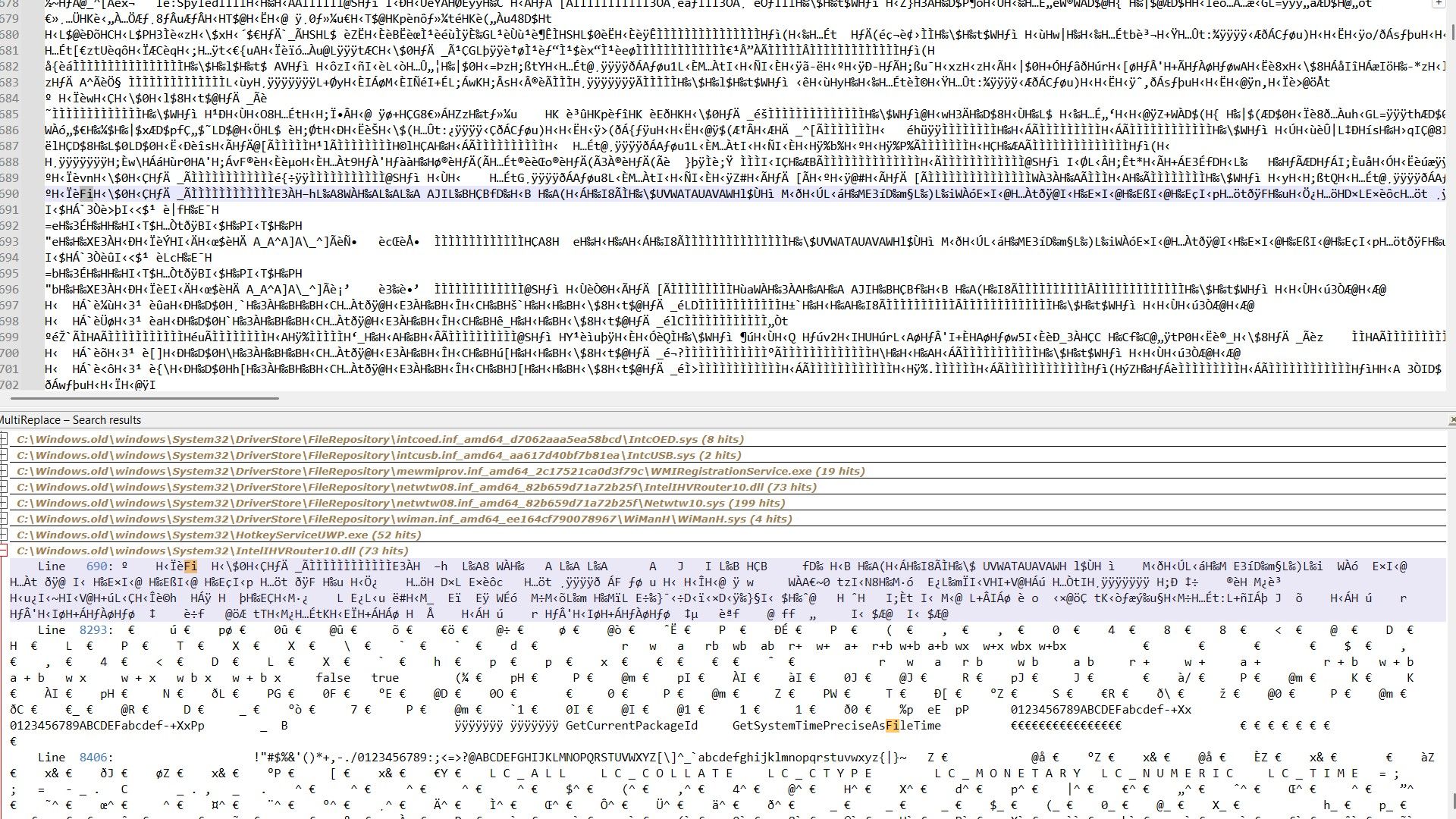
Now, here are the results when scanning all
PDFfiles of my SSD driveC:\•----------------•------------------------------------------------------------------•--------------•--------------•-----------------•------------------------------• | Program | Results | Scan Phase | Search End | Results panel | Details | •----------------•------------------------------------------------------------------•--------------•--------------•-----------------•------------------------------• | MultiReplace | Search "Fi" (47 854 hits in 130 file(s)) [130 file(s) searched | 5 m 45 s | 5 m 48 s | 5 m 48 s | ; 82 folder(s) unreadable] | •----------------•------------------------------------------------------------------•--------------•--------------•-----------------•------------------------------•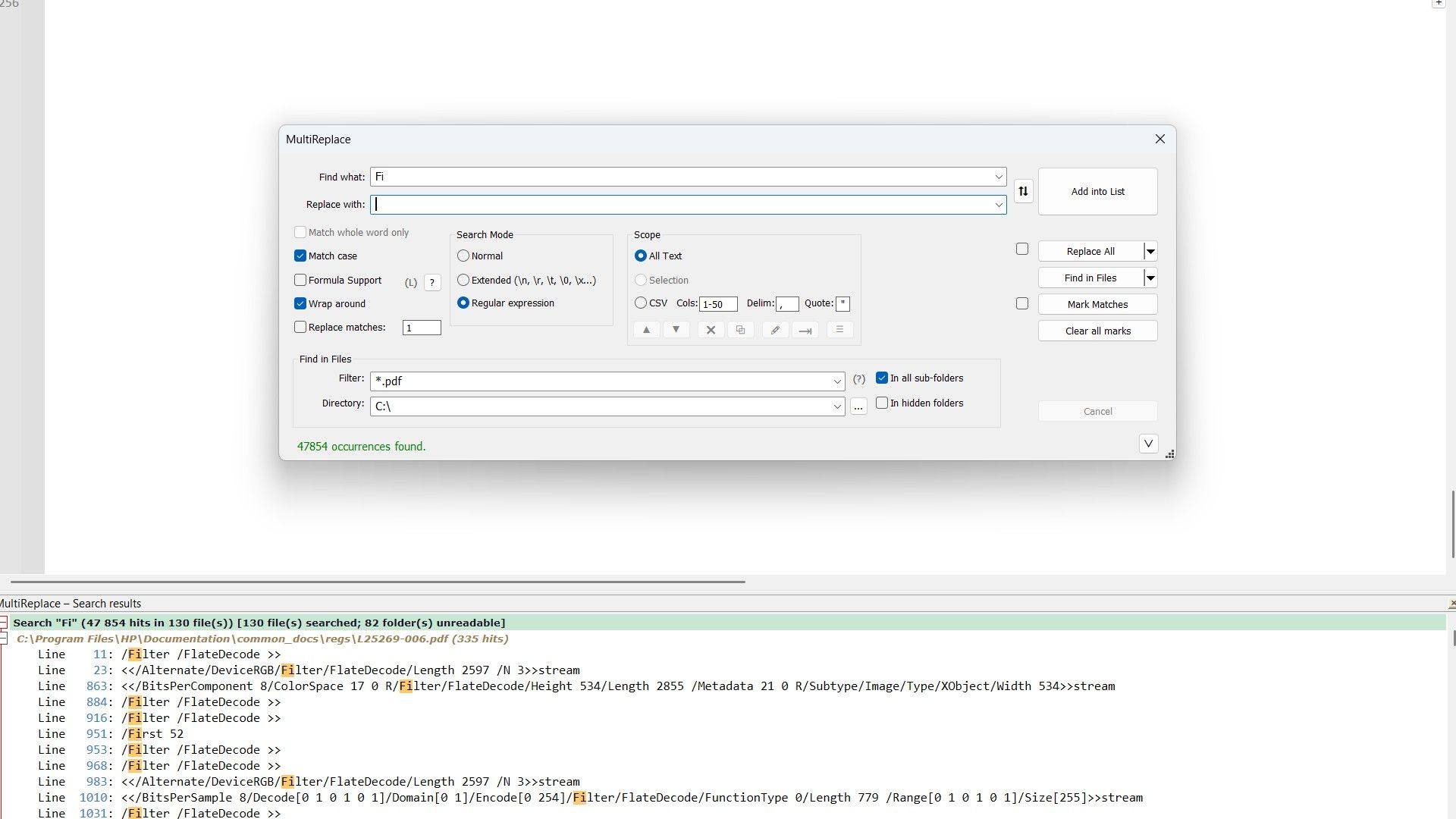
Note that you find the same results as with the other
Searchprograms, in my initial post : that’s quite reassuring !Best Regards,
guy038
-
Thanks a lot @guy038 for running the whole thing again, this time it didn’t finish in seconds ;-)
Nice to see the results panel still usable with almost 10 million hits, even the jump to line 690 in that DLL at the very end.
Interesting that walking the whole drive for those 130 PDFs takes almost the entire run, 5m45 of 5m48 for MultiReplace, and it’s the same picture with the other tools.
The 4 “not decodable” are most likely UTF-16 files with an odd number of bytes. N++ simply drops the last byte there, the next MultiReplace build will do the same in Find in Files (Replace leaves them alone, writing them back would lose that byte).
Speed is next on my list.




Hello! It looks like you're interested in this conversation, but you don't have an account yet.
Getting fed up of having to scroll through the same posts each visit? When you register for an account, you'll always come back to exactly where you were before, and choose to be notified of new replies (either via email, or push notification). You'll also be able to save bookmarks and upvote posts to show your appreciation to other community members.
With your input, this post could be even better 💗
Register Login