Notepad++ release 8.9.9
-
@andrecool-68 ,
If the Notepad++ window is already open, then the file (ANY) does not open at all through the context menu. If the Notepad++ window is closed, open it through the context menu. This appeared only in this new version; if you take any older version of Notepad++, then such a problem was not observed.Are you sure? …{deleted my original answer}see @donho’s answer, below… my memory seems to be wrong; and like Don, when I try to replicate it (rather than going off of memory) with my installed 8.9.9 running in Admin mode, whether I open a protected file or a non-protected file from explorer, Notepad++ opens it just fine. (I was apparently misremembering things)
-
I did not notice any change at all, even after modifying the new option in Settings > Preferences… General > Dialog Font
I am not sure when Notepad++ assigns the font to the various dialogs. It may have already assigned fonts when it created the dialog (maybe even behind the scenes), and not dynamically changed them. If you exit Notepad++ and restart, it should take effect.
When I did:
- Open Notepad++
- Open FIND, take screenshot, close dialog
- Set General > Dialog Font =
Comic Sans MS - Open FIND, it’s still original font
- Exit Notepad++
- Open Notepad++
- Open FIND. it’s Comic Sans MS now, take screenshot
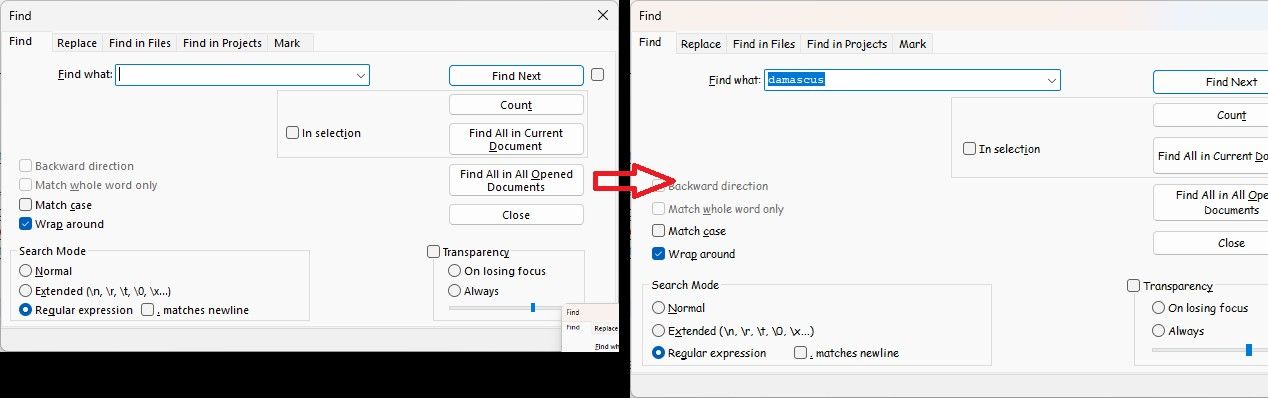
Continuing the procedure:
8. Exit Notepad++
9. Run Notepad++
10. Set General > Dialog Font =Segoi UI
11. FIND => still shows comic sans
12. Exit Notepad++
13. Rerun Notepad++
14. FIND => back to normal UI fontIt appears that, at least for some dialogs, that option requires restarting Notepad++.
-
@andrecool-68 said:
If the Notepad++ window is already open, then the file (ANY) does not open at all through the context menu. If the Notepad++ window is closed, open it through the context menu. This appeared only in this new version; if you take any older version of Notepad++, then such a problem was not observed.
I checked ‘Notepad++ Release Candidate 2 v8.9.9’, and it turned out that this version does not have this problem at all, unlike the final version.Official released Notepad++ v8.9.9 opened in Administrator mode from
C:\Program Files\Notepad++\notepad++.exe,
and I cannot reproduce the bug you reported - File is opened as expected.One thing you should ensure that the opened Notepad++ path should be the one that NppShell.dll points to (Normally
C:\Program Files\Notepad++\notepad++.exe), otherwise the operation will be abandoned for the security reason (harden in v8.9.9). -
The “culprit” is:
https://github.com/notepad-plus-plus/notepad-plus-plus/blame/master/PowerEditor/src/ScintillaComponent/FindReplaceDlg.rc#L93It was introduced at least 16 years ago for being able to use
ALT+yto check/uncheck Transparency checkbox.
So it’s rather a feature, not a bug. -
@donho And it somehow only shows up now with version 8.9.9, not with version 8.9.8.1. Do I understand that correctly?
-
One thing you should ensure that the opened Notepad++ path should be the one that NppShell.dll points to (Normally C:\Program Files\Notepad++\notepad++.exe), otherwise the operation will be abandoned for the security reason (harden in v8.9.9).
I always have the portable version in which there is no NppShell.dll file at all, and for many years I have added Notepad++ via a batch file. These problems only started in the final version.
REM Open file in Notepad++ (Открыть файл в Notepad++) Reg.exe add "HKCR\*\shell\Open file in Notepad++" /v "Icon" /t REG_SZ /d "%~dp0notepad++.exe,0" /f Reg.exe add "HKCR\*\shell\Open file in Notepad++\command" /ve /t REG_SZ /d "\"%~dp0notepad++.exe\" \"%%1\"" /f -
@donho And it somehow only shows up now with version 8.9.9, not with version 8.9.8.1. Do I understand that correctly?
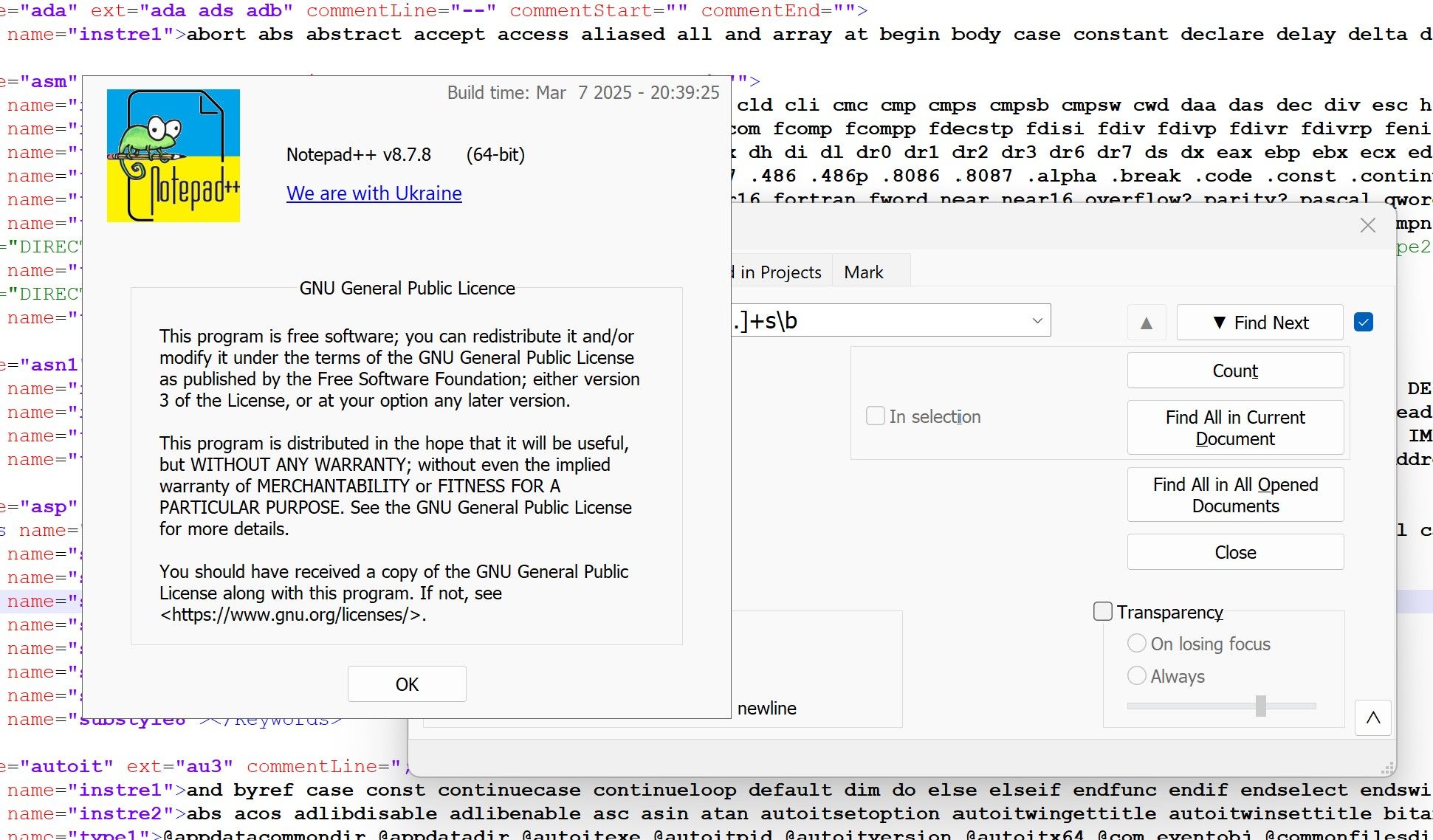
-
@donho, regarding your reply about @peter-fb’s visual difference:
This is the extra / new line that @peter-fb is talking about:
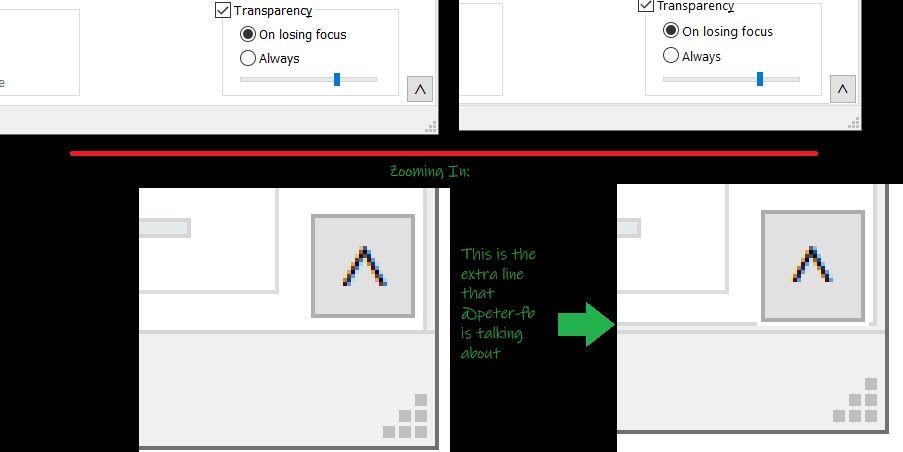
The left images are from @peter-fb’s 8.9.8.1 screenshot (upper is normal, lower is zoomed 4x); the right images are from @peter-fb’s 8.9.9 screenshot (upper is normal, lower is zoomed 4x). I showed a green arrow to the extra line that shows up in the newest version.Your screenshot from 8.7.8 does not have the extra line, either:
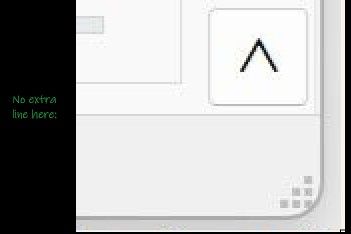
It appears v8.9.9 grew the vertical height of the FIND dialog slightly, and that you can now see the bottom border line for the tab-selector object that used to be hidden under the status bar on that dialog.
-
@PeterJones Thank you so much! You explain it far better than I ever could. Here’s a comparison I just made, but the one you posted is much clearer.
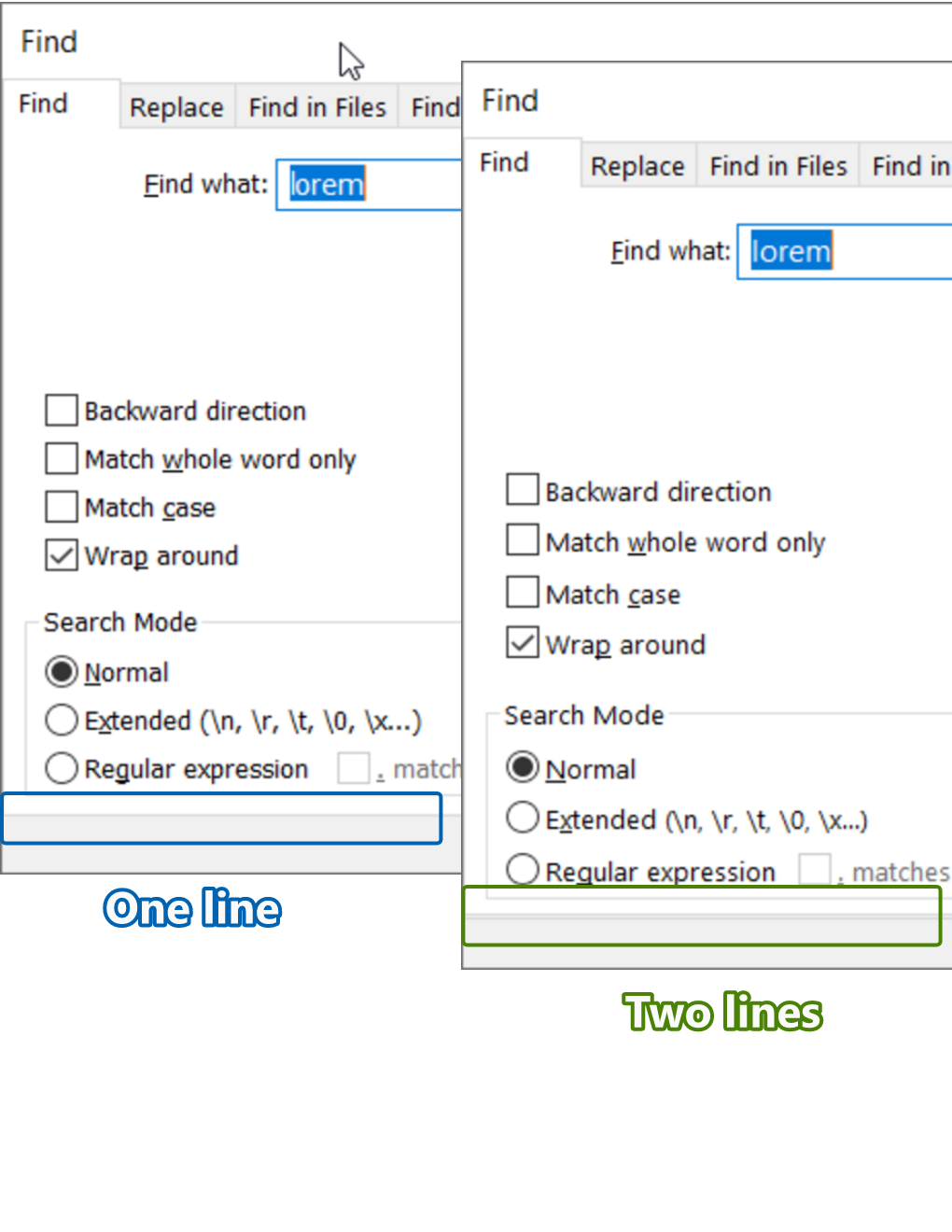
And if I’m completely misunderstanding what Don Ho means, then I’m sorry.
-
I always have the portable version in which there is no NppShell.dll file at all, and for many years I have added Notepad++ via a batch file. These problems only started in the final version.
I have no such problem:
see video:
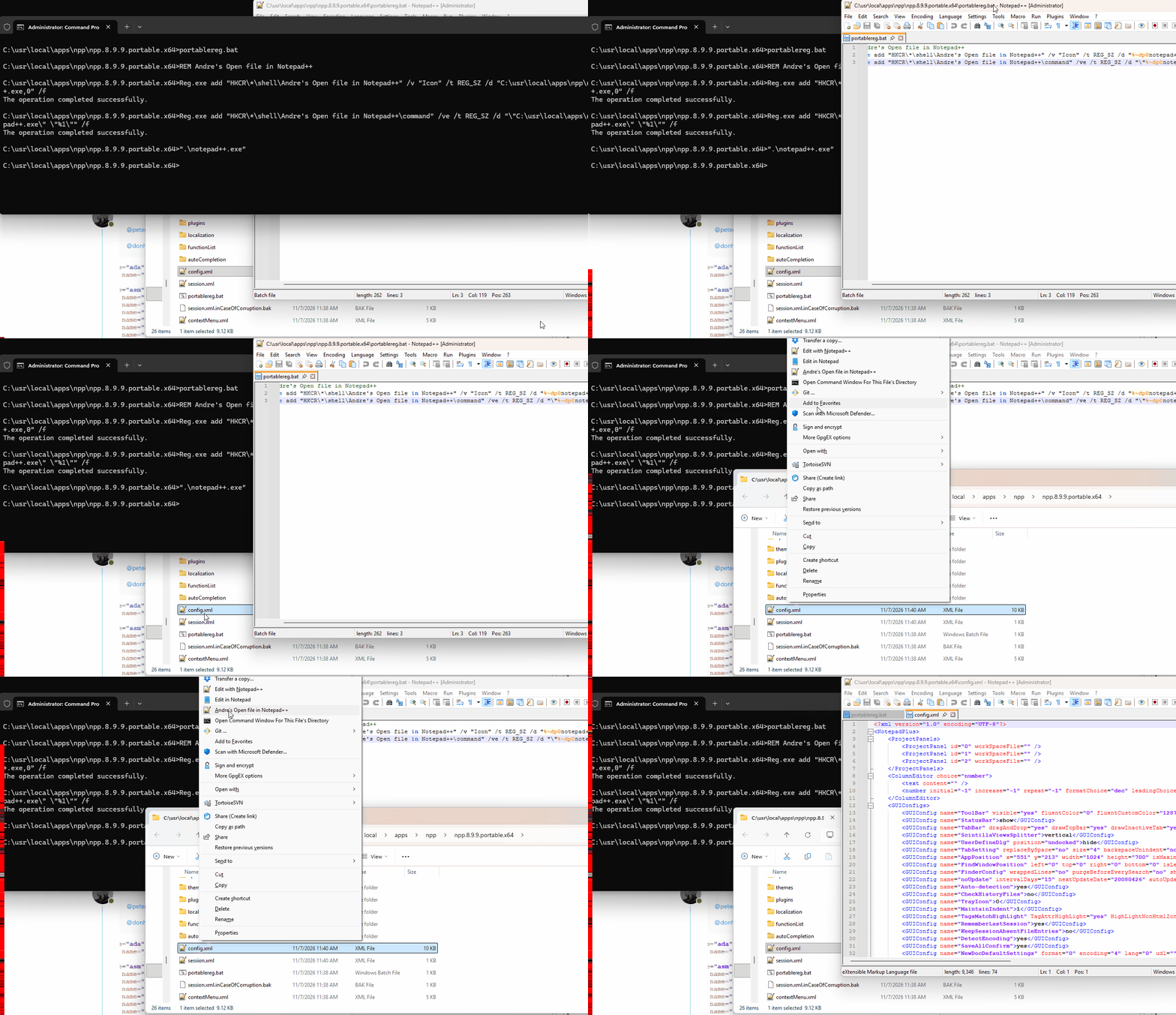
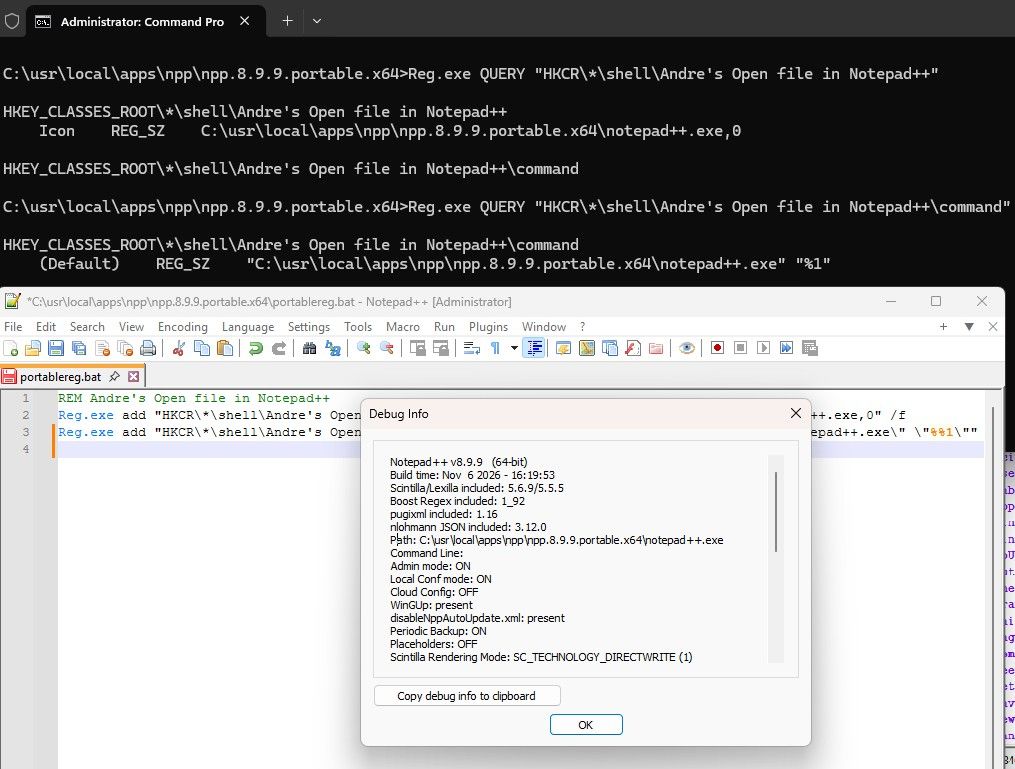
Equivalent to what Don said, you need to make sure that the registry entry and the active Admin Notepad++ have the exact same path (from their own perspective). See my screenshot, where I show both the REG QUERY results for the keys created, and the Debug Info which confirms they are the same:
-
Hello, @peter-fb, @donho, @peterjones and All,
Ah … @peter-fb, I clearly see, now, what you meant !
Indeed, with the last N++
v8.9.9release, here are two snapshots of theFinddialog :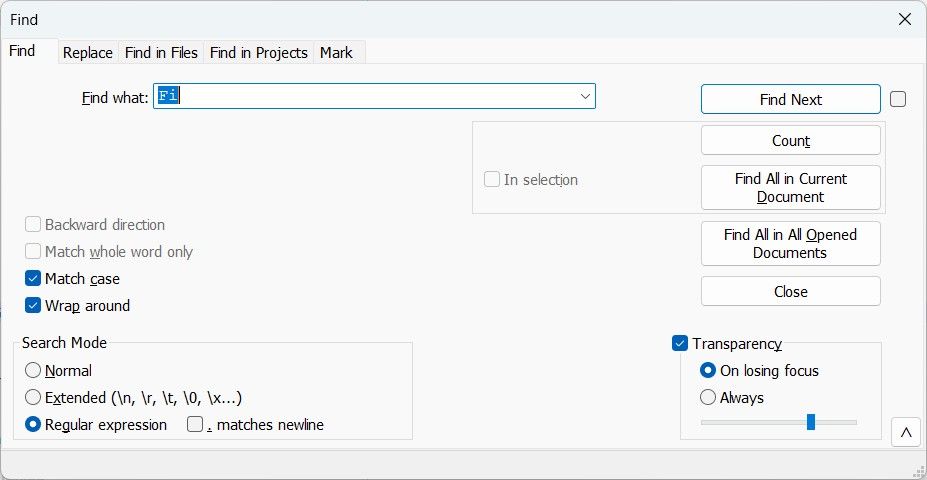
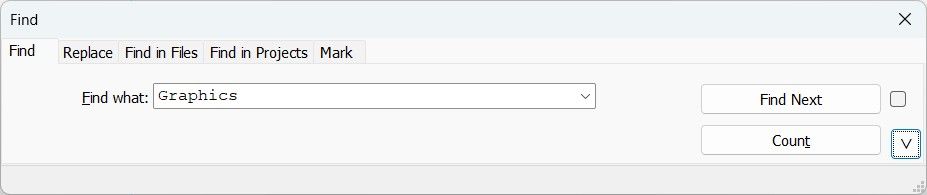
So, you can also notice this problem within the reduced / compact version !
BR
guy038





Hello! It looks like you're interested in this conversation, but you don't have an account yet.
Getting fed up of having to scroll through the same posts each visit? When you register for an account, you'll always come back to exactly where you were before, and choose to be notified of new replies (either via email, or push notification). You'll also be able to save bookmarks and upvote posts to show your appreciation to other community members.
With your input, this post could be even better 💗
Register Login