Disintegrated UI
-
From yesterday my Notepad++ looks like this. Reinstall didn’t help.
Do any of you have some guess what it is and how to solve?
Thanks in advance,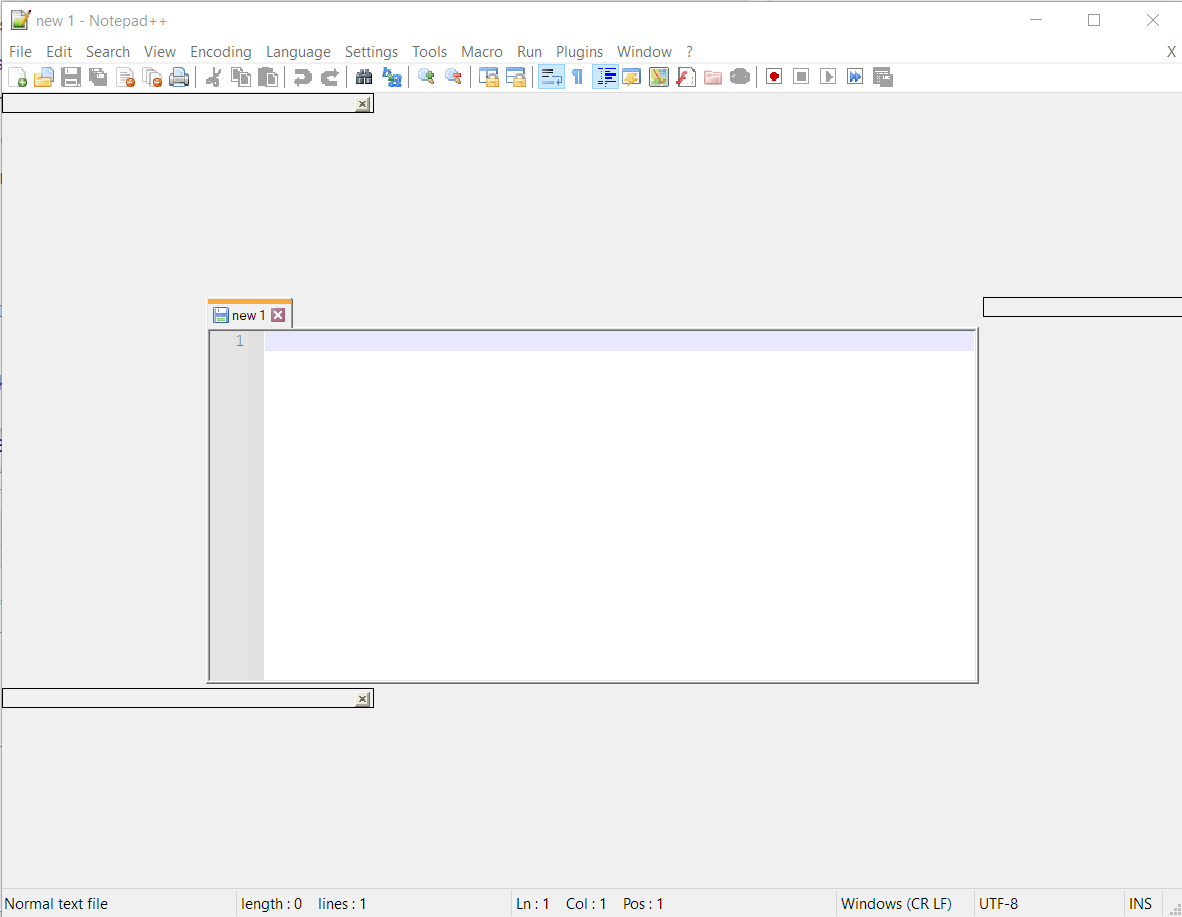
-
The latest 64 bit version v7.9.5
-
This seems to be happening to some users lately.
See for example this problem.
Unfortunately, no solution has been found yet. -
@Ekopalypse Thank you for your quick answer. Then I will keep upgrading usually and hoping for a resolution.
-
Just realized that I forgot to add the link.
https://github.com/notepad-plus-plus/notepad-plus-plus/issues/9717 -
This hasn’t affected me, but I’m just curious about what happens with such things.
As I understand it, Microsoft has changed something which caused this.
Other applications are affected as well.Is this just a “new normal” situation for application developers to “deal with”?
In which case, Notepad++ developers, and other apps’ developers really should get going to come up with their independent solutions?Does Microsoft ever “make mistakes” and then roll them back later?
In which case, Notepad++ developers, and other apps’ developers really should sit tight and do nothing? -
¯\_(ツ)_/¯
I have a Windows 10 set up and it’s not happening for me either.
Seems that I, fortunately, do not meet the requirements :-D -
P PeterJones referenced this topic on
-
FYI: It seems this issue has been fixed in slack finally:
https://github.com/notepad-plus-plus/notepad-plus-plus/issues/9717#issuecomment-1259551873




Hello! It looks like you're interested in this conversation, but you don't have an account yet.
Getting fed up of having to scroll through the same posts each visit? When you register for an account, you'll always come back to exactly where you were before, and choose to be notified of new replies (either via email, or push notification). You'll also be able to save bookmarks and upvote posts to show your appreciation to other community members.
With your input, this post could be even better 💗
Register Login