Panel layout corruption after power loss
-
Hi there,
I’m having an issue with Notepad++ after a power loss. I’ve searched the forums but didn’t find any posts describing this problem. If there is one, please direct me to it.
My PC lost power yesterday while Notepad++ was open. After restarting the PC and relaunching Notepad++, the layout looks like the following screenshot. If I click the X button on those “ghost” panels, the layout corrects itself, but it’s back to this after I restart Notepad++:
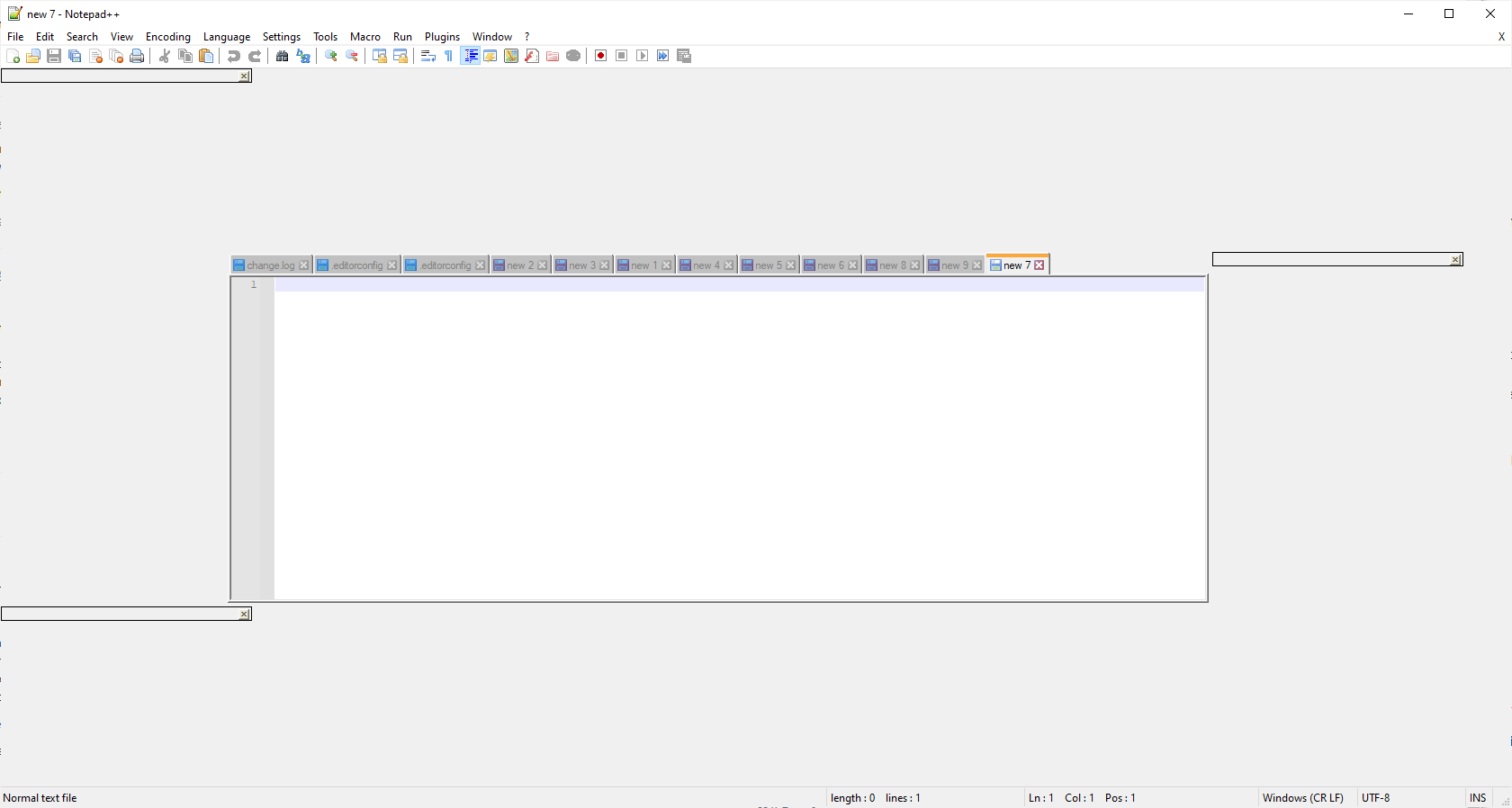
I assume the power loss corrupted one of Notepad++'s configuration settings, so I tried clearing the locations I know about…is there one I missed?
- I’ve tried clearing the %APPDATA%/Roaming/Notepad++ directory (while notepad++ was closed, of course), but there was no difference.
- I also tried downgrading to a previous version of notepad++ (I’d just installed the latest version before the power loss), but that made no difference.
- Finally I checked Windows registry under SOFTWARE\Notepad++ in both the HKLM and HKCU hives. That key only exists in HKCU, but the only value it has is the default value containing the installation folder for Notepad++)
Are there any other settings locations I should check and clear?
-
Known problem with no known solution, though for some, rebooting or updating video drivers has helped. For others, they had to roll back a recent windows update (but some say that they don’t have that update and still have the problem). At least one user has confirmed it’s not just Notepad++ but other applications (including some Microsoft apps), which implies that it’s not solely related to Notepad++.
See also:
- https://github.com/notepad-plus-plus/notepad-plus-plus/issues/9717
- https://github.com/notepad-plus-plus/notepad-plus-plus/issues/9760
- https://community.notepad-plus-plus.org/topic/21128/disintegrated-ui
- https://community.notepad-plus-plus.org/post/64735
- https://community.notepad-plus-plus.org/post/65188
-
@PeterJones OK, thanks - I’ll follow up in one of those threads.
-
P PeterJones referenced this topic on

Hello! It looks like you're interested in this conversation, but you don't have an account yet.
Getting fed up of having to scroll through the same posts each visit? When you register for an account, you'll always come back to exactly where you were before, and choose to be notified of new replies (either via email, or push notification). You'll also be able to save bookmarks and upvote posts to show your appreciation to other community members.
With your input, this post could be even better 💗
Register Login