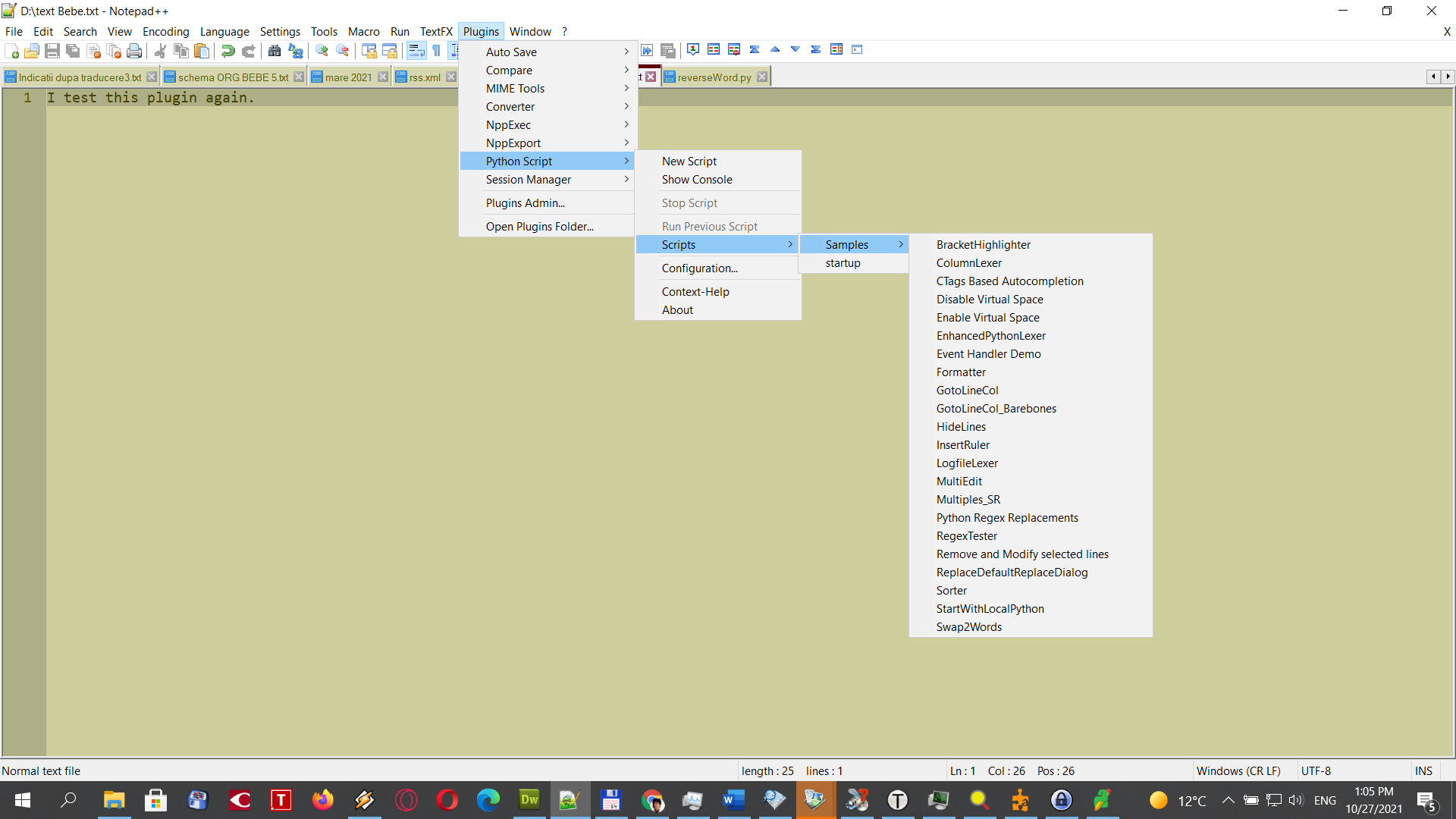
Python script plugin does't show my script after save it
-
I made a Python script, I save it as
newpython.pyinc:\Program Files\Notepad++\plugins\PythonScript\scripts\.Now, I want to run it, but cannot find it…
-
I find the answer. I must use the Installed Version of Notepad++, not the Portable Version as to work.
-
I must use the Installed Version of Notepad++, not the Portable Version as to work.
Lest other readers of this thread believe it, it is not true.
I made a Python script
Well, how exactly did you do this?
If you did Plugins > Python Script > New Script, and give your script a name and some lines of code, after you Save it for the first time you can go to Plugins > Python Script > Scripts and it will be shown there.
However, if you create a new .py file in the
...\plugins\Config\PythonScript\scripts\folder in some other way, it will not show up in the menus until after you restart Notepad++.Using the New Script method, there’s an automatic way for the plugin to know to modify the menus right away. Using any other method – how could it know? At startup of N++ (and thus the plugin), it scans the scripts folder to build the menus the initial time, so it finds all existing scripts at that time.



Hello! It looks like you're interested in this conversation, but you don't have an account yet.
Getting fed up of having to scroll through the same posts each visit? When you register for an account, you'll always come back to exactly where you were before, and choose to be notified of new replies (either via email, or push notification). You'll also be able to save bookmarks and upvote posts to show your appreciation to other community members.
With your input, this post could be even better 💗
Register Login