Notepad++ v8.1.9.1 Release
-
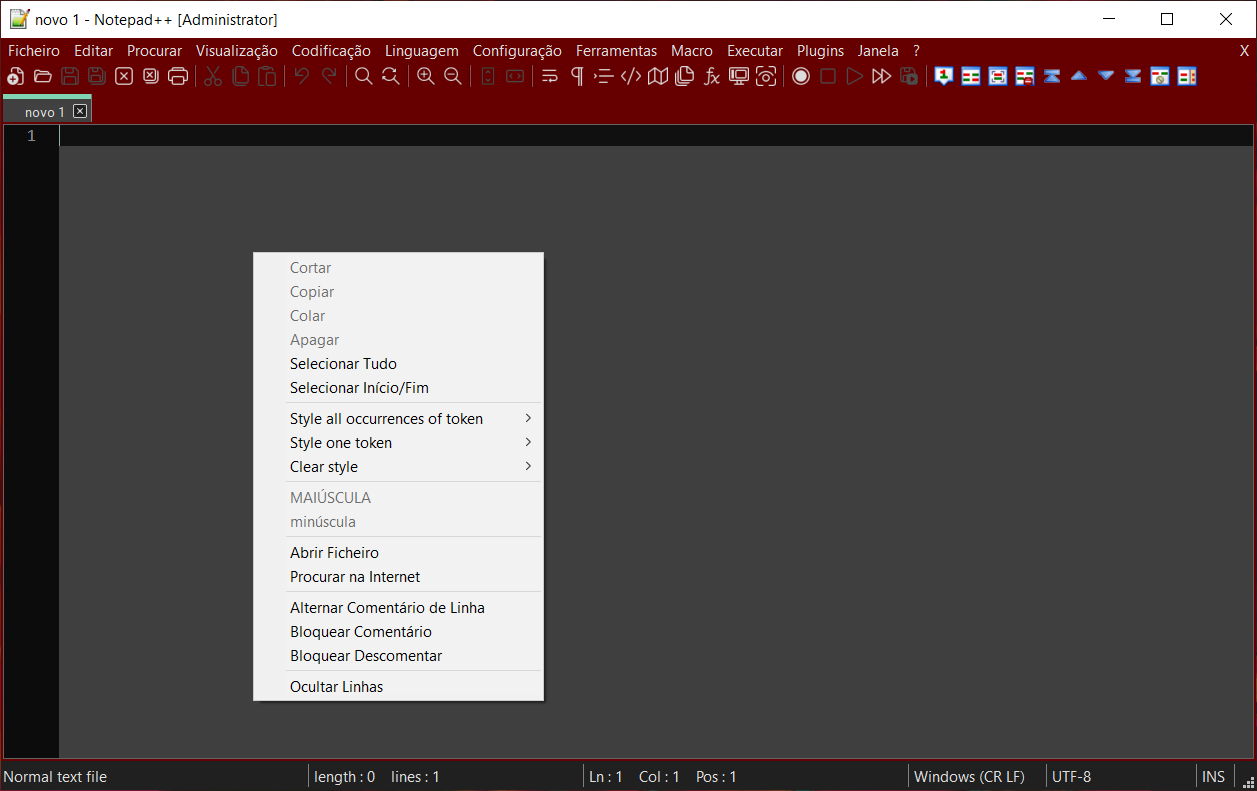
In Windows 10 21H2 dark mode not work
-
I can confirm the above commenter’s issue, it also started happening after I updated to 21H2 today. Also 8.1.9.1.
-
My Windows 10 pro version is
21H1and it marked “You’re updated” on Windows Update.How can I get
21H2? -
@cliffporterx said in Notepad++ v8.1.9.1 Release:
Original crash issue since fixed:
https://github.com/chcg/NPP_HexEdit/issues/36The crash issue is here:
https://github.com/chcg/NPP_HexEdit/issues/51AFAICT, it’s not fixed.
-
@donho Try using the Update Assistant tool.
-
I just installed 8.1.9.1, and now, whenever I try to run it, it tells me there is an update available. If I tell it to download, it tries to uninstall my current installation and install the one for the other word size, IOW, if I have 64-bit installed, it uninstalls that and installs the 32-bit version – and if I have 32-bit version installed, it uninstalls that and installs the 64-bit version.
If I tell it NOT to download any updates, it just exits, and won’t run Notepad++ at all.
-
Where have you downloaded your Notepad++ v8.1.9.1 release?
-
Hi @don-ho,
Personnaly, opening my recent
Win 10laptop, last night ( after three weeks, managing and sorting a lot of photos on my oldWin XPcomputer ! ), a lot of updates were correctly done and I got this screen :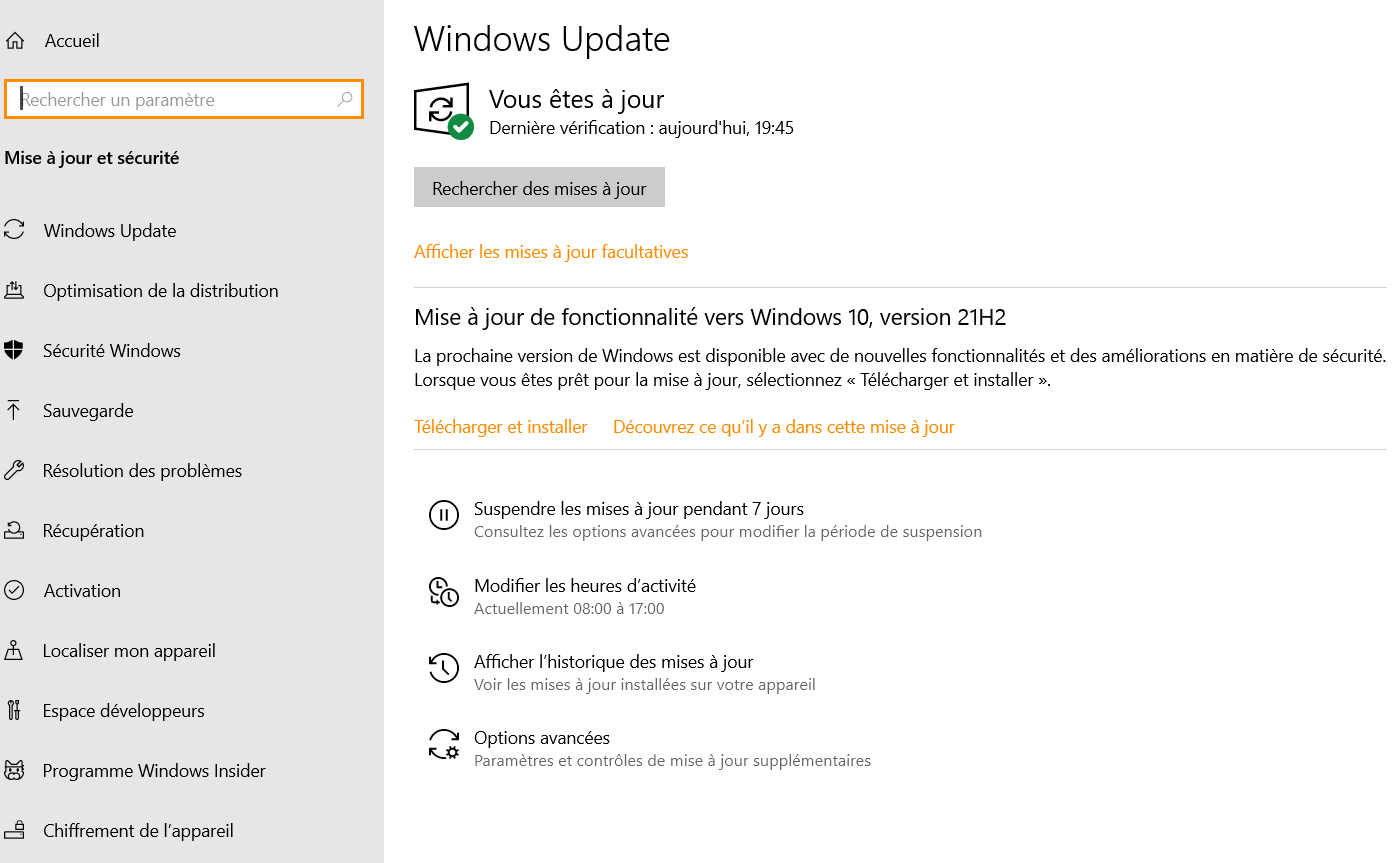
As you can see, there a paragraph which tells me about
Mise à jour de fonctionalités vers Windows 10, version 21H2and to click on theTélécharger et installerlink to download and install this version ! Note that I have not installed it, yet because I don’t know if this version is a migration toWindows 11, itself or not !?Now, if you do not see this paragraph, just click on the
Afficher les mises à jour facultativeslink : this time, you should see, again, this choice :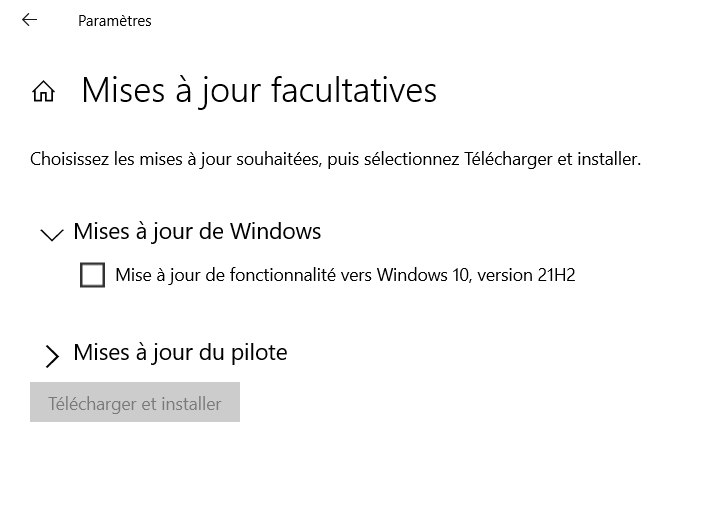
Here is my present
Windows 10 Proversion :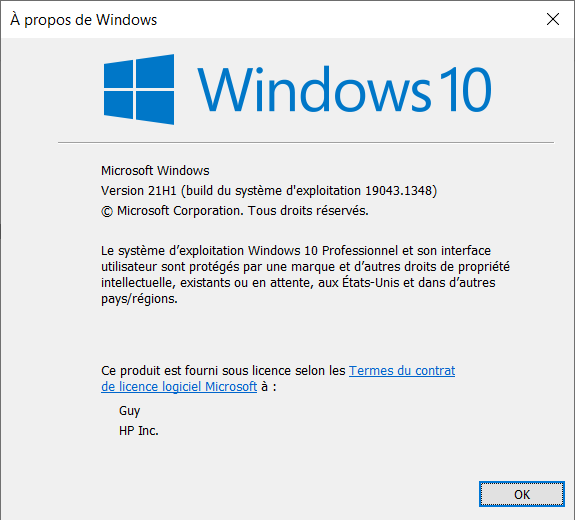
Best Regards,
guy038
-
@guy038
Congrats for upgrading to the modern OS, and thank you for your solicitating - I am now on 22H2 and can reproduce the bug.@johnny998 & @Drica-Almeida
I’ve created the issue here:
https://github.com/notepad-plus-plus/notepad-plus-plus/issues/10810
and fix it:
https://github.com/notepad-plus-plus/notepad-plus-plus/commit/dc082ba2fd5135386f578994e98a279692022182The fix will be in the next release.
Thank you for your report! -
I just updated and am running into a seemingly correct, but annoying behavior (as I see it). I used Notepad++ to edit a log file of the game Factorio while it is running, the file factorio-current.log. Now every time I save an edit, Notepad++ says “This file cannot be saved and it may be protected. Do you want to launch Notepad++ in Administrator Mode?”. Re-launching in admin does not allow me to make edits to the file. I can confirm the game has not been changed.
After testing a bit, Word, Wordpad, and Notepad all respect the file lock, but Notepad++ used to not. Is there a way I can go back to the old behavior without having to stay with an old version? I don’t care if it’s the “wrong” way to handle this situation.
-
@jacob-watkins ,turns out it’s fixed in the next version (which is experimental I think?). I follow the link for “Fix a regression of saving problem. (Fix #10751)” and from trying 8.1.9.2, the behavior is back to what it used to be.
-
@donho said in Notepad++ v8.1.9.1 Release:
(The critical bug-fixes are in highlight)
Hi, i don’t know what kind of issue are you refering to but i would like report a regression issue. Since 8.1.6 (more o less) it is not possibile highlight strings that are part of a bigger string.
for example the string TOT_CONTRIBUTO_UE_ADEGUAMENTI if i selects the “TRI” part and trying to use a “style token” to highlight the same string in the whole document, it wont highlight nothing.
Before that release i was able to use that property (very often).I’m using Windows 10 20H2 and v8.1.9.1
Thanks.
-
If you would read the release notes when you update to a new version, or consult the user manual, you’d see that what you are talking about is now governed by new settings:
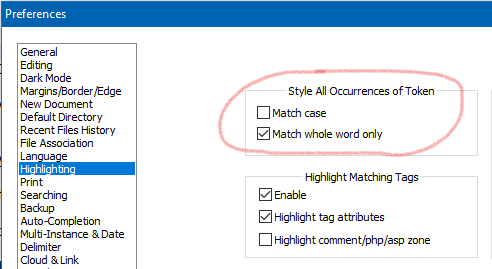
-
@jacob-watkins
Where did you get v8.1.9.2 ? -
D donho unpinned this topic on
-
@donho Well it’s too late now, but there’s a link to the github above and on the release notes page, and the discussion included a link to test versions / a server download folder.
-
P PeterJones locked this topic on






Hello! It looks like you're interested in this conversation, but you don't have an account yet.
Getting fed up of having to scroll through the same posts each visit? When you register for an account, you'll always come back to exactly where you were before, and choose to be notified of new replies (either via email, or push notification). You'll also be able to save bookmarks and upvote posts to show your appreciation to other community members.
With your input, this post could be even better 💗
Register Login