Try using sessions (again)
-
I’m trying to use sessions to have specific tabs open in each.
- How can I tell what session I’m in?
- Where’s the ‘recent sessions’ list?
- Why does Load-Session open current file folder instead of the sessions folder?
- Does anyone use NPP Session-Manger?
Suggestion: Add “Exit NPP” to File menu. Currently, “exit” closes only the current window.
-
@gubith ,
- Notepad++ doesn’t show you the name of the active session
- There isn’t one
- There is no such thing as a “sessions folder” in Notepad++'s mind. Notepad++ only keeps track of the most recent successful open or save for determining where to start for the next open or save-as
- Yes, there are people who do. No, I am not one. Given your desire for tracking which session you are in and such, I think that using that plugin will be helpful to you.
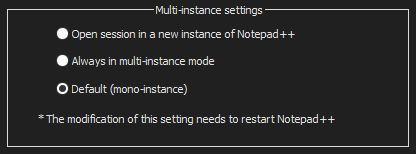
Regarding your “suggestion”: File > Exit (the last entry in the File menu) does exit the application; it is File > Close that closes the current tab’s file. Oh, wait, you said “current window” rather than “current file” or “current tab” – that means maybe you are using multi-instance mode: in that case, each Notepad++ instance is a separate instance of the Notepad++ application, and one doesn’t know anything about any other(s) – it’s a separate process, with a separate idea of Exit. (If you have two Windows Notepad windows open, exiting from one will not exit from the other ms-notepad windows; in the same way, if you have two Notepad++ processes running, exiting from one will not exit from the other.)
-
@peterjones I tried the session manager earlier, it started opening new instances constantly, it took some effort to get a cmd prompt open and kill it all. Opening NPP started this again – I had to then manually remove it from the plugin folder.
So, I tried it again, this time avoiding the ‘auto-open’ option, and it does allow proper session management. It seems. So far.
I added this to the context:
<Item id="0"  ItemNameAs="========================" />
<Item PluginEntryName="Session Manager" PluginCommandItemName="Settings..." ItemNameAs="Sessions Manager" />
<Item PluginEntryName="Session Manager" PluginCommandItemName="Sessions..." ItemNameAs="Sessions..." />
<Item PluginEntryName="Session Manager" PluginCommandItemName="Save current" ItemNameAs="Save current" />
<Item PluginEntryName="Session Manager" PluginCommandItemName="Load previous" ItemNameAs="Load previous" />
But I found some issues…
When I open a new session, it labels the current window with that session name, then it opens a new window with with wrong tabs. I think whats happening is “sess1” becomes “sess2” when a new session is loaded, so it’s saved as sess2… it’s a big mess.I can’t recommend using sessions in Notepad++.
-
I was able to get this working…




Hello! It looks like you're interested in this conversation, but you don't have an account yet.
Getting fed up of having to scroll through the same posts each visit? When you register for an account, you'll always come back to exactly where you were before, and choose to be notified of new replies (either via email, or push notification). You'll also be able to save bookmarks and upvote posts to show your appreciation to other community members.
With your input, this post could be even better 💗
Register Login