Notepad++ v8.4.4 - Happy Users' Edition
-
@Yaron @SeagramFR
Under Windows 11, it works fine.
I’ll check the code. -
https://github.com/notepad-plus-plus/notepad-plus-plus/issues/11995
@donho & @SeagramFR,
https://github.com/notepad-plus-plus/notepad-plus-plus/issues/11996
Not being able to edit posts here is slightly inconvenient.
I’ve preferred opening new issues on GitHub. -
For some reason my plugin, NPPTextFX, disappeared. It still exists as a folder and DLL in the plugins folder but does not appear as an installation option. Has this plugin been superseded?
-
Possibly see HERE.
-
Sometimes I use Notepad++ to edit long plain text files (not code) and I need a way to mark where the page breaks are. How hard would it be to add the capability to highlight line numbers (e.g., put a dot next to 64, 128, 192, etc.)? Or is there a plugin that already adds this capability?
Thanks.
-
@Paul-Harouff said in Notepad++ v8.4.4 - Happy Users' Edition:
Sometimes I use Notepad++ to edit long plain text files (not code) and I need a way to mark where the page breaks are. How hard would it be to add the capability to highlight line numbers (e.g., put a dot next to 64, 128, 192, etc.)? Or is there a plugin that already adds this capability?
The thread you posted this in is intended to be reserved for critical problems with the titular release, not “general questions” like you asked; please create a new thread and repeat your question there.
-
Greetings.
I have stopped working with code years ago, but still use N++ as my normal text editor. I don’t edit text files much, though.
A few weeks ago I attempted an auto-update. Afterwards, N++ would immediately crash upon attempting to use it. I finally got around to debugging the issue.
Long story short, the crash is triggered by the presence of toolbarIcons.xml in the %appdata%\Notepad++ directory. The date on the file is March 28, 2006. Evidently this file is from a very old version of Notepad++. I can recall some issue with tool bar icons many years ago but don’t remember any details. Anyway, the presence of the file causes all versions of N++ starting with 8.4.2 to crash.
I will copy the beginning of the file below. The directory referenced does not exist on my computer.
<?xml version="1.0" encoding="Windows-1252" ?> <NotepadPlus> <ToolBarIcons> <!-- the value pathPrefix should be the path where you can find all icons --> <Theme name = "Crystal++" pathPrefix = "D:\Program Files\Accessories\Notepad++\NppCrystalToolbarIcons\Icons\"> <Icon name = "new" id = "0"> <normal>new_normal.ico</normal> <hover>new_hover.ico</hover> </Icon> <Icon name = "open" id = "1"> <normal>fileopen_normal.ico</normal> <hover>fileopen_hover.ico</hover> </Icon> -
The directory referenced does not exist
Unfortunately N++ doesn’t know any better than to try accessing the non-existent icons. A
nullpointer dereference would explain the crash.Stale or invalid config files are a pretty consistent source of crashes; some recent examples:
-
@rdipardo said in Notepad++ v8.4.4 - Happy Users' Edition:
Stale or invalid config files are a pretty consistent source of crashes; some recent examples:
NPP crashes on opening Style Configurator if stylers do not exist
NPP crashes on opening a session file
Application does not start (severe bug)The 3 above issues are fixed to me. If not, please comment on the issue by providing the instructions for reproduce the bugs.
Otherwise, please stop misleading users with your ambiguous comments.
-
@Eric-Schmenk
Could you report the issue on https://github.com/notepad-plus-plus/notepad-plus-plus/issues please? -
I have changed some of the settings to make the window cleaner, but since the last update it looks like this:
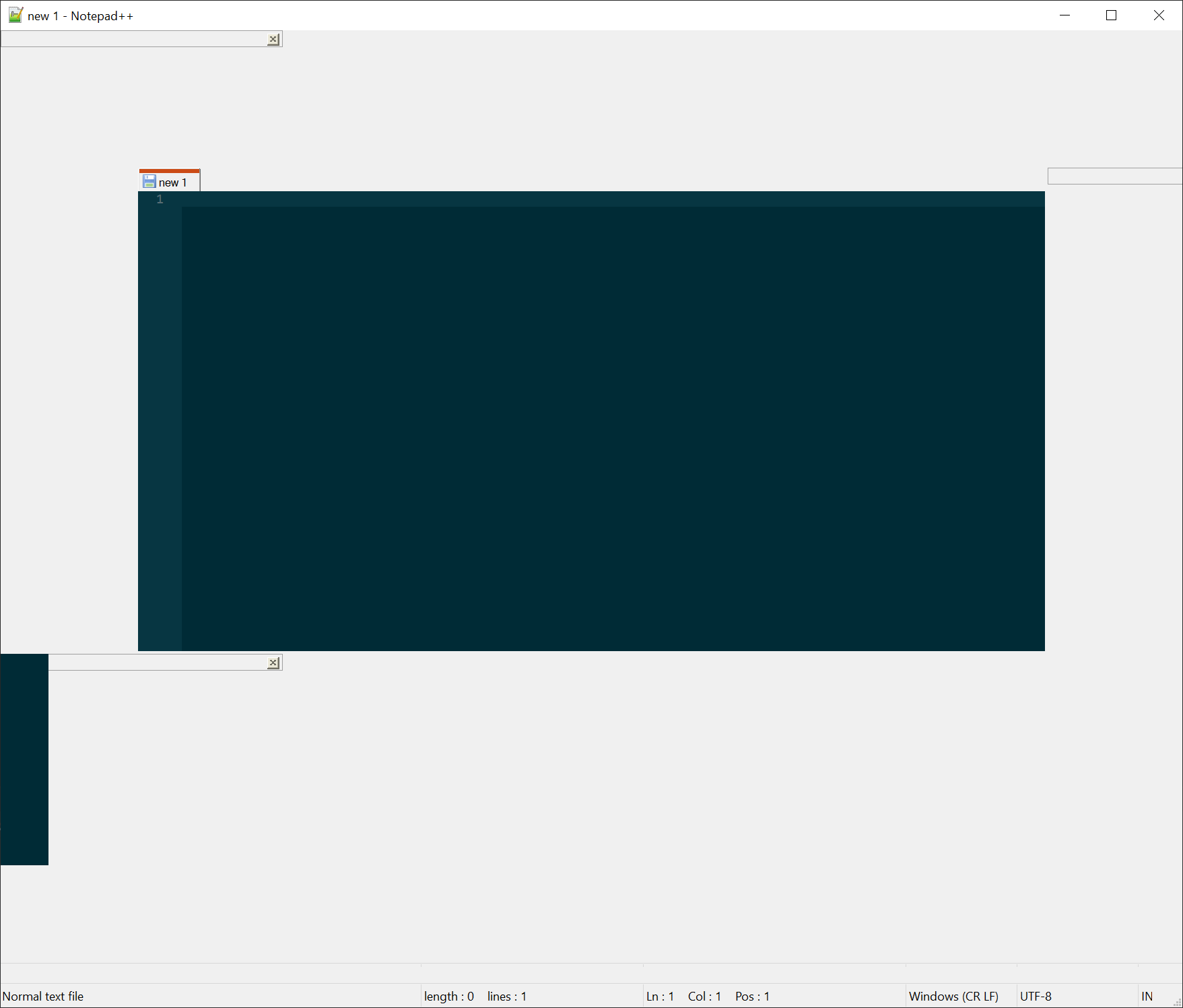
Before it was like this:
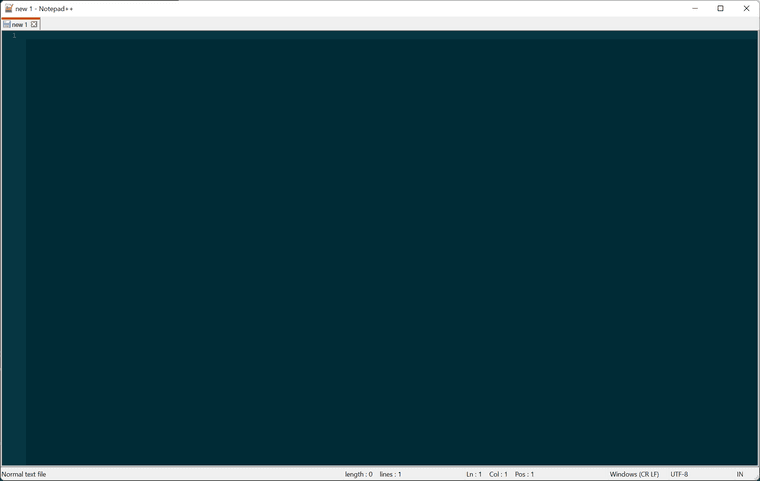
-
I’d suppose THIS is your problem.
-
I have experienced 2 issues after upgrading to v8.4.4:
- Find functionality: The Find dialog doesn’t work as well because now it always searches up or down and cannot search the entire document up/down using the find next button. The workaround is to use the “Find All in Current Document” button.
- This issue seems to be tied to the add-in “3P - Progress Programmers Pal”
Auto-completion text seems to terribly bog down the CPU on my computer, even though it is a relatively powerful computer (Dell for Engineering Design). This only started after upgrading to v8.4.4.
I don’t remember the exact version that I was using prior but highly likely to be the last stable version as I update every time the dialog appears.
Debug Info:
Notepad++ v8.4.4 (64-bit)
Build time : Jul 15 2022 - 17:54:42
Path : C:\Program Files\Notepad++\notepad++.exe
Command Line : “C:\Users\lhs\Downloads_Username.txt”
Admin mode : OFF
Local Conf mode : OFF
Cloud Config : C:\Users\lhs\OneDrive - HydraForce Inc\Documents\Notepad++ customizations
OS Name : Windows 10 Pro (64-bit)
OS Version : 21H2
OS Build : 19044.1889
Current ANSI codepage : 1252
Plugins :
3P (1.8.8)
ComparePlugin (2.0.2)
Explorer (1.9.5)
mimeTools (2.8)
NppConverter (4.4)
NppExport (0.4) -
@Lawrence-S said in Notepad++ v8.4.4 - Happy Users' Edition:
Find functionality: The Find dialog doesn’t work as well because now it always searches up or down and cannot search the entire document up/down using the find next button
So I’m trying to decipher what this is saying…with zero success.
Can you elaborate and clarify?
If a specific example with real text helps, by all means present that. -
@Lawrence-S said in Notepad++ v8.4.4 - Happy Users' Edition:
Find functionality: The Find dialog doesn’t work as well because now it always searches up or down and cannot search the entire document up/down using the find next button. The workaround is to use the “Find All in Current Document” button.
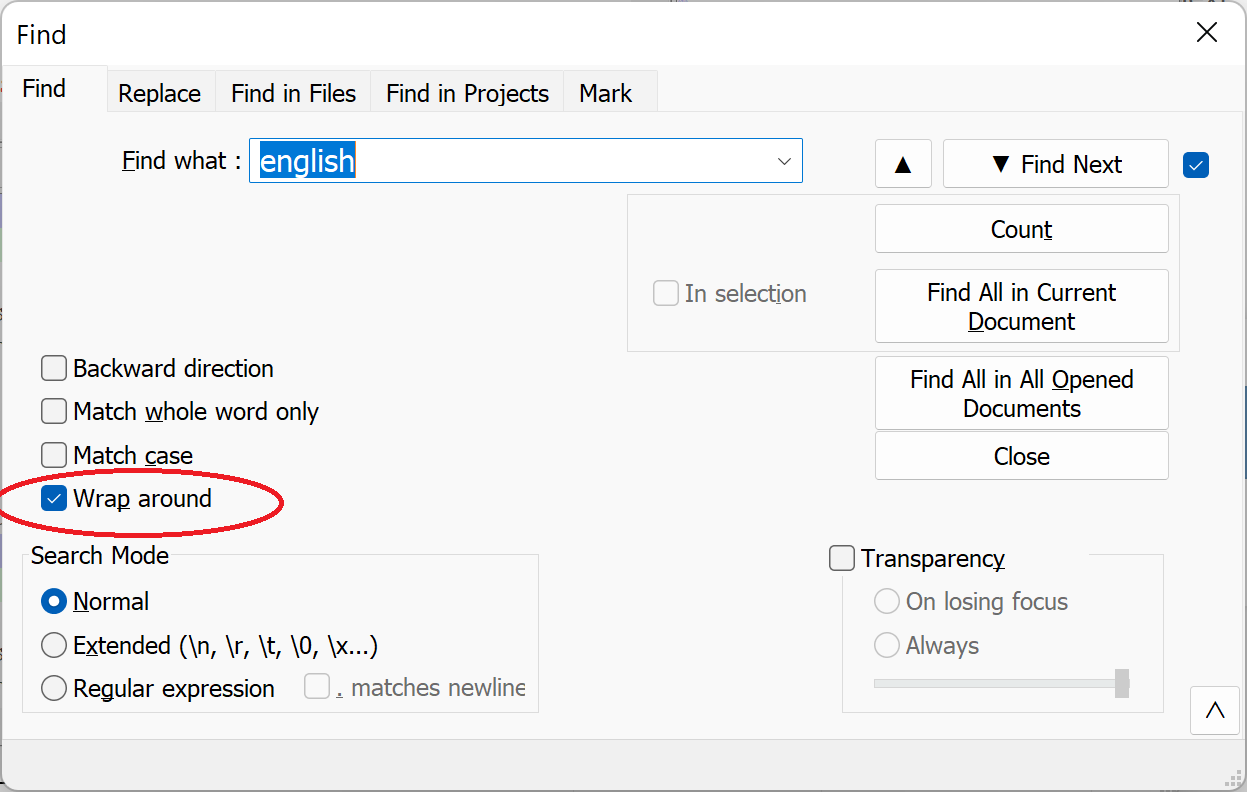
Make sure you’ve checked Wrap arround:
-
@donho Thanks! This actually was this issue. I don’t know how this was changed unless the default changed with an update…
-
@Alan-Kilborn As for the CPU usage issue, I tested again and am not able to reproduce the issue. If it comes back will try to lock down what is happening better and if necessary repost.
Thanks, Lawrence -
@Lawrence-S said in Notepad++ v8.4.4 - Happy Users' Edition:
I don’t know how this was changed unless the default changed with an update…
No “default changed with an update”.
I know how it happened: You clicked on Wrap around and it became unticked. Next time, please analyze what you are doing before posting a complaint.
Kudos to donho for figuring out what your complaint actually was (I certainly couldn’t, from your description).
-
D donho unpinned this topic on
-
P PeterJones locked this topic on








Hello! It looks like you're interested in this conversation, but you don't have an account yet.
Getting fed up of having to scroll through the same posts each visit? When you register for an account, you'll always come back to exactly where you were before, and choose to be notified of new replies (either via email, or push notification). You'll also be able to save bookmarks and upvote posts to show your appreciation to other community members.
With your input, this post could be even better 💗
Register Login