Windows side by side
-
Hi, is it possible to have 2 windows open at the same time? it would be very convenient to be able to work like copy / paste or other procedures. I could not find anything about it on the menu. Thank you
Paolo -
Yes, if you enable multi-instance mode via
Settings->Preferences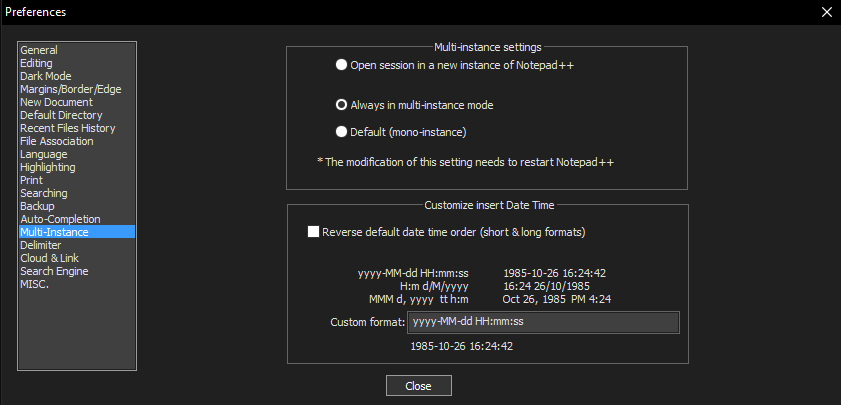
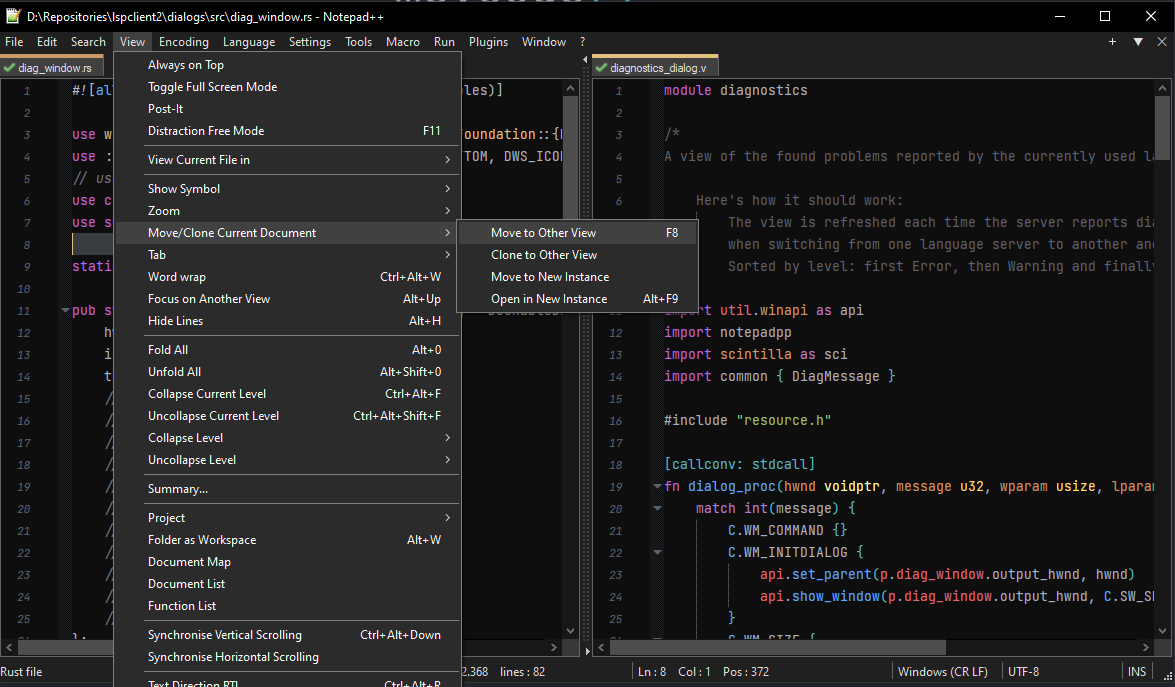
But if it’s only about two documents, it might be even easier to use the second view that Npp supports.
-
@GIAMPAOLO-MUSONI
There are several ways, but an easy one is: drag by your mouse (keep left button pressed) an Npp tab to somewhere on your screen. You will see the following pop-up: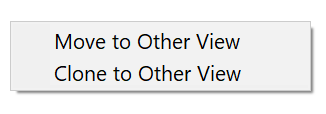
Choose one (clone is another word for copy).
-
@Paul-Wormer said in Windows side by side:
There are several ways, but an easy one is: drag by your mouse (keep left button pressed) an Npp tab to somewhere on your screen. You will see the following pop-up
To obtain the two-item menu you show, it is important that “…to somewhere on your screen…” is limited to the confines of the N++ window. If you drag outside the N++ window and release the left-click, you’ll start another N++ instance (if so configured).




Hello! It looks like you're interested in this conversation, but you don't have an account yet.
Getting fed up of having to scroll through the same posts each visit? When you register for an account, you'll always come back to exactly where you were before, and choose to be notified of new replies (either via email, or push notification). You'll also be able to save bookmarks and upvote posts to show your appreciation to other community members.
With your input, this post could be even better 💗
Register Login