please add a toolbar button "go to end of file"
-
Dear developers team,
I often open several log files in a row and want to go immediately to the end of the files.
For this I have to leave my hand from the my mouse and use the keyboard to enter <ctrl>-<end>.It would be great to have a button in the toolbar whch navigates to the end.
Thanks!
-
- install the customizetoolbar plugin
- record the goto action and save the macro (e.g. GoToEnd)
- use the customizetoolbar.btn config file with something like
Macro,GoToEnd,,,,done
-
@Udo-Sander said in please add a toolbar button "go to end of file":
For this I have to leave my hand from the my mouse
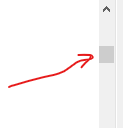
You could grab the “thumb” of the vertical scrollbar and drag it toward the bottom of the screen; perhaps only a solution for smallish files.
-
@Udo-Sander said in please add a toolbar button "go to end of file":
Dear developers team,
As is made abundantly clear if you read the “please read this before posting” before posting, the Community Forum is not the developers team.




Hello! It looks like you're interested in this conversation, but you don't have an account yet.
Getting fed up of having to scroll through the same posts each visit? When you register for an account, you'll always come back to exactly where you were before, and choose to be notified of new replies (either via email, or push notification). You'll also be able to save bookmarks and upvote posts to show your appreciation to other community members.
With your input, this post could be even better 💗
Register Login