What is this horrible print dialog in windows 11?
-
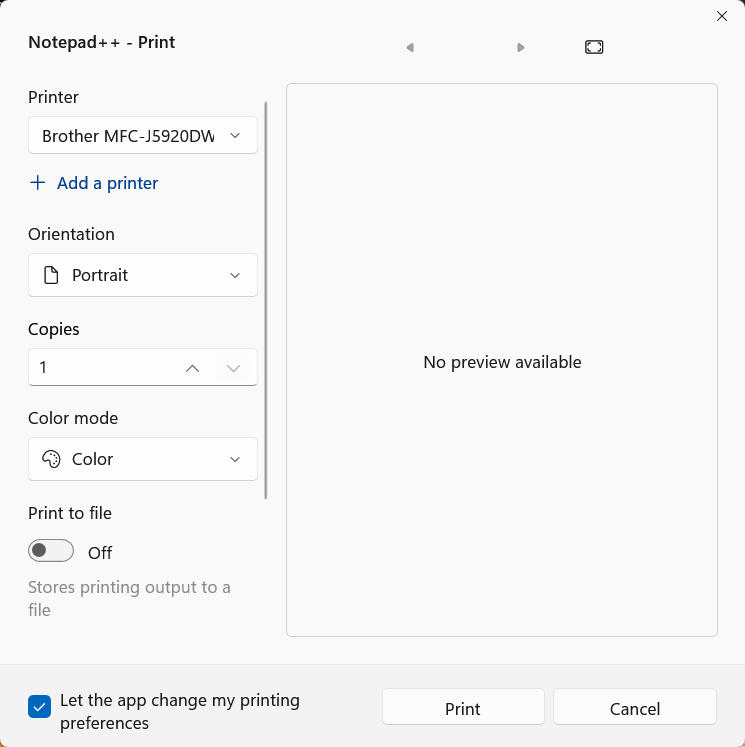
How clunky and dysfunctional.
Is there some way to get the old one back?
And why is no preview available? -
The Print dialog is a function of the Windows OS – Notepad++ just calls the OS-defined dialog: the same function call in Notepad++ that opened up the old dialog in Windows 10 opens up the new dialog in Windows 11; Notepad++ cannot change that.
I am not on Win11 right now, but I believe if you grab the scrollbar between the left column and the empty preview window and scroll down, you might get a button which takes you to a dialog more similar to the old menu. (But I might be wrong.)
As for why there is no preview: my guess is that there would have to be code added to Notepad++ to make it pass that “preview” along as extra information to the Windows 11 print dialog… and I don’t know if it’s possible for Notepad++ to do that without making itself incompatible with Windows 10 (which isn’t going to happen, because many Win 10 is still supported by Notepad++, and will most likely be still supported for years to come).
-
A quick web search (using The Search Engine That Knows All) gives me this: https://www.winhelponline.com/blog/restore-legacy-print-dialog-windows-11/
According to that article, all classic win32 apps were switched to that dialog in Win 11 22H2.
That article does describe a way they think you can get back the old dialog. Note that it’s a Windows-OS issue, not something specific to Notepad++, so any further discussion would be better suited at a different forum (maybe one made up of OS Super Users, or one specifically for your OS).


Hello! It looks like you're interested in this conversation, but you don't have an account yet.
Getting fed up of having to scroll through the same posts each visit? When you register for an account, you'll always come back to exactly where you were before, and choose to be notified of new replies (either via email, or push notification). You'll also be able to save bookmarks and upvote posts to show your appreciation to other community members.
With your input, this post could be even better 💗
Register Login