Shift + alt to paste issue
-
v8.5.5/8.5.6/8.5.7, i’m not sure before 8.5.5 have the same issue.
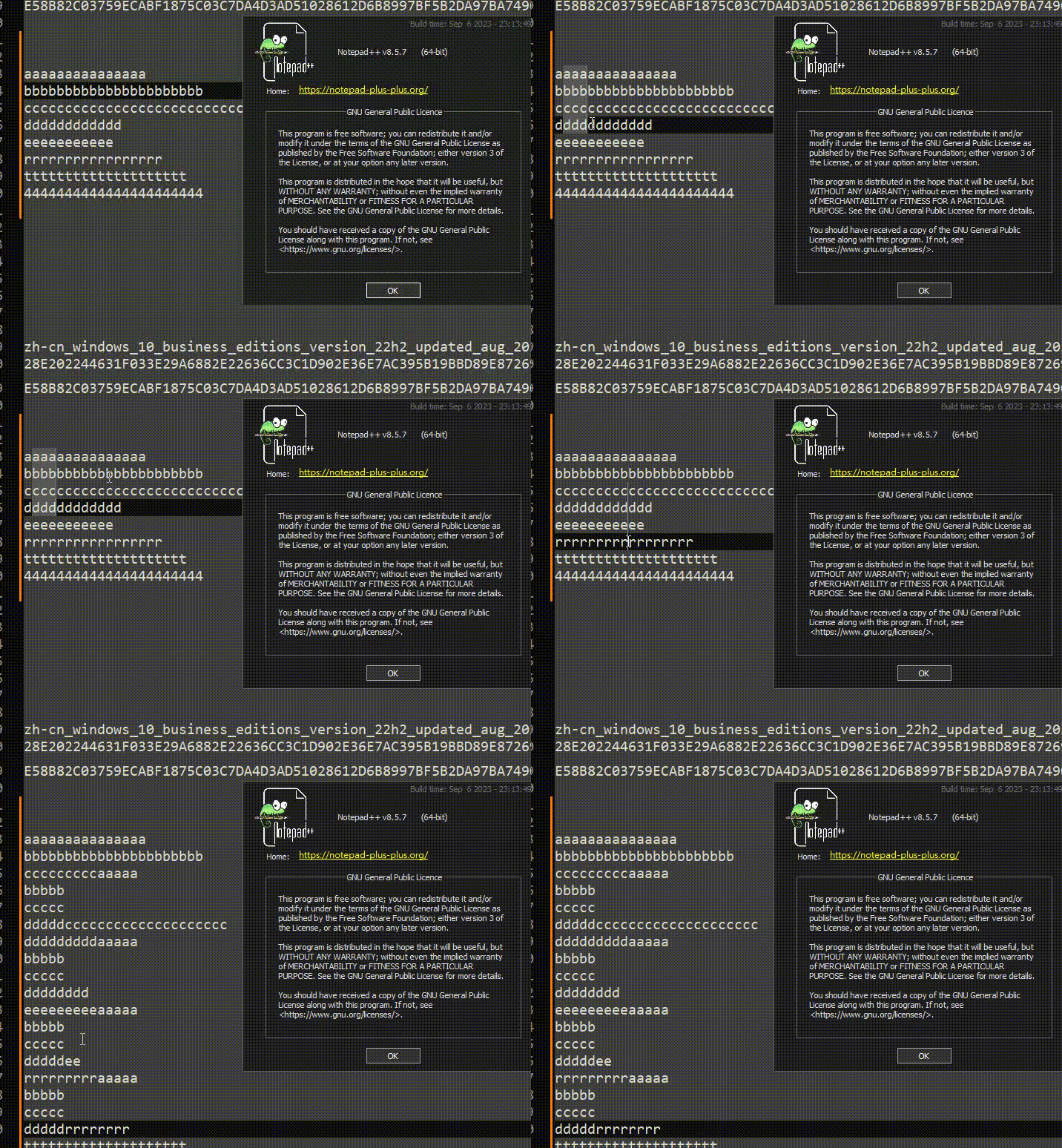
I can use Shift+Alt to copy multi-line, but I cannot paste it to multi-line mode.
-
@bwisely said in Shift + alt to paste issue:
I cannot paste it to multi-line mode.
It works for me:
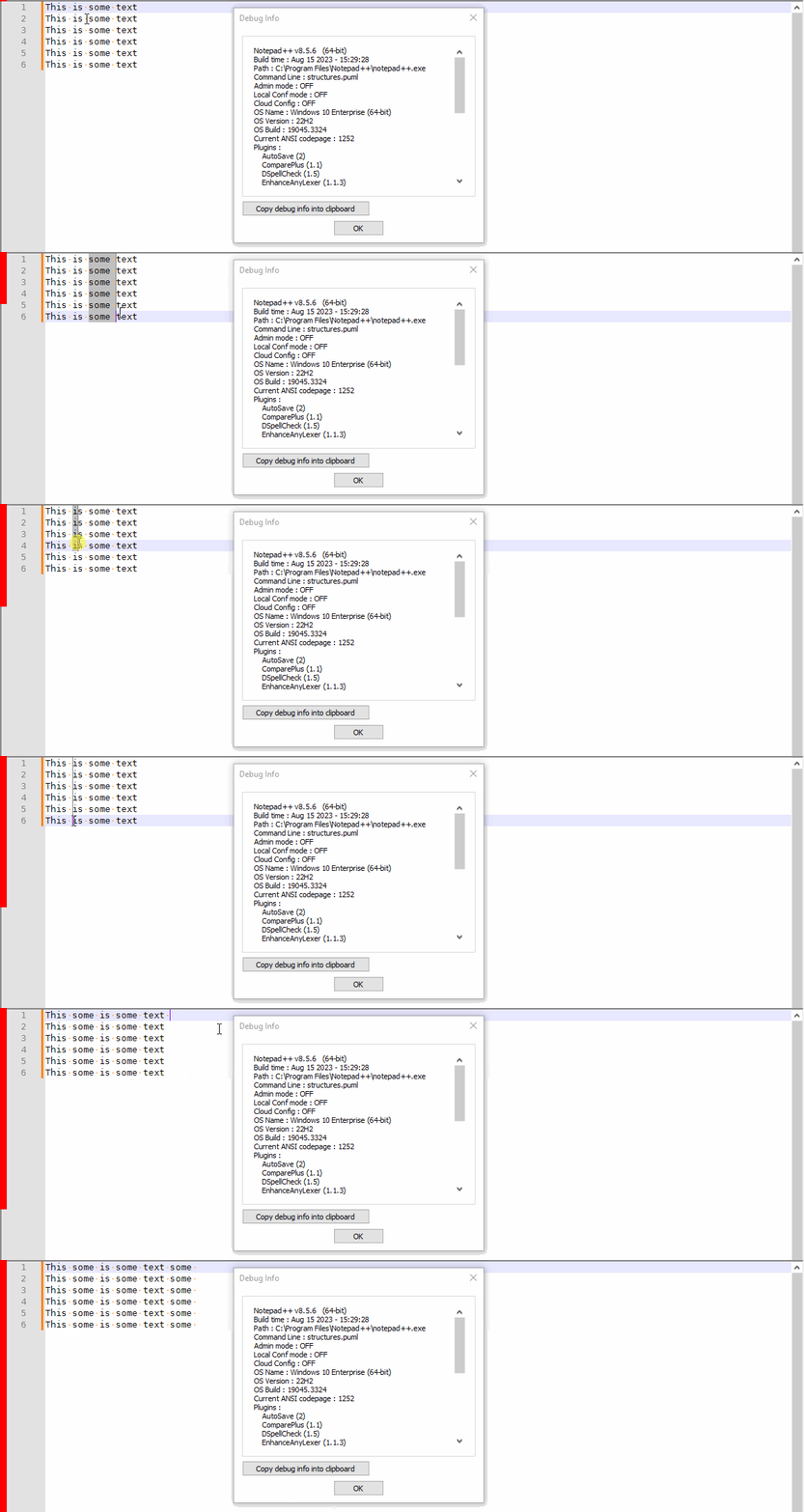
Shift+Alt+Dragto select thesomecolumnCtrl+Cto copyShift+Alt+Dragto select betweenThisandis- space then
Ctrl+Vto successfully paste in column mode - click after
textand hit space Ctrl+Vwithout doing column selection, and it still pastes at the end of the line in column mode
Everything works exactly as it always has and as I expect.
-
-
This post is deleted! -
@bwisely ,
I cannot replicate your results when using the exact sequence that I showed, or using a sequence that looks like what you did – I always get behavior like from my screenshot.
Maybe you have a plugin that’s interfering (you haven’t shared your Debug Info – if you had, I could have looked through the names of the plugins and seen if maybe one of them was a likely culprit). Or maybe you’ve got something weird in your Settings > Preferences > Editing or one of the other settings pages (though I haven’t yet found anything that prevents column-paste from working).
However, if I change the sequence, I can replicate your results: If I do the column selection, then paste it somewhere else (in an empty tab, for example), then copy it again not in column-selection mode, then when I paste it in the original location, it pastes it multiple times like you showed, rather than doing a column-paste like I showed. (So again, maybe you have a plugin that is changing a column-selection copy into a normal-mode copy, so it’s stored in the clipboard as a normal-selection instead of a column-selection; I don’t know of any plugins that do that, but I know BetterMultiSelection does some fancy stuff with the multi-select-vs-column-select, so it might be interfering in this case… but that’s just a guess; I don’t use that plugin, and haven’t tried)
-----
update: Nope, I installed BetterMultiSelection into a portable 857, and I still couldn’t get it to mess up; as long as I haven’t done anything else with the clipboard since I did the column-copy, the paste correctly works as a column-paste for me, no matter what I do. Sorry, I am running out of ideas as to why it’s not working for you.


Hello! It looks like you're interested in this conversation, but you don't have an account yet.
Getting fed up of having to scroll through the same posts each visit? When you register for an account, you'll always come back to exactly where you were before, and choose to be notified of new replies (either via email, or push notification). You'll also be able to save bookmarks and upvote posts to show your appreciation to other community members.
With your input, this post could be even better 💗
Register Login