Tabs not showing on startup
-
Hello,
Is anyone else seeing this? When starting up a new instance of Notepad++, tabs are not showing even though they are set to show in the Preferences (or more accurately, not Hide: General | Tab Bar | Hide << unchecked).
Two things are odd here:
- When I open the Preferences window, the tab(s) appear.
- I have the same version (latest v8.5.8) on my home computer. Even after comparing all settings, the tabs show for my home computer but not my work computer.
Is there a setting that I’m missing somewhere?
Thanks!
-
@Matthew-Feeney I suspect a screen shot of your Notepad++ will provide some additional information. For example, I’m wondering if you are using dark mode or custom colors.
Also, “starting up a new instance of Notepad++” can mean one of several things. Can you explain more of a step-by-step on how you start a new instance?
-
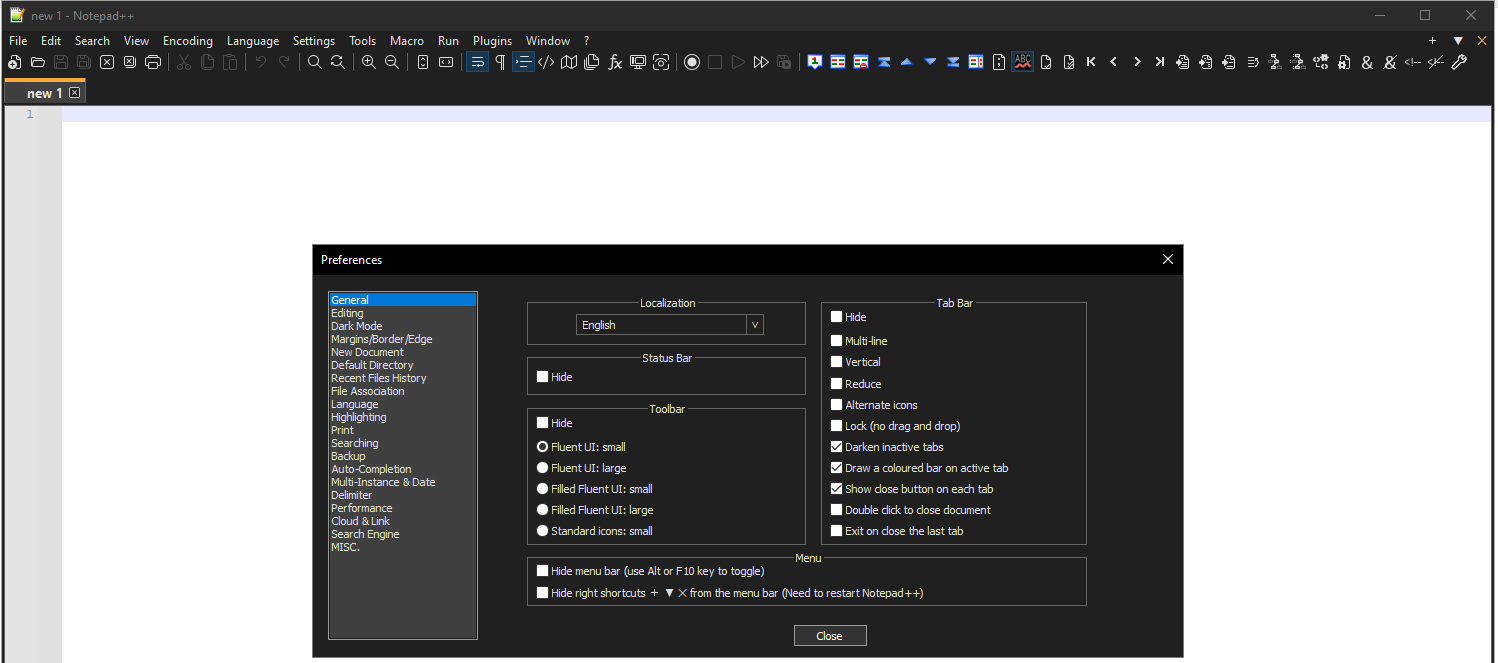
@mkupper Thank you for the reply. Here are screenshots:
Upon opening a new instance, meaning I click the shortcut in the main Windows Menu. No default tab is showing.

When I open additional tabs, still, the tab bar does not show.After selecting Preferences. You can see the default “new 1” tab. I would like to see that when opening Notepad++.
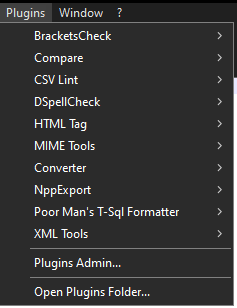
List of plug-ins, if that helps:
Thanks,
Matt -
Your issue sounds so familiar to me, but I haven’t been able to find a previous discussion like it yet, even though I know it’s around here somewhere.
It sounds vaguely like you’re opening Notepad++ in one of the “mimic
notepad.exe” modes. If you share your ?-menu’s Debug Info, it will allow us to see if you’ve got the-notabbarcommand-line option in your shortcut, or maybe you have theasNotepad.xmlin your installation directory, which will imply-notabbarand a few other options to make it appear like the single-windownotepad.exe -
@PeterJones said in Tabs not showing on startup:
I haven’t been able to find a previous discussion like it yet
Okay, I found the discussion I was thinking of: Tab bar always hidden at launch. And for that user, it was that they had
asNotepad.xmlin their installation directory. -
@PeterJones That was the issue, removing asNotepad.xml (empty file) did the trick. Many thanks!
Odd, I did a search for this topic but didn’t find anything. I obviously didn’t use the right key words.
Anyway… Thank you, again!
-
I created a new issue on github as the tab bar should not have appeared like that.


Hello! It looks like you're interested in this conversation, but you don't have an account yet.
Getting fed up of having to scroll through the same posts each visit? When you register for an account, you'll always come back to exactly where you were before, and choose to be notified of new replies (either via email, or push notification). You'll also be able to save bookmarks and upvote posts to show your appreciation to other community members.
With your input, this post could be even better 💗
Register Login