c++ syntax for all files
-
c++ syntax for all files - how i can do this?
I disabled all syntaxes except с++, but this does not work. -
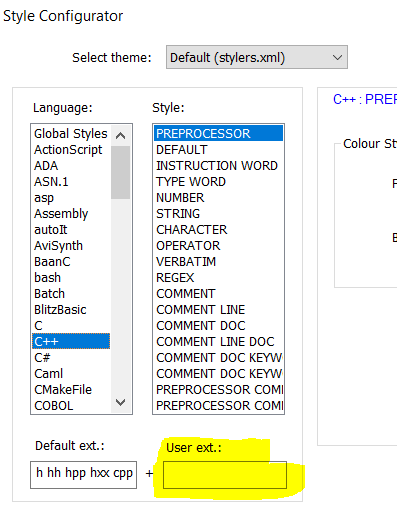
Well, you might try defining what “all files” really means by putting their extensions here:
-
Yes, for examle i have “php” in “User ext” and anyway it’s not working.
https://prnt.sc/qyiwftI think because: https://prnt.sc/qyiuyr
I can’t edit left side (“default ext”). When i open .php file, i have .php highlighting. -
I turned off all languages except c++, and even this does not help, the .php file opens with .php highlighting. It’s stupid… Exist properties “-l cpp <file>”, but how i can do this for all files?
-
may I ask you what you really try to achieve?
Setting the cpp lexer to every document might not do
what you think it would do.
For example, a cpp lexer is not able to lex a php file correctly. -
I want to do the same highlighting for all file types. To be more precise, i am only interested in comments and lines.
//
/**/
‘’
“”And there are times when the highlighting does not work at all and in order for it to work, you need to restart the program or close the file and open it again.
-
@wS-Стас said in c++ syntax for all files:
To be more precise, i am only interested in comments and lines.
You can add extra highlighting to any builtin lexer (like the PHP lexer) using regexes via the script
EnhanceAnyBuiltinLexer.pythat @Ekopalypse shares in this linked post. A variant of that script could be made to work without reference to which lexer is active, which would be a way to highlight/color/style comments and quotes the same in all languages. -
@wS-Стас said in c++ syntax for all files:
when the highlighting does not work at all
Never seen that happen. If you have reproducible circumstances, that would be good to share.
(on rare occasion, I have seen it look like highlighting is temporarily missing because a redraw didn’t happen at the right time; usually just switching to another tab in Notepad++, and then back, which force the redraw)
-
@wS-Стас said in c++ syntax for all files:
And there are times when the highlighting does not work at all and in order for it to work, you need to restart the program or close the file and open it again.
That is actually one thing I would expect if a lexer is used which is not written for that kind of file.
I never experienced this if the correct lexer for the current file did the highlighting.In order to make this work, that every programming language file, as far as notepad++ knows it,
displays its comment in the same color and font you have to go through each defined language
and reconfigure there comment line settings.Another alternative might be to explicitly mark those lines like here
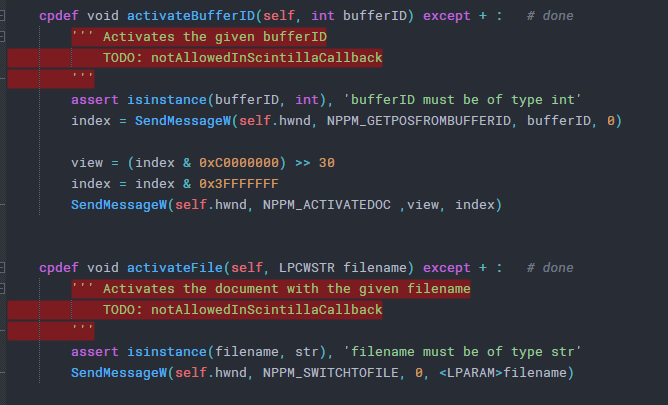
Might be possible by recording a macro - didn’t try it.
Or using a scripting language like @PeterJones mentioned.




Hello! It looks like you're interested in this conversation, but you don't have an account yet.
Getting fed up of having to scroll through the same posts each visit? When you register for an account, you'll always come back to exactly where you were before, and choose to be notified of new replies (either via email, or push notification). You'll also be able to save bookmarks and upvote posts to show your appreciation to other community members.
With your input, this post could be even better 💗
Register Login