Notepad++ v7.8.9 released
-
Notepad++ v7.8.9 release note:
https://notepad-plus-plus.org/news/v789-stand-with-hong-kong/Notepad++ v7.8.9 Enhancements & bug-fixes:
- Fix Line operations (join lines, split lines, remove duplicate lines and sort lines) doing one too many lines issue.
- Fix the regression of jump line failure via command line (-n).
- Fix URL Hovered colour disappears after modifying any Clickable Link Settings regression.
- Fix URL is not clickable in certain stuation while wrapped is enabled.
- Fix “Save” not working in Windows dialog.
- Fix Flickering cursor after double clicking a found line in find results.
- Fix Found line may not be centered by double clicking in find results, if word wrap is on.
- Fix wrong horizontal scroll bar position after restoring Window position.
- Fix Find result window output TAB-width incoherent issue.
-
FYI, the auto-updating for Notepad++ v7.8.9 is triggered.
-
What pissed it off?
-
I was having the issue of Plugins Admin opening, letting me see the list, check boxes, and install, but NPP closing and not re-opening, and on manual restart nothing was loaded. I had to manually run the ‘/updater/GUP.exe’ updater program, and clear it with Windows UAC (Uncheck “Always ask this” in the window and click ‘Run’). Now the Plugins Admin installs, NPP restarts, and the plugin is added.
-
@senselocke
I have tested Notepad++ 7.8.9 32 bits version under Windows 10 64 bits, installing a plugin with PluginAdmin works fine for me (Notepad++ restarted as expected and plugin was installed).
The reason of GUP problem I can see is downloading failure, so could you provide me the name of plugin you want to install so I can reproduce the bug? -
Is it only me - or the “Folder as Workspace” in Notepad++ 7.8.9 (32-bit) does not restore the last selected item in its TreeView correctly?
And I can see that the value of ‘latestSelectedItem’ is correct in the “config.xml” after Notepad++ exits. But then I restart Notepad++ and it does not select the item according to the ‘latestSelectedItem’ value. -
@Vitaliy-Dovgan
Could you provide me the detail to reproduce the bug please? -
I did a quick test and can confirm the reported behavior on Windows 7 Npp 7.8.9 x64
I close npp in this state.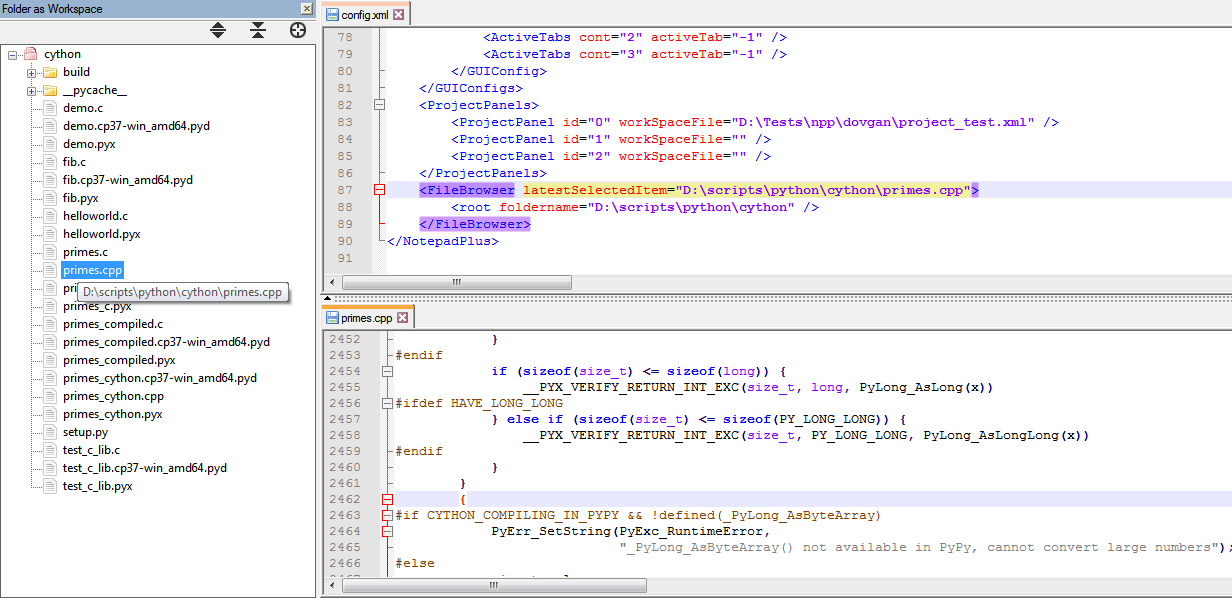
and by restarting npp I see primes.cpp is not selected anymore.
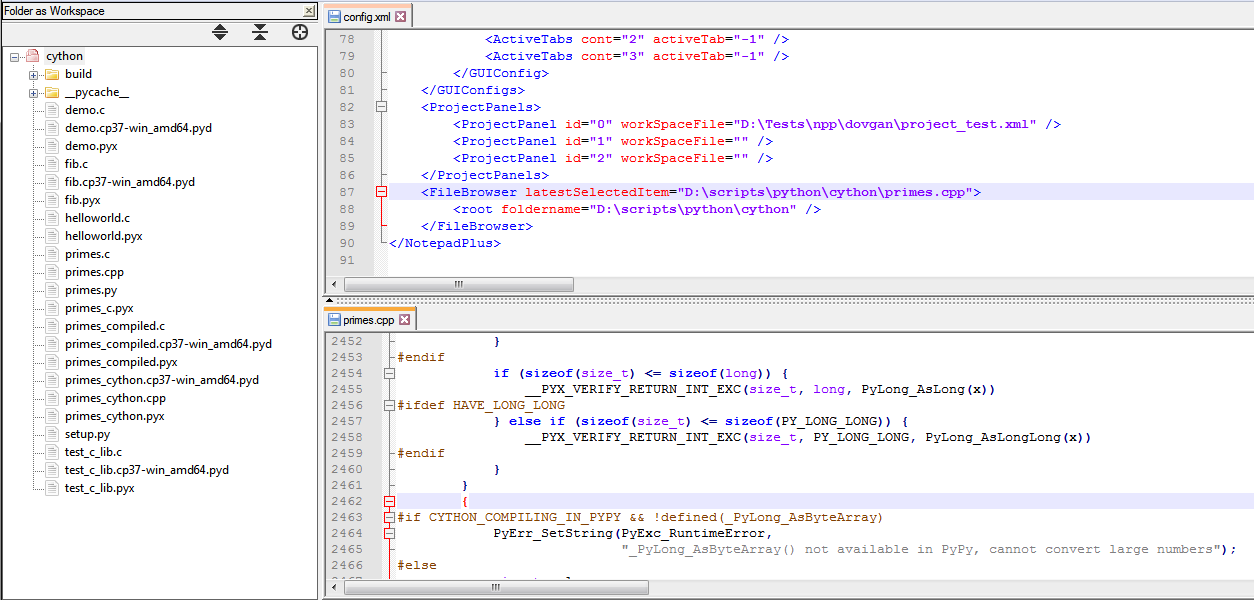
But I don’t know whether it is expected to be selected or not.
-
@Vitaliy-Dovgan
https://github.com/notepad-plus-plus/notepad-plus-plus/issues/8353
I also saw this strange behaviour, but no one react. I don’t know if this remembering ever worked. -
@ArkadiuszMichalski @Vitaliy-Dovgan
This is “forgotten” feature which is just implemented:
https://github.com/notepad-plus-plus/notepad-plus-plus/commit/a2264e5b365764c1dc521acf91e8b580408e78ffIt’ll be in next release.
-
P PeterJones locked this topic on



Hello! It looks like you're interested in this conversation, but you don't have an account yet.
Getting fed up of having to scroll through the same posts each visit? When you register for an account, you'll always come back to exactly where you were before, and choose to be notified of new replies (either via email, or push notification). You'll also be able to save bookmarks and upvote posts to show your appreciation to other community members.
With your input, this post could be even better 💗
Register Login