Bug in Python Script
-
I found a way to change the Foreground color of the Selected text here :
https://community.notepad-plus-plus.org/topic/11039/foreground-options-for-selected-text
contribution : Claudia Frank Jan 3, 2016, 12:20 AMThe editor.setSelFore(1,(255,255,255)) command does the trick , except for the dots representing the White space symbols .
These are my Notepad++ settings :
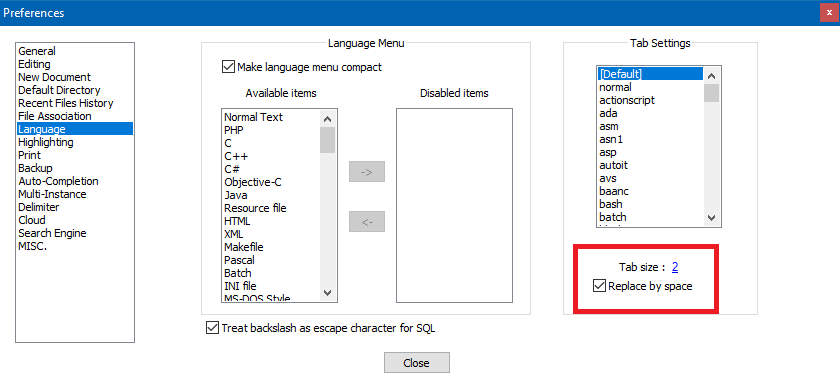
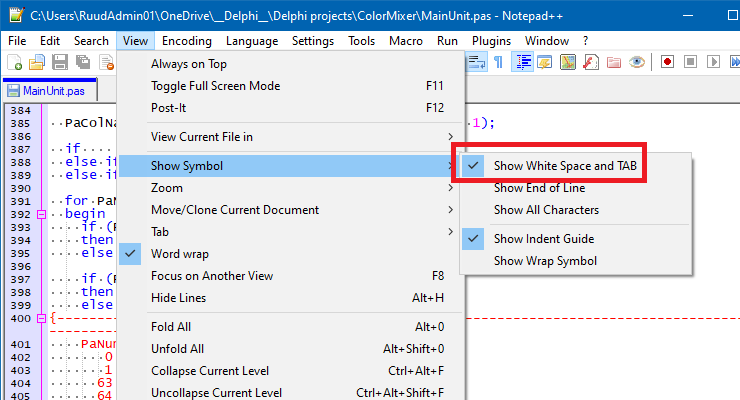
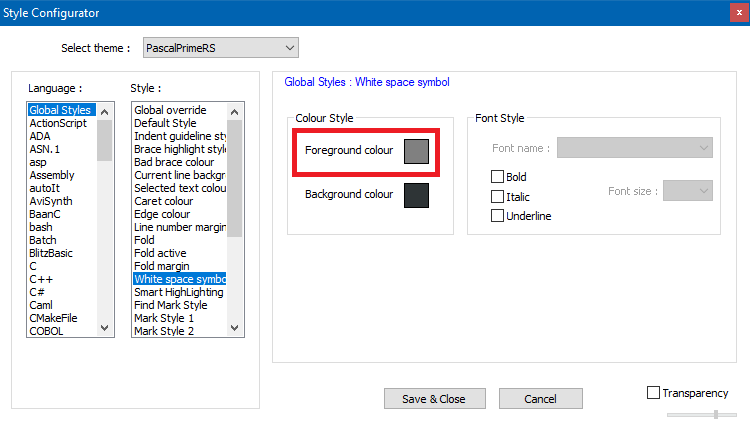
And this is the result of the editor.setSelFore(1,(255,255,255)) command .The code without selection :
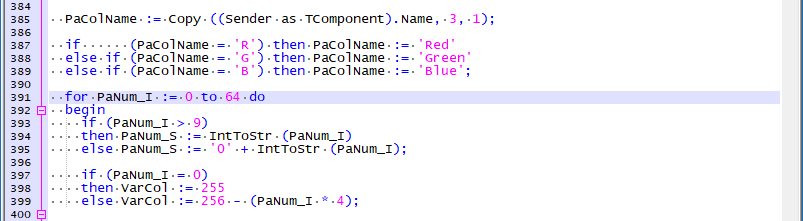
The code with Selected text :
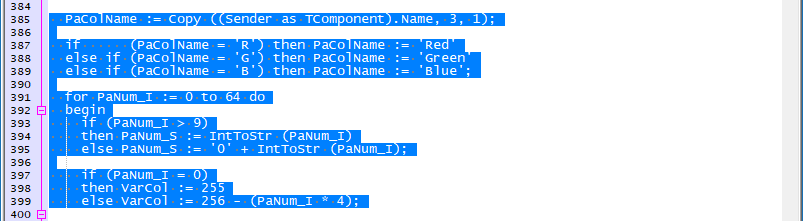
As you can see , the dots representing the White space symbols are still grey , instead of white . -
@RuudSchmeitz
the white space symbol is a different attribute and can be changed from
npps settings menu.
Settings->Style Configurator->Global Styles->White space symbol -
@Ekopalypse said in Bug in Python Script:
the white space symbol is a different attribute and can be changed from
npps settings menu.Yes, but doesn’t OP only want to change it in when it is shown in the selected text?
I don’t see a way to do this.
But…it seems a small thing… -
Oh, okay. Hm not sure it can be done on a selection as this
seems to be a general scintilla attribute. -
OK , thanks guys .



Hello! It looks like you're interested in this conversation, but you don't have an account yet.
Getting fed up of having to scroll through the same posts each visit? When you register for an account, you'll always come back to exactly where you were before, and choose to be notified of new replies (either via email, or push notification). You'll also be able to save bookmarks and upvote posts to show your appreciation to other community members.
With your input, this post could be even better 💗
Register Login