Replace all double quotes freezes over a certain number of lines
-
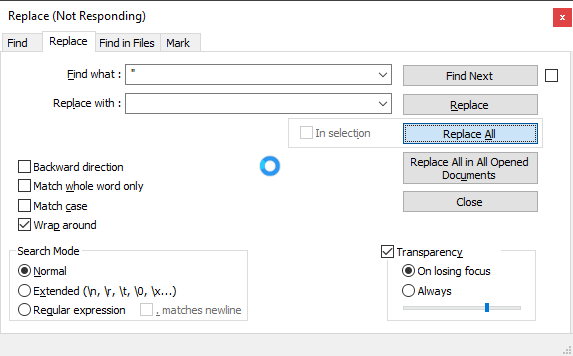
Using 7.9.1 64-bit, I have a list of usernames, one per line, surrounded by double quotes. I am trying to use Replace All in Normal mode to replace double quote with empty string, in the whole document. If I have 250 lines, it works as expected, but with 500 lines or more, I get a progress spinner that remains for an inordinate time (MS Notepad replaces in 2700 lines nearly instantly). I don’t know if it would ever finish; I haven’t wanted to wait for it. Anyone seen this?
-
500 lines is tiny, and shouldn’t have a problem.
Could you give a screenshot of your Replace dialog?
-
Further:
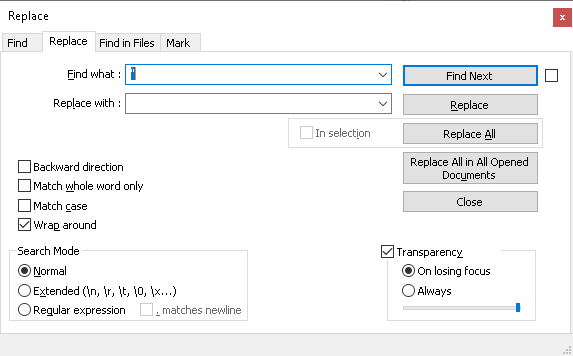
=>
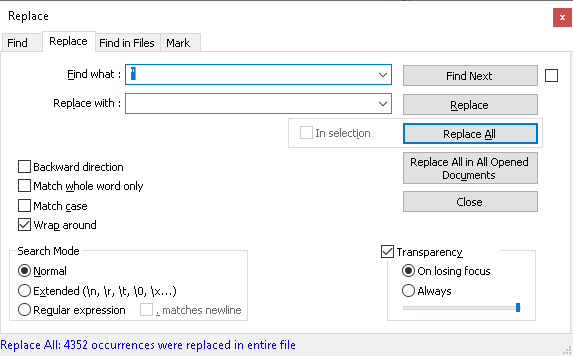
lasted less than a second from hitting Replace All.
Please also give your ? menu’s Debug Info (copy/paste from that window to here)
-
Notepad++ v7.9.1 (64-bit)
Build time : Nov 2 2020 - 01:07:46
Path : C:\Program Files\Notepad++\notepad++.exe
Admin mode : OFF
Local Conf mode : OFF
OS Name : Windows 10 Enterprise (64-bit)
OS Version : 1909
OS Build : 18363.1198
Current ANSI codepage : 1252
Plugins : mimeTools.dll NppConverter.dll NppExport.dll NppXmlTreeviewPlugin.dll XMLTools.dllThis file had 2320 lines. Typical lines look like this:
“aaaron”
“aaden”
“aagarwal”
etc.I’ll hold off trying a reinstall to see if you want to try anything else.
-
I would give it a try without having 3rd party plugins installed.
Temporarily rename plugins directory from %APPDATA%\notepad++
Start npp and redo the test. -
@Ekopalypse Thanks. I removed and reinstalled XML Tools and that fixed it.



Hello! It looks like you're interested in this conversation, but you don't have an account yet.
Getting fed up of having to scroll through the same posts each visit? When you register for an account, you'll always come back to exactly where you were before, and choose to be notified of new replies (either via email, or push notification). You'll also be able to save bookmarks and upvote posts to show your appreciation to other community members.
With your input, this post could be even better 💗
Register Login