Community
    • Login

    The Vietnamese language doesn't show up correctly after saving
    Scheduled Pinned Locked Moved Help wanted · · · – – – · · ·
    36 Posts 3 Posters 9.1k Views 2 Watching
    Loading More Posts
    • Oldest to Newest
    • Newest to Oldest
    • Most Votes
    Reply
    • Reply as topic
    Log in to reply
    This topic has been deleted. Only users with topic management privileges can see it.
    • EkopalypseE Offline
      Ekopalypse @Nick Boescht
      last edited by Ekopalypse

      @Nick-Boescht

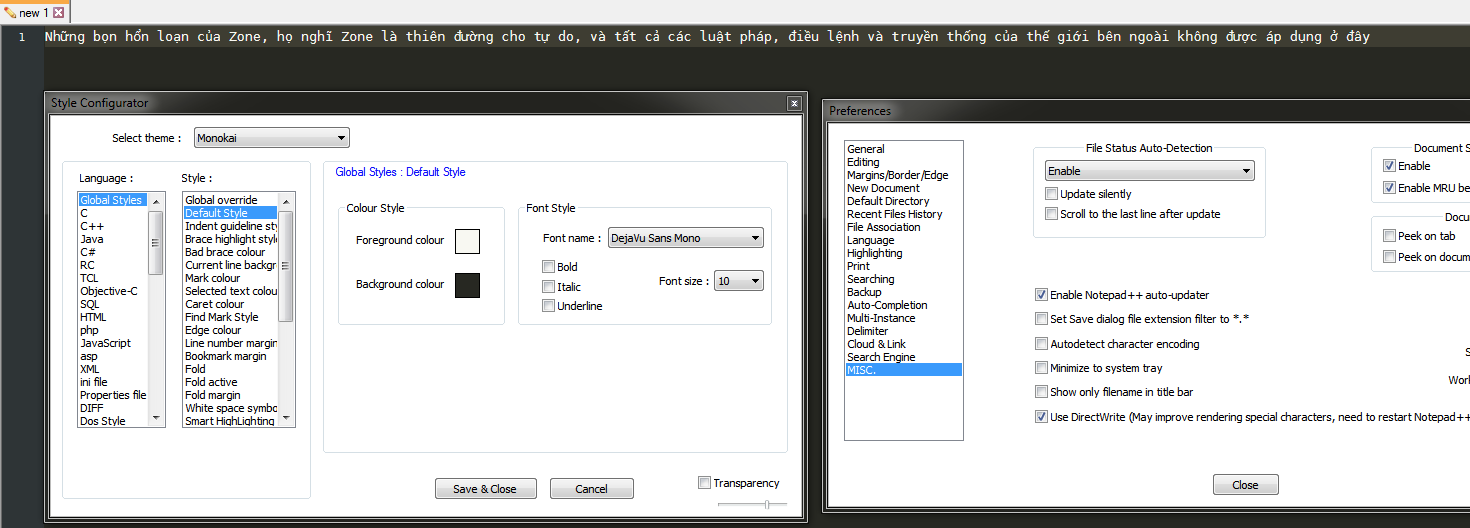
      Can you try the use directwrite … the last item in the screenshot?
      Which font are you using?

      Nick BoeschtN 1 Reply Last reply Reply Quote 1
      • Nick BoeschtN Offline
        Nick Boescht @Ekopalypse
        last edited by

        @Ekopalypse !image_2021-03-02_151425.png

        1 Reply Last reply Reply Quote 0
        • EkopalypseE Offline
          Ekopalypse
          last edited by Ekopalypse

          @Nick-Boescht

          You need to select “Default style” to show the font used.

          And can you copy one of those words into a post here?

          Nick BoeschtN 1 Reply Last reply Reply Quote 1
          • Nick BoeschtN Offline
            Nick Boescht @Ekopalypse
            last edited by

            @Ekopalypse Do you mean the words I am trying to translate ?

            EkopalypseE 1 Reply Last reply Reply Quote 0
            • EkopalypseE Offline
              Ekopalypse @Nick Boescht
              last edited by

              @Nick-Boescht
              Yes, one of those words which don’t show up correctly.

              Nick BoeschtN 1 Reply Last reply Reply Quote 1
              • Nick BoeschtN Offline
                Nick Boescht @Ekopalypse
                last edited by

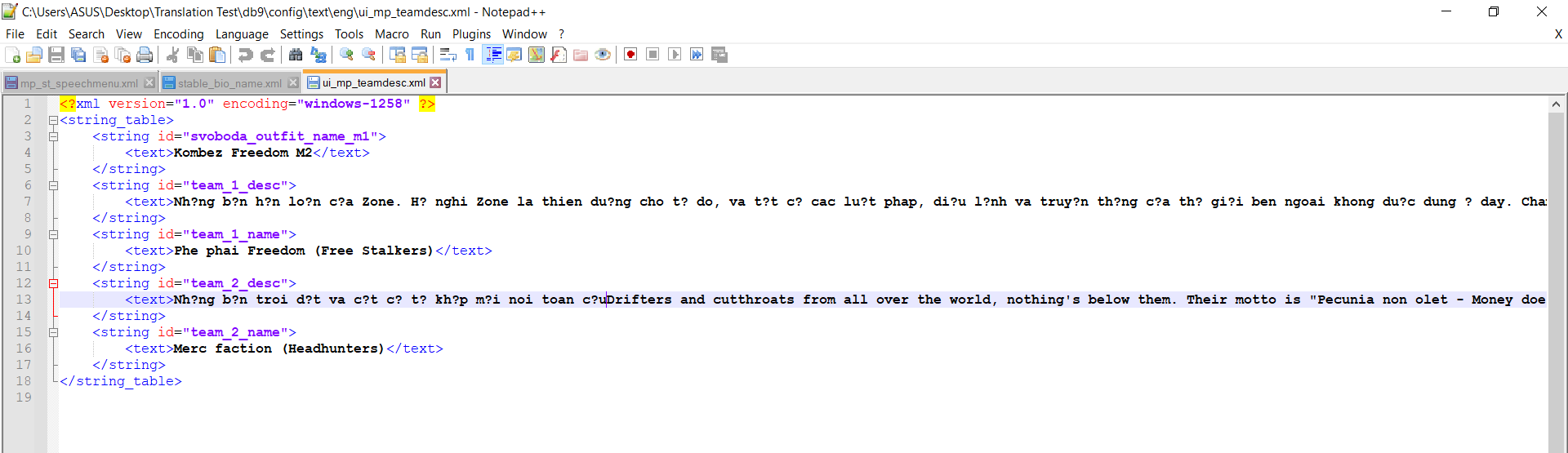
                @Ekopalypse “Những bọn hổn loạn của Zone, họ nghĩ Zone là thiên đường cho tự do, và tất cả các luật pháp, điều lệnh và truyền thống của thế giới bên ngoài không được áp dụng ở đây”

                1 Reply Last reply Reply Quote 0
                • EkopalypseE Offline
                  Ekopalypse
                  last edited by Ekopalypse

                  Looks correct, doesn’t it?
                  42553a5a-3248-4fe2-b30e-39cd3c88b2a9-image.png

                  And encoding used is utf8.

                  Nick BoeschtN 2 Replies Last reply Reply Quote 1
                  • Nick BoeschtN Offline
                    Nick Boescht @Ekopalypse
                    last edited by

                    @Ekopalypse Yep, everything looks correct from here. I’ll see if it looks correct from my part

                    1 Reply Last reply Reply Quote 1
                    • Nick BoeschtN Offline
                      Nick Boescht @Ekopalypse
                      last edited by

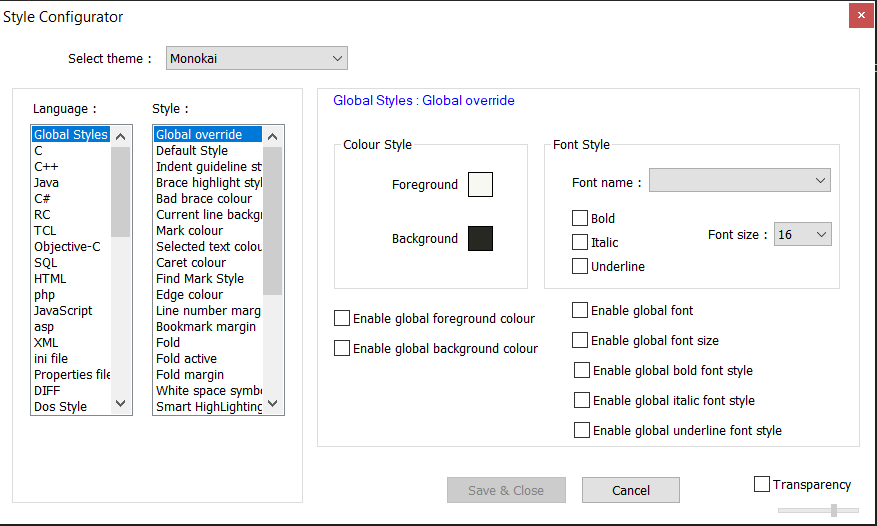
                      @Ekopalypse I am having a problem with everytime I saved it and open it again, it reverts the styles back to Global Override and reverted everything I did. Is there a way to just make it stays at the setting you showed me ?

                      EkopalypseE PeterJonesP 2 Replies Last reply Reply Quote 0
                      • EkopalypseE Offline
                        Ekopalypse @Nick Boescht
                        last edited by

                        @Nick-Boescht

                        can you post your debug-info, which is available from the ? menu, the last menu item?

                        Nick BoeschtN 1 Reply Last reply Reply Quote 1
                        • Nick BoeschtN Offline
                          Nick Boescht @Ekopalypse
                          last edited by

                          @Ekopalypse Notepad++ v7.9.3 (64-bit)
                          Build time : Feb 14 2021 - 03:15:58
                          Path : C:\Program Files\Notepad++\notepad++.exe
                          Admin mode : OFF
                          Local Conf mode : OFF
                          OS Name : Windows 10 Home Single Language (64-bit)
                          OS Version : 2004
                          OS Build : 19041.804
                          Current ANSI codepage : 1252
                          Plugins : mimeTools.dll NppConverter.dll NppExport.dll

                          EkopalypseE 1 Reply Last reply Reply Quote 0
                          • EkopalypseE Offline
                            Ekopalypse @Nick Boescht
                            last edited by

                            @Nick-Boescht

                            That means, that you should have a folder %APPDATA%\notepad++ and in that folder you should see a
                            config.xml. Can you just try to copy and past this file within this directory. Just copy and paste %APPDATA%\notepad++ into the explorer and press enter.

                            Nick BoeschtN 1 Reply Last reply Reply Quote 0
                            • PeterJonesP Online
                              PeterJones @Nick Boescht
                              last edited by

                              @Nick-Boescht said in The Vietnamese language doesn't show up correctly after saving:

                              it reverts the styles back to Global Override

                              If by “reverts” you mean that the Style Configurator goes back to showing you the Global Override page by default, yes, that’s what it does. You always have to go manually pick the style you want to look at. Those different style pages are all separate entities, and picking “Default Style” isn’t changing a setting by itself–it is just showing you a particular page of the style settings.

                              If by “reverts” you mean that Style Configurator showed “Deja Vu Sans Mono” after you edited originally, but when you reload, it goes back to some other font: you always need to Save and Close to get a change of style settings to take effect.

                              1 Reply Last reply Reply Quote 3
                              • Nick BoeschtN Offline
                                Nick Boescht @Ekopalypse
                                last edited by Nick Boescht

                                @Ekopalypse Does that mean I just post that xml file into here ? Because I don’t have the privilege to post it here

                                EkopalypseE 1 Reply Last reply Reply Quote 0
                                • EkopalypseE Offline
                                  Ekopalypse @Nick Boescht
                                  last edited by Ekopalypse

                                  @Nick-Boescht

                                  No, you should try copy and past within your local directory to see if you have proper access to this folder.
                                  The config.xml is the file which stores your configuration.

                                  Did you check what @PeterJones mentioned?

                                  Nick BoeschtN 1 Reply Last reply Reply Quote 1
                                  • Nick BoeschtN Offline
                                    Nick Boescht @Ekopalypse
                                    last edited by

                                    @Ekopalypse Yes, I did and it still reverted back to the default settings, and yes I can copy and past the file within my local directory

                                    EkopalypseE 1 Reply Last reply Reply Quote 0
                                    • EkopalypseE Offline
                                      Ekopalypse @Nick Boescht
                                      last edited by

                                      @Nick-Boescht you are using only one instance of npp, do you?
                                      When you close Npp, no other noteapd++.exe process is running anymore, correct?

                                      Nick BoeschtN 1 Reply Last reply Reply Quote 0
                                      • Nick BoeschtN Offline
                                        Nick Boescht @Ekopalypse
                                        last edited by

                                        @Ekopalypse Yes, I checked with Task Manager. No npp is running right now

                                        1 Reply Last reply Reply Quote 0
                                        • EkopalypseE Offline
                                          Ekopalypse
                                          last edited by

                                          @Nick-Boescht is this your private computer?
                                          When you open config.xml, and search for stylerTheme, what does path report?

                                          Nick BoeschtN 1 Reply Last reply Reply Quote 0
                                          • Nick BoeschtN Offline
                                            Nick Boescht @Ekopalypse
                                            last edited by Nick Boescht

                                            @Ekopalypse Yes, I am working on a personal laptop

                                            GUIConfig name=“stylerTheme” path=“C:\Users\ASUS\AppData\Roaming\Notepad++\themes\Monokai.xml” />

                                            EkopalypseE 1 Reply Last reply Reply Quote 0

                                            Hello! It looks like you're interested in this conversation, but you don't have an account yet.

                                            Getting fed up of having to scroll through the same posts each visit? When you register for an account, you'll always come back to exactly where you were before, and choose to be notified of new replies (either via email, or push notification). You'll also be able to save bookmarks and upvote posts to show your appreciation to other community members.

                                            With your input, this post could be even better 💗

                                            Register Login
                                            • First post
                                              Last post
                                            The Community of users of the Notepad++ text editor.
                                            Powered by NodeBB | Contributors