TextFX replacement
-
What would be the easiest way to upgrade from a 32-bit NPP to a 64-bit, including:
- All settings
- All installed plugins (if available in 64-bit versions)
- All plugin settings
- Replacements for 32-bit-only plugins
Currently, the 32-bit-only plugins that I use are Linefilter2 and TextFX.
TextFX is used mostly for sorting a selection of lines (case-insensitive, removing duplicates), changing word case, and for word counting (which gives me more accurate results than the built-in command)Thank you.
-
I use that plugin too.
We can try contacting the author of TextFX and asking for a 64-bit build.
https://sourceforge.net/projects/npp-plugins/files/TextFX/
Or if that’s not an option, a fork on GitHub can be made, providing both 32-bit and 64-bit versions. -
Line actions are now also part of the regular NPP edit menu, so no need to use TextFX, see edit => line operations.
Changing the case can be done using the short-cuts “Ctrl+Shift+U” or “Ctrl+U”.
Hope this helps. -
@alexolog said in TextFX replacement:
Currently, the 32-bit-only plugins that I use are Linefilter2
I see a Linefilter3 in my 64-bit Notepad++ - is that completely different or a new / updated version for 64-bit?
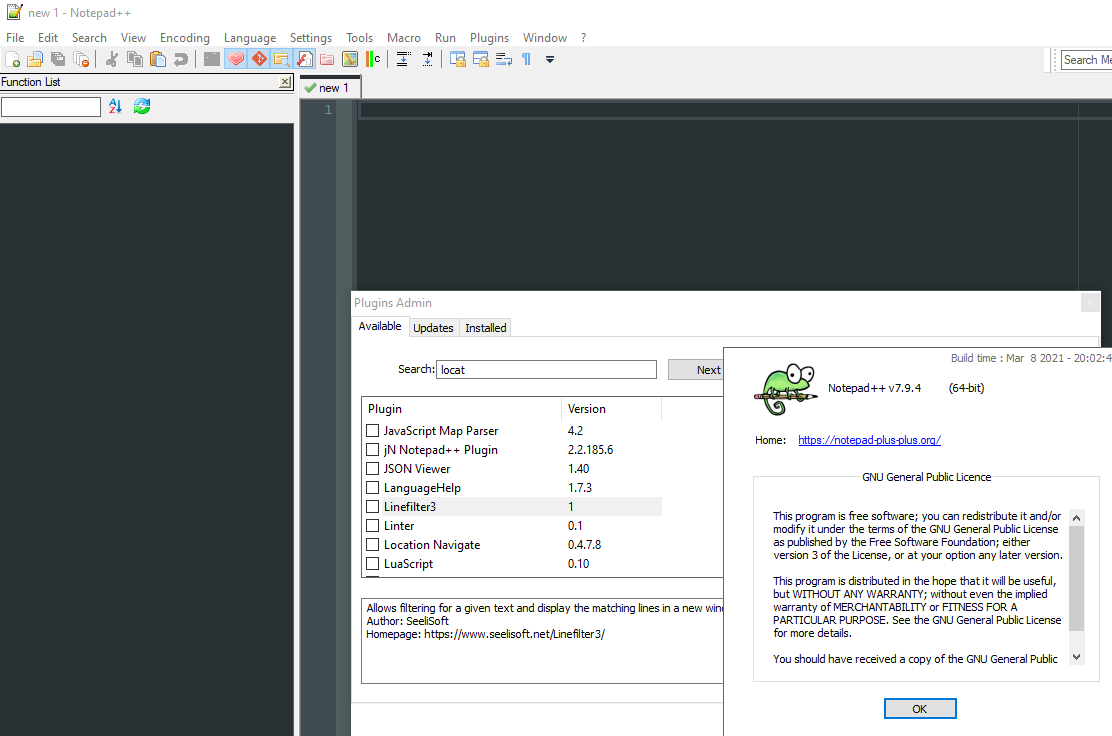
Cheers.
-
@alexolog, this works for 64-bit


Hello! It looks like you're interested in this conversation, but you don't have an account yet.
Getting fed up of having to scroll through the same posts each visit? When you register for an account, you'll always come back to exactly where you were before, and choose to be notified of new replies (either via email, or push notification). You'll also be able to save bookmarks and upvote posts to show your appreciation to other community members.
With your input, this post could be even better 💗
Register Login