Multi lines cursor manipulations
-
Hi.
I can put the cursor in different places in a file. But I can’t move it in any directions (one position left…one word right…etc).
Am I missing something or it is truly impossible in the current version? -
-
@Mik-Tilk said in Multi lines cursor manipulations:
I can put the cursor in different places in a file. But I can’t move it in any directions (one position left…one word right…etc).
Am I missing something or it is truly impossible in the current version?While the plugin @Michael-Vincent mentioned will definitely enhance your experience if you have complicated Multi-Selection needs, everything you described in your question can be done in vanilla Notepad++. First, enable it via Settings > Preferences > Editing and enable the Multi-Editing mode (phrased slightly differently in <v7.9.2 vs >=v7.9.2).
With that, I can control+click in multiple locations; the right and left arrows move all cursors single-character-at-a-time in those directions; up and down change lines on all cursors; home and end go to the beginning and ending of the active lines; ctrl-left/right move one word each, etc.
Based on your description, it sounds like you might have used column-select mode (alt+click+drag or alt+shift+arrow) to make a single column of cursors; in column mode, those directional controls don’t work as you desired.
-
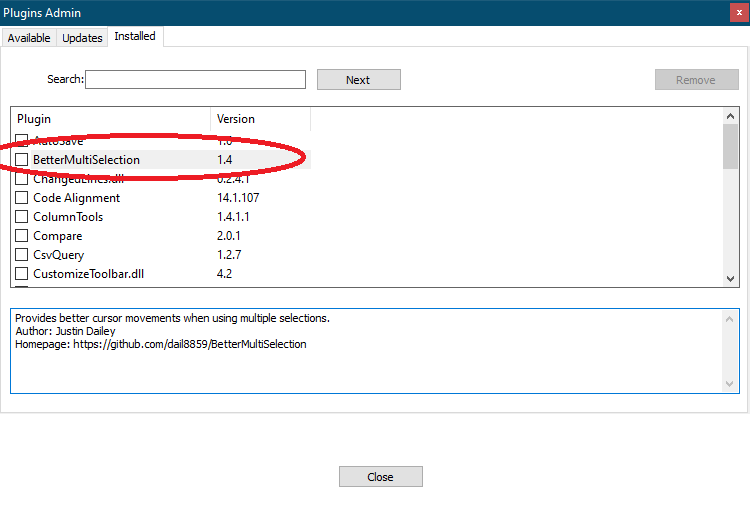
@Michael-Vincent Huge thanks! This plugin gives me the exact behavior I needed.
@PeterJones Yes. You are right - I mistakenly used “column-select mode” instead of “Multi-Editing mode” (though it was already enabled). Why they exist separated? Imho - it is one functionality. Thanks to the plugin - I can move the cursor after alt+click+drag. -
@Mik-Tilk said in Multi lines cursor manipulations:
Why they exist separated?
Because you might want to do this for some reason:

In other words, make 4 selections (in the example) that are NOT in related columns.



Hello! It looks like you're interested in this conversation, but you don't have an account yet.
Getting fed up of having to scroll through the same posts each visit? When you register for an account, you'll always come back to exactly where you were before, and choose to be notified of new replies (either via email, or push notification). You'll also be able to save bookmarks and upvote posts to show your appreciation to other community members.
With your input, this post could be even better 💗
Register Login