HTML like plus(+) and minus(-) box
-
Is there any way to get those HTML like plus(+) and minus(-) box next to numbered lines without having to use HTML in first place so that I can club some comments under one Plus(+) box??
-
Those + and - boxes are the “code folding” feature. Many of the syntax highlighters have them.
You have to have a syntax highlighter active for your current file for the cold folding to be enabled.
If your file format does not match one of the built-in syntax highlighters, you can define one using the User Defined Language feature (overview in official online user manual = https://npp-user-manual.org/docs/user-defined-language-system/).
For UDL-based code-folding, you have to define Open and Close keywords (similar to HTML requiring a
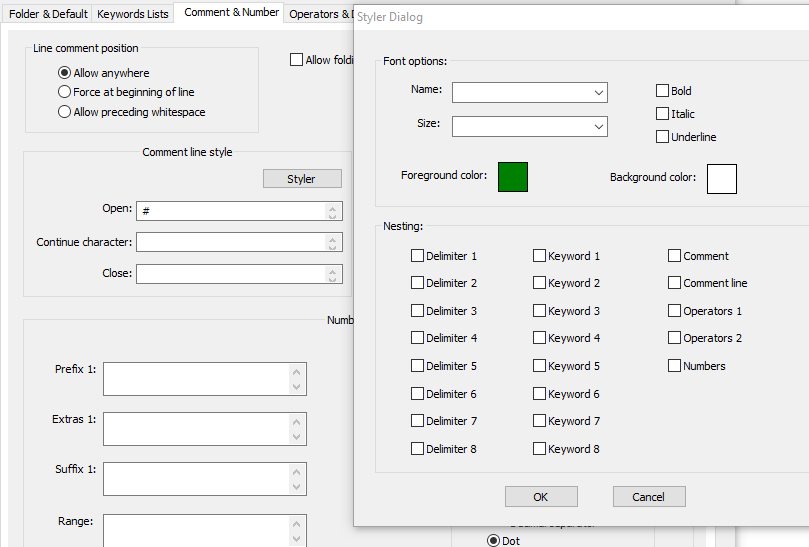
<p>to start a paragraph and</p>to end one, the UDL code-folding feature requires something to indicate both the start and the end of the code-folding region). (the docs linked in the User Defined Language dialog have a page on code-folding = https://ivan-radic.github.io/udl-documentation/folding-in-code/)Actually, thinking about your problem, using “Folding in comment” instead of “Folding in code” might be better (https://ivan-radic.github.io/udl-documentation/folding-in-comment/). To get that to work, first go to the “Comment & Number” tab of the UDL dialog, and setup your comment (my example will use line comments starting with
#formatted green)
Then go to the “Folder & Default” and set up Folding In Comment with Open and Close
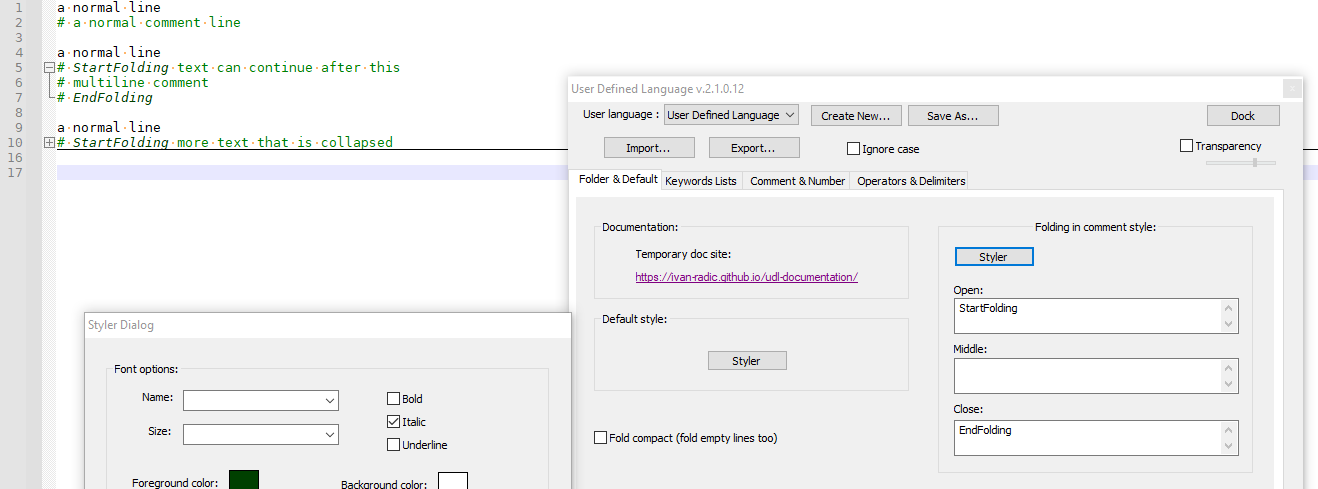
(I made the style darker green and italic for the Open/Close keywordsIf you wanted to try with folding-in-code instead, here’s an example:
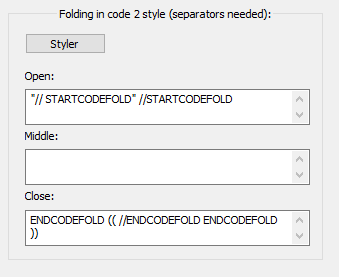
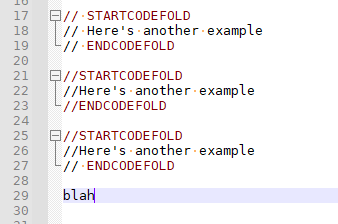
I think the Folding in Comment is more likely to be what you want, but it’s up to you.
-
That’s Exactly I wanted Thank you man!
“Folding In Comment” It is this thing I wanted.😀


Hello! It looks like you're interested in this conversation, but you don't have an account yet.
Getting fed up of having to scroll through the same posts each visit? When you register for an account, you'll always come back to exactly where you were before, and choose to be notified of new replies (either via email, or push notification). You'll also be able to save bookmarks and upvote posts to show your appreciation to other community members.
With your input, this post could be even better 💗
Register Login