User Defined Language Different Number Styles
-
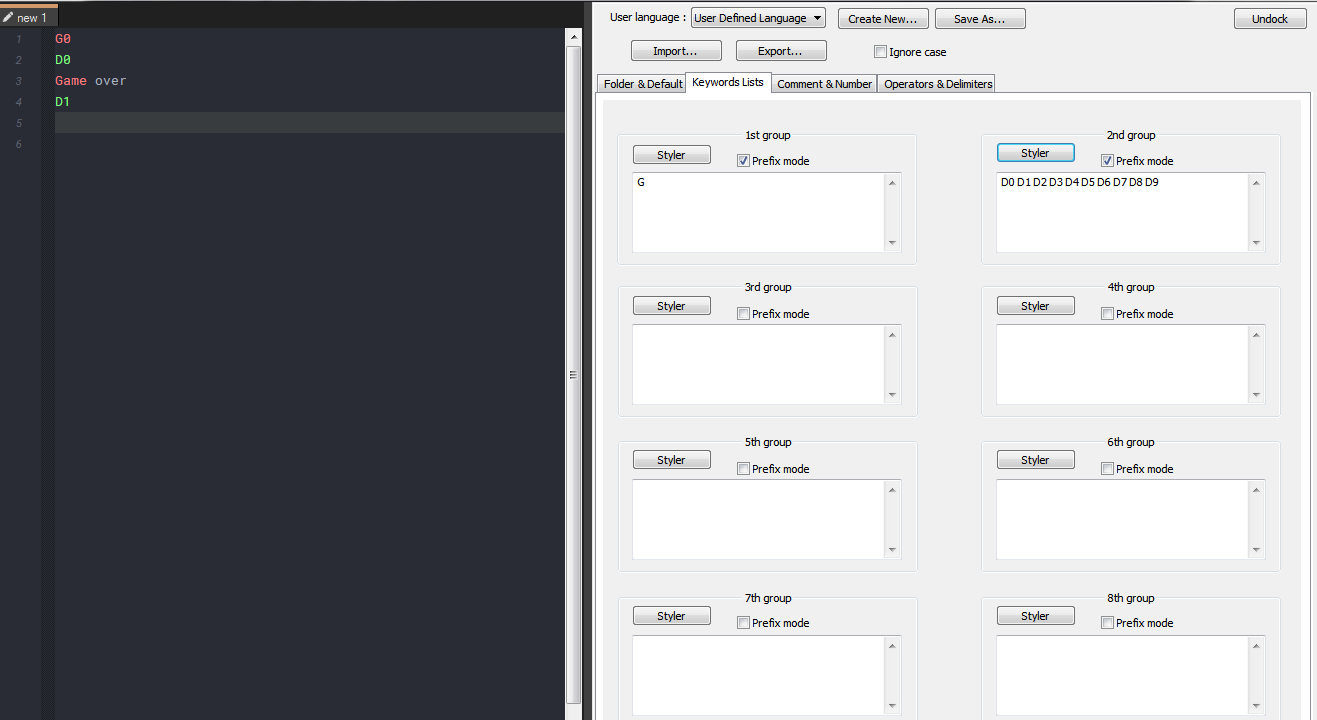
Hello all, I’m new here. I was wondering is there a way to add more than one style of numbers in a user defined language? I am trying to make a G-code language and i think all would work perfect if I could use the Number Style to assign different styles to plain numbers, numbers with a G prefix, numbers with a M prefix, numbers with a P prefix, numbers with an N prefix, etc. I believe I would need 8 different number styles. But I only see in the UDL editor where I can assign one number style.
Is this possible? Could I manually edit the XML language file? Is this something that could be considered for a future software update soon?
-
-
Okay, thank you for your response! I suppose i must look into the python script. The issue with using the keywords is a few machines I program remove spaces from the file so notepad++ just sees the entire line as one big long word and displays the entire line in that style. That is why the different number formatting would work perfect, but keywords not so much.
Another way I could go is delimiters… is there a way to say close a delimiter on the last number digit before another character type? Have G, M, P, etc as delimiters and close on the last number digit because they always end with a number.
-
@David-Mc said in User Defined Language Different Number Styles:
is there a way to say close a delimiter on the last number digit before another character type?
Not that I know of.


Hello! It looks like you're interested in this conversation, but you don't have an account yet.
Getting fed up of having to scroll through the same posts each visit? When you register for an account, you'll always come back to exactly where you were before, and choose to be notified of new replies (either via email, or push notification). You'll also be able to save bookmarks and upvote posts to show your appreciation to other community members.
With your input, this post could be even better 💗
Register Login