Notepad ++ intermittently starts with debug window viewable
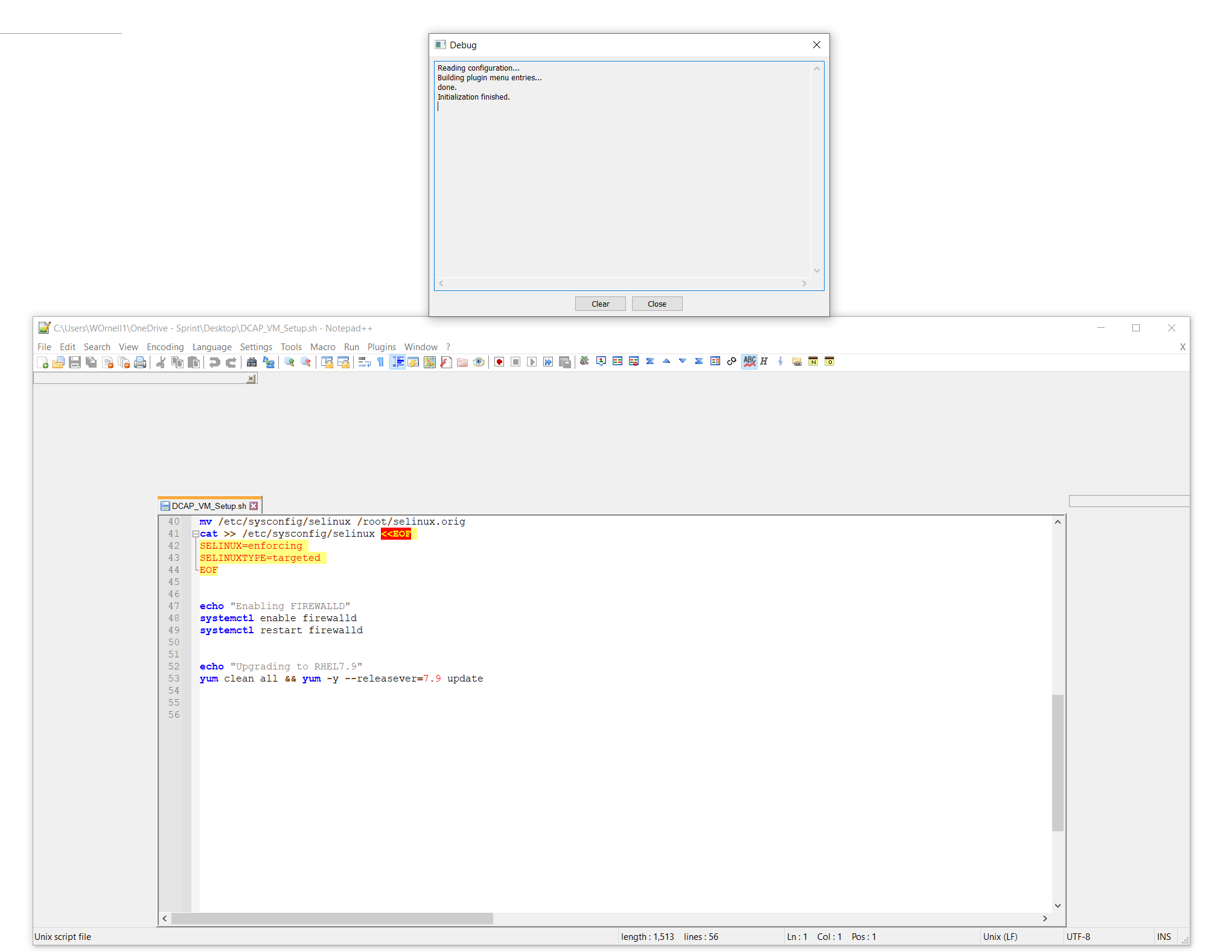
-
I was just curious if this is happening, or has happened to anyone else? It’s a very intermittent issue but occasionally when I open Notepad++ it’ll open with a debug window present (see attached photo) and the editable area is minimized. Any ideas? I’ve only been able to fix it by uninstalling it and re-installing it.
Here’s the debug info:
Notepad++ v8.1.2 (64-bit)
Build time : Jul 16 2021 - 01:59:50
Path : C:\Program Files\Notepad++\notepad++.exe
Command Line :
Admin mode : OFF
Local Conf mode : OFF
Cloud Config : OFF
OS Name : Windows 10 Enterprise (64-bit)
OS Version : 2009
OS Build : 19042.1165
Current ANSI codepage : 1252
Plugins : AnalysePlugin.dll ComparePlugin.dll CsvQuery.dll DSpellCheck.dll HexEditor.dll HTMLTag.dll mimeTools.dll MusicPlayer.dll NppConverter.dll NppExport.dll NppFTP.dll QuickText.dll TakeNotes.dll XMLTools.dll
-
This post is deleted! -
At first glance, your screenshot appears to match with FAQ Desk: Huge Gaps / Blank Areas in the UI Borders …
However, you have the extra piece of information that the Debug window pops up. I don’t think that’s been mentioned before.
If you could go add that piece of information to the official issue at https://github.com/notepad-plus-plus/notepad-plus-plus/issues/9717, it might help the developers debug that issue.
-
@PeterJones done! Added to the github issues tracker. Thanks!
-
P PeterJones referenced this topic on

Hello! It looks like you're interested in this conversation, but you don't have an account yet.
Getting fed up of having to scroll through the same posts each visit? When you register for an account, you'll always come back to exactly where you were before, and choose to be notified of new replies (either via email, or push notification). You'll also be able to save bookmarks and upvote posts to show your appreciation to other community members.
With your input, this post could be even better 💗
Register Login