Latest Update 8.1.9.1 issue
-
I use notepad++ to open *.cfg file’s sometimes. I had opened one in particular on my system just the day before. Today, notepad++ was updated before I started using it. I went to open that same .cfg and it just displays as special characters. I have some other .cfg files that do open ok however. So, not sure what’s going on there.
-
My first assumption is that the file has changed since you opened it the day before.
Notepad++ will only show you what’s in the file.
-
@peterjones
No, it hasn’t changed. All it is are some settings for graphics options in a game. The game sets them on first initialization and that’s it. After that, there are some settings I can go in and tweak myself…like resolution…etc. But, it hasn’t been messed with since the last time I opened it with Np 8.1.9. I’m going to re-install the previous version to check an be sure it isn’t some wierd happenstance on my end. -
If the data is not confidential, you could post a screenshot so we can get an idea of what it looks like.
-
@marlon-dana Awe…that’s messed up…now can’t even download the previous version…it’s not listed and only dictates the latest. I maybe regretting having let it update today.
-
that’s messed up…now can’t even download the previous version…it’s not listed and only dictates the latest.
The official download area at https://www.notepad-plus-plus.org/downloads/ has all recent versions for the last year or two, and selected stable versions that go back older than that.
-
@peterjones When I go there and click on 8.1.9 release, there is no ‘download’ link…just a link to download 8.1.9.1 instead. What am I missing? All the other ‘download’ links on the page are advertisements for something else.
Also, I did a ‘Clean’ install of the latest and still have the issue–which I didn’t have in previous version.
-
Ah, I didn’t realize Don was deleting the old ones – I know there have been critical regressions, but I didn’t realize he believed them to be dangerous enough to not allow them to be downloaded any more. Sorry for the misleading advice.
You can go back to https://notepad-plus-plus.org/downloads/v8.1.5/ if you want to check an older version. I would suggest portable, rather than uninstall/reinstall, until you’ve proven to yourself that it’s not the version.
-
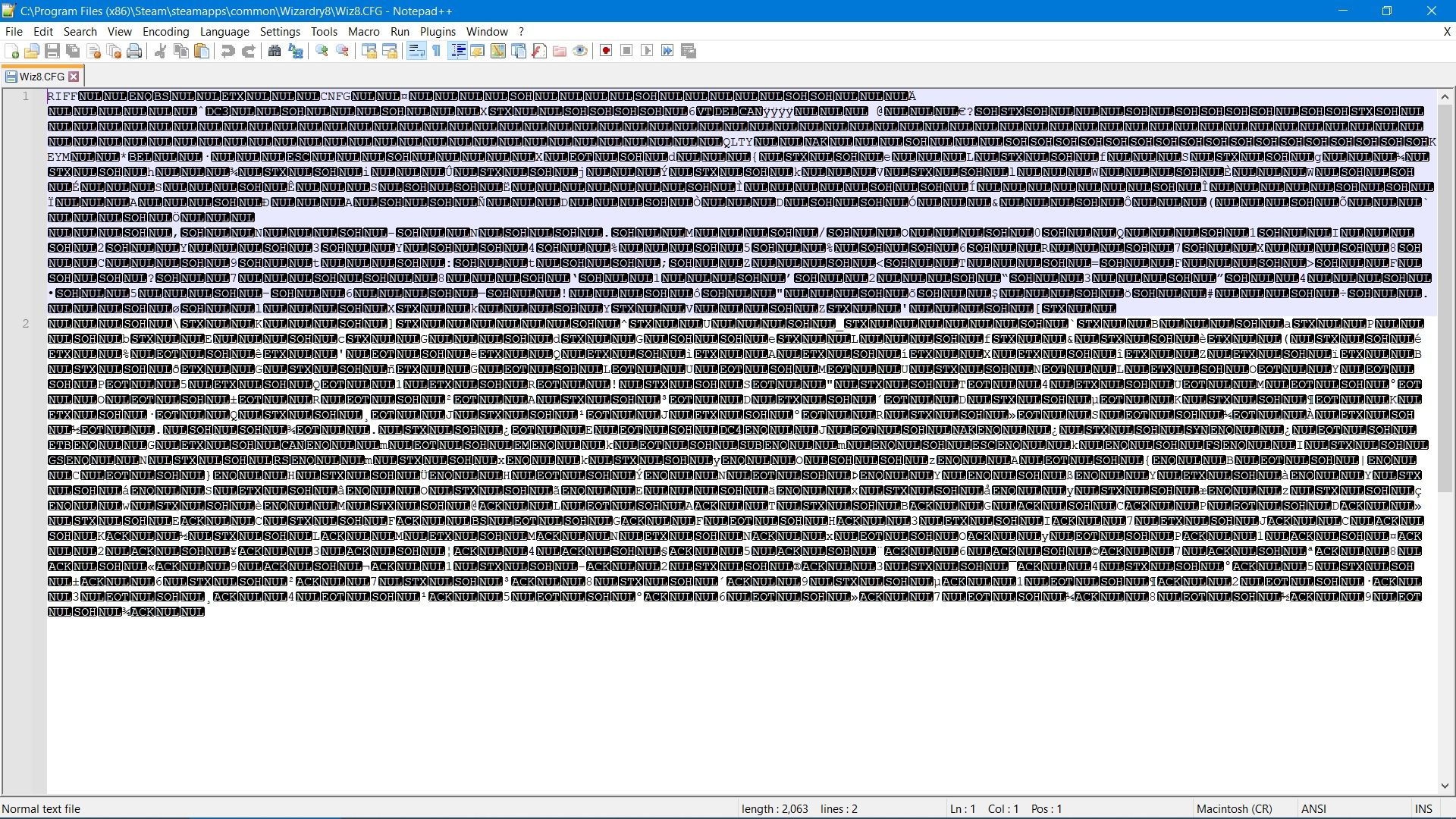
@peterjones Ok, thx for the link. Here’s screenshot…hopefully…so you can see what I’m talking about.
-
As far as I know, files that begin with RIFF and then binary data are Resource Interchange File Format, which are the “container” format used for WAV music files and similar binary data.
Like I said, it looks like the CFG file at that name has been overwritten with data that isn’t normally in a .cfg. I cannot see how opening it in Notepad++ could have caused that. And if you open it with Windows Notepad (notepad.exe, that came with your OS), I am sure you will see the RIFF and some of the other plaintext, and not be able to see the original CFG data.



Hello! It looks like you're interested in this conversation, but you don't have an account yet.
Getting fed up of having to scroll through the same posts each visit? When you register for an account, you'll always come back to exactly where you were before, and choose to be notified of new replies (either via email, or push notification). You'll also be able to save bookmarks and upvote posts to show your appreciation to other community members.
With your input, this post could be even better 💗
Register Login