Opened files tab vertical, but with horizontal buttons
-
Hello
In npp is usefull option ‘vertical tab’ for opened cards (files). Unfortunately buttons are flipped. Reading flipped buttons is terrible.
At now we have wide displays 16:10, 16:9 or 32:9 (extremally wide).
Is it possible to add support for vertical tab but with horizontal oriented buttons? That behavior is implemented in windows belt, when I move this one to left or right border. It would be nice to see additional way for display tab belt. -
Given the lack of responses, I am not sure any of us understood what you’re asking.
Maybe you could show us a screenshot with what you have, and mark it up with arrows or a second screenshot with copy/pasted items, to show what you actually want.
-
Hello, @grzegorz-szyszło, @peterjones and All,
Peter, I suppose that the OP want opened horizontal tabs, but displayed in a single column, ! For instance, in my
Microsoft Edgebrowser, I configured it like below :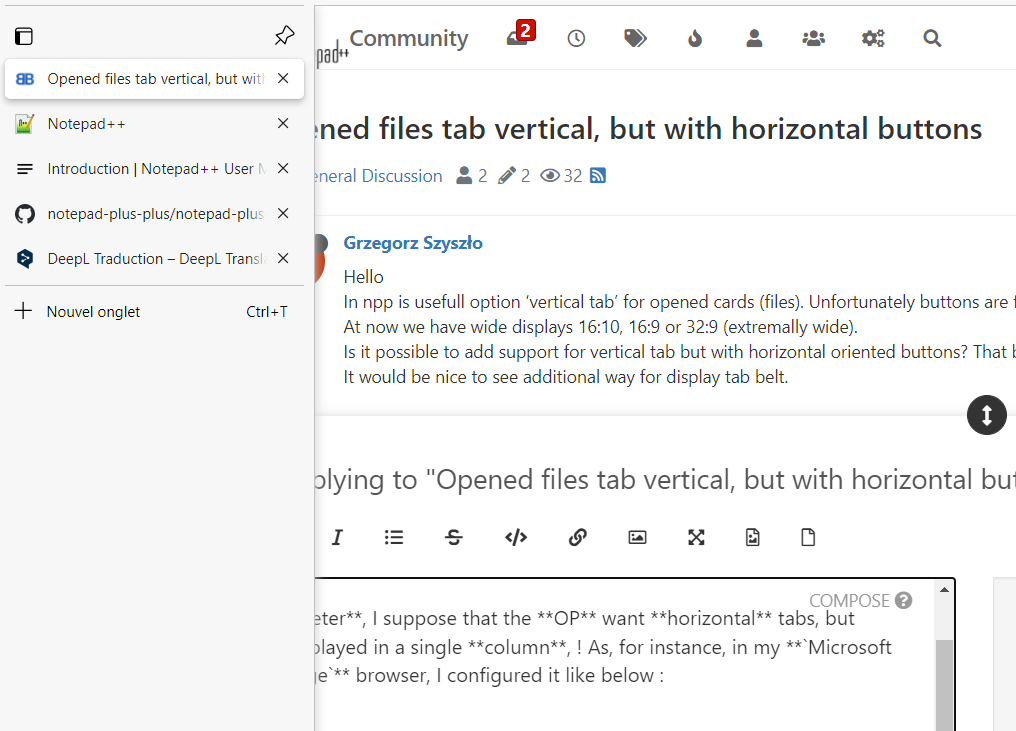
I agree that this kind of tabs are easier to handle than the present vertical N++ tabs ;-))
Best Regards,
guy038
-
-
Hello, @grzegorz-szyszło, @peterjones, @alan-kilborn and All,
OMG ! I must had been very tired, yesterday, when I posted ! Of course, you’re right ! Thanks, Alan.
BR
guy038
P.S. :
So I suppose that this option, below, is quite useless !!
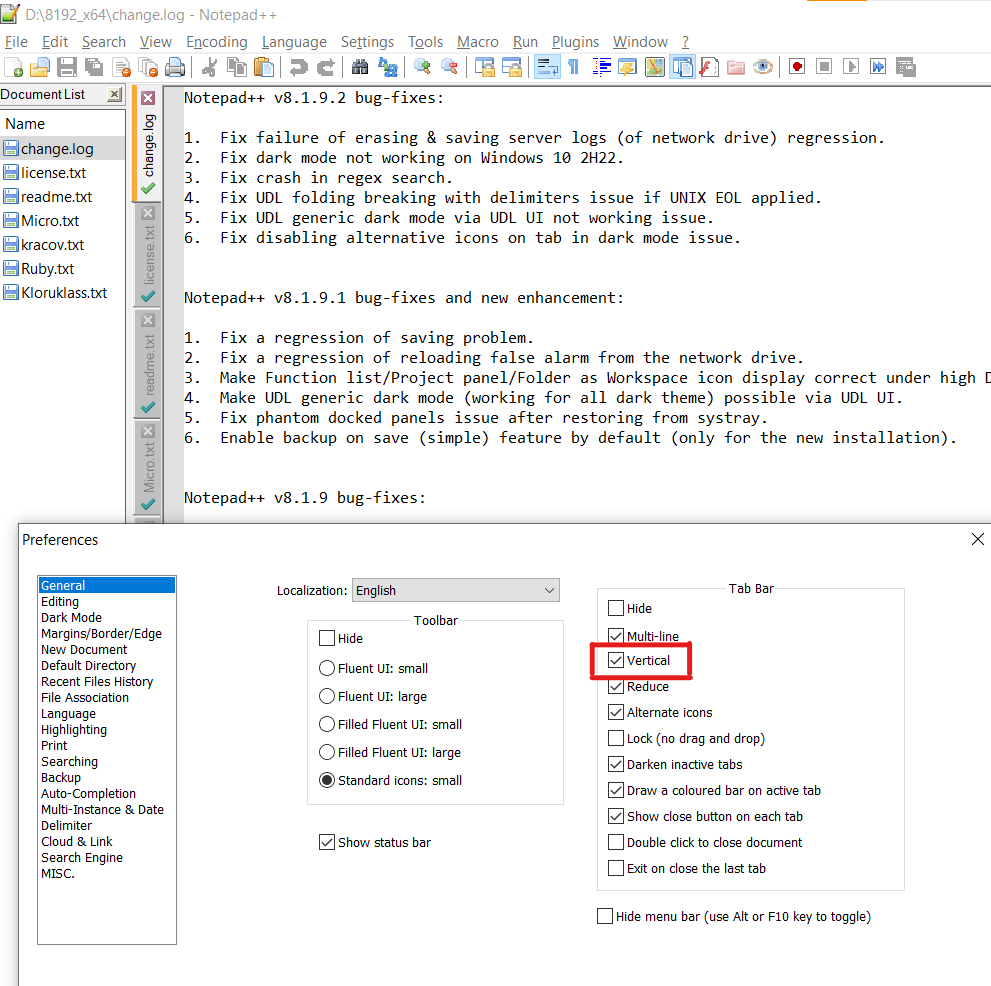




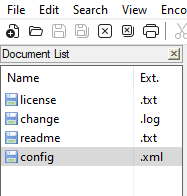
Hello! It looks like you're interested in this conversation, but you don't have an account yet.
Getting fed up of having to scroll through the same posts each visit? When you register for an account, you'll always come back to exactly where you were before, and choose to be notified of new replies (either via email, or push notification). You'll also be able to save bookmarks and upvote posts to show your appreciation to other community members.
With your input, this post could be even better 💗
Register Login