Styles for *.java language (android studio)
-
What styles should be added to the java language, so that it appears with the same colors as in Android Studio programming?
-
@socu ,
We in the Notepad++ Community Forum are experts at Notepad++; that doesn’t mean that we also know anything about Android Studio. I have no idea what styles Android Studio uses.
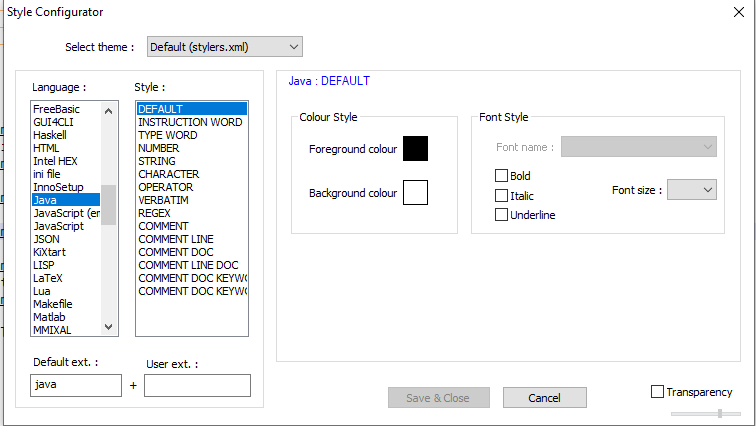
Notepad++ has the following in Settings > Style Configurator > Java:
And here are examples of how it styles many of them (sorry, I don’t know Java, and don’t know how to include syntax that will show all the STYLES that Notepad++ defines for Java):
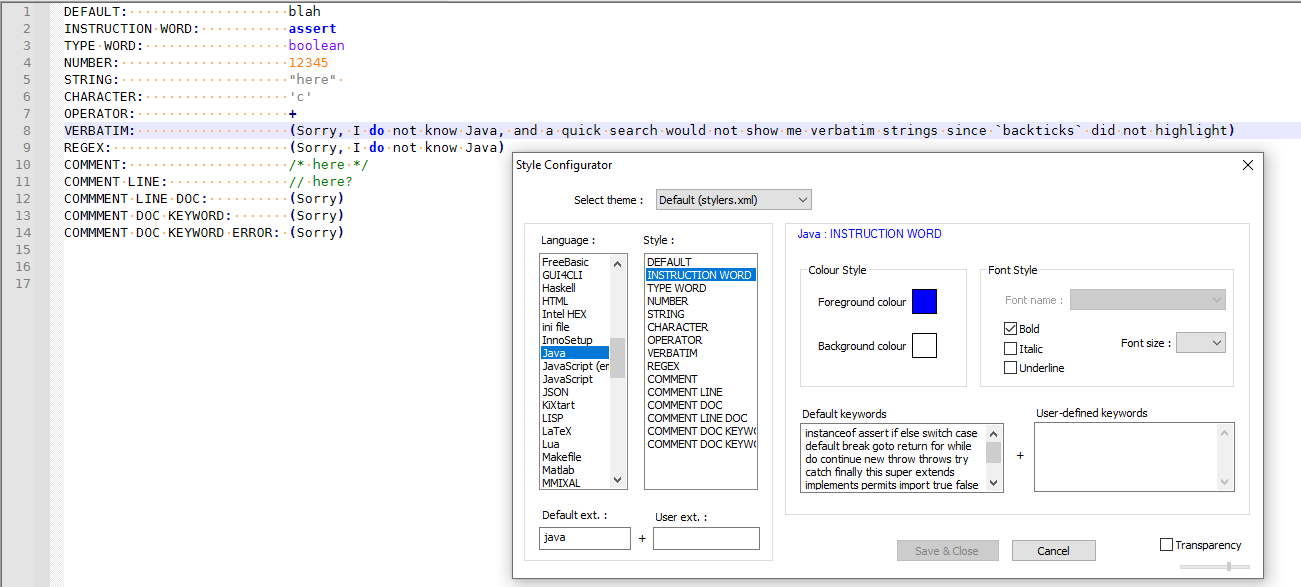
You may or may not be able to adjust the colors in the Style Configurator to match what you remember from Android Studio.
-
Thanks PeterJones, what happens is that in the style configurator there are options that are not there, I do not know if you could add more styling options, such as putting color to the variables.
-
@socu ,
The languages in the style configurator have their definitions (“lexers”) compiled into the Notepad++ applications, so you cannot add a new category (“style”) using a config file. So you cannot tell a lexer “here’s a brand new rule for syntax; highlight that differently than anything else you already do”.
However, you can add extra highlighting on top of (in addition to) a built-in lexer using regexes via the PythonScript plugin in conjunction with the script
EnhanceAnyLexer.pythat @Ekopalypse shares in his github repo . Install the Python Script plugin from Plugins > Plugins Admin, then download and save Ekopalypse’s script, and modify it per the instructions embedded in that script to apply it to your specific language, and derive a regex that would match the syntax you’d like.(However, I thought in java that variables were just plaintext sequences; you might be able to get away with just changing the style for DEFAULT, because as far as I can think of, anything that isn’t already defined as a keyword would be a variable or user-defined function. But I am not a Java expert, so maybe I’m not thinking of some obvious exception and what I’m saying is completely wrong and should be ignored.)
-
This is just to let everyone know that there is a [dedicated plugin] (https://github.com/Ekopalypse/EnhanceAnyLexer/releases) available.
The advantage is that it should be faster than the PS solution, but it also has the disadvantage that it cannot handle sub-matches. -
Hi, @ekopalypse,
Just a small detail : in order to get the default correct syntax of links, of our forum, you should delete the
spacechar between[dedicated plugin]and the link within parentheses !BR
guy038
-
Yes, I know, and I usually do, but for whatever reason I added this space this time. And worse, I didn’t realise it when I posted it.




Hello! It looks like you're interested in this conversation, but you don't have an account yet.
Getting fed up of having to scroll through the same posts each visit? When you register for an account, you'll always come back to exactly where you were before, and choose to be notified of new replies (either via email, or push notification). You'll also be able to save bookmarks and upvote posts to show your appreciation to other community members.
With your input, this post could be even better 💗
Register Login