Community
    • Login

    Notepad++ v8.4.4 - Happy Users' Edition

    Scheduled Pinned Locked Moved Announcements
    50 Posts 18 Posters 48.3k Views 3 Watching
    Loading More Posts
    • Oldest to Newest
    • Newest to Oldest
    • Most Votes
    Reply
    • Reply as topic
    Log in to reply
    This topic has been deleted. Only users with topic management privileges can see it.
    • YaronY Offline
      Yaron @donho
      last edited by Yaron

      @donho,

      When you first open “More colors”, no color is selected.
      But if you select a color, move to another style and re-open the “More colors” popup - a color IS selected.
      And it’s not the color of the current style.

      It’s an interesting observation.

      YaronY 1 Reply Last reply Reply Quote 0
      • YaronY Offline
        Yaron @Yaron
        last edited by

        I apologize.

        I did not mean the “More colors” popup, but the color pallet which opens on clicking the square color control.

        1 Reply Last reply Reply Quote 0
        • Argyle TreesA Offline
          Argyle Trees
          last edited by

          Document Map

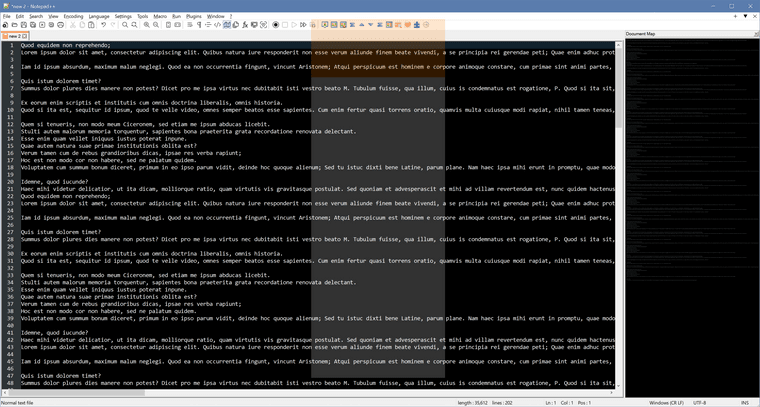
          I use 4K screen. Is this normal ? I can’t see anything on the right. Color background shown in the middle.
          Should I change the display settings, or is this a regression of NP++?
          c5d0cf20-b6b4-430c-9c60-0098b67a42fc-image.png

          Argyle TreesA 1 Reply Last reply Reply Quote 0
          • Argyle TreesA Offline
            Argyle Trees @Argyle Trees
            last edited by

            @Argyle-Trees

            After changing the display scale from 150% back to 100%, then the document map was showing normally.
            But scale =150% was very common on 4K screen.

            1 Reply Last reply Reply Quote 0
            • SeagramFRS Offline
              SeagramFR @Yaron
              last edited by

              @Yaron that is the point, indeed.
              Not correlated to CRLF, it was just the feature I was testing in the first place

              SeagramFRS 1 Reply Last reply Reply Quote 1
              • SeagramFRS Offline
                SeagramFR @SeagramFR
                last edited by

                … and it is a teeny-tiny bug, just the kind I am the only one in the world to detect, and nobody cares about (as I wrote already) ;-)

                YaronY 1 Reply Last reply Reply Quote 0
                • YaronY Offline
                  Yaron @SeagramFR
                  last edited by

                  @SeagramFR,

                  Thank you for confirming.

                  just the kind I am the only one in the world to detect

                  The universe is grateful. :)

                  donhoD 1 Reply Last reply Reply Quote 0
                  • Not SayingN Offline
                    Not Saying @donho
                    last edited by

                    @donho said in Notepad++ v8.4.4 - Happy Users' Edition:

                    @Not-Saying

                    Thank you for your debug info (via the private message).
                    However, I cannot reproduce the bug at all.
                    Could you provide the step by step instructions please?

                    Sure! I just figured out a way to do it again:

                    1. Do a Find In Files search for something you know won’t be found.
                    2. Do a Find In Files search for something you know will find multiple files.
                    3. Do a Find In Files search for something you know won’t be found.
                    4. Do a Find In Files search for something you know will find multiple files.
                    5. Observe there are no open/close icons for the results that found no files.
                    6. Collapse all the results.
                    7. Delete the result from step 3 (Delete key).
                    8. You now have the result I described above.

                    I can tell from the repro steps and gui behavior this is going to be obnoxious to solve. You’ve got two sets of objects, one that describe the gui state and the other the results. They are out of sync with each other. :(

                    donhoD 1 Reply Last reply Reply Quote 0
                    • donhoD Offline
                      donho @Not Saying
                      last edited by

                      @Not-Saying

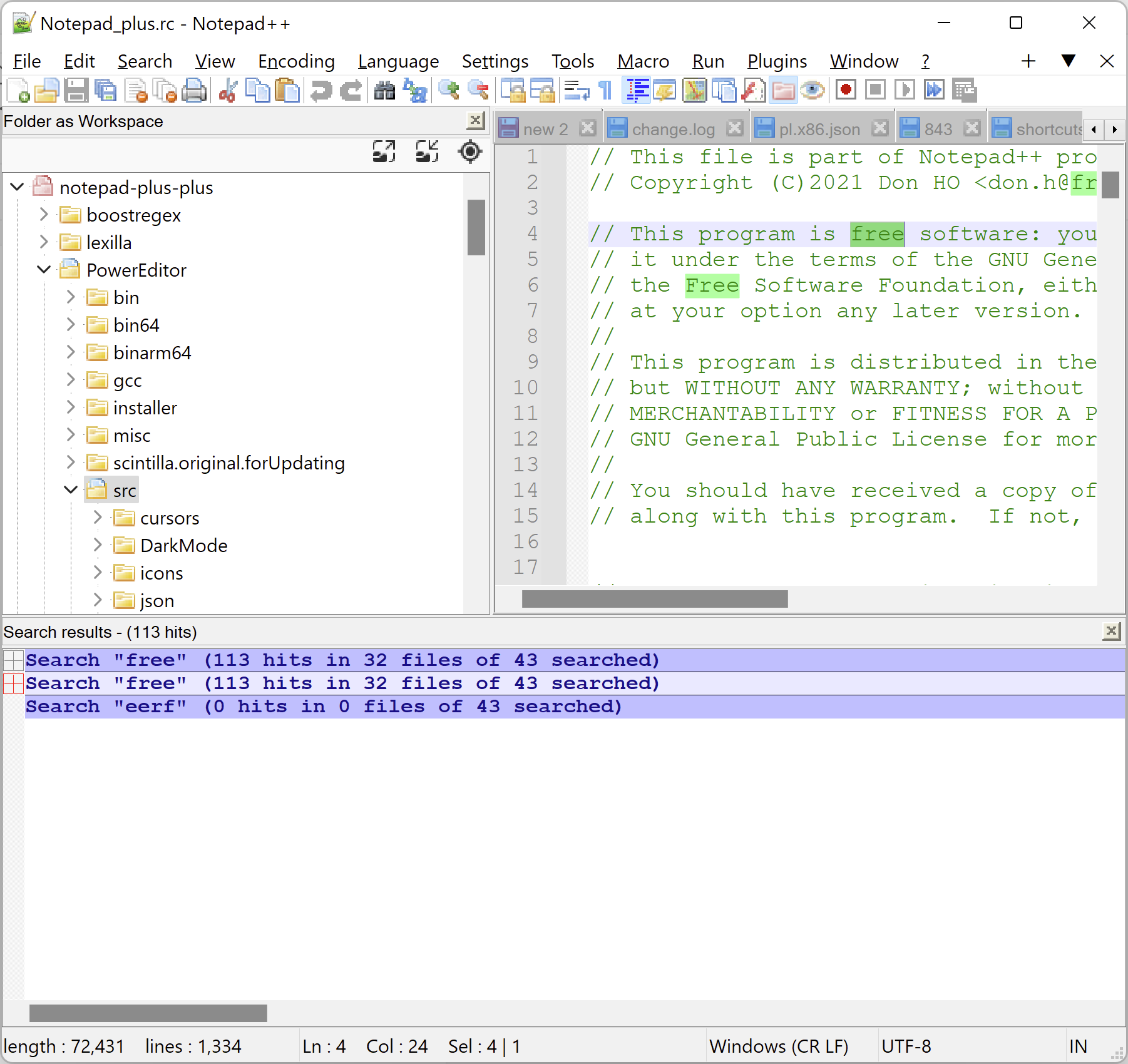
                      Thank you for providing the step by step instruction. However, I can’t still reproduce it by following your instructions:
                      213ffd82-9a68-4d51-97c8-f721652fdce5-image.png

                      @Yaron
                      Can you reproduce it in your PC?

                      1 Reply Last reply Reply Quote 0
                      • donhoD Offline
                        donho @Yaron
                        last edited by

                        @Yaron @SeagramFR
                        Under Windows 11, it works fine.
                        I’ll check the code.

                        YaronY 1 Reply Last reply Reply Quote 1
                        • YaronY Offline
                          Yaron @donho
                          last edited by

                          @donho & @Not-Saying,

                          https://github.com/notepad-plus-plus/notepad-plus-plus/issues/11995

                          @donho & @SeagramFR,

                          https://github.com/notepad-plus-plus/notepad-plus-plus/issues/11996


                          Not being able to edit posts here is slightly inconvenient.
                          I’ve preferred opening new issues on GitHub.

                          1 Reply Last reply Reply Quote 3
                          • Ray ParkerR Offline
                            Ray Parker
                            last edited by

                            For some reason my plugin, NPPTextFX, disappeared. It still exists as a folder and DLL in the plugins folder but does not appear as an installation option. Has this plugin been superseded?

                            Alan KilbornA 1 Reply Last reply Reply Quote 0
                            • Alan KilbornA Offline
                              Alan Kilborn @Ray Parker
                              last edited by

                              @Ray-Parker

                              Possibly see HERE.

                              1 Reply Last reply Reply Quote 0
                              • Paul HarouffP Offline
                                Paul Harouff
                                last edited by

                                Sometimes I use Notepad++ to edit long plain text files (not code) and I need a way to mark where the page breaks are. How hard would it be to add the capability to highlight line numbers (e.g., put a dot next to 64, 128, 192, etc.)? Or is there a plugin that already adds this capability?

                                Thanks.

                                Alan KilbornA 1 Reply Last reply Reply Quote 0
                                • Alan KilbornA Offline
                                  Alan Kilborn @Paul Harouff
                                  last edited by

                                  @Paul-Harouff said in Notepad++ v8.4.4 - Happy Users' Edition:

                                  Sometimes I use Notepad++ to edit long plain text files (not code) and I need a way to mark where the page breaks are. How hard would it be to add the capability to highlight line numbers (e.g., put a dot next to 64, 128, 192, etc.)? Or is there a plugin that already adds this capability?

                                  The thread you posted this in is intended to be reserved for critical problems with the titular release, not “general questions” like you asked; please create a new thread and repeat your question there.

                                  1 Reply Last reply Reply Quote 1
                                  • Eric SchmenkE Offline
                                    Eric Schmenk
                                    last edited by

                                    Greetings.

                                    I have stopped working with code years ago, but still use N++ as my normal text editor. I don’t edit text files much, though.

                                    A few weeks ago I attempted an auto-update. Afterwards, N++ would immediately crash upon attempting to use it. I finally got around to debugging the issue.

                                    Long story short, the crash is triggered by the presence of toolbarIcons.xml in the %appdata%\Notepad++ directory. The date on the file is March 28, 2006. Evidently this file is from a very old version of Notepad++. I can recall some issue with tool bar icons many years ago but don’t remember any details. Anyway, the presence of the file causes all versions of N++ starting with 8.4.2 to crash.

                                    I will copy the beginning of the file below. The directory referenced does not exist on my computer.

                                    <?xml version="1.0" encoding="Windows-1252" ?>
                                    <NotepadPlus>
                                        <ToolBarIcons>
                                    	    <!-- the value pathPrefix should be the path where you can find all icons -->
                                    		<Theme name = "Crystal++" pathPrefix = "D:\Program Files\Accessories\Notepad++\NppCrystalToolbarIcons\Icons\">
                                    			<Icon name = "new" id = "0">
                                    				<normal>new_normal.ico</normal>
                                    				<hover>new_hover.ico</hover>
                                    			</Icon>
                                    			<Icon name = "open" id = "1">
                                    				<normal>fileopen_normal.ico</normal>
                                    				<hover>fileopen_hover.ico</hover>
                                    			</Icon>
                                    
                                    rdipardoR donhoD 2 Replies Last reply Reply Quote 1
                                    • rdipardoR Offline
                                      rdipardo @Eric Schmenk
                                      last edited by rdipardo

                                      @Eric-Schmenk,

                                      The directory referenced does not exist

                                      Unfortunately N++ doesn’t know any better than to try accessing the non-existent icons. A null pointer dereference would explain the crash.

                                      Stale or invalid config files are a pretty consistent source of crashes; some recent examples:

                                      • NPP crashes on opening Style Configurator if stylers do not exist
                                      • NPP crashes on opening a session file
                                      • Application does not start (severe bug)
                                      • . . .
                                      donhoD 1 Reply Last reply Reply Quote -1
                                      • donhoD Offline
                                        donho @rdipardo
                                        last edited by

                                        @rdipardo said in Notepad++ v8.4.4 - Happy Users' Edition:

                                        Stale or invalid config files are a pretty consistent source of crashes; some recent examples:

                                        NPP crashes on opening Style Configurator if stylers do not exist
                                        NPP crashes on opening a session file
                                        Application does not start (severe bug)

                                        The 3 above issues are fixed to me. If not, please comment on the issue by providing the instructions for reproduce the bugs.

                                        Otherwise, please stop misleading users with your ambiguous comments.

                                        1 Reply Last reply Reply Quote 0
                                        • donhoD Offline
                                          donho @Eric Schmenk
                                          last edited by

                                          @Eric-Schmenk
                                          Could you report the issue on https://github.com/notepad-plus-plus/notepad-plus-plus/issues please?

                                          1 Reply Last reply Reply Quote 0
                                          • Joel Doyle-TremblayJ Offline
                                            Joel Doyle-Tremblay
                                            last edited by

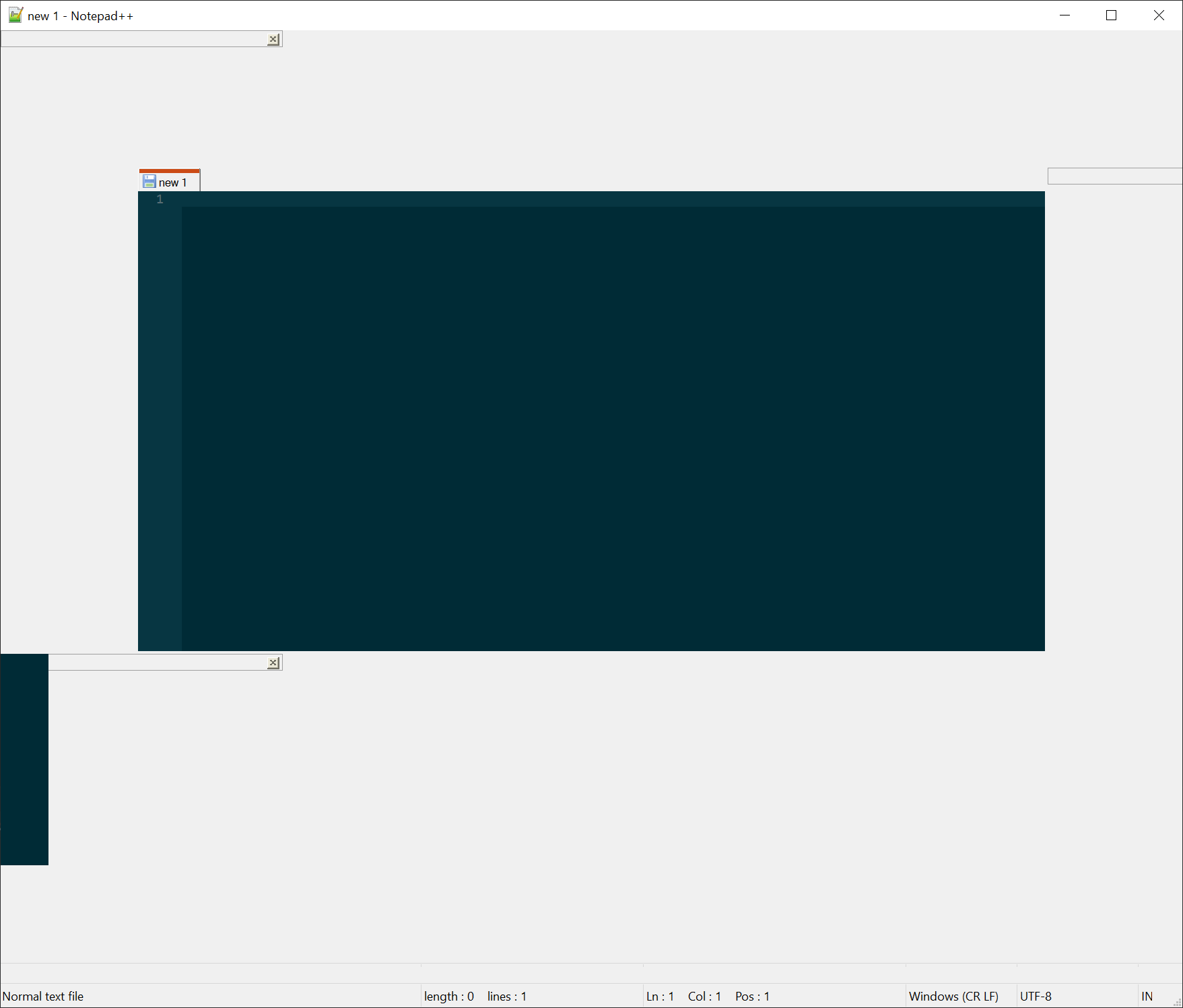
                                            I have changed some of the settings to make the window cleaner, but since the last update it looks like this:
                                            57203cfd-58a8-459b-9149-53823ebdcc1f-image.png

                                            Before it was like this:

                                            c09c66be-e02e-40f4-a4b9-6240a08ee79c-image.png

                                            Alan KilbornA 1 Reply Last reply Reply Quote 0

                                            Hello! It looks like you're interested in this conversation, but you don't have an account yet.

                                            Getting fed up of having to scroll through the same posts each visit? When you register for an account, you'll always come back to exactly where you were before, and choose to be notified of new replies (either via email, or push notification). You'll also be able to save bookmarks and upvote posts to show your appreciation to other community members.

                                            With your input, this post could be even better 💗

                                            Register Login
                                            • First post
                                              Last post
                                            The Community of users of the Notepad++ text editor.
                                            Powered by NodeBB | Contributors