Find NULL Lines with RegEx
-
Hi, I have found numerous files that
contain a NULL line, no spaces, no CR\LF, no tab, just nothing.
Example:
Birth Date 1 Jan 1947
Event Type: Residence
Household Identifier 963991122“United States Public Records, 1970-2009”, database, FamilySearch
The lines between are NULL. I don’t know what to use to find them
and remove most of them.
How can I detect the NULL line?
Jerry -
Search in Regular Expression mode for
^$.Wait… what does this mean?:
no CR\LF
If you don’t have that, you don’t have a “line”, so…
-
@Jerry-Goedert said in Find NULL Lines with RegEx:
contain a NULL line, no spaces, no CR\LF, no tab, just nothing.
Can you turn on “show all characters” which is under the View, then “Show Symbol” menu item.
I would think it should look like this:
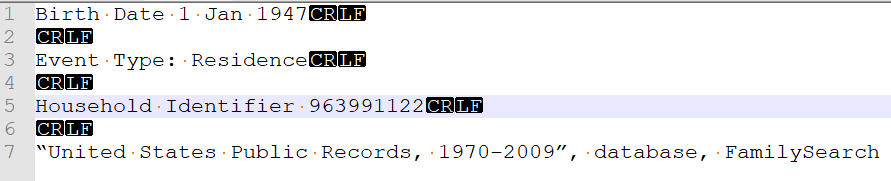
By turning on this feature you should see that the “NULL” line (as you describe it) actually is a line, just with no characters on it. So it has a CR/LF combination.
If your’s doesn’t look like this after turning on that feature, show us a screen print like I did.
Terry
PS if it’s a line, then it WILL have a line number
-
A
NULLcharacter can be matched by searching the code pointU+0000.- Ctrl + F
- Find what: \x{0000} [^1]
- Search Mode: Regular Expression
- Click :“Find All in Current Document” [^2]
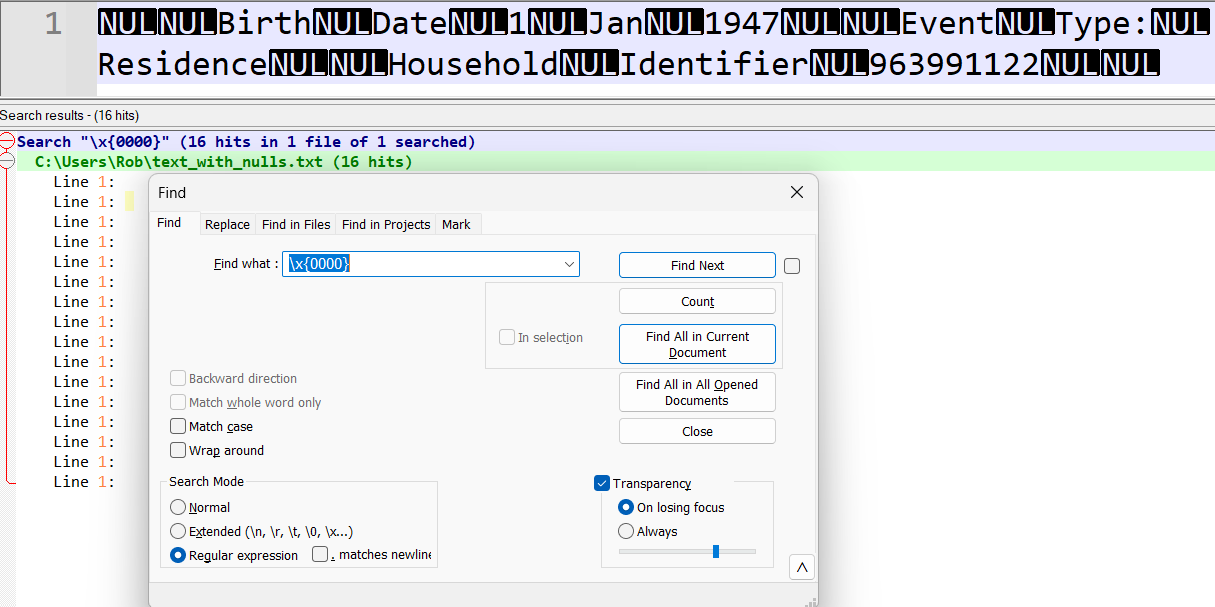
You can recreate the sample text shown above using python(3):
import re

data = """
    Birth Date 1 Jan 1947
    Event Type: Residence
    Household Identifier 963991122
    """

text_with_nulls = bytes(re.sub(r'\s', '\x00', data), 'ascii')

with open('text_with_nulls.txt', 'wb') as file:
    file.write(text_with_nulls)
I’m guessing the file that @Jerry-Goedert described was generated by a government database using some ancient 7-bit collation. Empty record fields containing
NULLin the database are probably showing up as single-byte character strings:"\0".
[^1]: The Boost regex engine supports this syntax
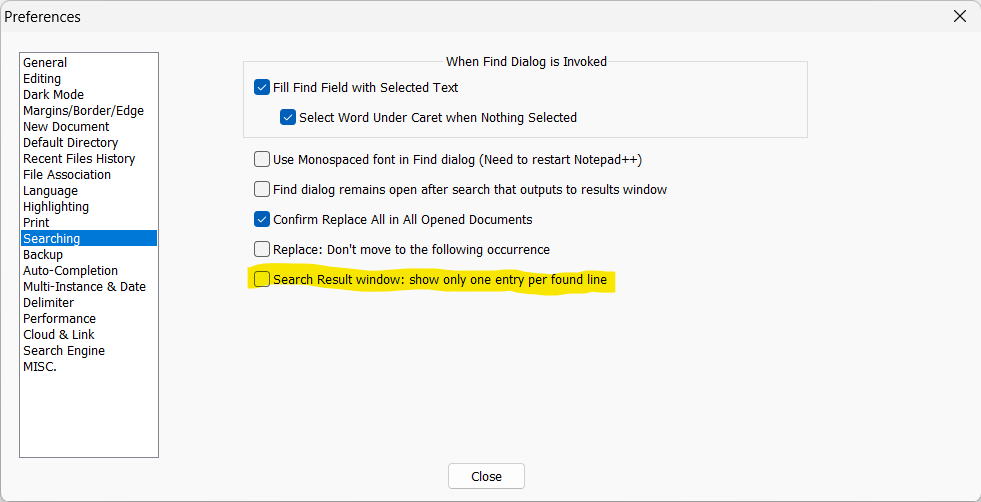
[^2]: Since there’s only one true “line” in the text shown above, you have to de-select the one result per line option to exactly reproduce my example:- Setting
- Preferences
- Searching
- Uncheck “Search result Window: show only one entry per found line”
-
I think your guess as to the OP’s data may have hit the nail squarely on the head.
It would have been abundantly clear earlier if the OP had posted a screenshot of what he was working with.



Hello! It looks like you're interested in this conversation, but you don't have an account yet.
Getting fed up of having to scroll through the same posts each visit? When you register for an account, you'll always come back to exactly where you were before, and choose to be notified of new replies (either via email, or push notification). You'll also be able to save bookmarks and upvote posts to show your appreciation to other community members.
With your input, this post could be even better 💗
Register Login