Notepad++ v8.5.1 Release
-
Notepad++ v8.5.1 Release is available here:
https://notepad-plus-plus.org/news/v851-released/Notepad++ v8.5.1 bug-fixes and new features:
- Use new modern shell “Edit with Notepad++” of Windows 11 instead of hijacking “Pin to Quick access”.(Fix #13320, implement #13330)
- Update scintilla to 5.3.4 and lexilla to 5.2.4. (Implement #13338)
- Add MS Transact-SQL support. (Fix #5940, #7988, #11718, #12610, #13160)
- Add GDScript language support with autocomplete & functionlist. (Fix #13329)
- Fix UDL empty button regression after changing localization. (Fix #13228)
- Add ability to copy “Find what” to “Replace with” and vice versa in Find Replace dialog. (Fix #12122)
- Fix DocSwitcher RTL problem, and use edit field instead of a small popup value dialog. (Fix #13244, #13248)
- GUI visual enhancement: Fix whole dialog items blink when a item value changed. (Fix #13230)
- Make tray icon context menu translatable. (Fix #11628)
Notepad++ v8.5 bug-fixes and new features:
- Fix notepad replacement opening file name containing white space regression. (Fix #13032)
- Fix regression about visual glitch of Find in Files progress window & Document Switcher.(Fix #13185, #13053)
- Update to Scintilla 5.3.3 and Lexilla 5.2.2. (Implement #13082)
- Add new explorer context menu entry “Edit with Notepad++” for WINDOWS 11. (Fix #10320, #10565, #4368, #8786, #10640, #10856, #10653, #7747, #6169, #92)
- Add show non-printable characters command. (Fix #827, #4731, #8284)
- Apply tab colors to document list items, and add groups to document list. (Fix #12155, #12689, #13026)
- Add middle mouse click ability to close doc in Document List. (Fix #12949)
- Add Begin/End Select in Column Mode command. (Fix #12833, #12832)
- Add option to make auto-completion list brief. (Fix #12783)
- Remove duplicate items in function/word list of Auto-completion. (Fix #13061)
- Fix missing items in word autocomplete. (Fix #13060)
- Fix autocomplete to sort case insensitive issue. (Fix #12495)
- Change behaviour: make Select and Find (Next/Previous) always in normal search mode. (Fix #3229)
- Change behaviour: make volatile Find uses least-strict option settings. (Fix #13145)
- Change behaviour: Don’t populate in Find what if a stream selection more than 1024 characters. (Fix #12603)
- Fix wrong value set in Preferences->Performance->“Define Large File Size”.(Fix #13280)
- Fix untitled document number jumping or repeated problem. (Fix #8677, #11704, #13194)
- Fix dock-able panels not restoring for mono instances when Notepad++ is in the tray. (Fix #9454)
- Fix panels not restored from systemtray with “Edit with Notepad++” in admin mode. (Fix #13041)
- Fix hit text in search results not being scrolled in the view issue. (Fix #13129)
- Add new notification NPPN_EXTERNALLEXERBUFFER for lexer plugin with buffer ID when a new lexer is applied to the buffer in question. (Fix #12351)
- Fix Synch H/V Scrolling commands not sync with 2 views. (Fix #5250, #13071)
- Add several GUI enhancement. (Fix #11695, #13176, #13187, #13162)
- Make several GUI items translatable. (Fix #13175, #8020, #8858, #13088, #8927, #10876, #9343, #8004)
For people who have ARM device, could you test
http://download.notepad-plus-plus.org/repository/8.x/8.5.1.RC/npp.8.5.1.Installer.arm64.exe
and confirm if the new added Explorer context menu entry (“Edit with Notepad++”) works fine with your Windows 11 ARM64.Auto-update will be triggered in one week if no critical issue found.
-
@donho
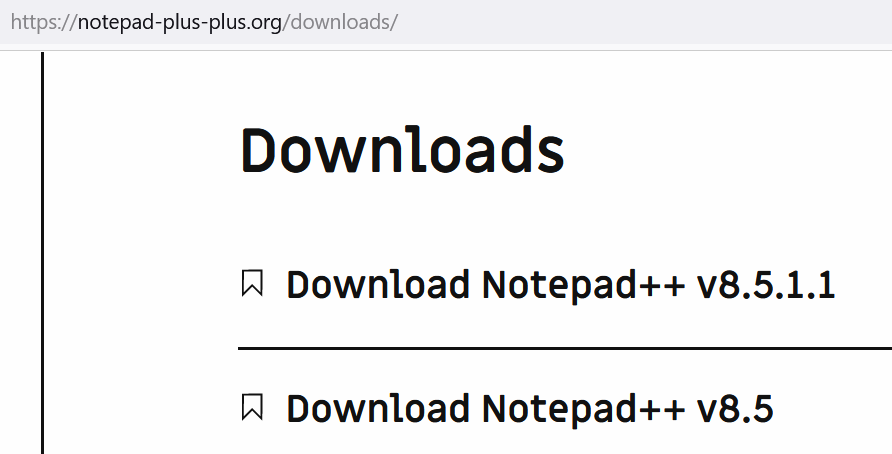
The “big box” graphic on your Download page is actually linked to a nonexistent “8.5.1.1” version. (The text links underneath are OK.) -
@TBugReporter said in Notepad++ v8.5.1 Release:
@donho
The “big box” graphic on your Download page is actually linked to a nonexistent “8.5.1.1” version. (The text links underneath are OK.)Thank you for your heads up! It’s fixed now.
-
File DarkModeDefault.xml lacks new lexer for MS T-SQL. Tested with 7z-package of 32 bit Npp portable v8.5.1.
-
@donho
Problems with the official version of 8.5.1. So I have been following with interest the development of this version as I am interested in how you have dealt with the “Edit with Notepad++” context issue on Windows 11. I have Windows 11 22621.1413 (non Insider). I am however running StartAllBack with the Windows 10 taskbar version enabled. I had 8.5 installed. I downloaded 8.5.1 and ran the installer; this completed without errors. Immediately after the installation “Edit with Notepad++” was not available in the context menu. Looking in various places - C:\Program Files\Notepad++ I saw both the old and new context menu dll’s. Thinking something was amiss with the installation I attempted to uninstall; this errored out.
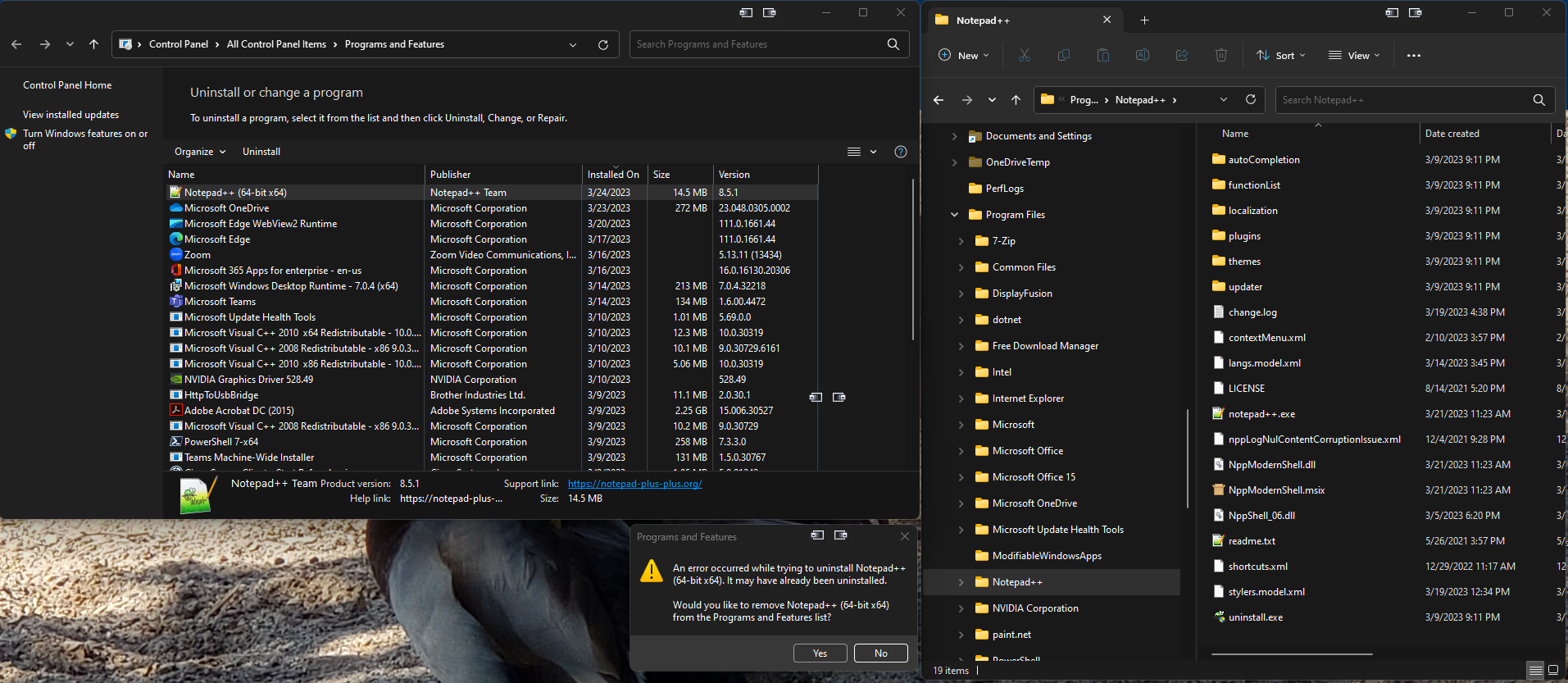 . I tried running the uninstall executable from the program folder with the same result. At this point I just renamed the program folder and re-installed. This time “Edit with Notepad++” has shown up in the context menu, but attempting an uninstall from Control Panel or the application folder still fails:
 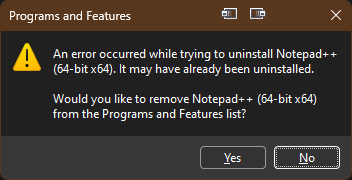 . Going back and using an 8.5 installer still results in the same uninstall errors. Going to do some more testing but need to reboot first.
Edit 1:
So after renaming the application folder and rebooting I could then delete the application folder including the shell dll’s. Installing 8.4.9 looks like it will now allow an uninstall without errors.
Edit 2:
With 8.4.9 installed I downloaded a new version of 8.5.1 and ran the installed over 8.4.9. This installed, the Edit with Notepad++ context menu is there and it looks like the uninstaller will at least run.
Edit 3:
On a completely different computer, but again exact same OS version and StartAllBack with 8.5 installed I updated to 8.5.1. Immediately after the install “Edit with Notepad++” was not in context menu. At this point I restated Explorer and after the context menu appeared. Also on this system, uninstall appears to run with the previous error. I did not attempt an uninstall before restarting Explorer though. -
After install v8.5.1, you have to restart your Windows 11 (or restart explorer via Task Manager) to make the context menu entry “Edit with Notepad++” appears.
Have you tried it?
-
@dinkumoil said in Notepad++ v8.5.1 Release:
File DarkModeDefault.xml lacks new lexer for MS T-SQL. Tested with 7z-package of 32 bit Npp portable v8.5.1.
Thank you for your heads up.
Anyone who wants to add MS T-SQL in DarkModeDefault.xml is wellcome! -
-
Hi everyone, how can I translate the new context menu entry in my language? With the old one I used to edit the registry entry but with this new one I can’t find a solution.
Thanks
-
@p_eldritch said in Notepad++ v8.5.1 Release:
Hi everyone, how can I translate the new context menu entry in my language? With the old one I used to edit the registry entry but with this new one I can’t find a solution.
Please create a new thread for your question.
This is a release thread and is for critical problems with the release only. -
@Alan-Kilborn ok, sorry
-
I have installed the release 8.5.1.
The application associated with the html, xml and CSS files is NP++.
When I open one of these three types of files :
- from the file history of NP++ it’s ok
- from the open function of NP++ it’s ok
- from the Windows function open with it’s ok.
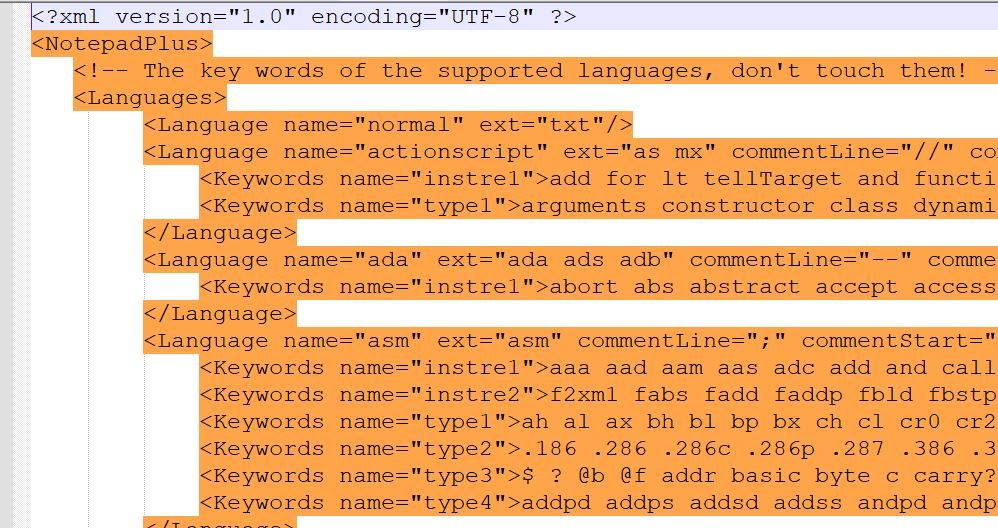
When I double click on one of these three file types I get this weird result.
Would you have an idea ?
-
I have the portable versions 8.4.8 and 8.5.1 on my disk. It must have disturbed Windows.
I renamed notepad++.exe 8.4.8. The double click works correctly now.
-
@conky77
It’s fixed now. Thx -
I really appreciate the update.
The new modern shell is responsible for something.
I use StartAllBack, which enables the old style of context menu on Windows 11.
With the new shell integration, “Edit with Notepad++” is missing.
Is there a chance to add into the installer, an option to enable the old integration from 8.5 for such cases?Thank you in advance.
-
Hi,
There is following error during uninstallation of Notepad++ (x64 version) on Windows 10 (Enterprise N, Version 10.0.19044 Build 19044):
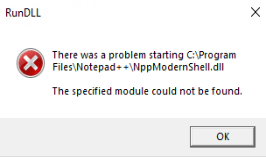
BTW: The issue is not detected on Windows 11 - there is uninstallation OK
-
Notepad++ stuck and trying to eat all available RAM when using “Remove Non-Bookmarked Lines”.
For exemple I open IIS log file (52Mb or 139231 in lines), then Find > Mark > set to find “10.212.136.1” and check “Bookmark line”, click “Mark All”, it’s marked 315 lines. After that click Search > Bookmark > “Remove Non-Bookmarked Lines” and got Notepad++ stuck. This bug in 8.4.6 - 8.5.1 version, 8.4.5 work fine.
Please fix it.
-
@At1ant said in Notepad++ v8.5.1 Release:
This bug in 8.4.6 - 8.5.1 version, 8.4.5 work fine.
Please fix it.This topic, called “v8.5.1 release” should be reserved for problems that are new to v8.5.1. If you have a general bug report (for example, a problem that occurs in v8.4.6 - v8.5.1), then use the normal issues reporter, as described in our bug report / feature request FAQ
-
@Marek-Mihola said in Notepad++ v8.5.1 Release:
Hi,
There is following error during uninstallation of Notepad++ (x64 version) on Windows 10 (Enterprise N, Version 10.0.19044 Build 19044):
BTW: The issue is not detected on Windows 11 - there is uninstallation OK
I have Windows 11 (10.0.22621.1413) italian 64bit and I have this issues with NPP 8.5.1 64bit installer.
I shoudl back to NPP 8.5.0 64bit installer (no errors) -
@Roberto-Boriotti and @Marek-Mihola
Could you confirm me it happens only on unistallation of Notepad++ v8.5.1 ?
Could you provide me here your Debug Info (via menu
?->Debug Info...) please?I have Windows 11 (10.0.22621.1413) italian 64bit and I have this issues with NPP 8.5.1 64bit installer.
I shoudl back to NPP 8.5.0 64bit installer (no errors)@Roberto-Boriotti
I don’t get the situation you have had - because of uninstallation error, you have to back to v8.5? Then what leads you to uninstall v8.5.1 ?









Hello! It looks like you're interested in this conversation, but you don't have an account yet.
Getting fed up of having to scroll through the same posts each visit? When you register for an account, you'll always come back to exactly where you were before, and choose to be notified of new replies (either via email, or push notification). You'll also be able to save bookmarks and upvote posts to show your appreciation to other community members.
With your input, this post could be even better 💗
Register Login