V. 8.5.4 (64 bits) still crashing when opening a TXT file.
-
When I double click a TXT file, Notepad++ starts, opens the file, and a few seconds later it crashes and display the window below.
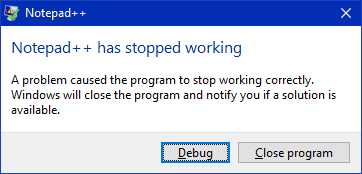
Clicking Debug, gets even worse and crashes deeply.
Opening Notepad++ by the shortcut or Start Menu, everything works fine.
Running on:
Edition Windows 10 Pro Version 22H2 Installed on 25.Oct.2020 OS build 19045.3086 Experience Windows Feature Experience Pack 1000.19041.1000.0 -
Opening Notepad++ by the shortcut or Start Menu, everything works fine.
You most likely have two copies of Notepad++ installed; your file association is pointing to one which is crashing (maybe because of an incompatible plugin installed; follow this FAQ’s debug procedure); and the other (which you get to by your shortcut or start menu) points somewhere else.
Right click on the shortcut or the start menu entry, look at the shortcut Properties, and look at the shortcut’s Target path.
Then run regedit.exe and search for notepad++.exe – you will most likely find that one or more of the mentions in the registry point somewhere different than your shortcuts do.


Hello! It looks like you're interested in this conversation, but you don't have an account yet.
Getting fed up of having to scroll through the same posts each visit? When you register for an account, you'll always come back to exactly where you were before, and choose to be notified of new replies (either via email, or push notification). You'll also be able to save bookmarks and upvote posts to show your appreciation to other community members.
With your input, this post could be even better 💗
Register Login