Can't resize Mark pop-up
-
With v8.8.8, the Mark pop-up box shows arrows that indicate resizing to box, but resizing doesn’t work. I went back to v8.8.5 and resizing works fine.
-
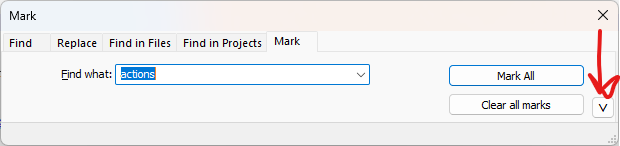
The Find/Replace/Mark dialog in v8.8.8 is designed to resize width-wise, but not height-wise. If you want to change the height, you can click the
﹀or︿in the lower right corner to make it “tall” or “short” respectively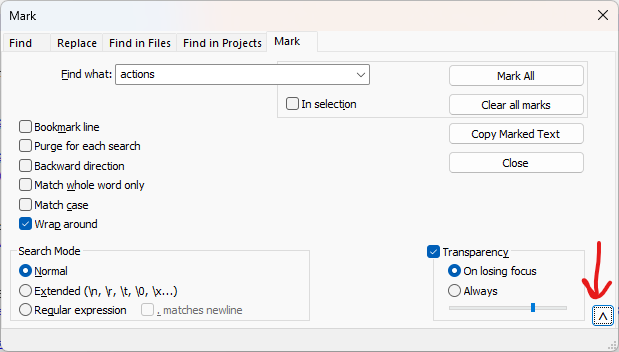
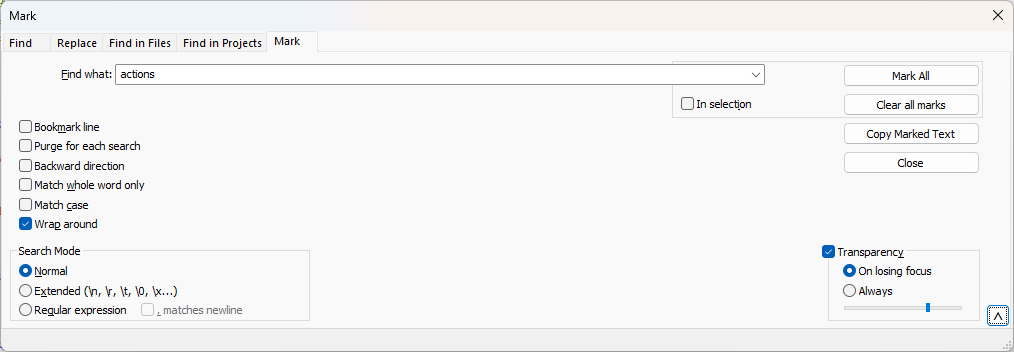
And here’s a screenshot after I used the corner to drag right to make it wider, when it’s in the “tall” mode:
-
Thank you. I didn’t try making it wider, I just wanted to make it narrower, and that didn’t work. I did see and try the “tall” or “short” versions.
-
I didn’t try making it wider, I just wanted to make it narrower, and that didn’t work.
Makes sense. You can change the width of the dialog, but like most dialog boxes, it has a minimum width to be a usable dialog, so it stops it from shrinking below that width. So if you make it wider, you can then make it more narrow again, but only to a hardcoded minimum.
-
@PeterJones
Thank you. I find the hardcoded minimum to be wider than I like, and wider than necessary. Here with v8.8.5 is the width that I’ve been using to help with my Octordle puzzles: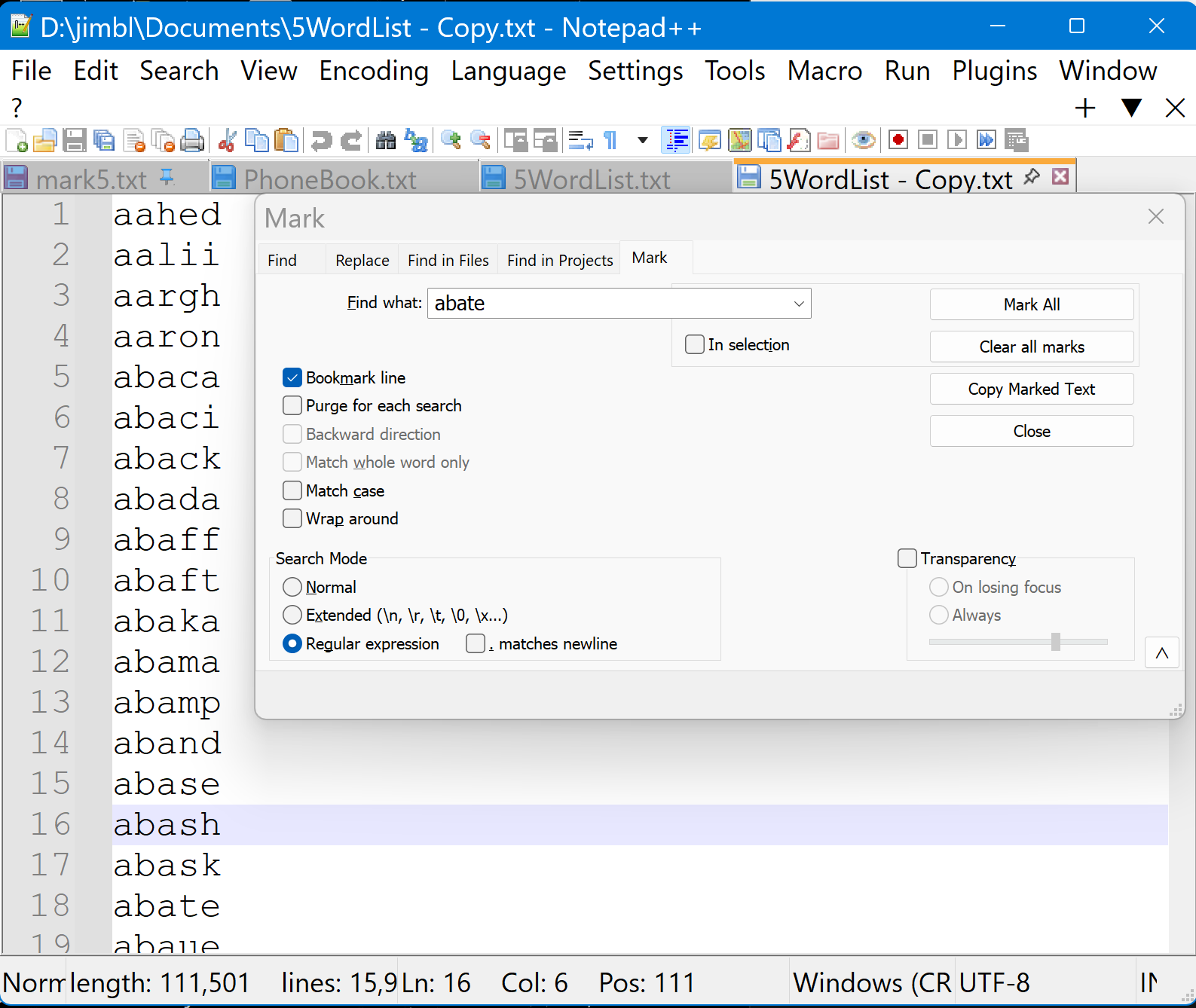
-
Presumably you want to make it narrower so that you can see what appears below it. In this case, some users find that the Transparency option assists, allowing you to see what is underneath without sacrificing width. YMMV.
-
@Alan-Kilborn
Yes, you are right. Thanks for the transparency tip.



Hello! It looks like you're interested in this conversation, but you don't have an account yet.
Getting fed up of having to scroll through the same posts each visit? When you register for an account, you'll always come back to exactly where you were before, and choose to be notified of new replies (either via email, or push notification). You'll also be able to save bookmarks and upvote posts to show your appreciation to other community members.
With your input, this post could be even better 💗
Register Login