Highlight color not correct
-
Toolbar> Settings> Style Configurator…
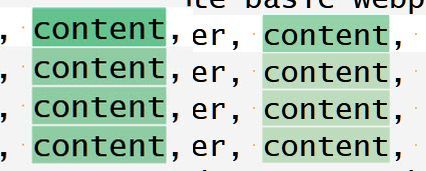
The Smart Highlighting is the same color as below but when the text is highlighted with a double click, the green is way off.
Question: Where is the setting to change to the identical minty green I have?Current line background colour - a minty green
red 132 , green 215 , blue 186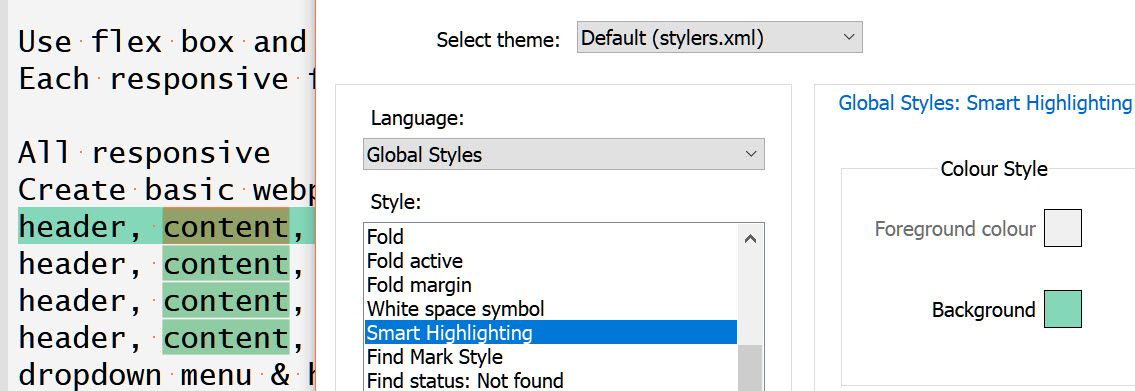
Notepad++ ver 8.8.8
Windows 10 pro 22H2 -
Isn’t it a combination of two different types of styling, one being “selected text” and the other being “smart highlighting”?
So…if you changed those two styles to be the same color, I think you’d achieve your goal.
But…I think your goal is misguided…but you be you.
-
@Alan-Kilborn
Current line background colour is now white, also tried minty green
Selected text is now the minty green
Multi-selected text color is also minty greenminty green for all 3 then Current line background colour white.


Hello! It looks like you're interested in this conversation, but you don't have an account yet.
Getting fed up of having to scroll through the same posts each visit? When you register for an account, you'll always come back to exactly where you were before, and choose to be notified of new replies (either via email, or push notification). You'll also be able to save bookmarks and upvote posts to show your appreciation to other community members.
With your input, this post could be even better 💗
Register Login