User defined language not colour keywods and numbers
-
Hi.
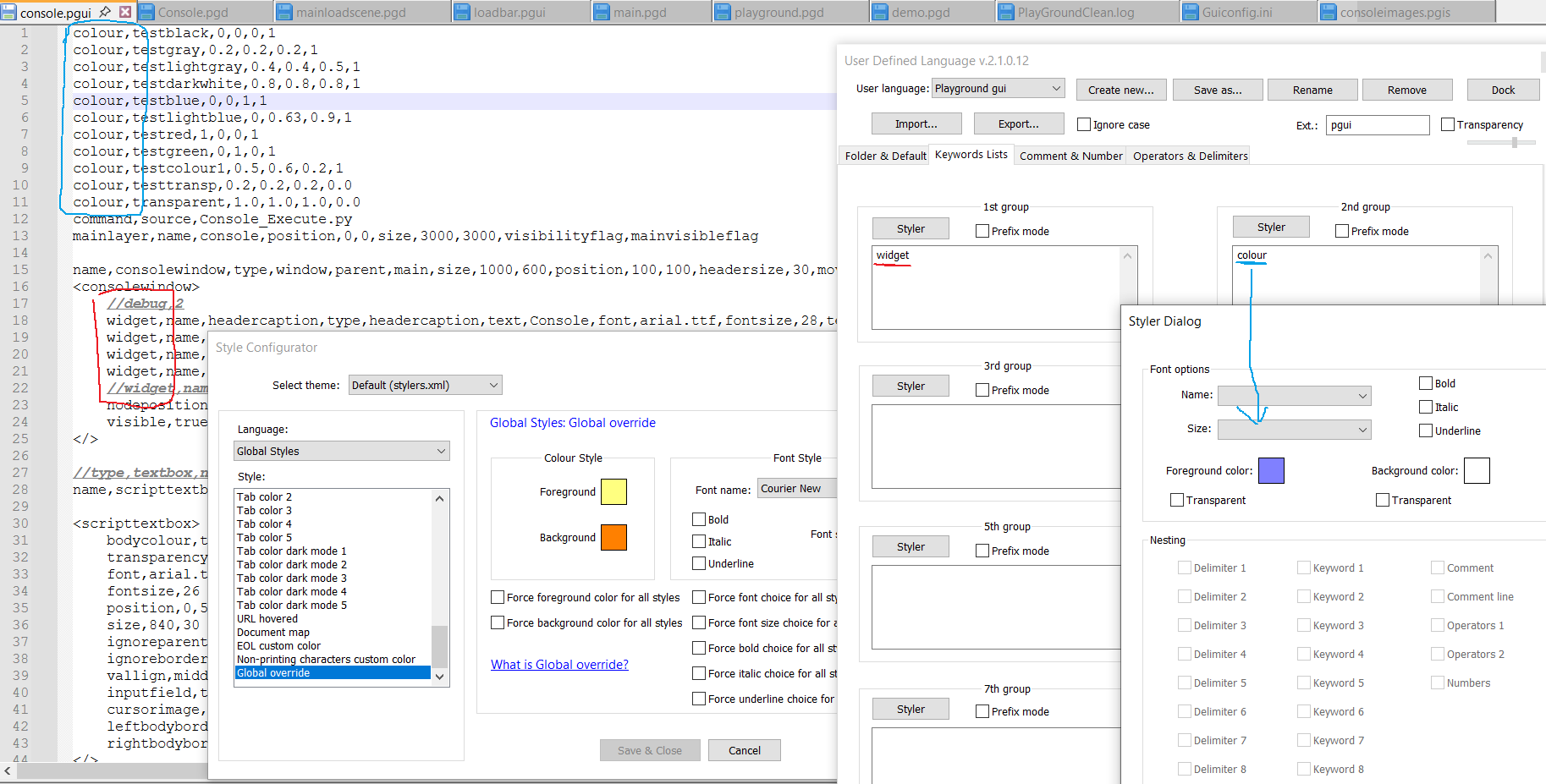
I tried to create an user defined language highlights, and for some reason, the colors didn’t show up. I tried to uninstall and reinstall the program. I have the v8.7.9 (64bit) version of notepad++
I checked out the global override and its not forced to rewrite the style.
Here an image showed how I configured it.
Thanks for any help.
Edit: here is the debug info:
Notepad++ v8.7.9 (64-bit) Build time : Mar 26 2025 - 03:20:28 Scintilla/Lexilla included : 5.5.5/5.4.3 Boost Regex included : 1_85 Path : C:\Program Files\Notepad++\notepad++.exe Command Line : "C:\Program Files\Notepad++\change.log" Admin mode : OFF Local Conf mode : OFF Cloud Config : OFF Periodic Backup : ON Placeholders : OFF Scintilla Rendering Mode : SC_TECHNOLOGY_DIRECTWRITE (1) Multi-instance Mode : monoInst File Status Auto-Detection : cdEnabledNew (for current file/tab only) Dark Mode : OFF OS Name : Windows 10 Pro N (64-bit) OS Version : 22H2 OS Build : 19045.4529 Current ANSI codepage : 1250 Plugins : mimeTools (3.1) NppConverter (4.6) NppExport (0.4) -
Two things:
- Make sure the lower-left on status bar says it’s UserDefinedFile - playground gui – if you create your UDL after naming the file, Notepad++ doesn’t notice the UDL’s ext.:
pguiso doesn’t automatically pick that UDL this time. If you save, close the file, and re-open, it will auto-detect it as belonging to that UDL.
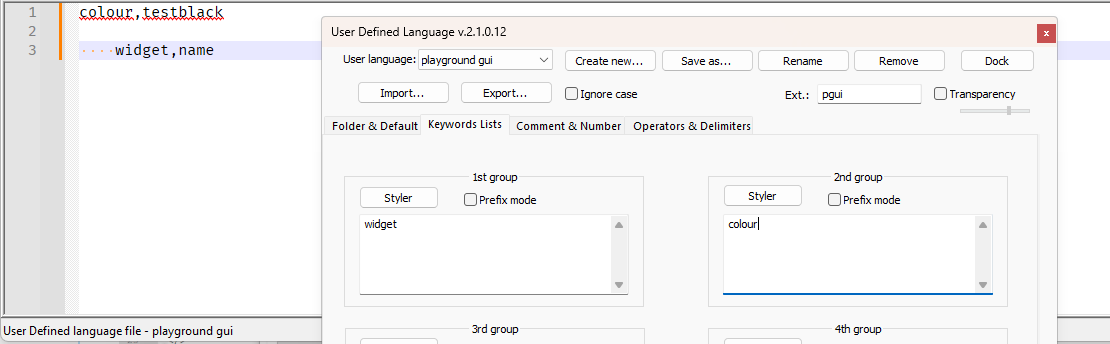
- the
,immediately next to the keyword interferes – for now. If you go to Operators & Delimiters and add the comma to the Operators 1 list, then Notepad++ knows that the,is an operator and not part of a keyword, and then is able to recognizewidgetandcolouras keywords in two different categories:
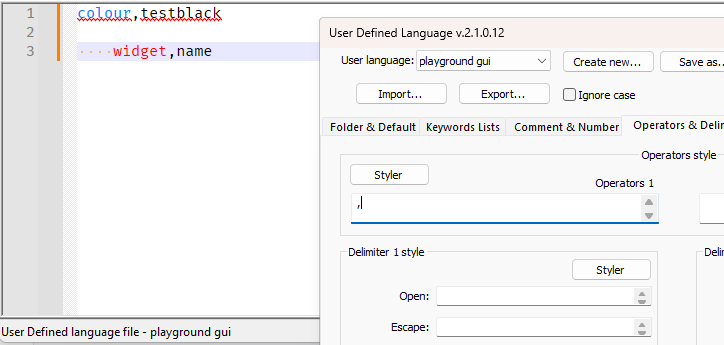
- Make sure the lower-left on status bar says it’s UserDefinedFile - playground gui – if you create your UDL after naming the file, Notepad++ doesn’t notice the UDL’s ext.:
-
@PeterJones
Thanks for your reply.
Adding the comma to the operators solved the problem.Thank you.


Hello! It looks like you're interested in this conversation, but you don't have an account yet.
Getting fed up of having to scroll through the same posts each visit? When you register for an account, you'll always come back to exactly where you were before, and choose to be notified of new replies (either via email, or push notification). You'll also be able to save bookmarks and upvote posts to show your appreciation to other community members.
With your input, this post could be even better 💗
Register Login