Keyboard shortcuts from external apps not working
-
Hello,
I am wondering what is special about Notepad++ (and Windows Notepad actually)? It does not allow me to use keyboard shortcuts from my Reverso translator. The shortcut is set to Ctrl+C+C by default but I also tried changing it. It didn’t change the result. All other apps in Windows support it and I just need to select a word or text and press the keyboard shorcut, and Reverso opens to show me a translation. But with Notepad++ and Notepad nothing happens. Weird. -
Right, that’s strange.
I use Deepl, there is also the shortcut ctrl+c+c and as you can see in this screenshot, it works.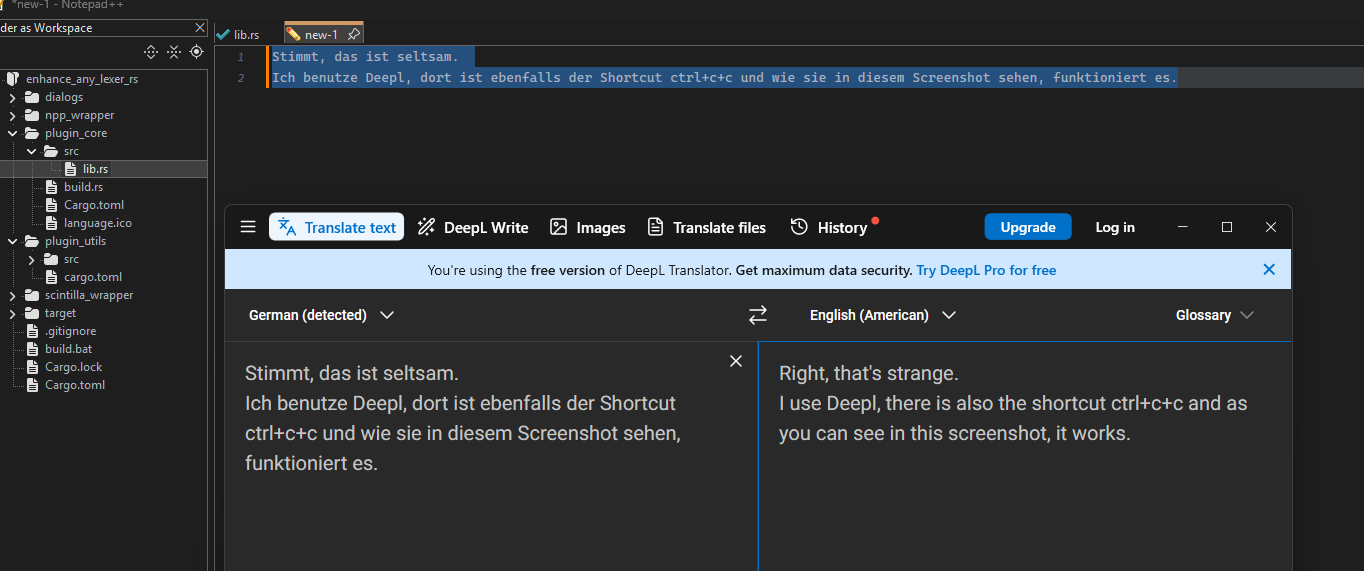
-
@Ekopalypse said in Keyboard shortcuts from external apps not working:
Right, that’s strange.
I use Deepl, there is also the shortcut ctrl+c+c and as you can see in this screenshot, it works.Understood. I passed it on to Reverso. Maybe they have an explanation, although the ticket I opened over there didn’t yield anything. Maybe this new info will get them going.
Thanks


Hello! It looks like you're interested in this conversation, but you don't have an account yet.
Getting fed up of having to scroll through the same posts each visit? When you register for an account, you'll always come back to exactly where you were before, and choose to be notified of new replies (either via email, or push notification). You'll also be able to save bookmarks and upvote posts to show your appreciation to other community members.
With your input, this post could be even better 💗
Register Login