How to open documents in different windows?
-
Sorry, I wrote several questions, but I guess my questions were not published.
I have a lot of text documents that are in different folders on my computer. When I open my text documents, they open in one window, but in different tabs. I want that when I open each text document, a new window with this document is launched.
What option in the settings do I need to turn on or off so that I get this result?
-
@Granaderius said in How to open documents in different windows?:
Sorry, I wrote several questions, but I guess my questions were not published.
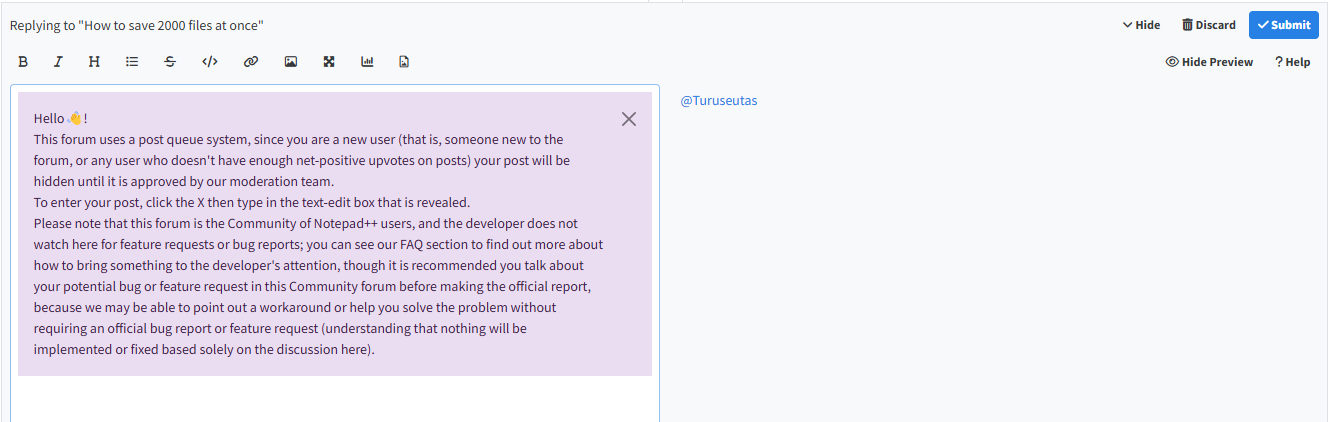
As the GUI clearly indicated before you could type your post, as a new user, when you make a post, it goes into a post queue, and will wait there until a moderator has time to read and approve the post:
When I open my text documents, they open in one window, but in different tabs. I want that when I open each text document, a new window with this document is launched.
What option in the settings do I need to turn on or off so that I get this result?Settings > Preferences > Multi-Instance and Date >
☑Always in multi-instance mode – every time you use Windows Explorer to double-click on a file (or similar) to open it with Notepad++, it will go in a new instance. (This will not change the behavior of File > Open inside Notepad++, which always opens in a new tab, not a new instance.)- User Manual description of the preferences: https://npp-user-manual.org/docs/preferences/
- User Manual description of the Multi-Instance and Date preferences: https://npp-user-manual.org/docs/preferences/#multi-instance-and-date
-
@PeterJones said in How to open documents in different windows?:
Settings > Preferences > Multi-Instance and Date > ☑ Always in multi-instance mode – every time you use Windows Explorer to double-click on a file (or similar) to open it with Notepad++, it will go in a new instance. (This will not change the behavior of File > Open inside Notepad++, which always opens in a new tab, not a new instance.)
Thanks for the answer.
Everything works.
Issue resolved.
Notepad++ is my favorite text editor.Special thanks to you for the clarification about the publication of posts and for additional information on the topic of the question.

Hello! It looks like you're interested in this conversation, but you don't have an account yet.
Getting fed up of having to scroll through the same posts each visit? When you register for an account, you'll always come back to exactly where you were before, and choose to be notified of new replies (either via email, or push notification). You'll also be able to save bookmarks and upvote posts to show your appreciation to other community members.
With your input, this post could be even better 💗
Register Login