Folding without closing parentheses or tags
-
How do I fold code while preserving closing tags and parentheses?
The lone opening parenthesis sticking out looks strange to me.Notepad++
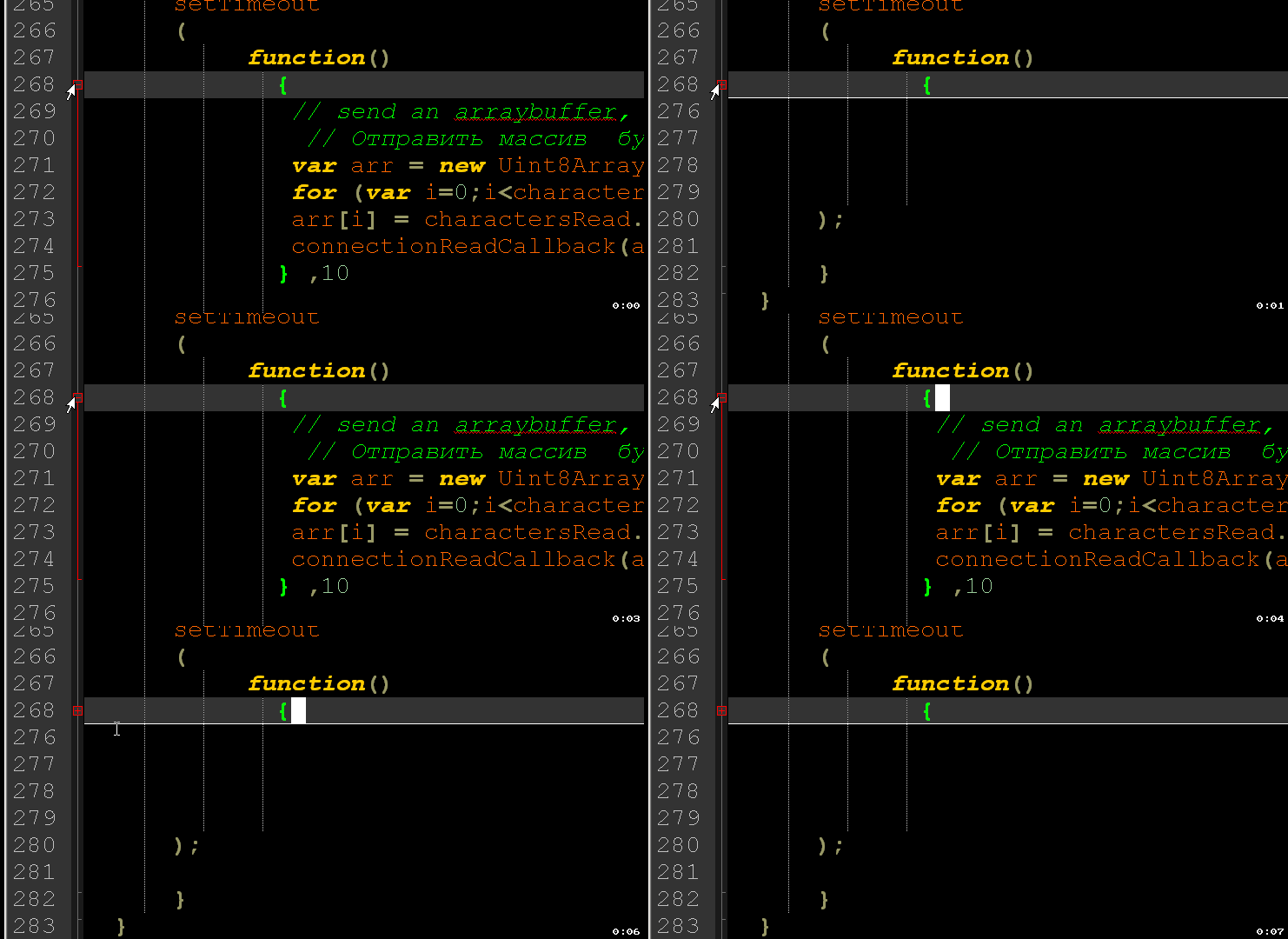
like codepen
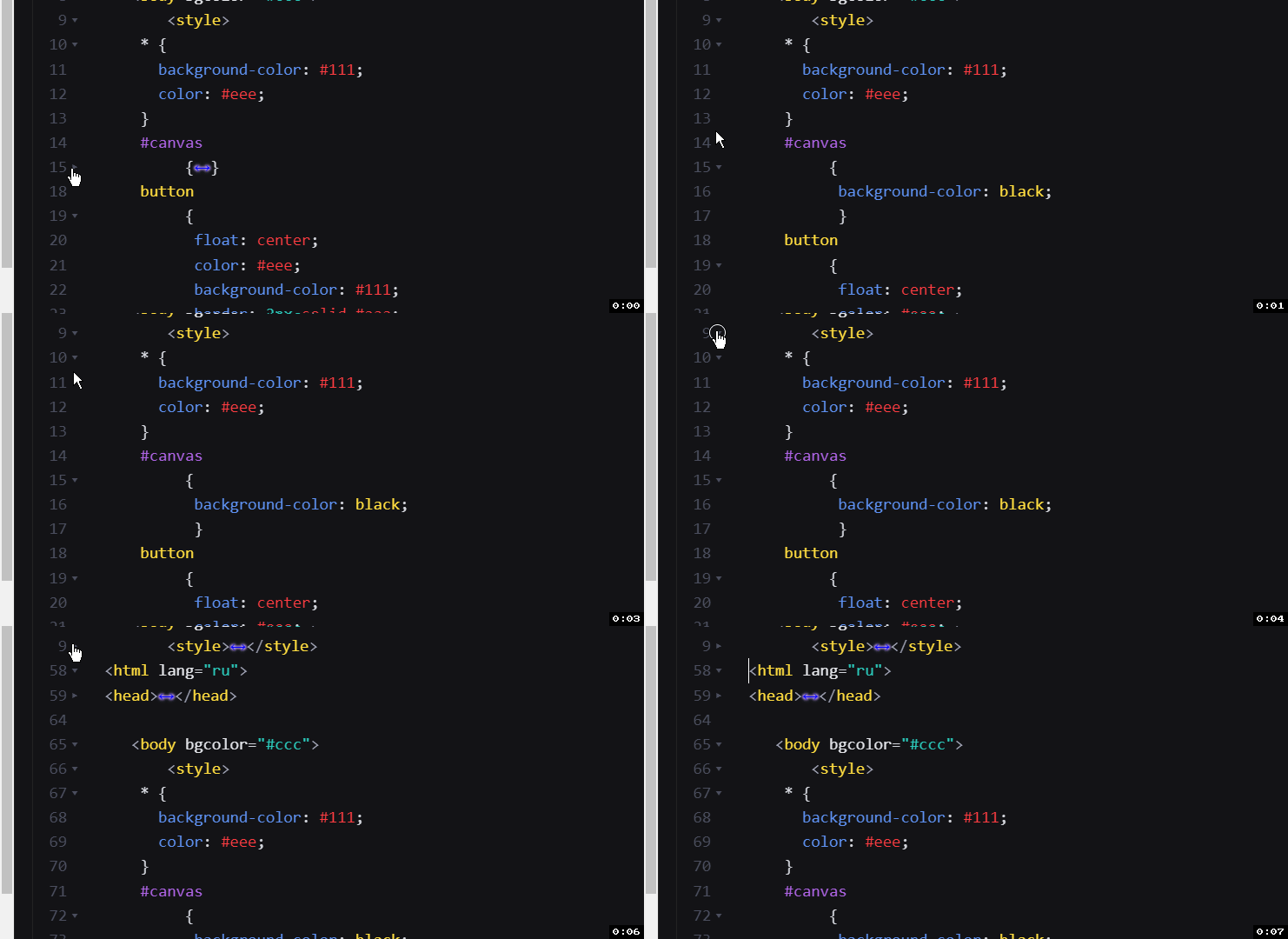
–
moderator edit: embedded local images instead of trying external image using html wrapper url -
@Mister-Smitt said in Folding without closing parentheses or tags:
How do I fold code while preserving closing tags and parentheses?
The lone opening parenthesis sticking out looks strange to me.As far as I am aware, the underlying Scintilla library which Notepad++ uses for the folding and syntax highlighting does not offer a way to configure whether or not to hide the closing element when folding. Unless I have missed something in their folding documentation, I believe that the configurable feature would have to be added to Scintilla, and then Notepad++ would have to provide that feature through its configuration interface. (I admit that I am not an expert on Scintilla folding, but I don’t believe it’s possible. If someone else knows how to get Scintilla to do it, then feel free to correct me.)So, as far as I know, there’s nothing that Notepad++ can do to give you that feature, unless the underlying library were improved by its team first.update: I was apparently wrong. See below.
-
Yes, alternative folding styles are possible. They just have to be implemented in the Notepad++ application code.
According to the relevant Scintilla documentation:
The marker numbers SC_MARKNUM_FOLDER and SC_MARKNUM_FOLDEROPEN are used for showing that a fold is present and open or closed. [M]ore assignments are needed for the flattened tree style: SC_MARKNUM_FOLDEREND, SC_MARKNUM_FOLDERMIDTAIL, SC_MARKNUM_FOLDEROPENMID, SC_MARKNUM_FOLDERSUB, and SC_MARKNUM_FOLDERTAIL.
For example, the Notepad4 editor provides
SC_MARKNUM_FOLDERTAILas the default style, which creates the dotted boxes shown below: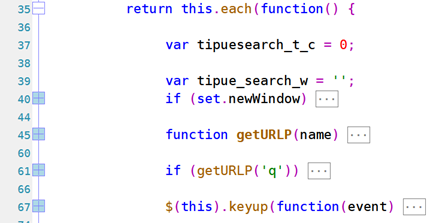
-
This is the perfect option!



Hello! It looks like you're interested in this conversation, but you don't have an account yet.
Getting fed up of having to scroll through the same posts each visit? When you register for an account, you'll always come back to exactly where you were before, and choose to be notified of new replies (either via email, or push notification). You'll also be able to save bookmarks and upvote posts to show your appreciation to other community members.
With your input, this post could be even better 💗
Register Login