Working with "User Defined Language"
-
When working with the “User Defined Language” tools, I see that I can’t EDIT my existing language, i.e. that I must save my changes as a NEW language. This is quite tedious and slow. Is there a way to simply edit my existing language instead of saving as a new language and deleting the previous version, then re-saving my new version to the original name? Or is there a way to do this that I’m not seeing? I’ve tried working with the underlying XML, but that’s even more painful!
-
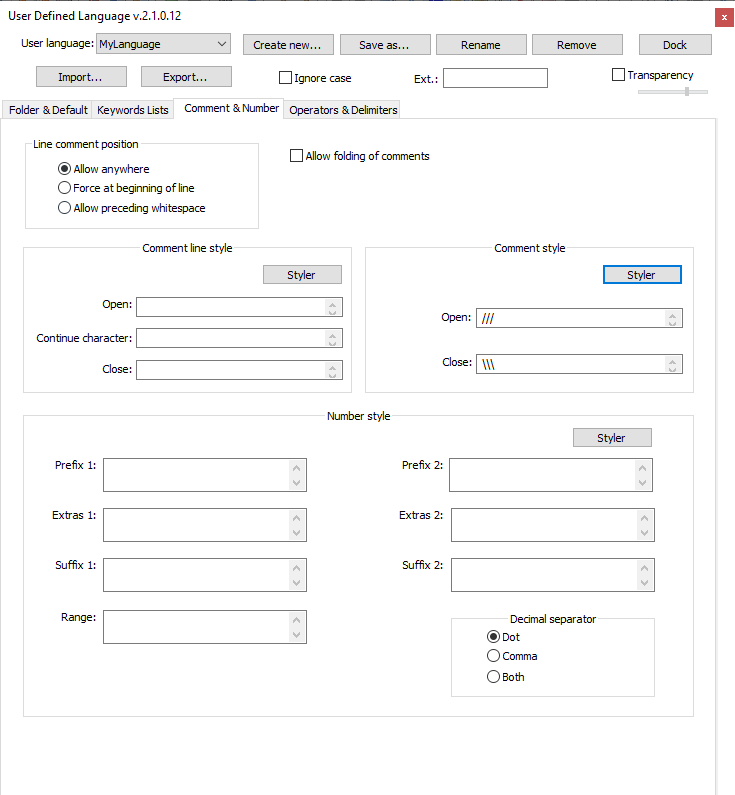
It shouldn’t be a problem to edit a language from my experience. You open the “User Defined Language” window, select your language at the top left drop box, change what you want, and just exit the window. I tried it now with comment style and it works for me.
-
As @FreeMeow said, you don’t need to Save again after making edits. As soon as you have made your change to the UDL in the dialog, it will take effect (try changing the color – you will see the color change in your file immediately). And when you exit Notepad++, the change will be saved to the UDL definition file for that UDL.
This is actually indicated in the User Manual’s UDL > Naming and Saving:
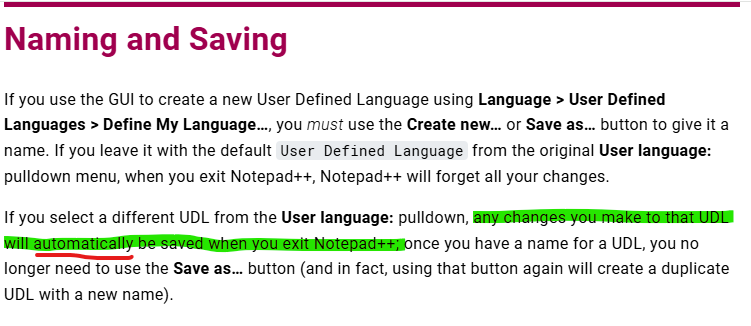
… though I admit that it could be slightly more clear that changes take effect immediately.
update: I am rewording that second paragraph to make it more clear:
If you select an existing UDL from the User language: pulldown (or after you have used Save as… to give your new UDL a name), any changes you make to that UDL after that point will apply immediately to that language, so you can watch the formatting or keywords change as you make the changes. Then, when you exit Notepad++, those changes will automatically be saved permanently to the UDL definition file; there is no Save button for UDL, because the saves happen automatically. Once you have a name for a UDL, you no longer need to use the Save as… button (and in fact, using that button again will create a duplicate UDL with a new name).
-
Also, please don’t waste our time by asking the same question repeatedly in different ways. I told you this in early November, in this post, where I said, “instead of providing you a Save button…”, and went on to explain the same thing.
It’s very annoying to go to all the trouble of giving a detailed answer, and then to get proof that the answer is completely ignored by the person who asked.


Hello! It looks like you're interested in this conversation, but you don't have an account yet.
Getting fed up of having to scroll through the same posts each visit? When you register for an account, you'll always come back to exactly where you were before, and choose to be notified of new replies (either via email, or push notification). You'll also be able to save bookmarks and upvote posts to show your appreciation to other community members.
With your input, this post could be even better 💗
Register Login