Tab bar tab width
-
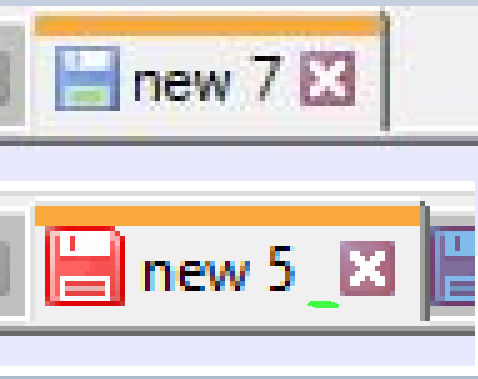
So i updated for the first time after a couple of years, and i see that the width of some of my tabs almost doubled:

which also means that the amount of tabs i can see at once almost halved, and thats no good.

How do i change it back?
-
@Azim ,
Settings > Preferences> Tab Bar has the
☐ Reduceoption to shrink the font and border padding, and theMax. tab label length: ____if your tab names are too many characters for you. -
@PeterJones
on the screenshot above Reduce option is already pressed though.
Max tab label length truncates text, which is not the behavior i want to restore - i want the tabs with short names to not have this big gap at the end.That said, it seems that the “enable pin tab feature” was the culprit, as disabling it seems to have restored the desired tab size behavior.
There still is some extra spacing before the close button though:


Hello! It looks like you're interested in this conversation, but you don't have an account yet.
Getting fed up of having to scroll through the same posts each visit? When you register for an account, you'll always come back to exactly where you were before, and choose to be notified of new replies (either via email, or push notification). You'll also be able to save bookmarks and upvote posts to show your appreciation to other community members.
With your input, this post could be even better 💗
Register Login