Unable to open files within an opened file
-
Hi all,
Hopefully this is an easy one, but I’m not a particularly experienced Notepad++ user and I’m currently trying to help someone within our organisation who is experiencing an issue.
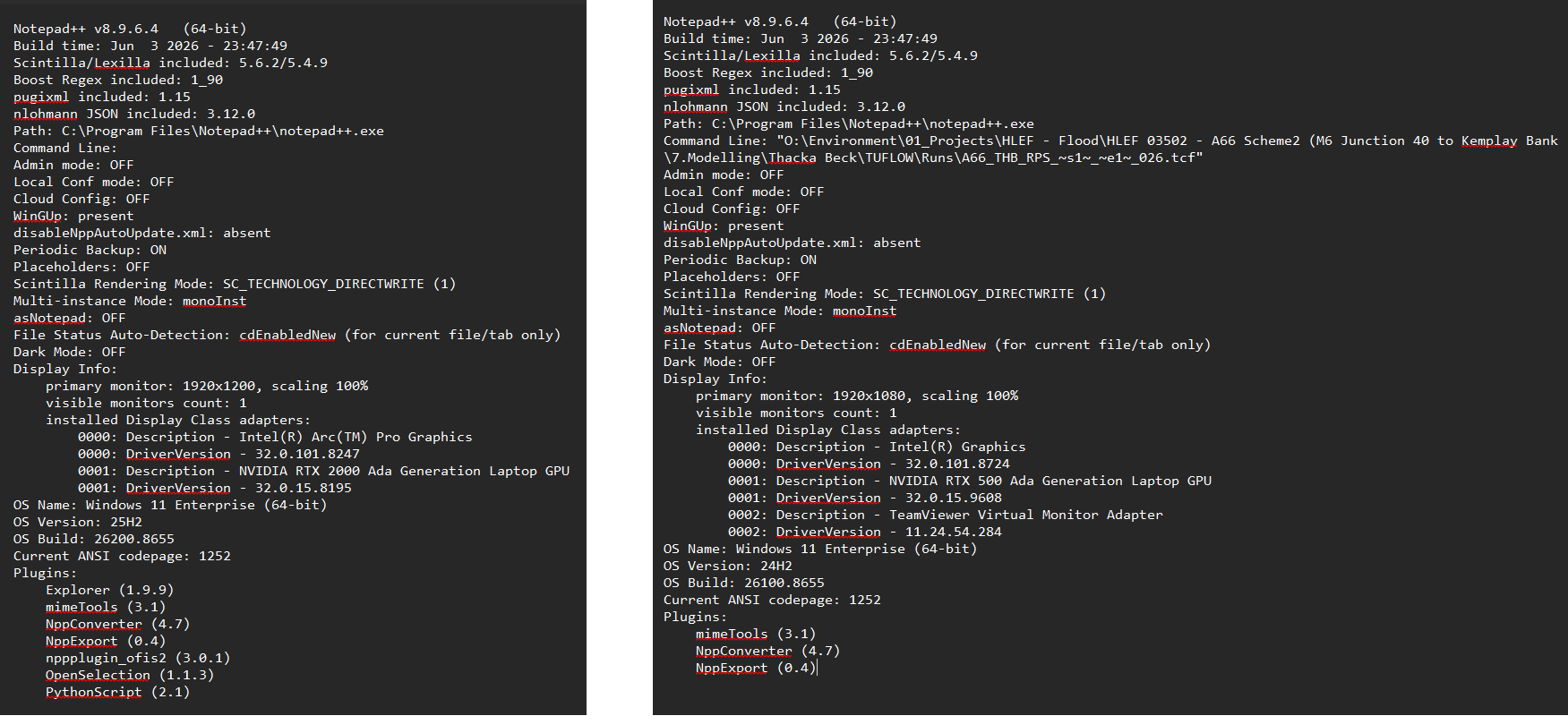
Several users within the same team have reported the same problem. I’ve also installed Notepad++ on my own company laptop and can reproduce the behaviour, so it doesn’t appear to be isolated to a single machine or installation.Issue
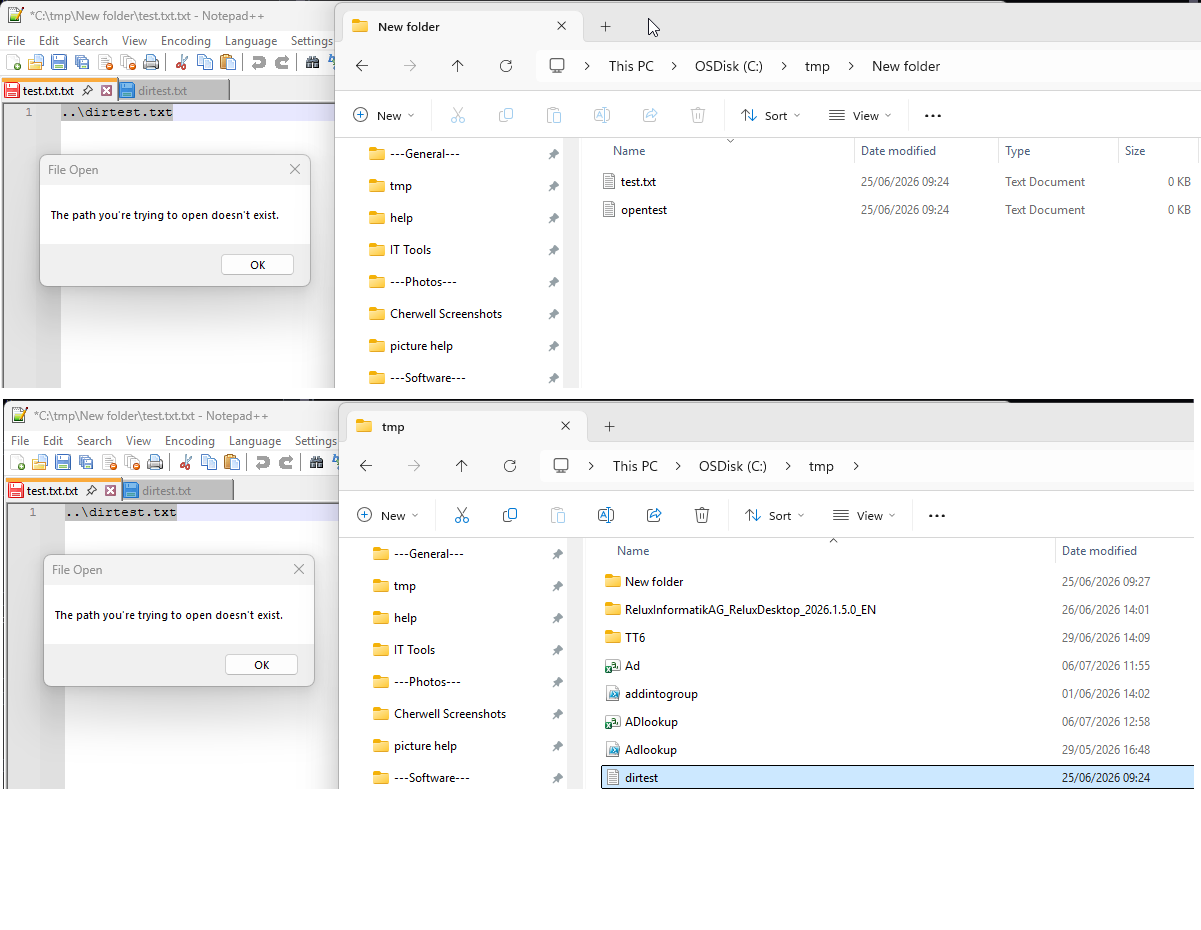
Up until around 2 weeks ago, users could highlight a file path in Notepad++, right-click, and select “Open Selected Pathname(s)” to open the referenced file.
This no longer works for us and instead displays the message:
“The path you are trying to open doesn’t exist”
Example
Current file:
C:\tmp\new folder\test.txtText within the file:
…\dirtest.txtWhen highlighting …\dirtest.txt and selecting “Open Selected Pathname(s)”, we would expect Notepad++ to open:
C:\tmp\dirtest.txt
Instead, we receive the “path doesn’t exist” error.
Additional Testing
- Tested with mapped drives
- Tested with UNC paths
- Tested with local file paths
- Tested across multiple users
- Tested on multiple machines
The issue appears consistent across all of them.
Workaround
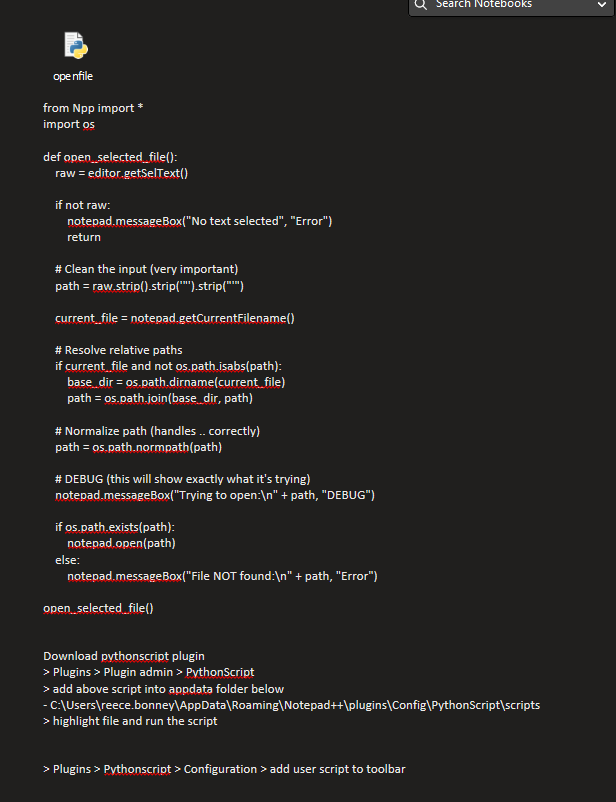
As a workaround, I’ve created a small PythonScript which resolves the selected path relative to the current file and successfully opens the target file.
Because the script works, the paths themselves appear to be valid, which makes me wonder whether something has changed in recent versions of Notepad++ regarding how relative paths are resolved.
Questions
- Has there been any recent change to the “Open Selected Pathname(s)” functionality?
- Is anyone else experiencing the same issue?
- Is this expected behaviour or potentially a bug?
I’ve attached screenshots showing the behaviour, the workaround script and the Debug info from 2 machines.
Any advice would be greatly appreciated.
Thanks,
Reece
-
Known issue. Already fixed in the v8.9.7 Release Candidate
You can download and test from that post; if it doesn’t fix your problem, report it there.
-
@PeterJones
Perfect thank you very much!

Hello! It looks like you're interested in this conversation, but you don't have an account yet.
Getting fed up of having to scroll through the same posts each visit? When you register for an account, you'll always come back to exactly where you were before, and choose to be notified of new replies (either via email, or push notification). You'll also be able to save bookmarks and upvote posts to show your appreciation to other community members.
With your input, this post could be even better 💗
Register Login