Issues with XML highlighting text
-
Hi all,
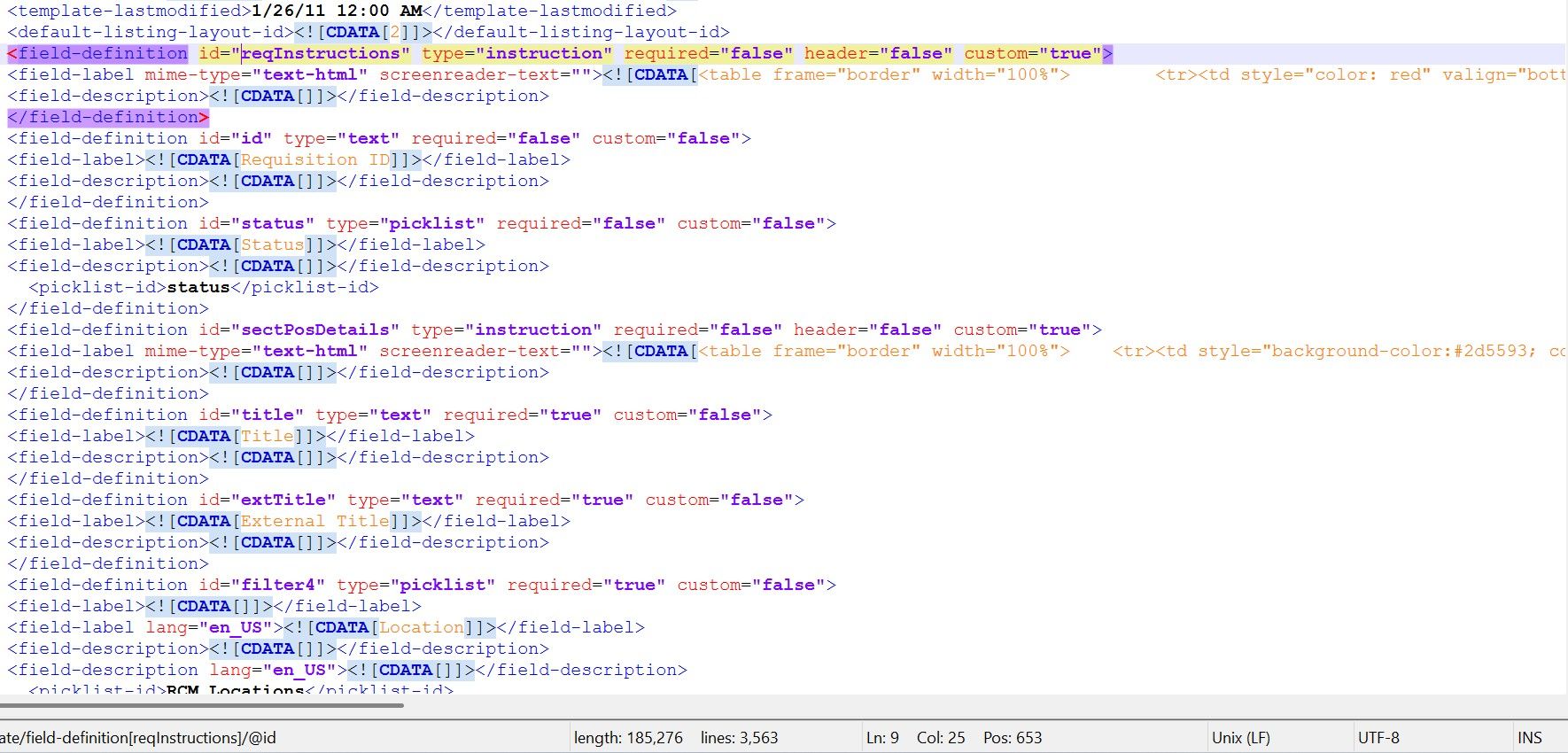
I am encountering an issue where all instances of “CDATA” are being highlighted and boldened regardless of what is being selected. It appears to affect other other capitalized text as well. I do have the Compare, ComparePlus, and XML Tools plugins enabled. I have tried toggling Language, Preferences, Style config, and Plugin options with no luck. None of the settings seem to suggest that XML: CDATA should be highlighted any color other than orange and changing highlighting preferences doesn’t do anything. I tried restarting my PC and the issue persisted. This was not occurring when I edited text on 7/15, so I am not sure if it is update related. Thanks for any ideas!
-
I assume you just upgraded to v8.9.7? If so, if you look at your
change.logor the v8.9.7 announcement, you will see it says,13. Make XML CDATA color different from the enclosed elements.Users wanted to be able to distinguish between the CDATA SGML-command syntax from the data it contains.So now, the CDATA style (defaults to orange) only applies to the data contained inside, not the command wrapper itself. SGML DEFAULT is what’s used for the
<![and[and]]>, and the wordCDATAitself is styled by SGML COMMAND<![CDATA[2 blah blah blah]]> ^^^ ^ ^^^ = SGML DEFAULT ^^^^^ = SGML COMMAND ^^^^^^^^^^^^^^^^ = CDATA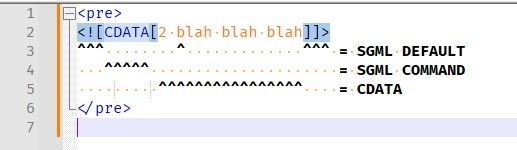
-
@PeterJones I see, thank you so much for clarifying! Do you know if there is there a way to turn this off or do I need to revert to the previous version indefinitely? I really like the idea of a different color, but the highlighting itself is incredibly distracting to my work.
-
Do you know if there is there a way to turn this off
You don’t turn the feature off. You set the background colors of those listed styles to whatever colors (or lack of colors) look good to you. Notepad++ makes those colors easily user-customizable for just this reason. If you don’t like the default color on this, or any other, style, set it to something you do like.
-
You set the background colors of those listed styles to whatever colors (or lack of colors) look good to you
…In case you don’t know how…
Use Settings > Style Configurator > Language:
XMLStart with:
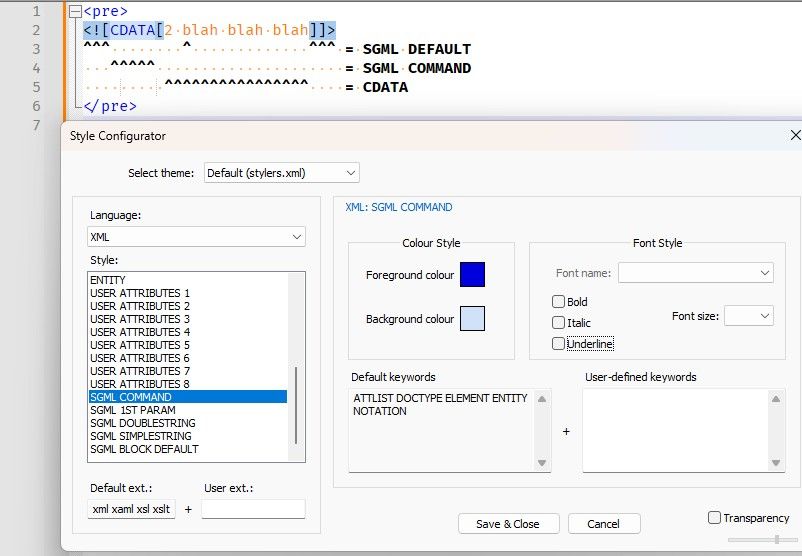
Then right click on the background color for SGML COMMAND:
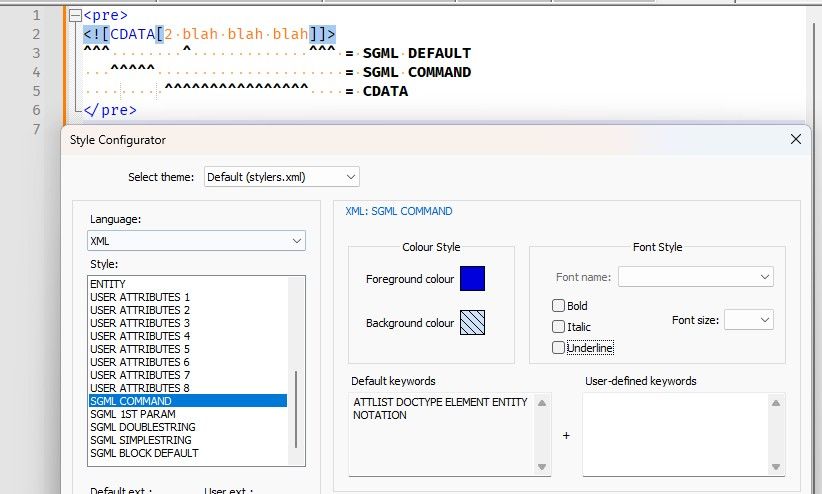
Then right click on the background color for SGML DEFAULT:
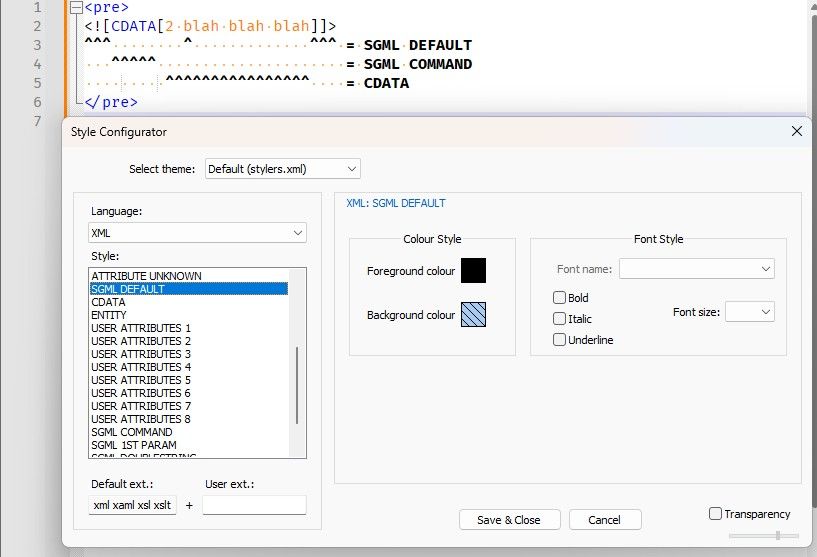
Easy
-
@PeterJones I was looking at style for CDATA instead of SGML, so that explains it. Thanks a lot for the help!!

Hello! It looks like you're interested in this conversation, but you don't have an account yet.
Getting fed up of having to scroll through the same posts each visit? When you register for an account, you'll always come back to exactly where you were before, and choose to be notified of new replies (either via email, or push notification). You'll also be able to save bookmarks and upvote posts to show your appreciation to other community members.
With your input, this post could be even better 💗
Register Login