Search++: A work in progress
-
First of all thanks to your great work with this plugin. Going through the help file to learn about all features of the plugin the following ideas came to my mind.
They are about graphical topics that probably are just cosmetical questions.
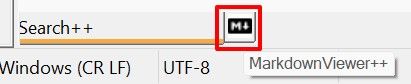
- Using a docking dialog for different plugins they may share the same space in NPP. If Search++ ist not active, there is just an empty space that is visible for me. Other plugins have a graphical representation that, in addition to the balloon tip, show which plugin is active. Two images to show my point:
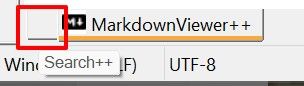 /
/ 
- Using Search++ I learned about the possibility to show only certain lines in the edit window. Would it make sense to have a marker that identifies that only some lines of a document are displayed after applying Search++ commands. Something like the following filter symbol to mark that not all lines are visible:
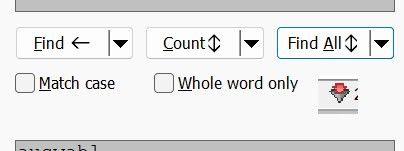
(the image is copied from Total Commander’s function ‘Synchronize directories’)
Just some ideas that would help me in using Search++.
- Using a docking dialog for different plugins they may share the same space in NPP. If Search++ ist not active, there is just an empty space that is visible for me. Other plugins have a graphical representation that, in addition to the balloon tip, show which plugin is active. Two images to show my point:
-
First of all thanks to your great work with this plugin.
Thank you for trying it and giving feedback!
- Using a docking dialog for different plugins they may share the same space in NPP. If Search++ ist not active, there is just an empty space that is visible for me. Other plugins have a graphical representation that, in addition to the balloon tip, show which plugin is active.
Good point. I will fix that — not necessarily in the very next release, but I will fix it.
- Using Search++ I learned about the possibility to show only certain lines in the edit window. Would it make sense to have a marker that identifies that only some lines of a document are displayed after applying Search++ commands.
I might be missing something. Do you find that it is not obvious enough in the document window itself when lines are hidden (the horizontal lines where the hidden lines are)?
-
I might be missing something. Do you find that it is not obvious enough in the document window itself when lines are hidden (the horizontal lines where the hidden lines are)?
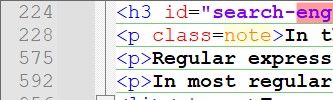
Thanks for your hint; I see, the mistake is on my side! I use a different background color and my eyes are getting older ;-) Therefore I did not see the lines between the text:
My configuration vs. Default theme:
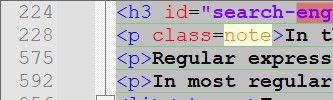 /
/ 
Now I know where to look.Good point. I will fix that — not necessarily in the very next release, but I will fix it.
I know you have a lot of topics on your list that are much more urgent. For me it is a ‘nice to have’. Thanks for your help.
-
This post is deleted! -
As you know, I recently reported an issue with Search++ in a new, separate topic, but I see that several others have reported various issues in this one (presumably, because it’s still a work in progress). I have a new issue to report, and thought maybe I should ask if you prefer that new issues get reported in their own topic (which is generally my default), or for users to just include them in this one. Do you care one way or the other?
-
As you I recently reported an issue with Search++ in a new, separate topic, but I see that several others have reported various issues in this one (presumably, because it’s still a work in progress). I have a new issue to report, and thought maybe I should ask if you prefer that new issues get reported in their own topic (which is generally my default), or for users to just include them in this one. Do you care one way or the other?
Either way is OK with me. I suspect the moderators might prefer to keep discussion confined to this topic, though.
-
Search++ version 0.6.4 is available. It is expected to fix the bug reported here.
Even though it seems most people never experience that bug, I still recommend upgrading at the next convenient time, so we will all be testing the same code. It’s always possible that I broke something else.
I am still working on improving the multi-threading for find in files. I’m also trying to decide how best to mitigate a problem wherein Search++ fails to load when a particular Windows redistributable library has never been installed on the system. More updates should be coming before too much longer.
All thoughts, suggestions, comments, criticisms, bug reports and raspberries are welcome, and thank you to everyone willing to give this jalopy a good work-out.
-
Search++ version 0.6.5 is available:
- Update to ICU 78.3 and use static linking for ICU. This is expected to fix problems some testers have had running Search++ on older systems or on minimal Windows installs (like Windows Sandbox). For most users there will be no functional difference between this version and version 0.6.4.
Note: There are five icu——.dll files in older versions of Search++ that are not used beginning with version 0.6.5; so it is best to delete the existing Search++ folder (or its contents) before copying, rather than copying the new folder over the old one.
-
Now, I did a test, searching in all files of my D: USB key, with :
The native N++ Find in Files dialog

The Search++ Search in Files dialog

The MultiReplace Find All in Files command
To be sure to process fair tests, I unplung my USB key, re-start my laptop completely, replug my USB key and starts a new N++ session, before running these three Find in Files operations, in turn !
I searched for the Fi string, with the Match case and the Regular expression options checked. I got :
27,112 matches in 833 files of 1,761 searched for the N++ Search Results panel, in 1m 37s

27,112 matches in 833 files of 1,761 files for the Search++ Search++ Results, in 2m 21s

27,087 hits in 835 file(s) for the MultiReplace Search results panel, in 1m 36s
I have been struggling with how to optimize the multithreading of my search for over a month now. Among other things, I’ve found that most everything I thought I was measuring wasn’t what I was actually measuring.
One surprise I only recently discovered was that even if I eject and unplug a thumb drive and then plug it in again. there is still a “first time today” cost in the time it takes to read it. Windows is persisting something and it is able to identify the same drive, even though it’s been unplugged. I don’t know the exact time, but Windows on my machine keeps it for more than an hour and less than 24 hours.
Running a particular test the first time I plugged in a particular USB drive I have, it took 8 minutes and 26 seconds. After ejecting the drive, unplugging it, waiting a moment, plugging it back in and running the exact same test, it took 20 seconds.
This drive appears to take whatever it is that Windows does once a day (?) exceptionally hard. Most drives don’t show anything so obvious. This is the only drive I have tested so far that uses FAT, so that could have something to do with it.
I haven’t yet tested whether rebooting is enough to reset the “once a day” penalty, or if it persists in something that isn’t lost in a reboot. It may have something to do with antivirus, though I haven’t yet proven any such thing.
So I’m wondering, if you happen to remember, whether you tested in the order you listed, or whether you happened to test Search++ first?
In any case, after weeks of running in circles, I think I will soon give up the fight to optimize performance and see what else needs work.
-
Hello, @coises, @thomas-knoefel and All,
@Coises, you said :
So I’m wondering, if you happen to remember, whether you tested in the order you listed, or whether you happened to test Search++ first?
Well, since my previous tests were done in
July 18, 2026, I don’t remenber exactly the way I used but I suppose that I first tested the native N++ search ! Thus, I decided to conduct a new series of tests. Of course, the results of the entire scan of myD:USB drive, are slightly different. Luckily, the number of matches and files containing theFistring are identical between theSearch++search and theNotepad++searchIMPORTANT : I updated
Search++to the last0.6.5version, before all these testsSo, this time, I first use the
Search++Find in Files dialog :-
I stop and re-start my
W11laptop -
I pluged my USB key
-
I start N++
-
I ran an entire scan of my
D:USB key for theFistring, using theSearch++plugin
=> I got
27,081matches in841files of1,772, in2m 10s-
I close N++
-
I unpluged my USB key
-
I stop and re-start my
W11laptop -
I re-pluged my USB key
-
I start N++
-
I ran an entire scan of my
D:USB key for theFistring, using the nativeNotepad++search
=> I got
27,081matches in841files of1,772, in1m 21s
As you can see, no real difference between these tests and those of
July 18! On the other hand, this time, the results obtained with theMultiReplaceplugin are completely different. After a complete re-start of my machine- I ran an entire scan of my
D:USB key for theFistring, using theMultiReplaceplugin
=> I got
18,767hits in726files in1m 05s. Most of non text files are not scanned at all ?!I don’t understand these huge differences ? I first suspected that I allowed this option in MultiReplace settings :
File Search : Skip files larger thanbut this option is not set !Thus, right after this post, I’m going to post to @thomas-knoefel for possible information !
Remark that this present post is saved on a different USB drive to avoid future changes regarding the number of matches of the
Fistring !
To end, @coises, you said :
In any case, after weeks of running in circles, I think I will soon give up the fight to optimize performance and see what else needs work.
I totally agree with this wise statement !!
Best Regards,
guy038
-
-
Hello, @coises and All,
@coises, I recommend that you read this
GithHubthread about themultiReplaceplugin, specifically my following two replies :-
https://github.com/daddel80/notepadpp-multireplace/issues/133#issuecomment-5478750061
-
https://github.com/daddel80/notepadpp-multireplace/issues/133#issuecomment-5492407859
In the first post, I asked @thomas-knoefel if the
Find in Filessearch could scan the N++ buffers rather that their equivalents on disk !You can verify that, in the table, at that time, the
Search++andMultiplaceplugins, unlike N++, did aFind in Filessearch on the saved files on disk and not on the N++ buffers possibly modifiedAnd, in the second post, I verified that the attached new build, provided by @thomas-knoefel, do scan the N++ buffers, by default !
Could you implement such behavior and add an option to search on N++ buffers, by default OR on saved files on disk, like within N++
v8.9.8andMultiReplace?TIA for your time and work on this topic !
Best Regards,
guy038
-
-
You can verify that, in the table, at that time, the Search++ and Multiplace plugins, unlike N++, did a Find in Files search on the saved files on disk and not on the N++ buffers possibly modified
Yes, that is a condition I have not yet addressed, and it is good that you call it to my attention.
I am more inclined to raise a warning box telling the user that some of the files to be searched are currently open in Notepad++, and the search results (and modifications, when I get Replace in Files done) will apply to the stored files, not to the edits in progress in Notepad++.
The way these searches work would make it difficult (probably not impossible, but difficult) to attempt to insert open document searches into the multi-threaded file-based search process. There are significant differences in how the two are implemented.
Do you see much practical application for searching the files in a folder, some of which are modified and not saved in Notepad++, merging the search of the unsaved open documents with the search of the unopened files on disk? (For replace I can see the value of skipping open files, as you might have tested the change on a couple files before choosing to apply it to the remaining files. If you already saved the files, you’d be applying the change twice; if you hadn’t saved them, you’d have a bunch of “File has changed, do you want to reload?” prompts to dismiss.)
I wonder if any of this works properly when users have multiple instances of Notepad++ open and the files are open in a different instance than the one doing the search?
-
Hello, @coises and All,
I understand that focusing on N++ buffers, instead of on saved files on disk, is not really appropriate for your multithreaded approach !
You said :
I am more inclined to raise a warning box telling the user that some of the files to be searched are currently open in Notepad++, and the search results (and modifications, when I get Replace in Files done) will apply to the stored files, not to the edits in progress in Notepad++.
So, given, your constraints, I totally agree ! That seems the more simple and obvious solution, with a
Cancelbutton in case some concerned and opened files are dirty, in current N++ session
On the other hand, you said :
I wonder if any of this works properly when users have multiple instances of Notepad++ open and the files are open in a different instance than the one doing the search?
I personally mainly use N++ in a N++ mono instance so I can’t speak properly of that case. But I agree with you that managing several instances must be a challenge for the
Find in FilesorReplace in Filesfeature !Best Regards,
guy038
-
Search++ version 0.6.6 is available:
-
Add tab icons to the docking search dialog and the results list. (When you have more than one dialog docked to the same edge in Notepad++, the icon shows on the tabs that are not active.)
-
Fix an error (present since version 0.6) that caused the count of files containing a match in the status message when counting or searching in Files in View or in Open Documents to be one too large.
-
Various internal updates to Find in Files to make it more robust against I/O errors, with better error reporting.
Thank you to everyone willing to try this work in progress. Comments, critiques and suggestions are always welcome.
Progress on the 0.6.x releases has been slow. Much of that was because I decided to introduce Search in Files in version 0.6 as a multi-threaded process, and I had no real experience writing multi-threaded code. After adding Find in Files, I spent a lot of time trying to improve performance. My eventual conclusion, after much trial and error, is that either it can’t be done, or I can’t figure out how to do it.
Hopefully the next few weeks will produce some visible progress.
To that end, I want to list some things that are on my mind at present. Please comment if you have any thoughts about these (which are important, which are unimportant or misguided, thoughts about how they should work, thoughts about things I’ve missed… and I am pretty sure I’m forgetting something):
Obvious missing features
-
Implement Replace in Files in the Search in Files dialog.
-
Ability to save and recall search strings.
- There is already history on the right-click menus. I’m not sure if it should be longer, be longer but on a flyout menu, longer with the first n items on the menu and the rest on a flyout, have a configurable number of items…?
- Would the ability to “pin” history items be useful? (Simpler and faster than a save process.)
- For saving I’m thinking of controlling that through a dialog that would let you name what you save, so you would then recall it by name. Saving would save the Find and Replace strings and the associated settings. It would have to be possible to edit, rename or delete a saved search as well. Recalling would probably be by selecting from a flyout on the right-click menu. Thoughts? Is that too complicated? Should the regular dialog (for searching in documents) and the Search in Files dialog share a single set of saved searches?
Features under consideration
-
Context in search results: that is, showing one or more lines before or after the line(s) containing a match.
- This would be optional and configurable, but a tricky question is whether it is sufficient to configure it before the search or whether you should be able to request context — either for a specific match or for all matches — directly in the search results window, after the search.
- It seems like it would make sense for this to be available for Show actions, too.
-
Warn or block when characters used in the find or replace fields are inconsistent with the character encoding of files to be searched. (Right now find proceeds without a warning, and replace uses the substitution character, usually a question mark.)
- Find is tricky, because I would have to parse the regular expression to attempt to determine whether the inconsistent characters are required for a match (so no match is possible) or whether they are only required by some alternatives (which might be intentional, if the same expression is used with files in different encodings). Is it worth doing at all? Would a warning (so I didn’t have to parse, since you could just say to search anyway) be more annoying than helpful?
- Replacing can also be conditional, so do I try to detect that, and if it’s conditional, only warn or block if it actually happens? If replacing in multiple files, it could vastly slow down the process if I have to examine each file first to determine its encoding before beginning the actual replace operation. Is it worth it? Or do I only raise the warning if and when I encounter a file that can’t do the replace as written?
-
In the main search dialog, when the default action is active for a button (e.g., Find, Count, etc. without a scope qualification like “in Selection” or “in Marked Text”), somehow indicate what the default action would be if you pressed the button right now. That is, Find adapts to work in selection if you have a selection large enough, or in marked text, or in the whole document, but what will it actually do right now? This feels like a big missing thing to me, but I’m a bit stumped as to how to indicate it.
- If a put a general indicator somewhere (it will always be the same for all buttons with default scope), where, and how should it appear? I am very hesitant to take up additional space in the dialog, or to make it any more “busy” than it already is.
- If I show it on each button, how would I distinguish it from the marker that tells you the direct action for the button is a command with a specified scope? (Remember, this has to work for any dark mode color combination the user might pick, and some users are colorblind.)
- Would it be better to show it on the buttons and remove the ability to select an action with other than default scope as the action for a button by shift-clicking the drop-down menu? Does anyone even realize they can shift-click the drop-down menus (the only way to know is to do it by accident or read the help)?
-
Figure out how to modify Boost.regex to get rid of the dreaded “complexity” message. Make progress responsive during a search (not just between finds, as it is now: Boost.regex as built has no progress callback, so you can only estimate progress after it succeeds or fails to find a match, not while it’s working) and let the user cancel if it’s taking too long.
-
Figure out how to modify Boost.regex to support Unicode word boundaries, and extend that to plain text searches by translating them into regex searches. (Unicode word boundaries recognize that sequences like “can’t” are a single word; for example, if implemented, a whole word match for “can” wouldn’t match the first three letters of ”can’t”; at present, it does.)
-
Implement “Unicode compatibility forms” matching. This means being able to search for something like “naive” and have it match “naïve” (or vice versa). I think I would only attempt to implement this, at least at first, for plain text searches (which would be translated to a regular expression the user would not see).
Deficiencies and bugs
-
Personally, I really like the Show function. It hides all lines and then shows the ones that have matches, also marking the matches. A bit like a Find All with the results list right in the document instead of in a tiny little window at the bottom. But there are problems. I use Scintilla’s hidden lines feature directly. Notepad++ also uses that feature, but it doesn’t provide a way for plugins to use it through Notepad++, and it keeps internal status information that assumes only it is using hidden lines. There appears to be no way to make Notepad++ synchronize its own idea of which lines it thinks are hidden with the actual state of Scintilla. Various bizarre things happen because of this. That leaves me with four choices, none of which are great:
- Remove the Show function entirely.
- Accept that if you use Show, unintended and illogical things can and will happen.
- Petition Don to provide a way for plugins to use hidden lines without confusing Notepad++, which might not be accepted, would probably take a long time even if it is accepted, and even when completed would mean this would only work correctly on versions of Notepad++ at least that new.
- Get “creative” and look for some back-door, hacky way to fix it (which might or might not be possible, and might break without warning when Notepad++ changes something).
-
Keyboard navigation in the Search++ dialog (the main one that can be docked, not the Search in Files dialog) is clunky and not comprehensive.
- There’s no straightforward way to invoke something like “Select in Marked Text” without using the mouse.
- There’s a setting to focus the document after stepwise Find and Replace, but if you check that then there’s no way to do the next Find or Replace without switching back to the Search++ dialog first. The only way I can think of to manage that would be to add two more menu items, which you could assign to free keyboard shortcuts… as if anyone has any free yet memorable keyboard shortcuts. Doing repeated Find actions while being able to edit immediately in the document after a Find seems like a common task. It should be natural and fluid, but it isn’t.
-
For Search in Files actions, there is presently no warning about files that are open in Notepad++; the files are processed on disk. This will be more critical when Replace in Files is implemented.
- My thought is to present a warning, with OK and Cancel options, noting that Search in Files only processes files on disk. Note that for Find in Files, the impact is that files that were open with changes would search based on the data on disk, not the live version of the document. Documents that are open in Notepad++ (with or without changes) and are also changed on disk by Replace in Files would show a “File changed” notification when activated in Notepad++.
- Because of the way Search in Files works, it would be complicated to treat files open in Notepad++ differently, but is that something that is really important… important enough to go ahead and make the code more complicated in order to do it, so that files open in Notepad++ are processed as open documents and not as files on disk?
-
The date selection controls in the Search in Files dialog look awful in dark mode. Unfortunately, it turns out the Windows control I used is just about impossible to render in dark mode. (At least, I haven’t found a single example in open source of someone doing it successfully.) So I expect to replace it with something simpler, more like a text control with a drop-down history, where you just type the date.
- Would it be useful to be able to enter the time, and not just the date, to limit which files are examined?
- Would a single universal format (yyyy-mm-dd) be good, or is it an important user amenity to be able to enter dates in your locale format (e.g., mm-dd-yy in the US, dd-mm-yy in most other places)?
- Would you miss the drop-down calendar control? Would you miss having up/down arrows (spin control) for the elements of the date and thus needing to type the numbers to change the date?
- Does anybody even think the date filter is useful in the first place? Do I need a way to take a date from a specific file, rather than the user knowing what dates are wanted, to make it useful?
-
-
Hello, @coises and All,
This morning, I just downloaded your last
v0.6.6release. I was studying your post in order to give you my suggestions and preferences when I came across three bugs :
When you perform a
Find Alloperation and do a right click in theSearch++ Resultspanel, either on an Occurrence(s) line, on a File line ( green line ), or the Title line of the search ( olive line ), the context menu begins with these two lines :Locate in Document Enter Move Here in Document Shift + EnterPersonally, this case should occur on numbered lines only and not on any green/olive line !?
Now, right click, on either the EMPTY olive/green zone : the context menu begins, now, with the lines :
Expand/Collapse Search Enter Expand/Collapse Documents Shift EnterThis is the expected behavior
But, if you right click again on any numbered line, you get :
Expand/Collapse Search Enter Expand/Collapse Documents Shift Enterand NOT :
Locate in Document Enter Move Here in Document Shift + EnterFinally, right click on the grey zone of line numbers. Again, the first two options of the context menu are :
Locate in Document Enter Move Here in Document Shift + EnterMove the mouse and right click on any line : again, you get the expected result :
Locate in Document        Enter

Move Here in Document     Shift + Enter
The second bug is a bit strange : it modifies the vertical navigation within the N++ files !
Click on the
▼on the right of theFind Allbutton and run the defaultShowoptionNow, at the top, click on the
Toolsbutton and runShow All LinesoptionFrom now on, if you hit the
↑or↓keys, the caret does not move : it’s the document which go upward or downward !?Swapping to an other file does not change the navgation, even choosing again the Search++
SelectorMarkoptions. Nor closing and re-opening the file. The only way is to close and re-open our beloved editor !
Now, if you change the search string and try again to select the default
Showoption, NO change occurs at all. You need to first cancel the previousShowoperation by running, within theToolsdialog, theRemove marks and bookmarks from active documentoptionThen the
Showfeature applied to the modified search is correctly performed !
I just hope that all the oddities will be easy enough to fix !
Best Regards,
guy038
P.S. :
Once I’ve finished reading your latest post, I’ll let you know what I think !
-
@guy038 said:
When you perform aFind Alloperation and do a right click in theSearch++ Resultspanel, either on an Occurrence(s) line, on a File line ( green line ), or the Title line of the search ( olive line ), the context menu begins with these two lines :Locate in Document Enter Move Here in Document Shift + EnterI can’t reproduce this one. What should happens is that search (gold) lines should show:
Expand/Collapse Search
Expand/Collapse Documents
while file (green) lines should show:
Expand/Collapse Document
Open Document
and match (numbered) lines should show:
Locate in Document
Move Here in Document
when you right-click. That is what is happening on my machine.I wonder if you could check something for me. When you press the right mouse button down in the Search++ Results window, does the caret indicator immediately move to the place where you clicked (even before the menu displays, which happens when you release the mouse button)? (Note: if you click in the left margin or past the right end of the text on a line, the caret is expected to move to the beginning or end of the line, respectively.)
If that’s not happening, it would explain why you’re getting unexpected options on the menu (since the menu is based on the caret location), but then I need to figure out why your caret isn’t following the right-click. The only time that’s expected is if you right-click within an existing selection: in that case, the selection should remain as is.
The second bug is a bit strange : it modifies the vertical navigation within the N++ files !
Click on the
▼on the right of theFind Allbutton and run the defaultShowoptionNow, at the top, click on the
Toolsbutton and runShow All LinesoptionFrom now on, if you hit the
↑or↓keys, the caret does not move : it’s the document which go upward or downward !?Thank you for the report! I can reproduce that. I hadn’t noticed it before, but I suspect it is related to a different bug that’s been puzzling me: when I use Show and then later Show All Lines, afterward whenever I make an alteration in the text (type something new) the text jumps to a new position on the screen. Hopefully I’ll be able to put what you’ve just told me together with that and find the cause, and a way to fix it.
Edit to add: How did I not find this before? In Show All Lines I change something called the caret policy in order to make sure that when I show the lines, the place where you had the caret will still be on the screen. I neglected to change it back to what it was afterward.
I will fix that for the next release. Thank you for the report… I don’t know why I didn’t recognize where the problem was before, but something in the way you described it jogged my brain cells.
-
Hello, @coises and All,
As for the first bug, I humbly apologize for the inconvenience caused : it’s my own fault. There’s no bug at all !
Indeed, in all my previous manipulations, I simply move the mouse around, to a specific location and immediately right click : thus some odd results !
As you said :
(since the menu is based on the caret location),
I understood that if I first clicked within a line, within a green line or within a gold line and THEN right clicked on the mouse I did get the same results as yours , i.e. :
search (gold) lines should show:
    Expand/Collapse Search
    Expand/Collapse Documents

file (green) lines should show:
    Expand/Collapse Document
    Open Document

match (numbered) lines should show:
    Locate in Document
    Move Here in Document
Again, sorry for the moise !
To end, could you verify if you can reproduce the third bug or if I forgot something obvious ?
Best Regards,
guy038
-
@guy038 said:
As for the first bug, I humbly apologize for the inconvenience caused : it’s my own fault. There’s no bug at all !Maybe, maybe not. I forgot about a Notepad++ setting. I would guess that you have Settings | Preferences… | Editing 1 | Keep selection when right-click outside of selection checked. If I check that box, behavior is consistent with what you reported.
Is that a bug? Scintilla normally responds to a right-click by clearing any selection and placing the caret at the position of the right-click, unless the right-click is within an existing selection. Notepad++ specifically captures right-clicks and overrides that behavior when that box is checked, so that right-click effectively behaves just like pressing the context menu key or Shift+F10, ignoring where you right-clicked and basing the context menu on the selection or caret location.
I’m inclined to think that if someone has that box checked they probably know what to expect… but then, you didn’t. I haven’t yet investigated, but I suspect it would be possible to bypass that setting by capturing the actual screen location of the right-click, converting that to a character position, and acting accordingly. The question is, should I?
To end, could you verify if you can reproduce the third bug or if I forgot something obvious ?
Now, if you change the search string and try again to select the default Show option, NO change occurs at all. You need to first cancel the previous Show operation by running, within the Tools dialog, the Remove marks and bookmarks from active document option
Then the Show feature applied to the modified search is correctly performed !
This isn’t really a bug, but a “feature” of questionable utility. Commands with default scope apply to marked text if there is any marked text, unless Settings | Marked Text | Default commands automatically search within marked text. is not checked. So most likely you see “No matches found in marked text.” at the bottom of the dialog when you attempt your second Show. If you used Show in Whole Document it would have worked.
I agree, this is probably confusing. I didn’t want different default scope commands to behave differently, but this does seem like an exceptional case. I already have a checkbox for Allow default Mark command to Mark in Marked Text; I should probably have a similar Allow default Show command to Show in Marked Text, unchecked by default.
Perhaps I should redesign this whole default scope concept. I just don’t know how to keep it flexible and convenient and user-friendly all at once.
(I include a reasonably clean design, as in “dialog not so cluttered with buttons and options that your eyes hurt just looking at it” as part of user-friendly. Yet so is minimizing the “User Astonishment Factor”: as in, “Wow, I never expected that to happen!”)
-
Hello, @coises and All,
Sorry, @coises, but I came acroos some differences of counting, in regex mode, between your two plugins
Columns++andSearch++For my tests, I used my
Total_Chars.txtfile that you can download from this location :https://drive.google.com/file/d/1DTDQdUMgC-c2Fkc-LvlQghvtwMYyoWi3/view?usp=sharing
All countings are run in regex mode with the
Match caseoption enabled
Some time ago, I made a list of all Unicode blocks of the last version
17.0. Presently, while testing theMultiReplaceplugin of @thomas-knoefel, I updated this list and took the opportunity to include the count results obtained withSearch++alongside those already provided byColumns++And I was very surprised because there are a lot of differences in the results between your two plugins
Columns++andSearch++!?Here is a non-exhaustive list of the différenes observed :
•-------------------------------•----------------------------------------------------•----------•----------• •------------•-----------•-----------• | Block range | Block name | Total | Assigned | | N++ / MRep | Columns++ | Search++ | | | | Code-Pts | Code-Pts | | Word Chrs | Word Chrs | Word Chrs | •-------------------------------•----------------------------------------------------•----------•----------• •------------•-----------•-----------• | (?=\w)[\x{0400}-\x{04FF}] | Cyrillic | 256 | 256 | | 248 ! 248 | 255 | | (?=\w)[\x{0590}-\x{05FF}] | Hebrew | 112 | 88 | | 30 ! 31 | 82 | | (?=\w)[\x{0600}-\x{06FF}] | Arabic | 256 | 256 | | 172 ! 173 | 225 | | (?=\w)[\x{0700}-\x{074F}] | Syriac | 80 | 77 | | 34 ! 34 | 62 | | (?=\w)[\x{0780}-\x{07BF}] | Thaana | 64 | 50 | | 39 ! 39 | 50 | | (?=\w)[\x{07C0}-\x{07FF}] | NKo | 64 | 62 | | 46 ! 46 | 56 | | (?=\w)[\x{0800}-\x{083F}] | Samaritan | 64 | 61 | | 0 ! 25 | 46 | | (?=\w)[\x{0840}-\x{085F}] | Mandaic | 32 | 29 | | 0 ! 25 | 28 | | (?=\w)[\x{0870}-\x{089F}] | Arabic Extended-B | 48 | 43 | | 0 ! 31 | 40 | | (?=\w)[\x{08A0}-\x{08FF}] | Arabic Extended-A | 96 | 96 | | 0 ! 42 | 95 | | (?=\w)[\x{0900}-\x{097F}] | Devanagari | 128 | 128 | | 83 ! 91 | 125 | | (?=\w)[\x{0980}-\x{09FF}] | Bengali | 128 | 96 | | 63 ! 65 | 85 | | (?=\w)[\x{0A00}-\x{0A7F}] | Gurmukhi | 128 | 80 | | 61 ! 61 | 79 | | (?=\w)[\x{0A80}-\x{0AFF}] | Gujarati | 128 | 91 | | 62 ! 63 | 89 | | (?=\w)[\x{0B00}-\x{0B7F}] | Oriya | 128 | 91 | | 63 ! 63 | 84 | | (?=\w)[\x{0B80}-\x{0BFF}] | Tamil | 128 | 72 | | 47 ! 47 | 61 | | (?=\w)[\x{0C00}-\x{0C7F}] | Telugu | 128 | 101 | | 64 ! 68 | 92 | | (?=\w)[\x{0C80}-\x{0CFF}] | Kannada | 128 | 92 | | 63 ! 68 | 91 | | (?=\w)[\x{0D00}-\x{0D7F}] | Malayalam | 128 | 118 | | 69 ! 77 | 100 | | (?=\w)[\x{0D80}-\x{0DFF}] | Sinhala | 128 | 91 | | 59 ! 69 | 90 | | (?=\w)[\x{0E00}-\x{0E7F}] | Thai | 128 | 87 | | 83 ! 67 | 83 | | (?=\w)[\x{0E80}-\x{0EFF}] | Lao | 128 | 83 | | 50 ! 66 | 83 | | (?=\w)[\x{0F00}-\x{0FFF}] | Tibetan | 256 | 211 | | 59 ! 60 | 137 | | (?=\w)[\x{1000}-\x{109F}] | Myanmar | 160 | 160 | | 94 ! 94 | 152 | | (?=\w)[\x{1200}-\x{137F}] | Ethiopic | 384 | 358 | | 326 ! 326 | 329 | | (?=\w)[\x{16A0}-\x{16FF}] | Runic | 96 | 89 | | 78 ! 83 | 86 | | (?=\w)[\x{1700}-\x{171F}] | Tagalog | 32 | 23 | | 17 ! 19 | 23 | | (?=\w)[\x{1720}-\x{173F}] | Hanunoo | 32 | 23 | | 18 ! 18 | 21 | | (?=\w)[\x{1740}-\x{175F}] | Buhid | 32 | 20 | | 18 ! 18 | 20 | | (?=\w)[\x{1760}-\x{177F}] | Tagbanwa | 32 | 18 | | 16 ! 16 | 18 | | (?=\w)[\x{1780}-\x{17FF}] | Khmer | 128 | 114 | | 64 ! 64 | 97 | | (?=\w)[\x{1800}-\x{18AF}] | Mongolian | 176 | 158 | | 140 ! 139 | 146 | | (?=\w)[\x{1900}-\x{194F}] | Limbu | 80 | 68 | | 39 ! 41 | 65 | | (?=\w)[\x{1A00}-\x{1A1F}] | Buginese | 32 | 30 | | 23 ! 23 | 28 | | (?=\w)[\x{1A20}-\x{1AAF}] | Tai Tham | 144 | 127 | | 0 ! 74 | 114 | | (?=\w)[\x{1AB0}-\x{1AFF}] | Combining Diacritical Marks Extended | 80 | 58 | | 0 ! 0 | 58 | | (?=\w)[\x{1B00}-\x{1B7F}] | Balinese | 128 | 127 | | 64 ! 65 | 96 | | (?=\w)[\x{1B80}-\x{1BBF}] | Sundanese | 64 | 64 | | 42 ! 48 | 64 | | (?=\w)[\x{1BC0}-\x{1BFF}] | Batak | 64 | 56 | | 0 ! 38 | 52 | | (?=\w)[\x{1C00}-\x{1C4F}] | Lepcha | 80 | 74 | | 49 ! 49 | 69 | | (?=\w)[\x{1CD0}-\x{1CFF}] | Vedic Extensions | 48 | 43 | | 0 ! 13 | 42 | | (?=\w)[\x{1DC0}-\x{1DFF}] | Combining Diacritical Marks Supplement | 64 | 64 | | 0 ! 0 | 64 | | (?=\w)[\x{2000}-\x{206F}] | General Punctuation | 112 | 111 | | 0 ! 0 | 5 | | (?=\w)[\x{20D0}-\x{20FF}] | Combining Diacritical Marks for Symbols | 48 | 33 | | 0 ! 0 | 33 | | (?=\w)[\x{2150}-\x{218F}] | Number Forms | 64 | 60 | | 41 ! 2 | 41 | | (?=\w)[\x{2460}-\x{24FF}] | Enclosed Alphanumerics | 160 | 160 | | 0 ! 0 | 52 | | (?=\w)[\x{2C80}-\x{2CFF}] | Coptic | 128 | 123 | | 101 ! 107 | 110 | | (?=\w)[\x{2D30}-\x{2D7F}] | Tifinagh | 80 | 59 | | 55 ! 57 | 58 | | (?=\w)[\x{2DE0}-\x{2DFF}] | Cyrillic Extended-A | 32 | 32 | | 0 ! 0 | 32 | | (?=\w)[\x{3000}-\x{303F}] | CJK Symbols and Punctuation | 64 | 64 | | 22 ! 9 | 28 | | (?=\w)[\x{3040}-\x{309F}] | Hiragana | 96 | 93 | | 89 ! 89 | 91 | | (?=\w)[\x{A640}-\x{A69F}] | Cyrillic Extended-B | 96 | 96 | | 69 ! 78 | 94 | | (?=\w)[\x{A6A0}-\x{A6FF}] | Bamum | 96 | 88 | | 0 ! 70 | 82 | | (?=\w)[\x{A800}-\x{A82F}] | Syloti Nagri | 48 | 45 | | 32 ! 32 | 41 | | (?=\w)[\x{A880}-\x{A8DF}] | Saurashtra | 96 | 82 | | 60 ! 60 | 80 | | (?=\w)[\x{A8E0}-\x{A8FF}] | Devanagari Extended | 32 | 32 | | 0 ! 9 | 28 | | (?=\w)[\x{A900}-\x{A92F}] | Kayah Li | 48 | 48 | | 38 ! 38 | 46 | | (?=\w)[\x{A930}-\x{A95F}] | Rejang | 48 | 37 | | 23 ! 23 | 36 | | (?=\w)[\x{A980}-\x{A9DF}] | Javanese | 96 | 91 | | 0 ! 58 | 76 | | (?=\w)[\x{A9E0}-\x{A9FF}] | Myanmar Extended-B | 32 | 31 | | 0 ! 30 | 31 | | (?=\w)[\x{AA00}-\x{AA5F}] | Cham | 96 | 83 | | 62 ! 62 | 79 | | (?=\w)[\x{AA60}-\x{AA7F}] | Myanmar Extended-A | 32 | 32 | | 0 ! 26 | 29 | | (?=\w)[\x{AA80}-\x{AADF}] | Tai Viet | 96 | 72 | | 0 ! 61 | 70 | | (?=\w)[\x{AAE0}-\x{AAFF}] | Meetei Mayek Extensions | 32 | 23 | | 0 ! 14 | 21 | | (?=\w)[\x{ABC0}-\x{ABFF}] | Meetei Mayek | 64 | 56 | | 0 ! 45 | 55 | | (?=\w)[\x{FB00}-\x{FB4F}] | Alphabetic Presentation Forms | 80 | 58 | | 56 ! 56 | 57 | | (?=\w)[\x{FE00}-\x{FE0F}] | Variation Selectors | 16 | 16 | | 0 ! 0 | 16 | | (?=\w)[\x{FE20}-\x{FE2F}] | Combining Half Marks | 16 | 16 | | 0 ! 0 | 16 | | (?=\w)[\x{FE30}-\x{FE4F}] | CJK Compatibility Forms | 32 | 32 | | 0 ! 0 | 5 | | (?=\w)[\x{FF00}-\x{FFEF}] | Halfwidth and Fullwidth Forms | 240 | 225 | | 172 ! 172 | 173 | •-------------------------------•----------------------------------------------------•----------•----------• •------------•-----------•-----------• | (?=\w)[\x{102E0}-\x{102FF}] | Coptic Epact Numbers | 32 | 28 | | 0 | 0 | 1 | | (?=\w)[\x{10330}-\x{1034F}] | Gothic | 32 | 27 | | 0 | 25 | 27 | | (?=\w)[\x{10350}-\x{1037F}] | Old Permic | 48 | 43 | | 0 | 38 | 43 | | (?=\w)[\x{103A0}-\x{103DF}] | Old Persian | 64 | 50 | | 0 | 44 | 49 | | (?=\w)[\x{1CF00}-\x{1CFCF}] | Znamenny Musical Notation | 208 | 185 | | 0 | 0 | 69 | | (?=\w)[\x{1D100}-\x{1D1FF}] | Musical Symbols | 256 | 233 | | 0 | 0 | 30 | | (?=\w)[\x{1D800}-\x{1DAAF}] | Sutton SignWriting | 688 | 672 | | 0 | 0 | 127 | | (?=\w)[\x{1E000}-\x{1E02F}] | Glagolitic Supplement | 48 | 38 | | 0 | 0 | 38 | | (?=\w)[\x{1E030}-\x{1E08F}] | Cyrillic Extended-D | 96 | 63 | | 0 | 62 | 63 | | (?=\w)[\x{1E100}-\x{1E14F}] | Nyiakeng Puachue Hmong | 80 | 71 | | 0 | 63 | 70 | | (?=\w)[\x{1E290}-\x{1E2BF}] | Toto | 48 | 31 | | 0 | 30 | 31 | | (?=\w)[\x{1E2C0}-\x{1E2FF}] | Wancho | 64 | 59 | | 0 | 54 | 58 | | (?=\w)[\x{1E4D0}-\x{1E4FF}] | Nag Mundari | 48 | 42 | | 0 | 38 | 42 | | (?=\w)[\x{1E5D0}-\x{1E5FF}] | Ol Onal | 48 | 44 | | 0 | 41 | 43 | | (?=\w)[\x{1E6C0}-\x{1E6FF}] | Tai Yo | 64 | 55 | | 0 | 50 | 55 | | (?=\w)[\x{1E800}-\x{1E8DF}] | Mende Kikakui | 224 | 213 | | 0 | 197 | 204 | | (?=\w)[\x{1E900}-\x{1E95F}] | Adlam | 96 | 88 | | 0 | 79 | 86 | | (?=\w)[\x{1F100}-\x{1F1FF}] | Enclosed Alphanumeric Supplement | 256 | 200 | | 0 | 0 | 78 | •-------------------------------•----------------------------------------------------•----------•----------• •------------•-----------•-----------• | (?=\w)[\x{E0100}-\x{E01EF}] | Variation Selectors Supplement | 240 | 240 | | 0 | 0 | 240 | •-------------------------------•----------------------------------------------------•----------•----------• •------------•-----------•-----------•
Notes :
-
Unlike the
Plane 0andPlane 14, the UnicodePlane 1does not include all the différences : it’s just for testing ! -
The
Plane 2andPlane 3give identical results. -
Although this post focuses on differences between your two plugins, remark that the native
Notepad++search and theMultiReplacesearch give identical results, throughout all the Unicode planes and blocks.
As promised, I’ll give you, very soon, my suggestions and preferences regarding your post !
Best Regards,
guy038
-
-
Sorry, @coises, but I came acroos some differences of counting, in regex mode, between your two plugins Columns++ and Search++
It will take me some time to test, but my guess is that the differences come from this:
-
Search++ uses the properties returned by the ICU 78.3 (Unicode 17) API directly.
-
Columns++ uses a Python script to condense information from the Unicode Character Database tables into static C++ structures which can be searched quickly at run time. Subsequent tests (I think it was you who first ran them) showed that my method does not capture all relevant Unicode properties for all characters correctly.
-
Notepad++ and MultiReplace use whatever Boost.regex does by default when matching UTF-16 or a legacy codepage. I think this relies entirely on Windows character classification routines.
I expect that the results in Search++ using Regex and ICU will be identical. Any discrepancies would probably indicate bugs in the Regex implementation; the possibility of running tests like that is why I included ICU in the first place.
Edit to add:
If you simply count word characters (\w) in your Total_Chars.txt file, you’ll see that Notepad++, Columns++ and Search++ (Regex or ICU) come up with different counts:
Notepad++ native: 48,031
Columns++: 146,443
Search++: 149,366Regex in Search++ uses the definition in Unicode Technical Standard #18: Unicode Regular Expressions. ICU in Search++ uses the ICU4C implementation of regular expressions directly.
Columns++ defines a word character as General Categories Ll, Lm, Lo, Lt, Lu and Nd plus the underscore. Relative to the Unicode standard, it misses connector punctuation (except the underscore), digits that are not decimal digits, marks, characters that are classed as alphabetic but are not letters, and the join control characters.
Notepad++ native search and MultiReplace use Boost.Regex without customization for character traits, which relies on GetStringTypeExW. I think a word character is defined as one which returns the flag for C1_ALPHA or C1_DIGIT or is an underscore.
-




Hello! It looks like you're interested in this conversation, but you don't have an account yet.
Getting fed up of having to scroll through the same posts each visit? When you register for an account, you'll always come back to exactly where you were before, and choose to be notified of new replies (either via email, or push notification). You'll also be able to save bookmarks and upvote posts to show your appreciation to other community members.
With your input, this post could be even better 💗
Register Login