SQL Formatter Plugin SQLinForm has now Visual NAvigator for complex SQL
-
Hello, just wanted to let you know that SQLinForm got a fresh new function
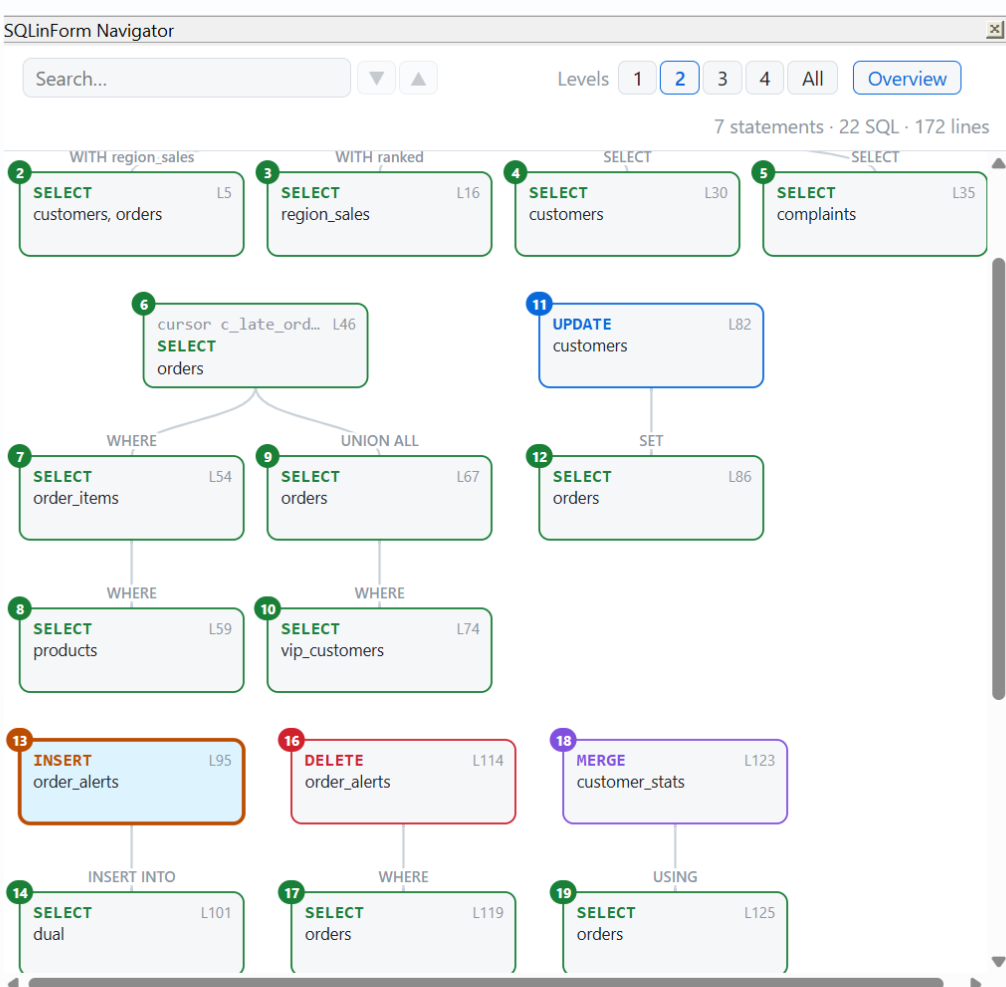
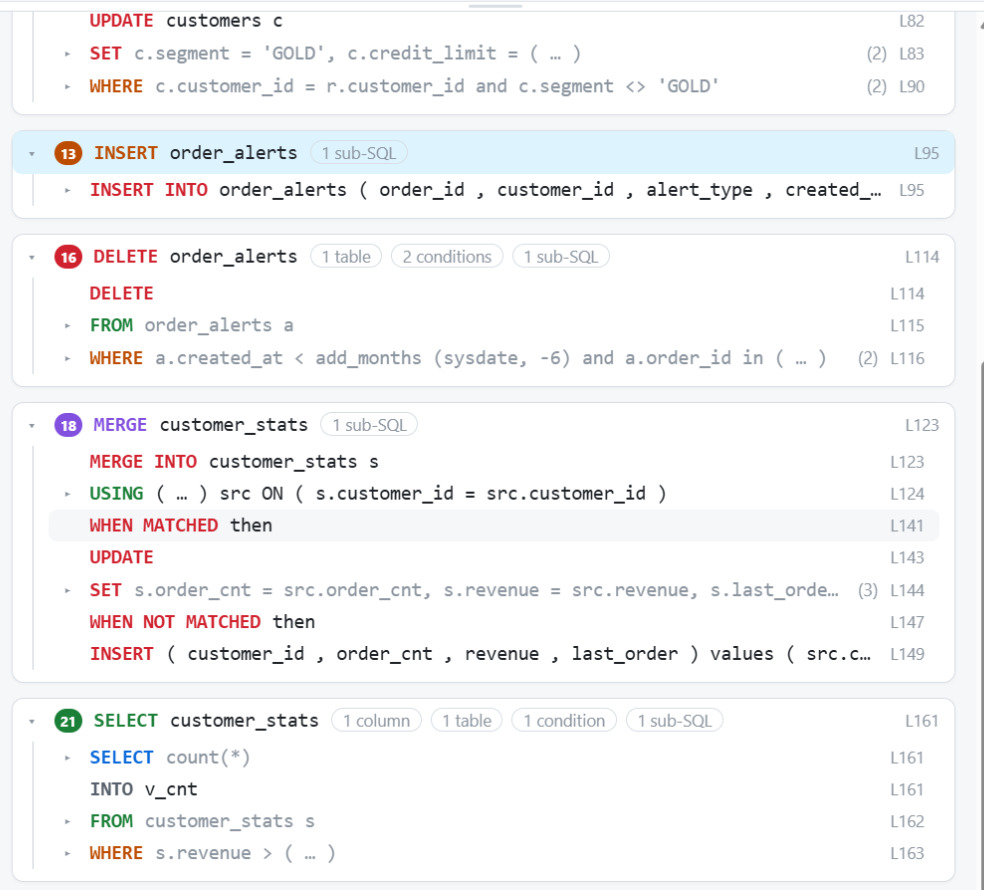
The new version of the SQLinForm plugin adds a Navigator, a docked side panel that shows the structure of your SQL. It’s meant for long scripts, stored procedures and deeply nested queries.
What it does
- Overview graph: every statement and sub-SQL as a box. Boxes are colored by type: SELECT, INSERT, UPDATE, DELETE and MERGE. Edges are labeled with the clause the sub-SQL sits in (WHERE, SET, USING, UNION ALL, …), and CTEs are labeled with their names (WITH region_sales).
- Structure tree: each statement broken down into clauses and items, with quick facts like 3 columns · 2 tables · 1 condition · 1 sub-SQL.
- Click to jump: click a box or a row and the line is selected in the editor.
- Levels 1–4 / All: collapse or expand the whole tree in one click.
- Search with next/previous hit, highlighted in both the tree and the graph.
- Cursors, CTEs (with the main query shown separately), UNION, MERGE … WHEN and INSERT … SELECT are handled.
- Light and dark theme. The UI is available in 12 languages.
I appreciate any suggestion or error feedback :-)
-
I don’t use SQL (nor thus your plugin), but from what little I know about it, the screenshot of your new Navigator feature looks like an impressive amount of work.
Out of curiosity, do other SQL editors/interfaces give you that amount of help? Or has your plugin just become the premier SQL development tool? :-)


Hello! It looks like you're interested in this conversation, but you don't have an account yet.
Getting fed up of having to scroll through the same posts each visit? When you register for an account, you'll always come back to exactly where you were before, and choose to be notified of new replies (either via email, or push notification). You'll also be able to save bookmarks and upvote posts to show your appreciation to other community members.
With your input, this post could be even better 💗
Register Login