Notepad++ v8.9.9 Release Candidate
-
close button at most right position, up/down botton at position left next to close button
Personally, if I used that bar, that’s what I would prefer… But they would have to adjust with window width, not be at fixed positions
-
The button position issue is fixed in the commit:
https://github.com/notepad-plus-plus/notepad-plus-plus/commit/14e27a6caa5a2f2a3dfcbc8594d792d255c4991dIs it possible to get a link to the notepad++.exe file with the latest fixes?
-
The button position issue is fixed in the commit:
https://github.com/notepad-plus-plus/notepad-plus-plus/commit/14e27a6caa5a2f2a3dfcbc8594d792d255c4991dIs it possible to get a link to the notepad++.exe file with the latest fixes?
This is the CI Build for that commit. The artifacts (zipfiles of the exe) are at the bottom of that page.
-
Move to top still disappears.
Please remove all plugins and test again.
If it persists, then it could be an issue under Windows 7. -
Move to top still disappears.
Please remove all plugins and test again.
If it persists, then it could be an issue under Windows 7.It was a conflict with the NppMenuSearch plugin. It has a toolbar text widget that always sits at the right end of the toolbar and an option to lock the widget size. I should have noticed that the MenuSearch widget disappeared at the same time the Increment search bar disappeared. If it’s unlocked, everything works.
Ironically, I only started posting in this thread because NppMenuSearch couldn’t find any strings/labels for the new Increment preference.
-
FYI, RC2 is available:
https://github.com/donho/notepad-plus-plus/releases/tag/RC2 -
The new position of the up/down button is very inconvenient. (you constantly confuse it with the forward/backward search buttons)
The most convenient place for it is next to the button that closes this search panel. (that’s where it belongs!)
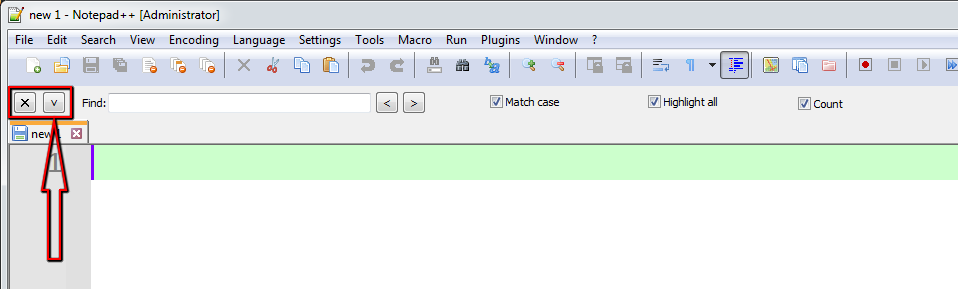
-
close button at most right position, up/down botton at position left next to close button
Personally, if I used that bar, that’s what I would prefer… But they would have to adjust with window width, not be at fixed positions
It’s quite complex to implement such idea.
The best I can do is what @andrecool-68 has suggested:A.
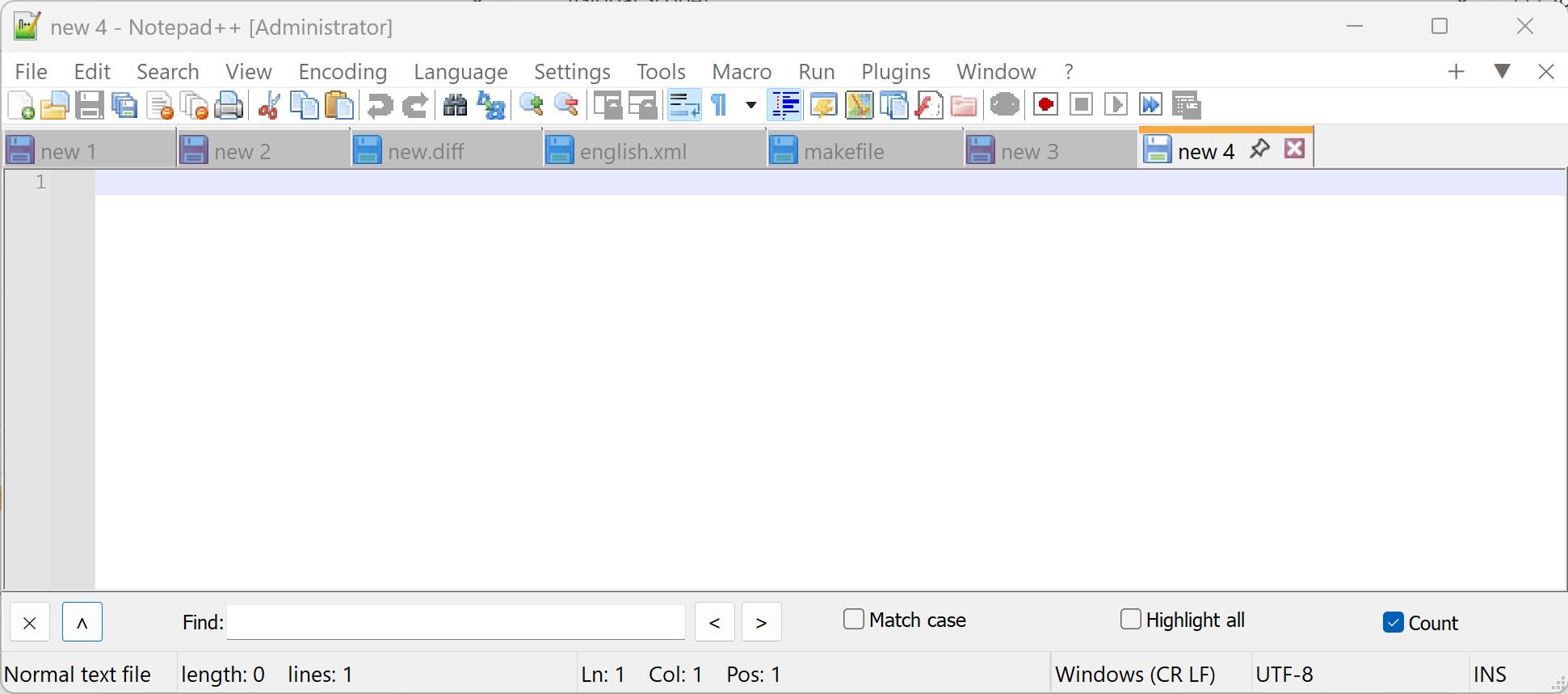
or we can keep the current one:
B.
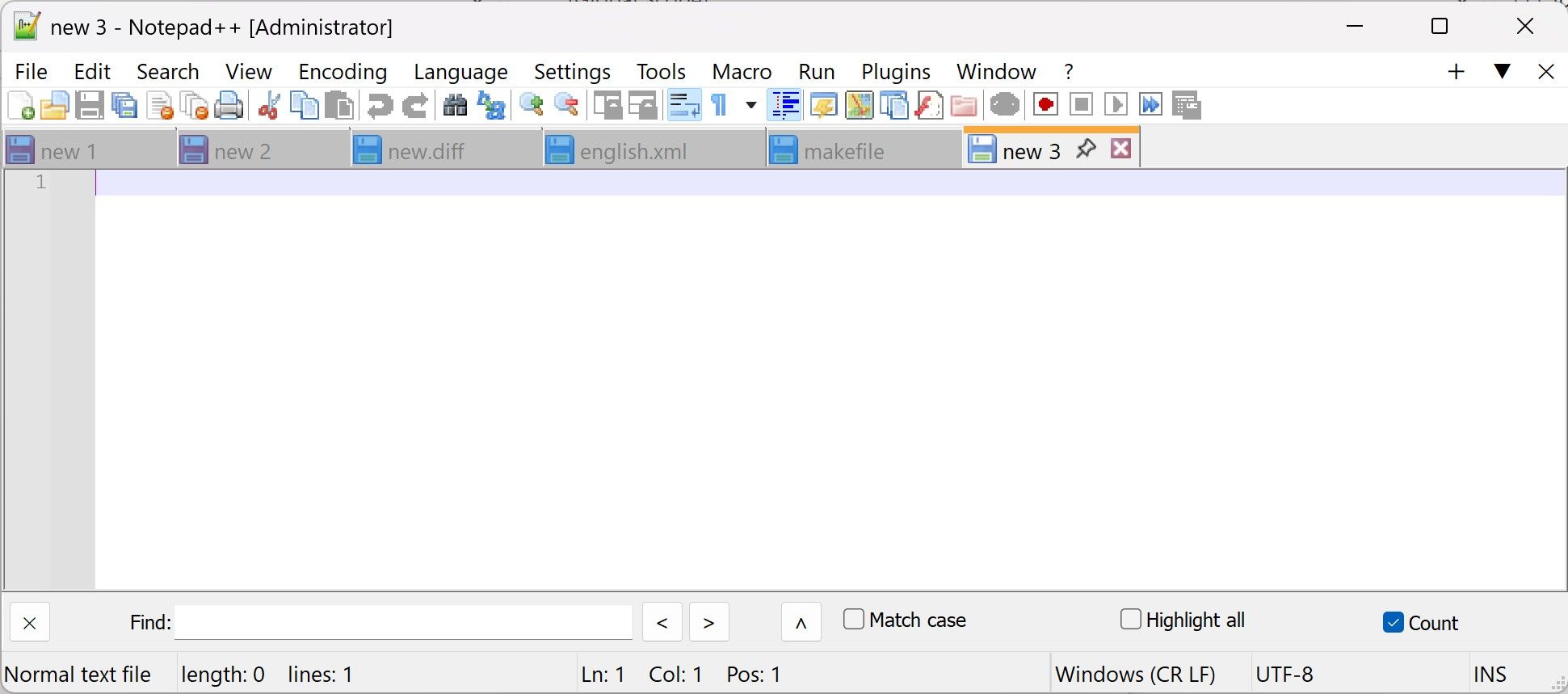
ppl are welcome to vote.
-
D. Users will probably strongly prefer one position or the other, not want to change it frequently. Put it in the Preferences instead of on the bar.
-
@Coises I think the idea of donho was to have either the A or B version implemented, not to have the possibility to switch





Hello! It looks like you're interested in this conversation, but you don't have an account yet.
Getting fed up of having to scroll through the same posts each visit? When you register for an account, you'll always come back to exactly where you were before, and choose to be notified of new replies (either via email, or push notification). You'll also be able to save bookmarks and upvote posts to show your appreciation to other community members.
With your input, this post could be even better 💗
Register Login