Can I "Find / Replace all" only apply to selected?
-
I wanted likes below:
-
-
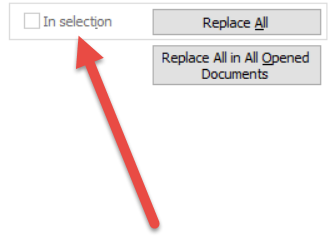
Why the “In selection” not chackable ?
-
Oh, the selection looks like must be continuous.
-
@water5 said in Can I "Find / Replace all" only apply to selected?:
the selection looks like must be continuous
Yes, you must have only ONE selection, and it must not be a column/rectangular selection.
And, BTW, nobody is going to click on links from “ibb.co”. If these are images you are trying to convey, why not just paste them right into this posting (like I did above, with the big fat red arrow)?
-
it’s enabled in a
plugin's(toolbucket) Multi-line search and replace dialog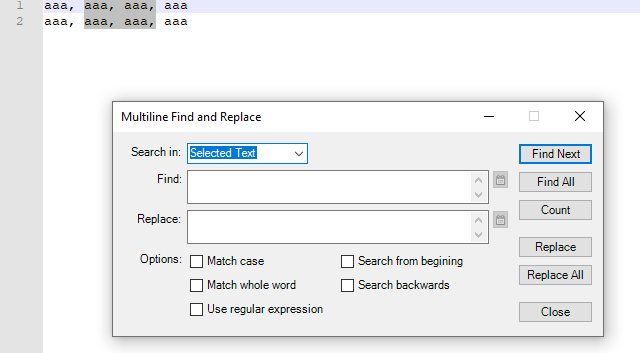
-
The ‘toolbucket’ plugin looks like not work in 'Column mode (ALT + mouse selection).

-
The ‘toolbucket’ plugin looks like not work in 'Column mode (ALT + mouse selection).
yes this gives result from full lines of selected text
but it works forMulti-line search and replaceperfectly. -
@gurikbal-singh said in Can I "Find / Replace all" only apply to selected?:
but it works for Multi-line search and replace perfectly.
But that wasn’t the OP’s question. Please try to not give answers that are misleading.


Hello! It looks like you're interested in this conversation, but you don't have an account yet.
Getting fed up of having to scroll through the same posts each visit? When you register for an account, you'll always come back to exactly where you were before, and choose to be notified of new replies (either via email, or push notification). You'll also be able to save bookmarks and upvote posts to show your appreciation to other community members.
With your input, this post could be even better 💗
Register Login