Double click no longer opening links. Newest version
-
I’ve seen a few threads on this already but they were older and didn’t seem to have current solutions. I did check the settings mentioned in those threads in the preferences/misc section and the box is checked for enabling the option.
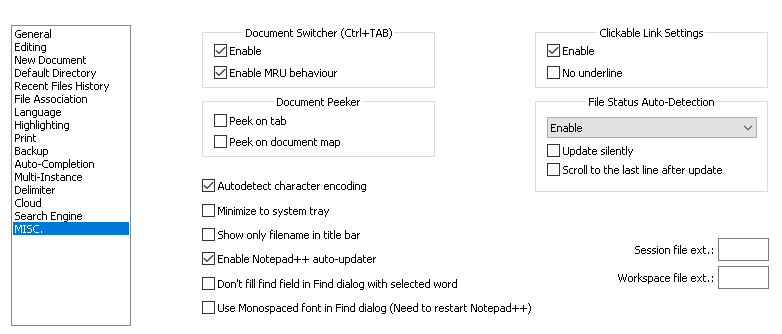
This just started happening out of the blue as far as I can tell. I just tried updating the latest ‘package’ and restarted but that didn’t solve it.
The cursor goes from the arrow to a hand with a pointed finger but double clicking doesnt open the link in chrome like it has been…when I double click the cursor makes a flas of something weird that happens to fast to see what it is, hopefully that helps.Kind of a pita to lose this functionality.
Thanks for any help
-
I cannot replicate your problem. I am using v7.8.6, with ? > Debug Info =
Notepad++ v7.8.6   (64-bit)
Build time : Apr 21 2020 - 15:23:03
Path : C:\usr\local\apps\notepad++\notepad++.exe
Admin mode : OFF
Local Conf mode : ON
OS Name : Windows 10 Enterprise (64-bit)
OS Version : 1903
OS Build : 18362.720
Plugins : ComparePlugin.dll LuaScript.dll MarkdownViewerPlusPlus.dll mimeTools.dll NppConsole.dll NppConverter.dll NppEditorConfig.dll NppExec.dll NppExport.dll NppFTP.dll PreviewHTML.dll PythonScript.dll QuickText.dll XMLTools.dll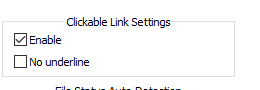
I have Chrome as my default browser.
When I double-click on a link, it opens that link in Chrome.
Maybe you should try turning off Clickable Link Settings, exit all instances of Notepad++, run one instance of Notepad++, enable the setting again, and see if it works. Then exit and run again and make sure it still works.
If it doesn’t work for you, you will have to give us more information, including the ? menu Debug Info, like I showed above.


Hello! It looks like you're interested in this conversation, but you don't have an account yet.
Getting fed up of having to scroll through the same posts each visit? When you register for an account, you'll always come back to exactly where you were before, and choose to be notified of new replies (either via email, or push notification). You'll also be able to save bookmarks and upvote posts to show your appreciation to other community members.
With your input, this post could be even better 💗
Register Login